







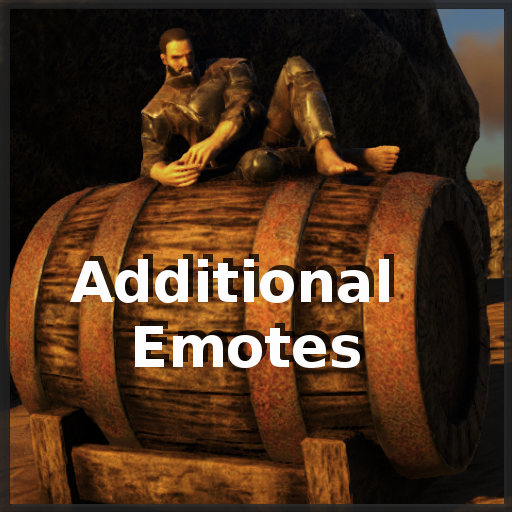
About Additional Emotes
From Steam WorkshopMod ID: 1551907938 Type: Stackable If you like my mod, please https://i.imgur.com/p7Fv1Z6.gif Step up your emote game to the next level - Includes all basegame and event emotes(last update Summer…
Mod ID: 1551907938 Type: Stackable
If you like my mod, please 
Step up your emote game to the next level
- Includes all basegame and event emotes(last update Summer Bash 2021) - Adds 56 new unique emotes - Much easier/faster emote handling - Sit/Lay everywhere - 12 dances - Jumping Jack and PushUps - A lot of gestures and stances - Three seating styles (Chair, Bench)
Additional Emotes adds two consumables to the game. EmoteDrink and AntiEmoteDrink Engram Requirements: Lvl 20 Points 0 [h1]SpawnCodes and Engram Overrides[/h1] Upon consuming the EmoteDrink, the player recieves a permanent buff. This buff gives access to a new EmoteMenu. You can navigate in the menu with Numpad0-9. 1. Open one of the 9 EmoteMenus by pressing Numpad1-9. 2. Play one of the 9 emotes shown by pressing Numpad1-9 again. Numpad0 = Close EmoteMenu/Repeat last emote/Toggle stance Attention! You can't use the numpad for your TamingGroup selection, when the buff is active. Consume the AntiEmoteDrink to remove the buff. [H1]There is no Numpad on my keyboard, what can i do?[/H1] EmoteDatabase and custom emote mappings LeftClick any EmoteHotkey to show the EmoteDatabase. It is possible to play any emote from the database with LeftClick, or assign it to the currently activated EmoteHotkey with RightClick.
[h1]AdminMode and EmotePresets Click[/h1]
This mod/code/work is protected by the Attribution-NonCommercial-NoDerivatives 4.0 International Creative Commons License. 
Join my Discord, if you're interested in what's coming up, or need faster support. 
If you're looking for a good and stable server, consider Nitrado using the link below. 
Check out my other mods 


Highlights
From source dataFootprint
Rated a light load on a server.
Last update
Its author last shipped an update 5 yr ago.
Additional Emotes on Nxeon
From our catalogue- One-click install
- Supported on Nxeon ARK: Survival Evolved servers. We download it from Steam Workshop, place it, and restart the server.
- Server load
- light
- Smallest plan we suggest
- ARK — 8 GB (8 GB RAM). This follows our own load rating above, not a benchmark.
- Latest build
- 2021-07-22, released 2021-07-22
Game versions by loader
| Loader | Game versions | Newest |
|---|---|---|
| Workshop |
From 1 recorded build of Additional Emotes.
Run Additional Emotes on a ARK: Survival Evolved server
Pick a server or deploy a new one above; it is installed in one click.
What kind of mod it is
From the catalogGameplay & overhauls
New mechanics, content and overhauls that change how the game plays.
Compatibility
- Game
- ARK: Survival Evolved
Verified at the source
- ✓Steam WorkshopOfficial listing, checked 2026-11-01Open ↗
- ✓AuthorreinerSCT, as published on Steam Workshop
- ✓LicenseNot published by the sourceFree














