About Builder's Helmet
From Steam WorkshopBuilder's Helmet ModID=756389708 This Builder's Helmet gives a buff, which helps you to build structures. The target structure has a colored overlay. You can pick up the structure. Autopick next item…
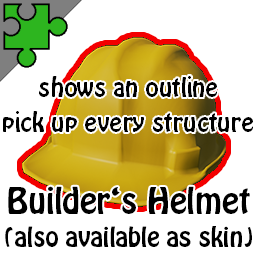
Builder's Helmet
ModID=756389708 This Builder's Helmet gives a buff, which helps you to build structures. The target structure has a colored overlay. You can pick up the structure. Autopick next item from inventory for last placed structure.
Press [Shift Middle Mouse Button] to choose the Structure in front of you. Press [Left Shift Key] while placing to supress the auto build New GameUserSettings.ini entry
[BuildersHelmet]
FastBuildUsingShift=True/False
This toggles behaviour of the [Left Shift Key] while placing: If set to True, you need to press the left shift key while placing to choose the next item automatically. Default is False.
WARNING, Weight changes need an update of the mod due to Ark engine changes.
New fast-build mode. If you know minecraft, you will be familar with placing of blocks. No need to choose the same structure item in the inventory repeatedly while placing more than one structure of the same type. This Builder's Helmet gives a buff, which helps you to build structures. The target structure has an outline effect. the outline can have one of seven different colors. You can change the color by pressing the "Weapon Accessory" key (default "N" key). Another great feature is, that you can pick up every structure you target. This should work with any structure, even from other mods. To pick up the structure press the "Drop Item" key (default "O" key). There is no timer to pick up, be carefull. The rights for picking up is handled just as destroying a structure, but can be configured (see below)
Try this: If you can't reach a structure without jumping you jump and press and hold the "Use"-key (E). The outline marks the selected structure. Now press the "Drop Item"-Key (O) while holding E and you will pick up the structure.
The Builders Helmet can be configured to set the weight of the character. The default is "disabled" (see below) [b]Requirements for helmet or helmet skin - character level: 1 - engram points: 2 required resources:
- 2 stone
- 10 fiber
[/b] Admin command:
cheat giveitem "Blueprint'/Game/Mods/BuildersHelmet/PrimalItemArmor_BuilderHelmet.PrimalItemArmor_BuilderHelmet'" 1 0 0[/code]
Hide Engram (Game.ini)
[code]OverrideNamedEngramEntries=(EngramClassName="EngramEntry_BuildersHelmet_C",EngramHidden=True)
OverrideNamedEngramEntries=(EngramClassName="EngramEntrySkin_BuildersHelmet_C",EngramHidden=True)
GameUserSettings.ini: (in Shootergame\Saved\config\WindowsNoServer folder for single player, in Shootergame\Saved\config\WindowsServer folder or LinuxServer folder for server)
[b][Builders Helmet][/b]
[b]NoCollision=True/False[/b]
No Collision for all placements which would throw the error "is obstructed"
[b]PreventPickUp=True/False[/b]
set to True to disable picking up structures (default: False).
[b]PickUpDamaged=True/False[/b]
If True structures can be picked up, even if damaged. (default: False)
[b]PreventPickUpDamagedPickupable=True/Yes[/b]
Set to true for other modded structures which can be picked up, but are not allowed to pick up  if damaged. (default: False)
[b]MaxWeight=0[/b]
0 to 2000  set MaxWeight=0 do disable MaxWeight(default).
All other values overrides the players max weight for all players
[b]NoOutlineEffect=True/False[/b]
Toggles the OutlineEffect on or off for all players(default: False)
[b]TimeToPickUp=3600[/b]
Set the time for structures to pick up in seconds, after the this time the structure is not pickupable anymore. (default=0 timer is disabled)
[b]NoCollisionKey=None/Alt/Ctrl/Shift[/b]  example: NoCollisionKey=Shift
(default: Alt) those keys are only the keys on the left side of the keyboard. None means that no additional keypress is required
[b]FreeFloors=True/False[/b] (False: default) for snapping foundations side by side.
The builders helmet is indestructable but gives only 10 protection.
[b]HideBuffIcon=True/False[/b]  (default False) to disable the buff icon
[b]PickUpBlacklist=StructureItem Class Name,StructureItem Class Name[/b]
comma separated list of item class names (do not forget the _C postfix.
those items are NEVER pickupable
example: PickUpBlacklist=PrimalItemStructure_TekTransmitter_C
[b]PickUpWhitelist=StructureItem Class Name,StructureItem Class Name[/b]
comma separated list of item class names (do not forget the _C postfix.
those items are always pickupable, only relevant if pickup timer is set.
example: PickUpWhitelist=PrimalItemStructure_Furniture_WoodTable_C
[b]FastBuildUsingShift=True/False[/b]
If set to false (default), use shift key + left click to place without autopick.
If set to true, use shift key + left click to place with autopick
The Outline Effect can pe toggled by the "MapMarker"-Key (default P) I had to change the "Prevent Pick Up Damaged" to "Pick Up Damaged" to be clearer. As default a damaged structure should not be pickable.
Please have a look on the video above. How it works: As you place a structure it shows a green preview if the structure can be placed and red if the structure is not placeable. During placement press LEFT ALT key to disable the collision and you can place structures mostly anywhere by left clicking. Sometimes the structure stays red, this is because this structures have to be used by the player, and on this location it is not possible if it is placed there. Use at your own risk!
[h1]Server Discount[/h1]You want your own ARK Survival Evolved game server? Use the links below to save 5% of the original price!  If you like my mod, please thumb up and share the link with your friends. More mods by Grebog
Highlights
From source dataFootprint
Rated a light load on a server.
Last update
Its author last shipped an update 8 yr ago.
Builder's Helmet on Nxeon
From our catalogue- One-click install
- Supported on Nxeon ARK: Survival Evolved servers. We download it from Steam Workshop, place it, and restart the server.
- Server load
- light
- Smallest plan we suggest
- ARK — 8 GB (8 GB RAM). This follows our own load rating above, not a benchmark.
- Latest build
- 2019-01-22, released 2019-01-22
Game versions by loader
| Loader | Game versions | Newest |
|---|---|---|
| Workshop |
From 1 recorded build of Builder's Helmet.
Run Builder's Helmet on a ARK: Survival Evolved server
Pick a server or deploy a new one above; it is installed in one click.
What kind of mod it is
From the catalogQuality of life & UI
Small conveniences, tweaks and interface improvements players notice straight away.
Compatibility
- Game
- ARK: Survival Evolved
Verified at the source
- ✓Steam WorkshopOfficial listing, checked 2026-11-01Open ↗
- ✓AuthorGrebog, as published on Steam Workshop
- ✓LicenseNot published by the sourceFree