






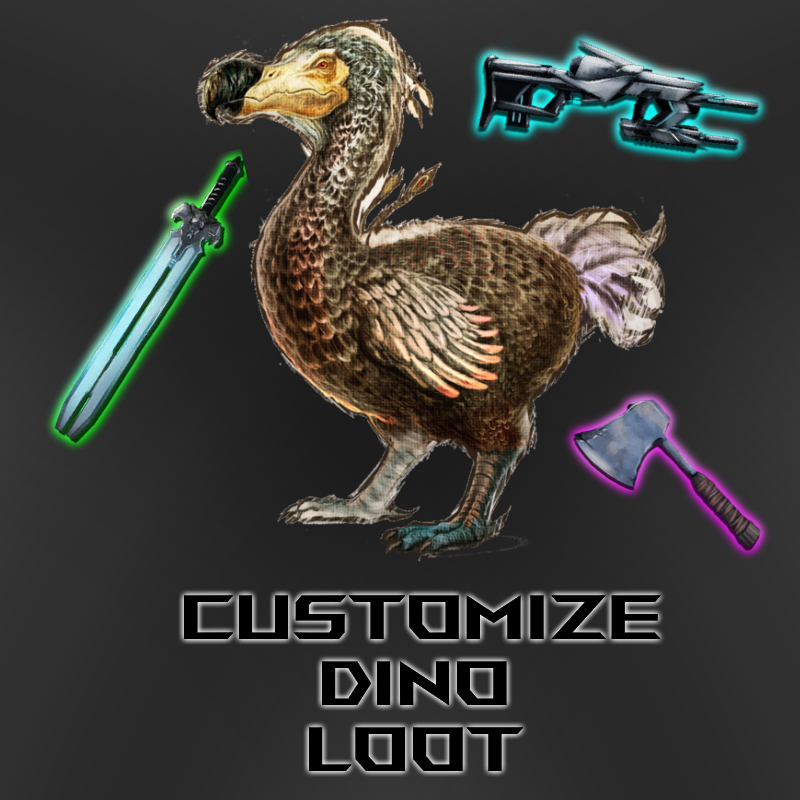
About Custom Dino Loot
From Steam Workshophttps://i.imgur.com/Yr7H1yK.png 2493509767 If you enjoy this mod, please like and favourite. https://i.imgur.com/F5urB9I.gif Join me on Discord https://i.imgur.com/36e0W3b.png Tired of bad dino loot?…
 2493509767
If you enjoy this mod, please like and favourite. 
Join me on Discord
 Tired of bad dino loot? Love a dino mod, but sad that it's amazing dinos don't drop anything worth while? This mod's for you!
Allows adding complex dino loot templates to any dino. Adding, not replacing.


- [quote]The loot dinos receive is taken from supply crate overrides. Luckily you can build your own. The process is relatively complex, but made significantly easier using Beacon.
- You can also read more about them from the ark wiki https://ark.fandom.com/wiki/Server_configuration#ConfigOverrideSupplyCrateItems
- A quick example of using Beacon to create a lootcrate set and implement it into the mod is available here
- [list][*]Create all the loot templates you wish. [*]Give them some reasonable name(CustomDinoLoot_Raptors, CustomDinoLoot_Argents, etc).[*]Add them to your game.ini config file.[/list][/quote]

- These are mod configs. As such, they go in GameUserSettings.ini
- [quote][CustomDinoLoot]
- CustomLootEntries=*rex*,*raptor*:CustomDinoLoot_Raptors&*argent*:CustomDinoLoot_Argents
- DinoFuzzyBlacklist=*pego*,*ichthy*[/quote]
- Optional. Probably shouldn't be touched:
- [quote]CustomAoeBuffRange=9000.0
- CustomAoeMinTimeSeconds=5.0
- CustomAoeMaxTimeSeconds=8.0[/quote]

- [quote]DinoFuzzyBlacklist: A list of dino classes you do NOT want to edit.
- ex: DinoFuzzyBlacklist=*pego*,*ichthy*
- Note: Blacklists will inherit children. If you blacklist the vanilla raptor, bionic raptors, corrupt raptors, etc, are also all blacklisted. Be careful with what you blacklist.[/quote]
- [quote]CustomLootEntries: Fuzzy dino class matches and their coresponding loot set.
- You string together as many fuzzy dino class matches as you wish, with the "," symbol, with a corresponding loot set, with the ":" symbol.
- This is one set. You can then string multiple sets together with the "&" symbol.
- Examples:
- [list][*]*rex*:LootSet001[*]*rex*,*raptor*:LootSet001[*]*rex*,*raptor*:LootSet001&*argent*:LootSet002[*]*rex*,*raptor*:LootSet001&*argent*,*tapejara*:LootSet002[/list]
- Note: Fuzzy matches means that * is a wildcard. Since this is comparing the dino class name, you either need to specify the whole class name or use the wildcard symbols.
- Failed Class Matches:
- [list][*]rex[*]Rex_Character_BP*[/list]
- Successful Class Matches:
- [list][*]*rex*[*]*Rex_Character_BP*[*]*BionicRex_Character_BP*[*]*Rex_Character_BP_C[/list]
- It should be noted that you can have dinos receive multiple different loot sets. Example:
- *raptor*:LootSet001&*aberrant*:LootSet002
- Raptors will receive LootSet001. All Aberrants will receive LootSet002. Consequently, Aberrant Raptors will receive both sets.[/quote]
- [quote]CustomAoeBuffRange: The larger the number, the further away from players dinos will get their lootsets added. 300 = 1 foundation. Default is 9000, aka 30 foundations.
- CustomAoeMinTimeSeconds: Minimum time in seconds between checks for dinos to adjust. Default is 5.0
- CustomAoeMaxTimeSeconds: Maximum time in seconds between checks for dinos to adjust. Default is 8.0[/quote]

- https://steamcommunity.com/workshop/filedetails/discussion/2493509767/3113655160541640588/

- https://www.youtube.com/watch?v=2YCNLla90aI
- Example of how to give your lootset a 50:50 chance to give your items:
- [quote][list][*]In beacon, give every entry a consistent weight value. I'll use 10 for simplicity's sake.[*]Let's say you have 10 items, each with a weight of 10.[*]Now add a dummy item, something of no consequence(ie: 1 piece of thatch).[*]Give this dummy item a weight of 100.[*]To decrease the chance for good loot, simply increase the weight of the dummy item.[*]You can test your chances with the "Roll" button inside beacon, as seen here[/list][/quote]

- [list][*]This system isn't foolproof. There's a chance that far away dinos(see configs) or dinos killed very quickly(again, see configs) may not contain the lootsets. The odds of this happening should be pretty slim, but just in case it happens too frequently or you feel like adjusting it, you can tweak things using configs.
- Not all dinos have inventories when wild, even though they generate loot when killed. As such, any added loot will be dropped in a separate loot bag to avoid overwriting default loot.
- Beacon changed how to create custom loot sets. Their faq/forums have examples or you can see here: https://i.imgur.com/D1g1zjW.png[/list]

- Make a thread on the discussions with as much relevant information as possible. You need to post, at a minimum:
- [list][*]Game Mode. Singleplayer/Non-Dedicated/Dedicated[*]Map[*]Mods Used[*]What the problem is[*]What debugging measure you've taken[/list]
- Videos are much appreciated.
- [h2]Join me on Discord[/h2]

Highlights
From source dataFootprint
Rated a light load on a server.
Last update
Its author last shipped an update 5 yr ago.
Custom Dino Loot on Nxeon
From our catalogue- One-click install
- Supported on Nxeon ARK: Survival Evolved servers. We download it from Steam Workshop, place it, and restart the server.
- Server load
- light
- Smallest plan we suggest
- ARK — 8 GB (8 GB RAM). This follows our own load rating above, not a benchmark.
- Latest build
- 2021-05-21, released 2021-05-21
Game versions by loader
| Loader | Game versions | Newest |
|---|---|---|
| Workshop |
From 1 recorded build of Custom Dino Loot.
Run Custom Dino Loot on a ARK: Survival Evolved server
Pick a server or deploy a new one above; it is installed in one click.
What kind of mod it is
From the catalogCreatures & NPCs
Adds or changes creatures, NPCs and how they behave.
Compatibility
- Game
- ARK: Survival Evolved
Verified at the source
- ✓Steam WorkshopOfficial listing, checked 2026-11-01Open ↗
- ✓AuthorQuellcrest, as published on Steam Workshop
- ✓LicenseNot published by the sourceFree














