






About Dino Bars
From Steam WorkshopDino Bars Mod ID: 1618319057 This mod may be incompatible with mods that override the HUD class, but it can be loaded in any order. Adds health and torpor bars to dinos. Additional information…
Dino Bars
Mod ID: 1618319057
This mod may be incompatible with mods that override the HUD class, but it can be loaded in any order.
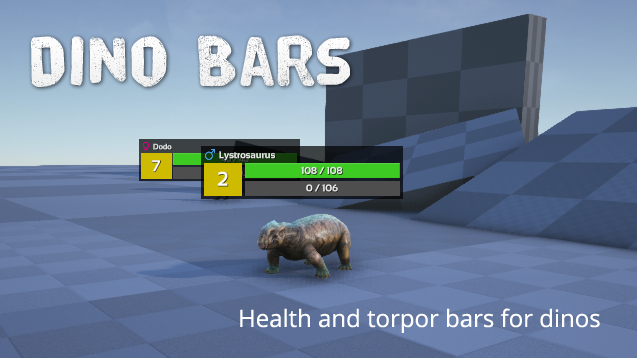
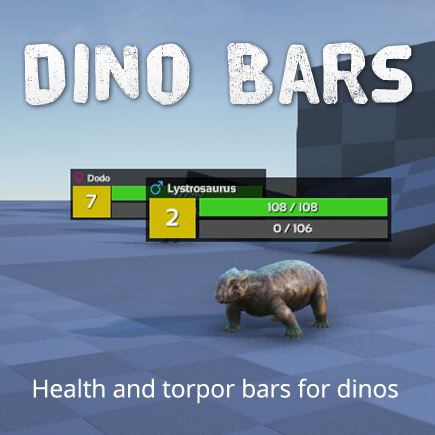
- Adds health and torpor bars to dinos.
- Additional information displayed: gender icon, dino name, level, diet icon (herbivore/carnivore/piscivore), living environment icon (water/land/air/amphibious).
- The background color of the level box indicates whether the dino is wild (yellow), tamed (green) or a boss (red).
- Adjustable view distance, display size, number formats and opacity.
- Saves and restores modified user settings for the next session.
ARK: Survival Ascended
If you're looking for a similar mod for ARK: Survival Ascended: Farazi has created a mod called Dino Hud Plus, available on CurseForge. Thanks to Farazi!
Keyboard shortcuts
[Alt] + [F5] or just [F5]: Displays the settings window. (F5 can be changed)
[Alt] + [F6]: Toggle bars for wild dinos. [Alt] + [F7]: Toggle bars for tamed dinos. [Alt] + [F8]: Toggle minimalistic mode.
[Alt] + [Numpad -]: Decrease the size of all bars by 10% to a minimum of 30%. [Alt] + [Numpad +]: Increase the size of all bars by 10% to a maximum of 300%. [Alt] + [Numpad /]: Decrease the display distance by 1000 to a minimum of 1000. [Alt] + [Numpad *]: Increase the display distance by 1000 to a maximum of 10,000.
[Alt] + [Numpad 0]: Toggle filtering [Alt] + [Numpad 1-9]: Toggle filter group 1-9
Credits
Rice, meat and fish icon: Icon made by Adib Sulthon from www.flaticon.com
Sea and dove icon: Icon made by Freepik from www.flaticon.com
Highlights
From source dataFootprint
Rated a light load on a server.
Last update
Its author last shipped an update 5 yr ago.
Dino Bars on Nxeon
From our catalogue- One-click install
- Supported on Nxeon ARK: Survival Evolved servers. We download it from Steam Workshop, place it, and restart the server.
- Server load
- light
- Smallest plan we suggest
- ARK — 8 GB (8 GB RAM). This follows our own load rating above, not a benchmark.
- Latest build
- 2021-07-18, released 2021-07-18
Game versions by loader
| Loader | Game versions | Newest |
|---|---|---|
| Workshop |
From 1 recorded build of Dino Bars.
Run Dino Bars on a ARK: Survival Evolved server
Pick a server or deploy a new one above; it is installed in one click.
What kind of mod it is
From the catalogCreatures & NPCs
Adds or changes creatures, NPCs and how they behave.
Compatibility
- Game
- ARK: Survival Evolved
Verified at the source
- ✓Steam WorkshopOfficial listing, checked 2026-11-01Open ↗
- ✓AuthorJolinah, as published on Steam Workshop
- ✓LicenseNot published by the sourceFree














