






About Dino Levelling Assistant
From Steam WorkshopMod ID: 2097526040 If you enjoy this mod, please like and favourite. https://i.imgur.com/F5urB9I.gif Join me on Discord Description: At the press of a hotkey you can find any nearby dinos that have…
Mod ID: 2097526040
If you enjoy this mod, please like and favourite. 
Join me on Discord
Description:
At the press of a hotkey you can find any nearby dinos that have level points to be spent. Nearby is within approximately 60 foundations.
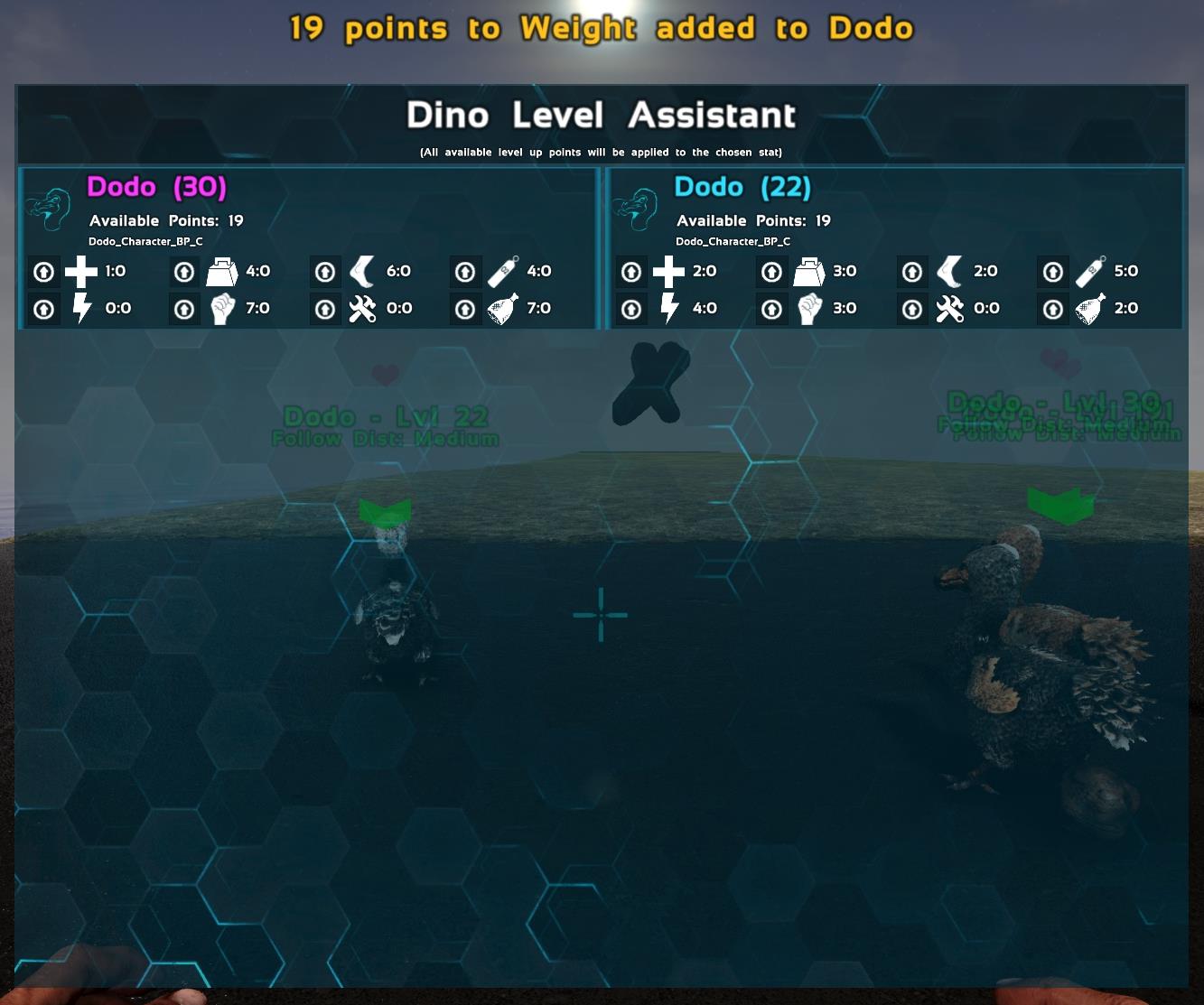
Also included, quick levelling of dinos. You can access a menu which will show you all nearby dinos that have points to spend. You can then apply ALL available points into a single stat, with 1 button press.
Caution:
If you use the Levelling Assistant feature to quickly apply stats to dinos, it will apply ALL available stat points into that stat. Be careful.
Configs
ActionMappings=(ActionName="DinoLevelupFinderHotkey",Key=F,bShift=False,bCtrl=False,bAlt=True,bCmd=False)
Configs Explained:
Each user is REQUIRED to set this or it will not work. You can use whichever hotkey you want.
Open your input.ini file, typically located here: C:\Program Files (x86)\Steam\steamapps\common\ARK\ShooterGame\Saved\Config\WindowsNoEditor
There will be a large section full of "ActionMappings". Scroll to the bottom of the list and add the config listed above. Change to whatever you wish.
Action mappings should appear below a header called:
[/script/engine.inputsettings][/quote] If it doesn't exist, scroll to the bottom of the file and add the header followed by the config line. ie: [quote][/script/engine.inputsettings] ActionMappings=(ActionName="DinoLevelupFinderHotkey",Key=F,bShift=False,bCtrl=False,bAlt=True,bCmd=False)
Notes:
Thanks to Koz for the glowy material. Dying/Fast Traveling/etc may be required upon login for this to function.
Join me on Discord
Modding:
- My Other Mods
- If you enjoy this mod, please like and favourite.

Highlights
From source dataFootprint
Rated a light load on a server.
Last update
Its author last shipped an update 5 yr ago.
Dino Levelling Assistant on Nxeon
From our catalogue- One-click install
- Supported on Nxeon ARK: Survival Evolved servers. We download it from Steam Workshop, place it, and restart the server.
- Server load
- light
- Smallest plan we suggest
- ARK — 8 GB (8 GB RAM). This follows our own load rating above, not a benchmark.
- Latest build
- 2021-09-12, released 2021-09-12
Game versions by loader
| Loader | Game versions | Newest |
|---|---|---|
| Workshop |
From 1 recorded build of Dino Levelling Assistant.
Run Dino Levelling Assistant on a ARK: Survival Evolved server
Pick a server or deploy a new one above; it is installed in one click.
What kind of mod it is
From the catalogCreatures & NPCs
Adds or changes creatures, NPCs and how they behave.
Compatibility
- Game
- ARK: Survival Evolved
Verified at the source
- ✓Steam WorkshopOfficial listing, checked 2026-11-01Open ↗
- ✓AuthorQuellcrest, as published on Steam Workshop
- ✓LicenseNot published by the sourceFree














