About Dino Patrol
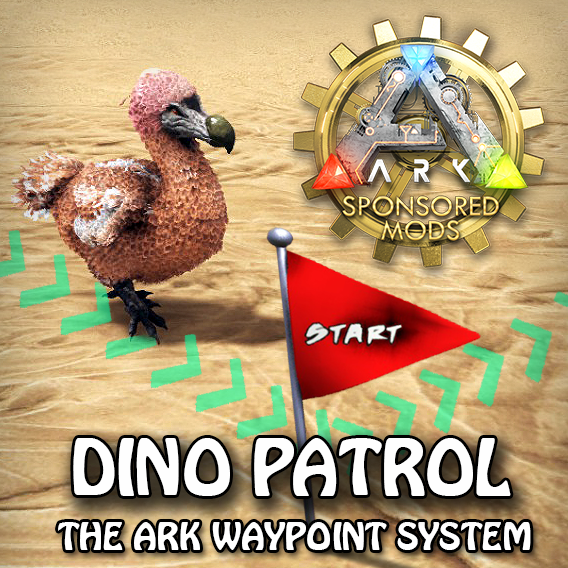
From Steam WorkshopDINO PATROL MOD ID=1184763409 The ARK Waypoint System This mod implements a waypoint system for patrolling tamed dinos. (Please read always the "Changes Tab") Features: build a many routes with as…
DINO PATROL
MOD ID=1184763409 The ARK Waypoint System This mod implements a waypoint system for patrolling tamed dinos. (Please read always the "Changes Tab") Features:
- build a many routes with as many waypoints you need
- patrolling dinos between waypoints of a route
- land, water and air waypoints
- choose design for each waypoint
- a lot of options for each waypoint
- new options for assigned dinos
- waypoint inventory for storing auto-harvested items
- easy mode for assigning dinos and adding waypoints
- no-stasis feature (needs config change) for building routes around the map
- a lot more...
How this mod works:
First place the start waypoint. From the waypoint you add one sub waypoint and place it everywhere you whish by pressing the USE key while looking at the waypoint. You can add only one waypoint at a time from each waypoint. You won't find the waypoint in your inventory, it is a virtual item while placing it in the world. Add and place more waypoints for a patrol route. By using the radial menu of a waypoint you can also insert a waypoint before the selected waypoint instead of adding it after this waypoint. For flyers you can set the waypoint to a height waypoint from the radial menu and then you are able set a height for this waypoint from a new radial menu. If you place the waypoint in water, you can choose any height you want in the water.
To assign a dino to this route, choose "Give Route Certificate" from any waypoints radial menu. you will get an item, which you need to place in the dino's inventory and choose "Set Route" from the item's menu. The certificate will be consumed by the dino and gets new radial menu options. Using the dinos Dino Patrol radial sub menu, you will find two menu entries: "Start patrolling" and "Remove from Patrol". Choose "Start patrolling" to start the dino's patrol. To remove the Route from the Dino, choose "Remove from ..." from the radial menu. There are a lot more radial menu entries for setting up a waypoint and/or the dino: see below and feel free to try it out While placing the waypoint, be sure that your patrolling dinos are able to reach the placed waypoints. You can choose each tamed creature to assign a route. By removing the "START" waypoint (can be picked up) all connected waypoints are also removed. The waypoints cannot be damaged by other players or dinos. The waypoints does not block any resource spawn. The waypoints do not have any collision, they are only visual structures. See MENU discussion for further details
For further informations and documentations have a look in the discussions!
1. Waypoint Inventory a. To store the harvest stuff from assigned wandering dinos (can be disabled: see also 5. GameUserSettings.ini) After a wandering dino reaches the Enabled Wandering waypoint, the harvested items will be transfered to the inventory of this waypoint. The inventory size is 200 slots. Only harvestable items will be stored in the inventory. No one can put items directly into this inventory. b. You can change the setup to enable the use of one target inventory. All harvested items are transferred to the target inventory waypoint. Use the waypoints radial menu to set the waypoint's target inventory. (see also 5. GameUserSettings.ini)
2. Easy Mode To enable Easy Mode choose easy mode from waypoints radial menu After activating Easy Mode the waypoints of the actual selected route are showing a red beam. a. Select route Press and hold the DragBodyKey (G by default) to show a cursor. To select a route point at a routes waypoint and press the middle mouse button while holding the G key. To deselect do not point a waypoint. b. Assign dino to route You can easily assign a tamed dino: point at tamed dino and press the right mouse button while holding the G key. Any further right mouse clicks toggles the patrolling of this dino. c. Add new waypoint press ALT DragBodyKey (ALT G) to add a new waypoint to a selected route
3. GameUserSettings.ini entries:
[DinoPatrol][/code]
[code]
PreventWaypointInventory=True   - Disable waypoints inventory (default: False)
PreventTargetInventory=True		- Prevent the target inventory waypoint (works only, if PreventWaypointInventory is not True) (Default: False)
DisableHarvestingAnkylo=True    - Ankylo will no longer harvest metal, crystal, obsidian, oil and other stuff except metal and stone (Default: False)
DisableHarvestingDoedi=True     - Doedi will no longer harvest crystal, oil and other stuff except stone (Default: False)
DisableHarvestingTurtle=True    - Turtle will no longer harvest white pearls and black pearls on ragnarok and vulgaero (Default: False)
To enable the "no stasis" option, add this to the GameUserSettings.INI: You need then set "out of player range patrol" using the dinos radial menu in the game to set the dino to not to go into stasis while patrolling. (Attention: nostasis can result in bugged dinos)
AllowNoStasis=True
The waypoint engram costs are:
Player Level 1
1 wood
1 fiber
Admin command:
cheat giveitem "Blueprint'/Game/Mods/DinoWaypoints/Item_Waypoint.Item_Waypoint'" 1 0 0[/code]
Hide Engram (Game.ini)
[code]OverrideNamedEngramEntries=(EngramClassName="EngramEntry_Waypoint_C",EngramHidden=True)
HAPPY PATROLLING!
If you like this mod, please Thumb Up! 
[h1]Server Discount[/h1]You want your own ARK Survival Evolved game server? Use the links below to save 5% of the original price!  If you have any issues please write them down in the BUGS discussion. I will delete and issues and error written in the mod comments section.
Highlights
From source dataFootprint
Rated a light load on a server.
Last update
Its author last shipped an update 6 yr ago.
Dino Patrol on Nxeon
From our catalogue- One-click install
- Supported on Nxeon ARK: Survival Evolved servers. We download it from Steam Workshop, place it, and restart the server.
- Server load
- light
- Smallest plan we suggest
- ARK — 8 GB (8 GB RAM). This follows our own load rating above, not a benchmark.
- Latest build
- 2020-07-06, released 2020-07-06
Game versions by loader
| Loader | Game versions | Newest |
|---|---|---|
| Workshop |
From 1 recorded build of Dino Patrol.
Run Dino Patrol on a ARK: Survival Evolved server
Pick a server or deploy a new one above; it is installed in one click.
What kind of mod it is
From the catalogBuilding & decoration
Blocks, furniture, decorations and building tools.
Compatibility
- Game
- ARK: Survival Evolved
Verified at the source
- ✓Steam WorkshopOfficial listing, checked 2026-11-01Open ↗
- ✓AuthorGrebog, as published on Steam Workshop
- ✓LicenseNot published by the sourceFree