






About Hotbar Swapper
From Steam WorkshopHotbar Swapper (a.k.a. "toolbar swapper") Mod ID: 1778549631 This mod lets you set up multiple hotbar loadouts and swap between them with a simple shortcut! This is super useful if you like to build…
Hotbar Swapper
(a.k.a. "toolbar swapper")
Mod ID: 1778549631
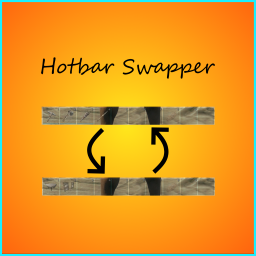
This mod lets you set up multiple hotbar loadouts and swap between them with a simple shortcut! This is super useful if you like to build a lot, but also want to carry around a lot of tools and get tired of opening your inventory to move things around on your hotbar all the time. For instance, you could be in the middle of building a base with a full hotbar of structures when you suddenly get attacked. Normally this would be a problem, but not with Hotbar Swapper! Just swap to your weapons loadout, and you are ready to defend yourself!
Setting up your keyboard shortcuts
This mod lets you configure your own keyboard shortcuts, because nobody likes being locked in to what the modder decided, right? Your shortcuts will need to be set up before using the mod, but this is really easy to do:
1. Find your Input.ini file, located by default at:
C:\Program Files (x86)\Steam\steamapps\common\ARK\ShooterGame\Saved\Config\WindowsNoEditor\Input.ini[/code]

2. Paste the following four lines at the bottom of the file, under the other "ActionMappings" lines (in the "[ /Script/Engine.InputSettings ]" section, without the spaces before and after the brackets. I have to add the spaces here or Steam changes the case of the letters.):
[code]ActionMappings=(ActionName="HotbarSwapper_NewLoadout",Key=N,bShift=False,bCtrl=True,bAlt=False,bCmd=False)
ActionMappings=(ActionName="HotbarSwapper_DeleteLoadout",Key=X,bShift=False,bCtrl=True,bAlt=False,bCmd=False)
ActionMappings=(ActionName="HotbarSwapper_NextLoadout",Key=MouseScrollDown,bShift=False,bCtrl=True,bAlt=False,bCmd=False)
ActionMappings=(ActionName="HotbarSwapper_PreviousLoadout",Key=MouseScrollUp,bShift=False,bCtrl=True,bAlt=False,bCmd=False)
Modify these shortcuts to whatever you'd like, or leave them as-is!
Creating a new loadout
To create a new hotbar loadout, use the HotbarSwapper_NewLoadout shortcut. Your hotbar will be cleared and ready for you to add items!
To switch to the previous loadout, use the HotbarSwapper_PreviousLoadout shortcut. To switch to the next loadout, use the HotbarSwapper_NextLoadout shortcut.
To delete a loadout, use the HotbarSwapper_DeleteLoadout shortcut.
That's it!
Known issues
- This mod currently does not work in singleplayer, but I'm looking for a fix.
- If you have a loadout that contains consumable items and you eat or use them all after adding them to the loadout before you have switched to another loadout and back, those items won't save their spots on the hotbar when you switch back. If you add them to the hotbar and switch loadouts and come back, then you can safely eat or use all of the items and switch loadouts and there will still be placeholders for them when you switch back.
tl;dr: It's a good idea to swap loadouts at least once after adding items before using them if they are consumable (e.g. food and structures)!
- As a side effect of the above issue, if you remove an item from the hotbar, then switch loadouts and switch back, that item will show up again. If the item is not in your inventory, the item will appear in faded out/placeholder form.
- Occasionally items might appear on hotbars they were not saved on. I'm still tracking down this issue which is likely a minor network replication issue.
- Some people experience crashes when starting single player with this mod. I'm still trying to figure out why.
- In single player, a message about items being added to your inventory will show when switching to a loadout that has consumable/structure items that have already all been used.
- Loadouts are lost upon death. I have a fix in mind but it will take time to implement.
Future plans
This mod is meant to be pretty simple, but I'm considering ways to expand it, possibly with multiple visible hotbars if possible. I'd also like to add keyboard shortcuts to activate items on various loadouts without having to switch to them first.
If you have questions or suggestions, please leave them in the comments! Please note that due to the often overwhelming nature of Steam comments, I won't be likely to answer questions that are not directly related to this mod (such as server management questions, like installation and updating, etc...).
Open Source!
Since I don't know how soon I'll be able to get back to this mod, I've made it open source! https://steamcommunity.com/linkfilter/?url=https://github.com/GyozaGuy/Hotbar-Swapper
Highlights
From source dataFootprint
Rated a light load on a server.
Last update
Its author last shipped an update 7 yr ago.
Hotbar Swapper on Nxeon
From our catalogue- One-click install
- Supported on Nxeon ARK: Survival Evolved servers. We download it from Steam Workshop, place it, and restart the server.
- Server load
- light
- Smallest plan we suggest
- ARK — 8 GB (8 GB RAM). This follows our own load rating above, not a benchmark.
- Latest build
- 2019-07-04, released 2019-07-04
Game versions by loader
| Loader | Game versions | Newest |
|---|---|---|
| Workshop |
From 1 recorded build of Hotbar Swapper.
Run Hotbar Swapper on a ARK: Survival Evolved server
Pick a server or deploy a new one above; it is installed in one click.
What kind of mod it is
From the catalogBuilding & decoration
Blocks, furniture, decorations and building tools.
Compatibility
- Game
- ARK: Survival Evolved
Verified at the source
- ✓Steam WorkshopOfficial listing, checked 2026-11-01Open ↗
- ✓AuthorGyozaGuy, as published on Steam Workshop
- ✓LicenseNot published by the sourceFree














