
About Loot Crate Scanner
From Steam WorkshopThis small tool allows you to scan the map for all sorts of loot crates. It uses a little bit of Element Dust to resonate with the supply crates, underwater crates and even artifacts. Press M when…
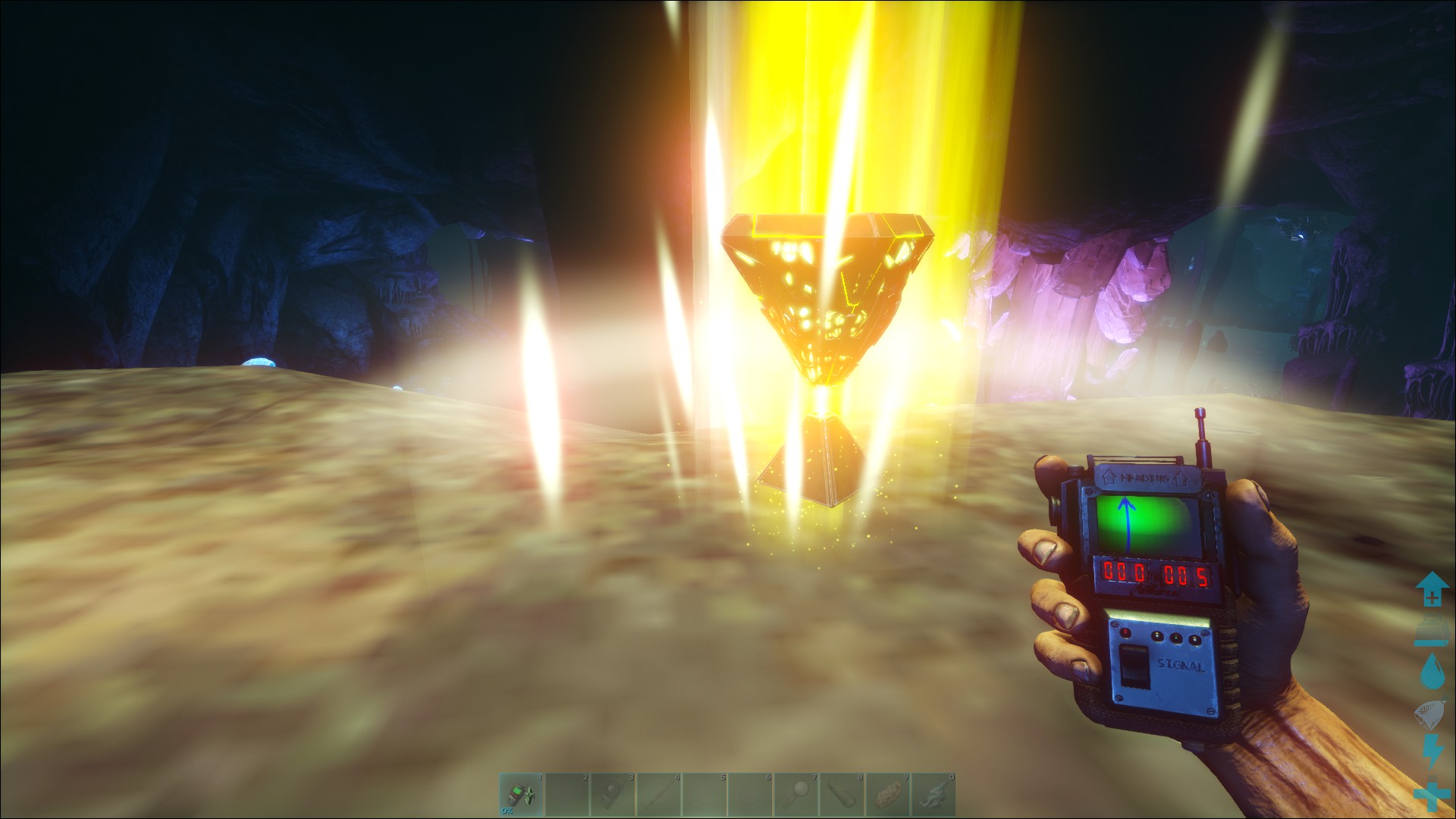
This small tool allows you to scan the map for all sorts of loot crates. It uses a little bit of Element Dust to resonate with the supply crates, underwater crates and even artifacts. Press M when equipped, It will display the rarity, type and location of every found crate on the integrated map as well as in a handy list showing the coordinates and even the remaining integrity before it expires.
Select your target in the list or click on the map to place a marker that can be tracked when holding the Loot Crate Scanner in hand.
If you want to know what is inside the crate from far away, use some more Dust to scan the content.
The Scanner now can also target Element nodes.
Using a lot of Dust the Scanner can also open a wormhole next to the crate. Technically teleporting the holder to the crate. [Spoiler] Be carefull, if the crate is still in the air when it is scanned, the poral will also be up there. [/spoiler]
In case you are low on element dust, it can also be used to revert Element Shards or pure Element back to Dust, but at a loss.
Now there are also stationary maps (Table and Wall) that show the crate locations and automatically update every few seconds and display the drop locations easily visible. (currently not working on the center but working on auto calibration).
Works on Single- and Multiplayer.
Loads on every map. Most map work out of the box, if the Marker position is off try auto calibrate in game. If you find maps that don\\\'t work, let me know.
Orbital Supply Drops on Extinction can not be scanned.


Customisation
In the Gameusersettings.ini you can adjust the following:
[LootCrateScanner]
RequiresElement=true --Can be set to false to not require Element dust.
DustRequiredForMapScan=10 --How much Dust is used per map scan.
DustRequiredForItemScan=25 --How much Dust is used per Content scan.

AllowTeleport=false     --true enables the scanner to directly teleport the user to the crate.
DustRequiredForTeleport=500 --How much Dust is used per Teleport.
ModID: 1769285238 Spawn Commands: GFI PrimalItem_LootDropScanner 1 0 0 GFI PrimalItemStructure_LootDropMap 1 0 0 GFI PrimalItemStructure_LootDropMapWall 1 0 0
My Other Mod
- Sleep able beds: Don\\\\\\\'t want to wait in the dark?
- https://steamcommunity.com/sharedfiles/filedetails/?id=1650069767
- Explorer Note Tracker: Do you want to finally find all the hidden Notes to know ARKs secrets? This helps!
- https://steamcommunity.com/sharedfiles/filedetails/?id=1631378184
- Speedometer: Ever asked yourelf which is your fastet Turtle?
- https://steamcommunity.com/sharedfiles/filedetails/?id=1638042734
- Chair of the Impatient: Want to fast forward time but not skip it? Here you go.
- https://steamcommunity.com/sharedfiles/filedetails/?id=1701948682
Highlights
From source dataFootprint
Rated a light load on a server.
Last update
Its author last shipped an update 7 yr ago.
Loot Crate Scanner on Nxeon
From our catalogue- One-click install
- Supported on Nxeon ARK: Survival Evolved servers. We download it from Steam Workshop, place it, and restart the server.
- Server load
- light
- Smallest plan we suggest
- ARK — 8 GB (8 GB RAM). This follows our own load rating above, not a benchmark.
- Latest build
- 2019-06-25, released 2019-06-25
Game versions by loader
| Loader | Game versions | Newest |
|---|---|---|
| Workshop |
From 1 recorded build of Loot Crate Scanner.
Run Loot Crate Scanner on a ARK: Survival Evolved server
Pick a server or deploy a new one above; it is installed in one click.
What kind of mod it is
From the catalogWeapons, items & crafting
New weapons, gear, items and the recipes to make them.
Compatibility
- Game
- ARK: Survival Evolved
Verified at the source
- ✓Steam WorkshopOfficial listing, checked 2026-11-01Open ↗
- ✓AuthorKri5, as published on Steam Workshop
- ✓LicenseNot published by the sourceFree