






About MX-E Shopsystem
From Steam WorkshopMOD ID: 2198615778 Clean & Stackable https://i.imgur.com/K9yAlky.png https://i.imgur.com/n8nH9No.gif MX-E Shopsystem This mod implements a fully customizable shopsystem with an easy to use interface.…
MOD ID: 2198615778
Clean & Stackable 

MX-E Shopsystem
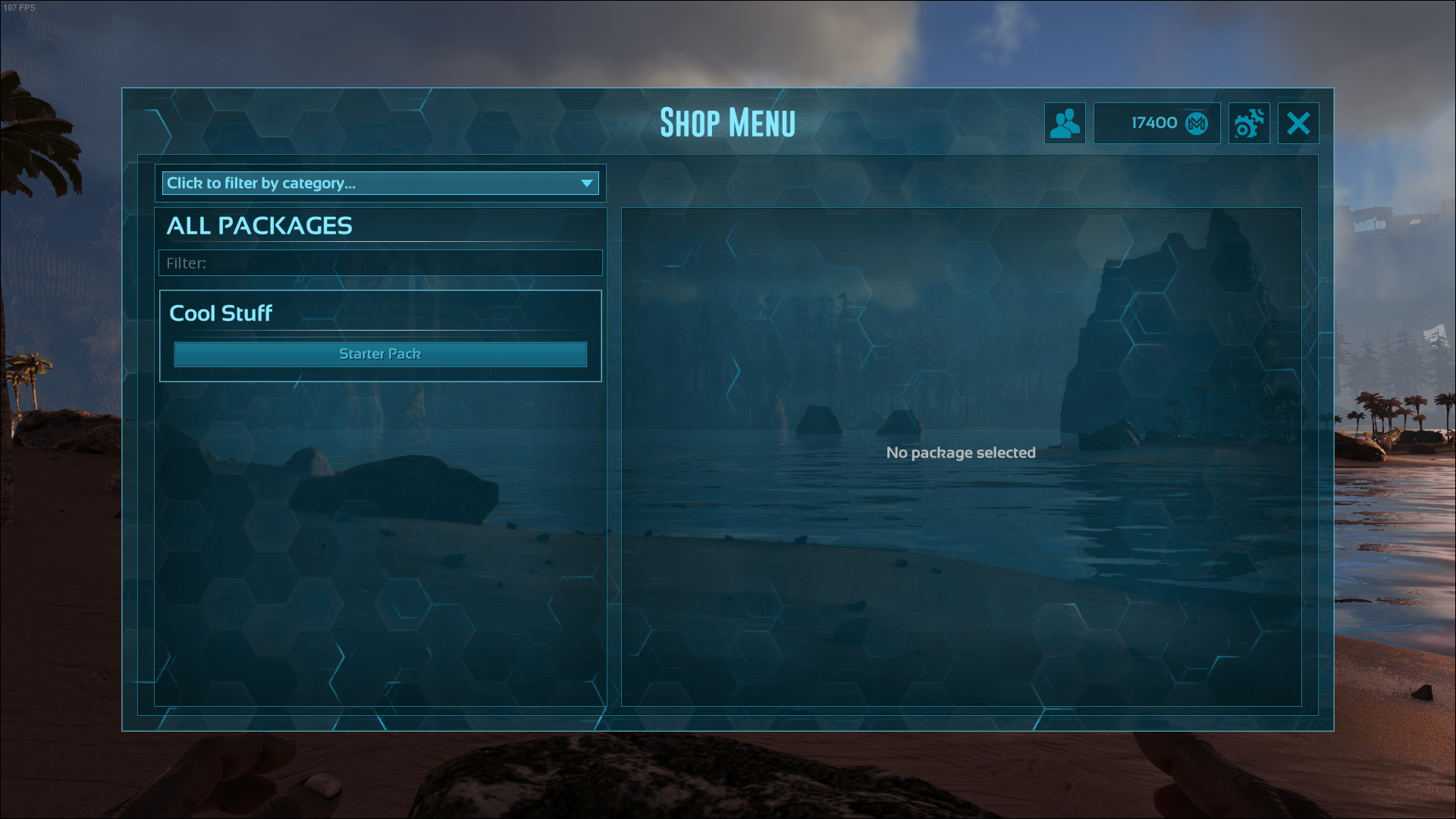
This mod implements a fully customizable shopsystem with an easy to use interface. A full list of features can be found below.
Features
- Configurable via In-Game UI
- [list]
- No restart needed to make changes
- Tooltips which explain every setting
[*]Reward play time [*]Reward players promoting your server
- Reward your players for voting on ark-servers for your server with coins and/or a temporary role
[*]Trade coins with players [*]Deposit coins to your inventory [*]Roles
- Packages can be limited to admin defined roles
- Each role can have a different reward multiplier
- Roles can be temporary and removed automatically after X amount of time
[*]Categories
- Packages have a category to make things more organized and easier to find
[*]Packages
- Packages can have different requirements like a specific player level or role
- Packages can have a purchase limit (Can be used for starter packages or donator rewards)
- Packages can be disabled on specified maps
- Adjustable Item Quality
- [list]
- Every Items quality can be changed and will scale up correctly (Crafting costs, repair costs,..)
[*]Adjustable Dino Settings
- Set the Dinos level, gender and its neuter status
[/list] [*]Mod item support [*]Admin and player logs
- Admins always know what happend
[*]RCON Commands
- RCON commands can be used to automate tasks or to edit something without having to log in
How to use
The player UI can be opened by pressing the F2 Key (default). Admins can change the button to open the player UI.
In order to open the Admin UI for the first time you have to set the steam ID of ONE player into the GameUserSettings.ini -> This player can always open the Admin UI. More steam ID's can then be easily added via the Admin UI (This doesn't need a restart to take effect)
GameUserSettings.ini entry to add:
[FCSS]
OwnerID=YourSteamID
And that's it. Everything else is done via the Admin UI. Enjoy :)
Support
If you still have questions, suggestions or even found a bug, feel free to join my Discord Server and tell me about it. Discord is the only plattform I will provide support.
Special Thanks
A huge thank you to Evolanca the creator of the awesome sponsored mod map Tiamat for the logo she created for me. Checkout her beautiful map and don't forget to leave a like!
Donate
If you like my mods and want to support me, you can do this over PayPal
Sponsor
If you are searching a serverhost with awesome features which allow you to easily manage dedicated servers, GameServerApp is the way to go. For more information click on the banner below! 
Search meta tags Mod Shop System Currency Vote Reward Coins Trading Packages inGame UI Roles Categories
Highlights
From source dataFootprint
Rated a light load on a server.
Last update
Its author last shipped an update 6 yr ago.
MX-E Shopsystem on Nxeon
From our catalogue- One-click install
- Supported on Nxeon ARK: Survival Evolved servers. We download it from Steam Workshop, place it, and restart the server.
- Server load
- light
- Smallest plan we suggest
- ARK — 8 GB (8 GB RAM). This follows our own load rating above, not a benchmark.
- Latest build
- 2021-05-04, released 2021-05-04
Game versions by loader
| Loader | Game versions | Newest |
|---|---|---|
| Workshop |
From 1 recorded build of MX-E Shopsystem.
Run MX-E Shopsystem on a ARK: Survival Evolved server
Pick a server or deploy a new one above; it is installed in one click.
What kind of mod it is
From the catalogQuality of life & UI
Small conveniences, tweaks and interface improvements players notice straight away.
Compatibility
- Game
- ARK: Survival Evolved
Verified at the source
- ✓Steam WorkshopOfficial listing, checked 2026-11-01Open ↗
- ✓AuthorMyrcX シ, as published on Steam Workshop
- ✓LicenseNot published by the sourceFree














