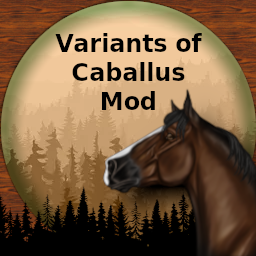
About Variants of Caballus - Mod
From Steam WorkshopONLY USEFUL WITH CABALLUS MAP Mod ID: 2795445162 How to Start: First you need the [url=https://steamcommunity.com/sharedfiles/filedetails/?id=2795445162]Caballus Dinos Mod .…
ONLY USEFUL WITH CABALLUS MAP Mod ID: 2795445162
How to Start:
First you need the Caballus Dinos Mod.
On all your Server (including Caballus itself) you need to add the Mod ID to your Mod list.
The Concept is simple: We need to replace the original Dinos on Caballus with the Dinos from the Caballus Dinos Mod. Than, you can travel the Dinos on every Map, where the Mod is in the Modlist.
Replacement in Game.ini
In the Game.ini we will Replace all (no Shimmer Pegasus!) the Modded Dinos from Caballus. All Dinos with differents Blueprints Paths:
- Deino
- Horse
- Shimmer Equus
- Unicorn
- Shimmer Unicorn
- Griffin
- Shimmer Griffin
Just Add the Follow Settings to your Game.ini
NPCReplacements=(FromClassName="ShimmerEquus_Character_BP_C",ToClassName="")
NPCReplacements=(FromClassName="CaballusEquus_Character_BP_ShimmerUnicorn_C",ToClassName="")
NPCReplacements=(FromClassName="CaballusEquus_Character_BP_Unicorn_C",ToClassName="")
NPCReplacements=(FromClassName="CaballusGriffin_Character_BP_C",ToClassName="")
NPCReplacements=(FromClassName="CaballusShimmerGriffin_Character_BP_C",ToClassName="")
NPCReplacements=(FromClassName="Deinonychus_Character_BP_ChildCaballus_C",ToClassName="Deinonychus_Character_BP_C")
NPCReplacements=(FromClassName="Horse_Character_BP_EquusVariants_C",ToClassName="")
After this Step, no modded Dino from Caballus will now spawn. You can check this: Restart your server and do a Dino wipe!
Next Step, is to Add the the Dinos from the Mod to Caballus. For This Step we need the Spawn Containers and the Settings.
Add the Text also to your Game.ini: What is the effect? - We Add the Dinos from the Extra Mod to the original Caballus Spawn Container. So they will Spawn, like the implemented Dinos - but they can be transfered to other Server, who running the extra Dino Mod.
ConfigAddNPCSpawnEntriesContainer=(NPCSpawnEntriesContainerClassString="CaballusGriffinNPCSpawnEntriesContainer_C",NPCSpawnEntries=((AnEntryName="",EntryWeight=1.000000,NPCsToSpawnStrings=("CaballusGriffin_Character_BP_VOC_C"))),NPCSpawnLimits=((NPCClassString="CaballusGriffin_Character_BP_VOC_C",MaxPercentageOfDesiredNumToAllow=1.000000)))
ConfigAddNPCSpawnEntriesContainer=(NPCSpawnEntriesContainerClassString="CaballusShimmerGriffinNPCSpawnEntriesContainer_C",NPCSpawnEntries=((AnEntryName="",EntryWeight=1.000000,NPCsToSpawnStrings=("CaballusShimmerGriffin_Character_BP_VOC_C"))),NPCSpawnLimits=((NPCClassString="CaballusShimmerGriffin_Character_BP_VOC_C",MaxPercentageOfDesiredNumToAllow=1.000000)))
ConfigAddNPCSpawnEntriesContainer=(NPCSpawnEntriesContainerClassString="CaballusEquusNPCSPawnEntriesContainer_ShimmerEquus_C",NPCSpawnEntries=((AnEntryName="",EntryWeight=1.000000,NPCsToSpawnStrings=("ShimmerEquus_Character_BP_VOC_C"))),NPCSpawnLimits=((NPCClassString="ShimmerEquus_Character_BP_VOC_C",MaxPercentageOfDesiredNumToAllow=1.000000)))
ConfigAddNPCSpawnEntriesContainer=(NPCSpawnEntriesContainerClassString="CaballusEquusNPCSPawnEntriesContainer_ShimmerEquus_2_C",NPCSpawnEntries=((AnEntryName="",EntryWeight=1.000000,NPCsToSpawnStrings=("ShimmerEquus_Character_BP_VOC_C"))),NPCSpawnLimits=((NPCClassString="ShimmerEquus_Character_BP_VOC_C",MaxPercentageOfDesiredNumToAllow=1.000000)))
ConfigAddNPCSpawnEntriesContainer=(NPCSpawnEntriesContainerClassString="DinoSpawnEntriesShimmerForestCave_C",NPCSpawnEntries=((AnEntryName="",EntryWeight=1.000000,NPCsToSpawnStrings=("ShimmerEquus_Character_BP_VOC_C"))),NPCSpawnLimits=((NPCClassString="ShimmerEquus_Character_BP_VOC_C",MaxPercentageOfDesiredNumToAllow=0.150000)))
ConfigAddNPCSpawnEntriesContainer=(NPCSpawnEntriesContainerClassString="CaballusDinoSpawnEntriesUnicorn_C",NPCSpawnEntries=((AnEntryName="",EntryWeight=1.000000,NPCsToSpawnStrings=("CaballusEquus_Character_BP_ShimmerUnicorn_VOC_C"))),NPCSpawnLimits=((NPCClassString="CaballusEquus_Character_BP_ShimmerUnicorn_VOC_C",MaxPercentageOfDesiredNumToAllow=1.000000)))
ConfigAddNPCSpawnEntriesContainer=(NPCSpawnEntriesContainerClassString="DinoSpawnEntriesSunkenGarden_C",NPCSpawnEntries=((AnEntryName="",EntryWeight=0.300000,NPCsToSpawnStrings=("CaballusEquus_Character_BP_Unicorn_VOC_C"))),NPCSpawnLimits=((NPCClassString="CaballusEquus_Character_BP_Unicorn_VOC_C",MaxPercentageOfDesiredNumToAllow=0.300000)))
ConfigAddNPCSpawnEntriesContainer=(NPCSpawnEntriesContainerClassString="CaballusDinoSpawnEntriesUnicorn_C",NPCSpawnEntries=((AnEntryName="",EntryWeight=0.100000,NPCsToSpawnStrings=("CaballusEquus_Character_BP_Unicorn_VOC_C"))),NPCSpawnLimits=((NPCClassString="CaballusEquus_Character_BP_Unicorn_VOC_C",MaxPercentageOfDesiredNumToAllow=1.000000)))
ConfigAddNPCSpawnEntriesContainer=(NPCSpawnEntriesContainerClassString="CaballusDinoSpawnEntriesSteppe_C",NPCSpawnEntries=((AnEntryName="",EntryWeight=1.000000,NPCsToSpawnStrings=("Horse_Character_BP_VOC_C"))),NPCSpawnLimits=((NPCClassString="Horse_Character_BP_VOC_C",MaxPercentageOfDesiredNumToAllow=0.100000)))
ConfigAddNPCSpawnEntriesContainer=(NPCSpawnEntriesContainerClassString="CaballusEquusNPCSPawnEntriesContainer_C",NPCSpawnEntries=((AnEntryName="",EntryWeight=1.000000,NPCsToSpawnStrings=("Horse_Character_BP_VOC_C"))),NPCSpawnLimits=((NPCClassString="Horse_Character_BP_VOC_C",MaxPercentageOfDesiredNumToAllow=1.000000)))
After a Restart and a Dino Wipe, the Equus, Shimmer Equus and all other Dinos from Caballus will now Spawn on Caballus again, but with the Blueprint Path from the extra Mod.
So every Server running this Mod, can be used to travel the Dinos from Caballus now on.
Problems with OverSpawn
in Some Case, it is possible to have an overspawn of Griffins and other Mod Dinos
Highlights
From source dataFootprint
Rated a light load on a server.
Last update
Its author last shipped an update 3 yr ago.
Variants of Caballus - Mod on Nxeon
From our catalogue- One-click install
- Supported on Nxeon ARK: Survival Evolved servers. We download it from Steam Workshop, place it, and restart the server.
- Server load
- light
- Smallest plan we suggest
- ARK — 8 GB (8 GB RAM). This follows our own load rating above, not a benchmark.
- Latest build
- 2023-06-05, released 2023-06-05
Game versions by loader
| Loader | Game versions | Newest |
|---|---|---|
| Workshop |
From 1 recorded build of Variants of Caballus - Mod.
Run Variants of Caballus - Mod on a ARK: Survival Evolved server
Pick a server or deploy a new one above; it is installed in one click.
What kind of mod it is
From the catalogMaps & scenarios
Custom maps, arenas and scenarios to play on.
Compatibility
- Game
- ARK: Survival Evolved
Verified at the source
- ✓Steam WorkshopOfficial listing, checked 2026-11-01Open ↗
- ✓AuthorDoudel, as published on Steam Workshop
- ✓LicenseNot published by the sourceFree