About Crew Vitals HUD
From Steam WorkshopCrew Vitals HUD c# not required! Description Crew Vitals HUD adds a clean in-round crew health panel to Barotrauma, showing your crew's condition without opening the health interface. The HUD is…
Crew Vitals HUD
c# not required!
Description
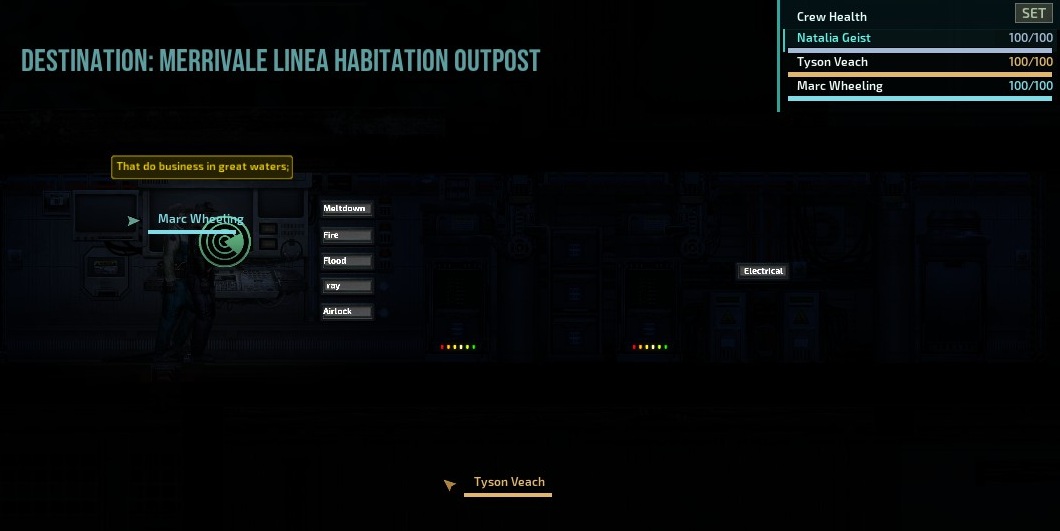
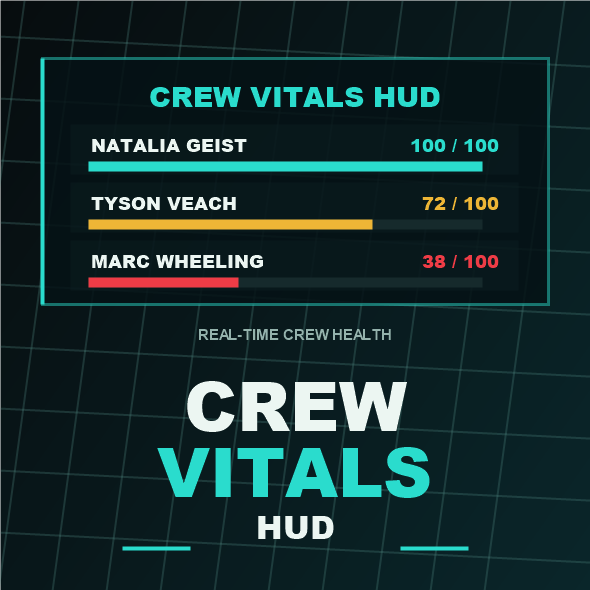
Crew Vitals HUD adds a clean in-round crew health panel to Barotrauma, showing your crew's condition without opening the health interface.
The HUD is built for quick scanning during active rounds: crew names, health bars, current health text, downed state, dead state, a highlight for your controlled character, and optional directional crew/player markers.
Features
- In-round crew vitals HUD with HP bars and current health text. - Compact, Normal, and Detailed display modes. - Sorting by crew order, lowest health, name, or your controlled character. - Injured-only filtering for a quieter medical alert view. - Configurable row count, opacity, scale, position, health text style, color mode, and marker size. - Optional directional crew/player markers to help locate teammates in-game. - Marker settings for Off, Players, or Crew. - Thin role-colored marker label outlines, nearby-marker visibility, and marker size tuning. - Optional hide toggle for dead/distant NPC rows while injured-only filtering is enabled. - Unified Health or Job color modes for the HUD and markers. - A SET panel with live-preview controls for most settings. - Corner presets and fine X/Y position inputs.
Crew Markers Note
Crew markers are an optional comfort feature for groups that prefer easier crew awareness and less tracking overhead. They are intended for casual co-op crews who want to spend less energy searching for each other and more energy enjoying the round together. For a closer vanilla feel built around limited information, careful navigation, and crew comms, leave markers disabled in the SET panel.
Dependencies
Required: LuaCsForBarotrauma / Luatrauma. Load order: Enable LuaCsForBarotrauma before this mod.
How To Use
Enable LuaCsForBarotrauma. Enable Crew Vitals HUD. Start or load a round. Use the SET button on the HUD to adjust the display, color mode, and markers.
Latest Release
v1.1.8 - fix performance degradation.
Known Issues / Issue Reports
Fine X/Y position values apply after pressing Done. Button-based settings preview immediately. Large modpacks and heavily customized UI setups need more player testing.
When reporting an issue, please include:
Enabled mod list/load order LuaCs log or error text Singleplayer/multiplayer and host/client role Resolution/UI scale if the HUD placement looks wrong Steps to reproduce
Localization
English: Supported. Other languages: JPN | CN Planned.
Credits
Inspired by the c# mod from the cool dude QK_
Highlights
From source dataFootprint
Rated a light load on a server.
Last update
Its author last shipped an update 4 mo ago.
Crew Vitals HUD on Nxeon
From our catalogue- One-click install
- Not available. One-click install isn't available for this game's mods yet. Download it and upload it to your server in Files.
- Server load
- light
- Smallest plan we suggest
- Barotrauma — 2 GB (2 GB RAM). This follows our own load rating above, not a benchmark.
- Latest build
- 2026-06-21, released 2026-06-21
Game versions by loader
| Loader | Game versions | Newest |
|---|---|---|
| Workshop |
From 1 recorded build of Crew Vitals HUD.
Run Crew Vitals HUD on a Barotrauma server
Deploy a server above, then upload the file in Files.
What kind of mod it is
From the catalogQuality of life & UI
Small conveniences, tweaks and interface improvements players notice straight away.
Compatibility
- Game
- Barotrauma
Verified at the source
- ✓Steam WorkshopOfficial listing, checked 2026-10-10Open ↗
- ✓Authorfujikun, as published on Steam Workshop
- ✓LicenseNot published by the sourceFree