About IO Storage
From Steam WorkshopFeatures = Data Storage Box & Data Storage Terminal = 1. Various containers can now be configured as "IO Storage Boxes" via XML. This allows multiple different items to be converted into data cards…
Features
= Data Storage Box & Data Storage Terminal =
1. Various containers can now be configured as "IO Storage Boxes" via XML. This allows multiple different items to be converted into data cards as a single entity, significantly optimizing client and server performance. 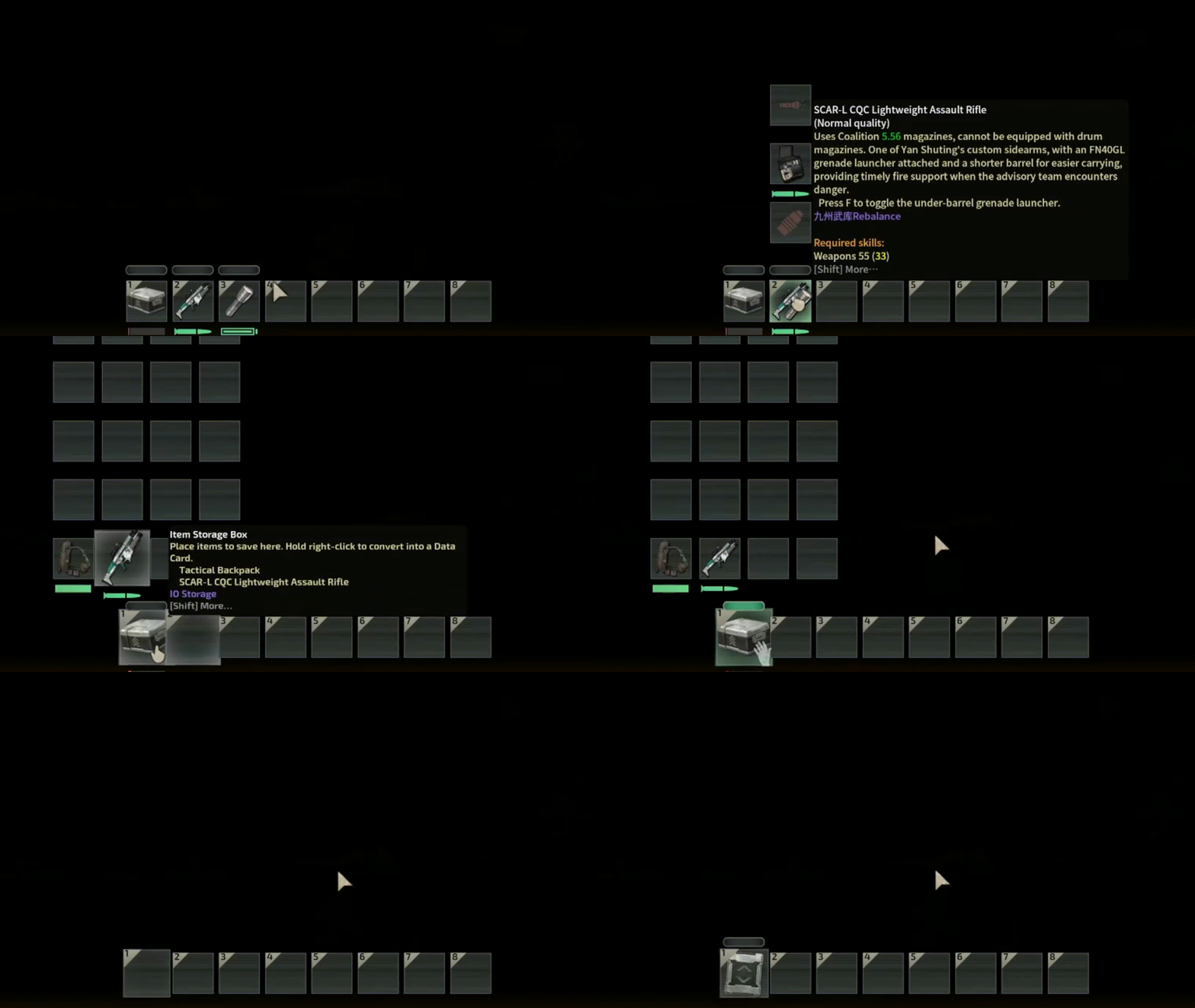
 2. Added a Data Storage Sorting Terminal, which supports storing items by consuming power. Compatible with most modded fabricators; simply link them to read internal items.
  Supports parameter tuning in the submarine editor.
  When returning from a scavenging run, simply put your data cards and various containers into the terminal to quickly read and sort the internal items.
Note: When switching submarines, the terminal will automatically be transferred to the new sub.
= Virtual Stacking =
1. Various containers can now be configured with virtual stacking functionality via XML, meaning massive item stacking no longer drains performance.  Example: Deconstructor use case with virtual stacking.
  2. When holding a container that supports virtual stacking, you can quickly transfer the entire stack of items.
  3. One-click transfer of items from the held container to a fixed container. (Requires IO Storage - Item Push Button)


Note: When switching submarines, virtual stacked items inside fixed containers on the sub will automatically be packed into disposable data cards and boxed up for transport to the new sub. 
6. Virtual Stacking Tuner Allows you to adjust the lower and upper limits of exposed items for virtual stacking in real-time while in-game, accommodating various needs. 
The above features are all compatible with Fabricator/Deconstructor read/write, and NPC Shops/Outpost upgrades
[spoiler]And of course, Item Finders[/spoiler]
= QOL Improvements =
Fabricators will now display materials that you have but are in insufficient quantities. (can recognize items inside data cards/storage terminals) 
Planning to expand with more storage-related features in the future, stay tuned for... [spoiler]a bunch of bugs[/spoiler]! Recommended for use with Item Profiler . Not compatible with single-player mode. If you want to play alone, please use the "Create Server" function.
Known Issues:
There is a small chance that some items may be lost during conversion when the server is lagging. (not reproducible)
Sub-mods: IO Storage - Item Push Button IO Storage - StackBox Virtualizer IO Storage - Sample Variant IO Storage - Cabinets[Capacity Increase + Vanilla Style] IO Storage - Cabinets[Vanilla Capacity + Vanilla Style] IO Storage - Belt
Texture/Code reference: TGM Database IO
If you just want to bypass the inventory management and cheat, use this in-game console command to spawn a terminal that requires absolutely zero power: "spawnitem IOStorageTerminalFixedDebug inventory"
This mod was designed for personal use. However, if you encounter any problems or have suggestions, feel free to leave a comment or send a private message.
Highlights
From source dataFootprint
A 12 MB download, rated a light load on a server.
Last update
Its author last shipped an update 5 mo ago.
IO Storage on Nxeon
From our catalogue- One-click install
- Not available. One-click install isn't available for this game's mods yet. Download it and upload it to your server in Files.
- Server load
- light
- Smallest plan we suggest
- Barotrauma — 2 GB (2 GB RAM). This follows our own load rating above, not a benchmark.
- Latest build
- 2026-05-31, released 2026-05-31, 12 MB
Game versions by loader
| Loader | Game versions | Newest |
|---|---|---|
| Workshop |
From 1 recorded build of IO Storage.
Dependencies
- Required: LuaCsForBarotrauma
- Required: Lua Linker
Declared by the newest build that lists any. Required ones are installed with it on one-click installs.
Run IO Storage on a Barotrauma server
Deploy a server above, then upload the file in Files.
What kind of mod it is
From the catalogWeapons, items & crafting
New weapons, gear, items and the recipes to make them.
Compatibility
- Game
- Barotrauma
- File size
- 12 MB
Verified at the source
- ✓Steam WorkshopOfficial listing, checked 2026-10-10Open ↗
- ✓AuthorLosright, as published on Steam Workshop
- ✓LicenseNot published by the sourceFree