About SoundManager+ - UPDATEEEEEEEEE!
From Steam WorkshopSoundManager+ is a client-side mod for managing sounds and voice chat in Barotrauma. It lets you find and mute individual sounds, adjust their volume, track sound sources directly in the game world,…
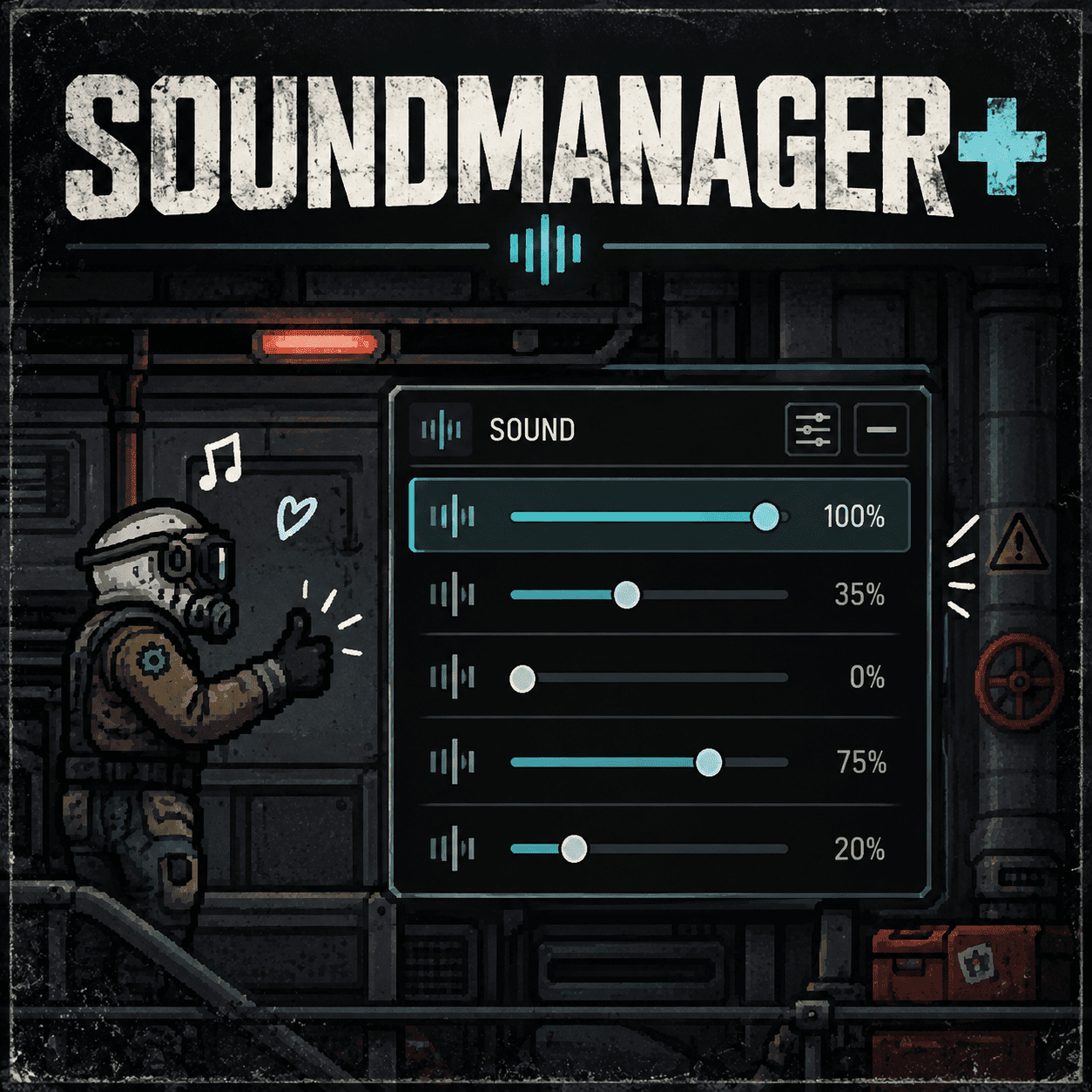
SoundManager+ is a client-side mod for managing sounds and voice chat in Barotrauma.
It lets you find and mute individual sounds, adjust their volume, track sound sources directly in the game world, and control which players you hear and how.
Especially useful for moderators, spectators, and anyone tired of hearing the same sounds over and over again.
Features
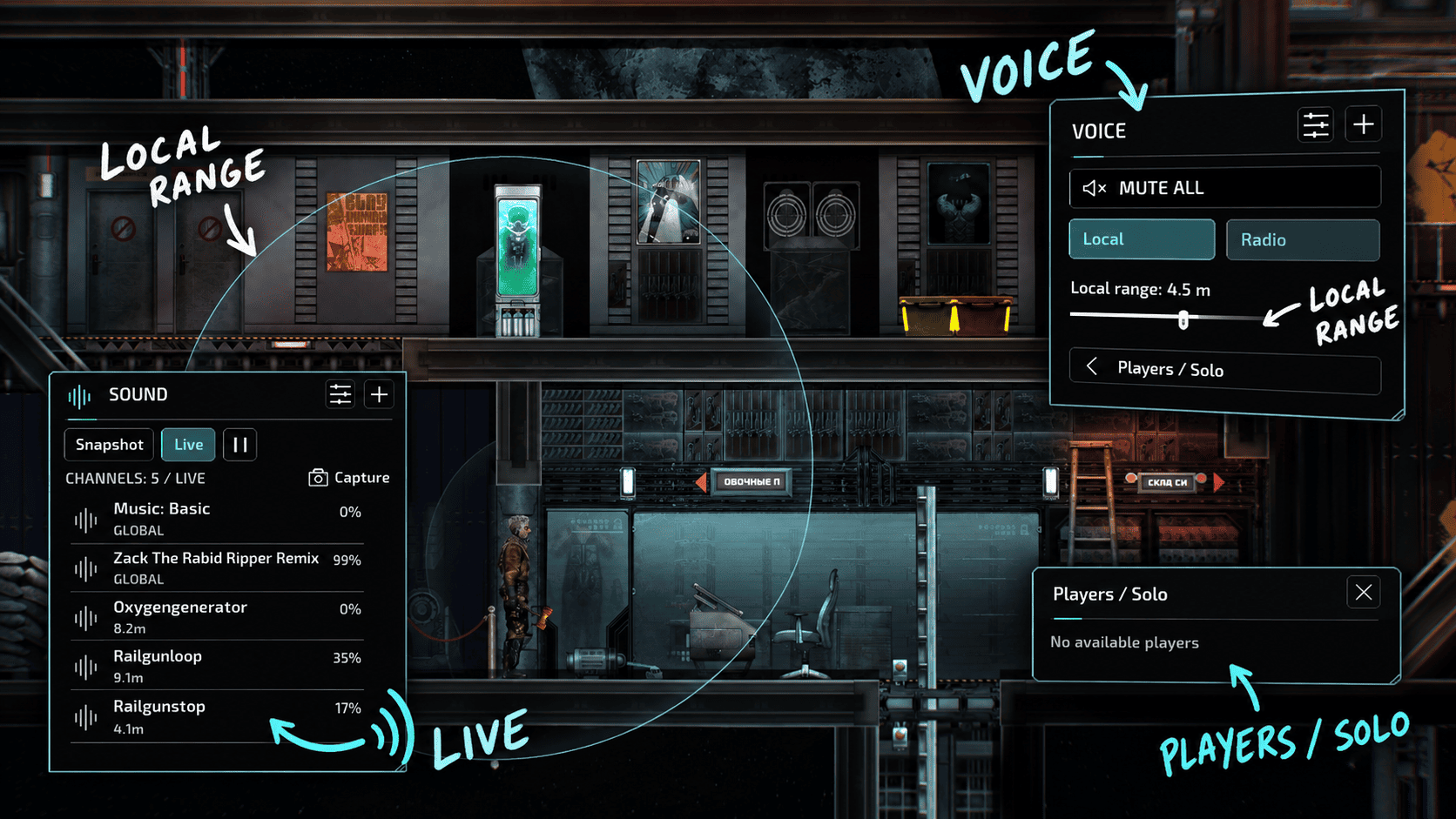
Sound Control • Snapshot - captures sounds playing at a specific moment. • Live - a real-time list of sounds with source markers in the game world. • Off-screen sound indicators and the ability to select sources by clicking their markers. • Mute individual sounds and adjust their volume. • Preview sounds with the ability to stop playback.
Sound Library • Full-screen library of available sounds from the game and installed mods. • Search by filename, path, or category. • Filter modified and muted sounds. • Adjust volume and Mute settings for individual files. • Settings are saved between sessions.
Voice Control • Mute All - mute all incoming voice chat. • Separate controls for Local and Radio voice chat. • Mute individual players. • Solo - hear only selected players. • Local Range - limit the hearing range of local voice chat already available to your client.
Interface Open SoundManager+ with Ctrl + M or through the Esc menu.
Sound and Voice panels are independent. You can move, resize, collapse, and configure them. Their positions are saved.
Supported languages: Russian, English, Simplified Chinese, Spanish, Brazilian Portuguese, and Polish.
Installation 1. Install LuaCsForBarotrauma with client-side mod support. 2. Allow C# mods in LuaCs / Mod Gameplay Settings. Set Are C# Mods Allowed to Allow/Enabled, or Prompt and confirm when asked. 3. Subscribe to SoundManager+ and enable it.
This is a client-side mod. Server installation is not required.
Limitations • The mod cannot access sounds or voice messages that the server has not delivered to your client. • Local Range can limit how far you hear local voice chat, but cannot increase the server's voice transmission range. • Some sounds from third-party mods may not be detected or may not have accurate position data.
This mod modifies client-side audio processing through LuaCs/C#. Compatibility with all mods and future Barotrauma versions is not guaranteed.
Highlights
From source dataFootprint
Rated a light load on a server.
Last update
Its author last shipped an update 1d ago.
SoundManager+ - UPDATEEEEEEEEE! on Nxeon
From our catalogue- One-click install
- Not available. One-click install isn't available for this game's mods yet. Download it and upload it to your server in Files.
- Server load
- light
- Smallest plan we suggest
- Barotrauma — 2 GB (2 GB RAM). This follows our own load rating above, not a benchmark.
- Latest build
- 2026-10-14, released 2026-10-14
Game versions by loader
| Loader | Game versions | Newest |
|---|---|---|
| Workshop |
From 3 recorded builds of SoundManager+ - UPDATEEEEEEEEE!.
Recent builds
| Build | Released | Game versions | Loaders |
|---|---|---|---|
| 2026-10-14 | 2026-10-14 | n/a | Workshop |
| 2026-10-11 | 2026-10-11 | n/a | Workshop |
| 2026-02-27 | 2026-02-27 | n/a | Workshop |
Dependencies
- Required: LuaCsForBarotrauma
Declared by the newest build that lists any. Required ones are installed with it on one-click installs.
Run SoundManager+ - UPDATEEEEEEEEE! on a Barotrauma server
Deploy a server above, then upload the file in Files.
What kind of mod it is
From the catalogCosmetics, visuals & audio
Skins, textures, shaders, models and sound — how the game looks and sounds.
Compatibility
- Game
- Barotrauma
Verified at the source
- ✓Steam WorkshopOfficial listing, checked 2026-10-16Open ↗
- ✓AuthorPetr Gromov, as published on Steam Workshop
- ✓LicenseNot published by the sourceFree