About Switchable Sonar Overlay
From Steam WorkshopA mod that lets you pick and change sonar overlays without swapping out mods and avoids the downfalls of XML override mods. Something I noticed when looking for a simple mod that added clock…
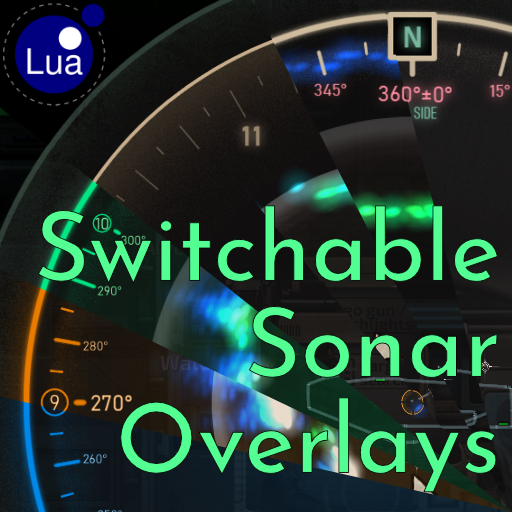
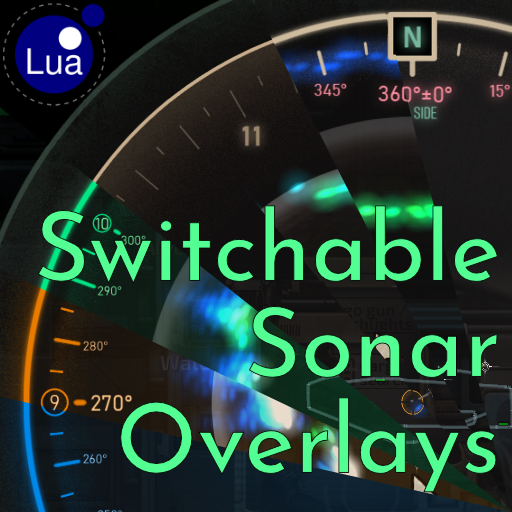
A mod that lets you pick and change sonar overlays without swapping out mods and avoids the downfalls of XML override mods. Something I noticed when looking for a simple mod that added clock positions to the sonar since when I play with friends we use clock callouts and I'm dumb and keep getting 3 and 9 mixed up.
This mod changes the texture as the objects load in instead of needing an constantly updated XML file. I initially made it just for my own texture but decided "Why can't I make it swap and choose between other textures?"
Adding a GUI to this would balloon the code 3-or-4-fold so it's a console command for now. I want to work on another mod now but if I revisit this I'd redo the code to be able to customise more parts of the sonar UI. This was my first lua mod so it's a 2-day rushed mess. I referenced code from other mods but it does the job.
If you would like me to remove a texture or have a texture you want included, feel free to get in contact. Any problems, please let me know. Hope you find this useful.
[hr][/hr][h2]How to use:[/h2] By default this mod will change all Sonar overlays to my modified oClock overlay. (Yay nepotism) You can change this using the console (F3 by default while in a server lobby or mission) and typing [code]sonaroverlay list[/code] to see a list of available overlays by names and numbers. You can then type [code]sonaroverlay <choice>[/code] replacing <choice> with any name or number to switch to that overlay. Due to the way this mod works, changes won't apply till you go to the next mission/level/round. Sorry.
Currently Included Overlays:
[olist][*]Default[list][*]The Barotrauma default sonar overlay, if you need it.[/list] [*]oClock[list][*]Triiodine's oClock Radar overlay. Useful if you use clock callouts to your gunners.[/list] [*]oClockNumbers[list][*]My edit of the oClock overlay with just the numbers.[/list] [*]Degree[list][*]Triiodine's DegreesRadar overlay. Contains bearings and ship side names.[/list] [*]DegreeSideless[list][*]My edit removing the side names to remove a little clutter.[/list] [*]ImmersiveGreen[list][*]Immersive Sonar UI's Nav Terminal overlay. An interesting overlay combining bearing and clock positions.[/list] [*]ImmersiveBlue[list][*]Now in Blue! Immersive Sonar UI's Shuttle UI.[/list] [*]ImmersiveOrange[list][*]And Orange! Immersive Sonar UI's Monitor UI[/list] [*]ImmersivePurple[list][*]My Purple edit of the Immersive Sonar UI. Because I like Purple[/list] [*]ImmersiveNeutral[list][*]My Neutral edit of the Immersive Sonar. To match the default beige for those you don't want the bright colours. Inspired by Minimax.[/list] [*]ImmersiveOrangeDim[list][*]Immersive Sonar Dim Orange edit by Minimax[/list] [*]ImmersiveGreenDim[list][*]Immersive Sonar Dim Green edit by Minimax[/list] [*]ImmersivePurpleDim[list][*]Immersive Sonar Dim Purple edit by Minimax[/list] [*]ImmersivePink[list][*]Immersive Sonar Pink edit by Minimax[/list] [*]ImmersiveWhite[list][*]Immersive Sonar White edit by Minimax[/list] [*]ImmersiveDark[list][*]Immersive Sonar Dark edit by Minimax[/list] [*]ImmersiveNeon[list][*]Immersive Sonar Neon edit by Minimax[/list] [*]ImmersivePurplePink[list][*]Immersive Sonar Purple & Pink Gradient edit by Minimax[/list] [*]ImmersivePinkBlue[list][*]Immersive Sonar Pink & Blue Gradient edit by Minimax[/list] [*]ImmersiveSunset[list][*]Immersive Sonar Sunset Gradient edit by Minimax[/list][/olist]
- [hr][/hr]This is a Clientside-only Lua mod this does not need to be on the server to work.
- [h2]Installing Client-side Lua:[/h2]

- You can tell if it's already installed if you see this in the top left of the Main Menu.
- [list][*]Open hosting menu
- Select LuaForBarotrauma in ServerExecutable and host a server
- While hosting, open the console window (most commonly 'F3')
- Type in or copy, then execute the console command: [code]install_cl_lua[/code][/list]
- (Video if you don't understand the instructions above: https://www.youtube.com/watch?v=wEeJ70vH1TM )
- [hr][/hr][h2]Credits:[/h2]
- oClockRadar / Sonar [Alt Appearance] by Triiodine
- DegreeRadar / Sonar by Triiodine
- [url=https://steamcommunity.com/sharedfiles/filedetails/?id=3172973041]Immersive Sonar UI by [noparse]_]|M|[_
- [/noparse][/url]Storiage Icons by Dr. Turtle for the config file code and a handy mod.
- Velocity Indicator by Jericho another handy mod and code gave me a good start point for this mod.
- Minimax for contributing some extra Immersive Sonar variants and touching up existing ones.
Highlights
From source dataFootprint
A 19 MB download, rated a light load on a server.
Last update
Its author last shipped an update 23 mo ago.
Switchable Sonar Overlay on Nxeon
From our catalogue- One-click install
- Not available. One-click install isn't available for this game's mods yet. Download it and upload it to your server in Files.
- Server load
- light
- Smallest plan we suggest
- Barotrauma — 2 GB (2 GB RAM). This follows our own load rating above, not a benchmark.
- Latest build
- 2024-12-07, released 2024-12-07, 19 MB
Game versions by loader
| Loader | Game versions | Newest |
|---|---|---|
| Workshop |
From 1 recorded build of Switchable Sonar Overlay.
Dependencies
- Required: LuaCsForBarotrauma
Declared by the newest build that lists any. Required ones are installed with it on one-click installs.
Run Switchable Sonar Overlay on a Barotrauma server
Deploy a server above, then upload the file in Files.
What kind of mod it is
From the catalogWorkshop
Its source category doesn’t say more about what it does, so NxLabs lists it under Other.
Compatibility
- Game
- Barotrauma
- File size
- 19 MB
Verified at the source
- ✓Steam WorkshopOfficial listing, checked 2026-10-10Open ↗
- ✓AuthorPyrii, as published on Steam Workshop
- ✓LicenseNot published by the sourceFree