About Texture Dropper
From Steam WorkshopWhat does the mod do? Texture Dropper is a mod that allows you to add any image as an in-game item in just a few steps. Why do you need it? Adding custom items takes a lot of time. This mod removes…
What does the mod do?
Texture Dropper is a mod that allows you to add any image as an in-game item in just a few steps.
Why do you need it?
Adding custom items takes a lot of time. This mod removes that routine, letting you focus on building your boat. You can add paintings and decorations. You can also merge a group of items into one to optimize your boat.
How does it work?
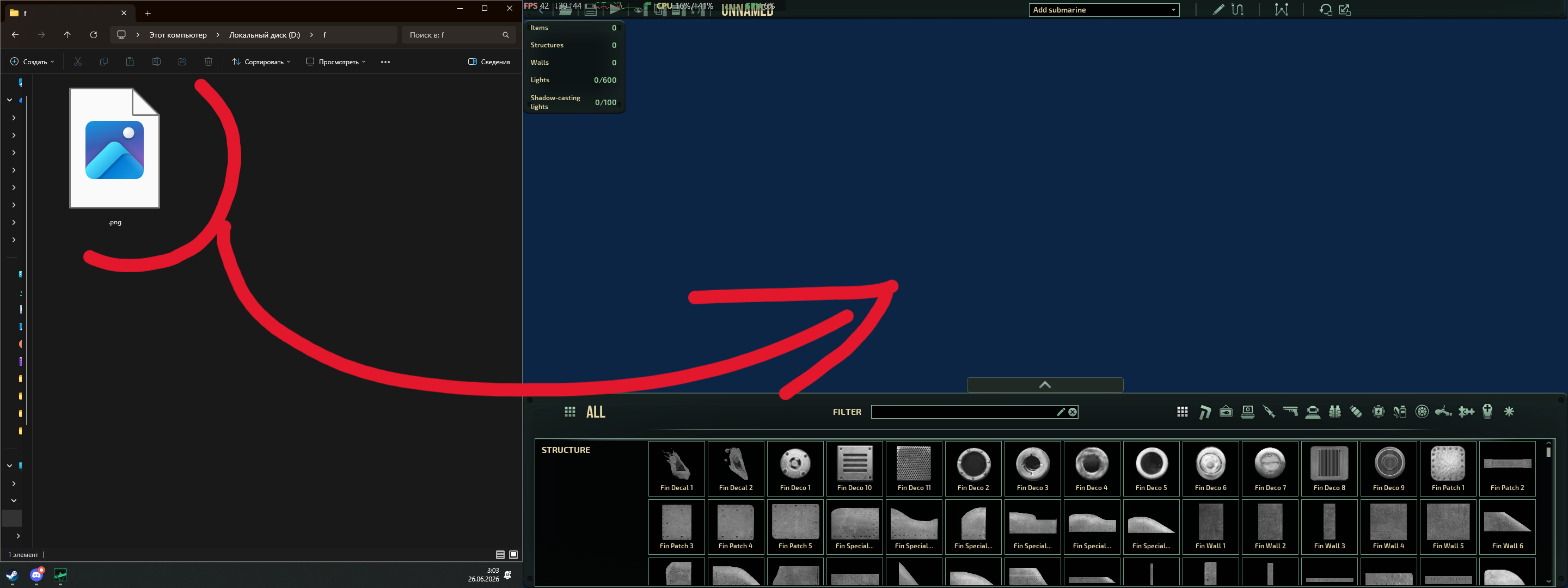
[h3]To create a texture:[/h3][list] [*]Drag and drop the file directly into the game editor (image 1). [*]A window will appear (image 2) where you need to enter the item name and select the local folder to store the texture. [*]After clicking Save, the image is copied to the folder, an xml file with texture info is created, and a link to this xml file is added to the filelist. The selected folder reloads, and all items currently on the screen are removed. Therefore, you must save your boat beforehand, and reload it after saving the texture. [*]After saving, the new texture appears in the Misc section (image 3). If you were already in this section while saving, switch to another section and back to make the item appear. [/list]
[h3]To delete a texture:[/h3][list] [*]Press Esc and find the Delete Textures button (image 4). [*]A window appears (image 5) where you select the texture to delete. [*]After deletion, just like during creation, the entire folder containing the texture reloads, so you must save your boat beforehand. [/list]
Feedback
If you have suggestions, found a bug, or anything else, there is a pinned discussion right below where you can post at any time.
Highlights
From source dataFootprint
Rated a light load on a server.
Last update
Its author last shipped an update 3 mo ago.
Texture Dropper on Nxeon
From our catalogue- One-click install
- Not available. One-click install isn't available for this game's mods yet. Download it and upload it to your server in Files.
- Server load
- light
- Smallest plan we suggest
- Barotrauma — 2 GB (2 GB RAM). This follows our own load rating above, not a benchmark.
- Latest build
- 2026-07-06, released 2026-07-06
Game versions by loader
| Loader | Game versions | Newest |
|---|---|---|
| Workshop |
From 1 recorded build of Texture Dropper.
Dependencies
- Required: LuaCsForBarotrauma
Declared by the newest build that lists any. Required ones are installed with it on one-click installs.
Run Texture Dropper on a Barotrauma server
Deploy a server above, then upload the file in Files.
What kind of mod it is
From the catalogCosmetics, visuals & audio
Skins, textures, shaders, models and sound — how the game looks and sounds.
Compatibility
- Game
- Barotrauma
Verified at the source
- ✓Steam WorkshopOfficial listing, checked 2026-10-10Open ↗
- ✓AuthorKATIÓN, as published on Steam Workshop
- ✓LicenseNot published by the sourceFree