
About CEE FollowerHUD
From Steam WorkshopMod ID 3733057040 CEE FollowerHUD A lightweight follower HUD that keeps your thralls and pets visible at all times ? no menus, no clutter, no excuses for losing your fighters mid-fight. Features Auto…
Mod ID
3733057040
CEE FollowerHUD
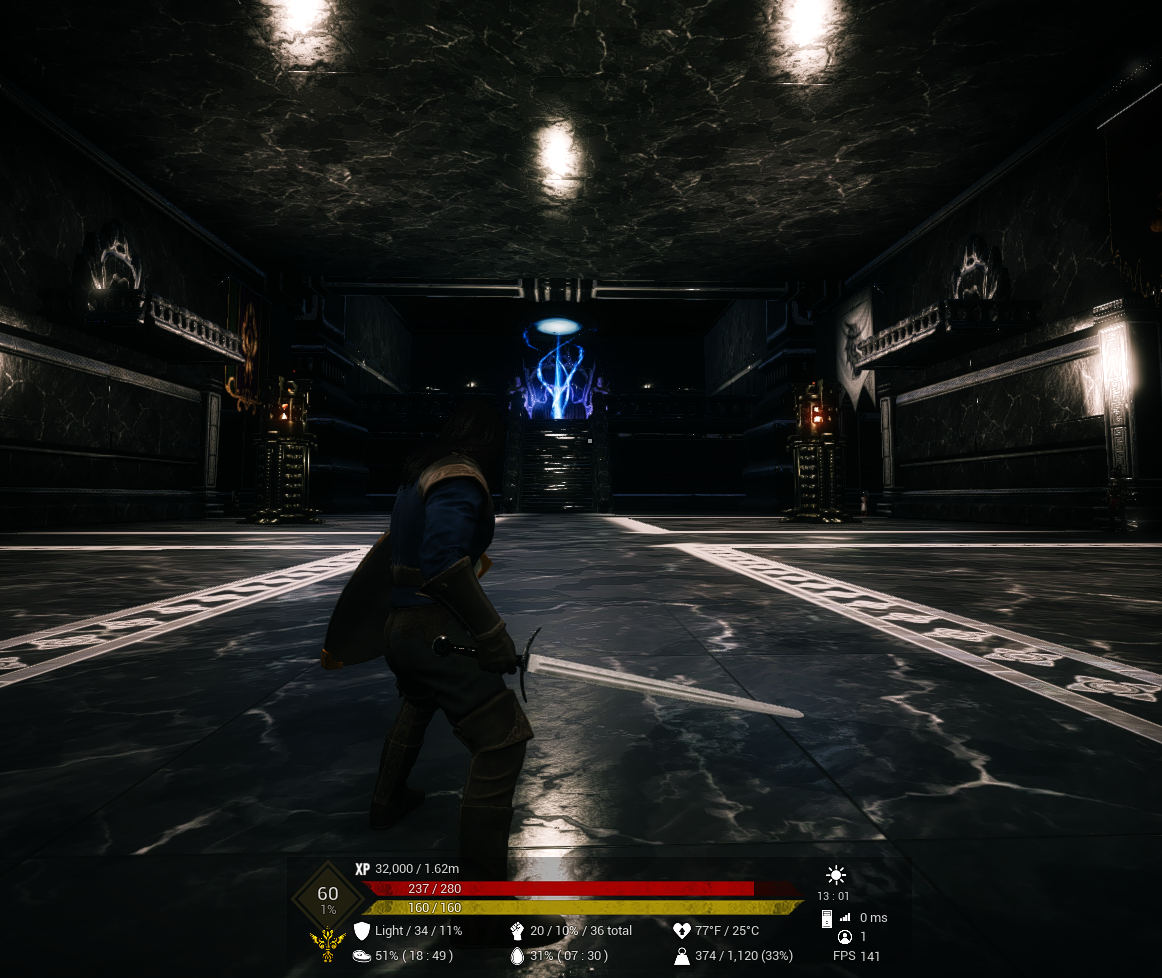
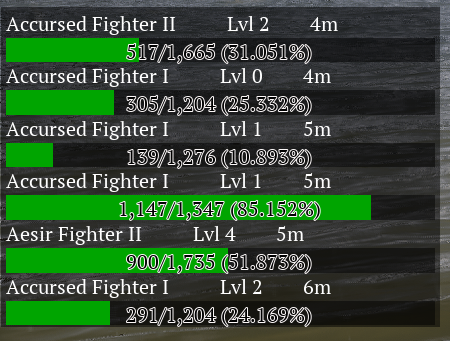
A lightweight follower HUD that keeps your thralls and pets visible at all times ? no menus, no clutter, no excuses for losing your fighters mid-fight.
[hr][/hr]
Features
- Auto show / hide
- The panel automatically appears when you begin following a thrall or pet and disappears when no followers are active.
- Multi-follower support
- Designed to handle anything from a single companion to full follower groups without consuming excessive screen space.
- Per-follower information
- [list]
- Follower name and level
- Distance from player (meters)
- Current HP / Max HP
- Health percentage display
- Dynamic HP bar that visually drains as damage is taken
[*]Drag-to-move HUD Freely reposition the HUD anywhere on your screen while in edit mode.
[*]Resizable UI Scale the entire HUD larger or smaller in real time using the mouse wheel.
[*]Persistent settings Panel position and scale are automatically saved between play sessions.
[*]Client-side only Displays ONLY your own followers ? no clan thrall spam or unnecessary server clutter. [/list]
[hr][/hr]
Controls
- Hold F2
- Enter HUD edit mode.
- Hold F2 + Left Mouse Button
- Drag the HUD anywhere on screen.
- You do NOT need to click directly on the panel.
- Hold F2 + Mouse Wheel Up
- Increase HUD scale.
- Hold F2 + Mouse Wheel Down
- Decrease HUD scale.
- Release F2
- Lock the HUD position/scale and automatically save settings.
[hr][/hr]
Notes
- Designed for minimal screen clutter during normal gameplay.
- Works with thralls and pets currently following the player.
- Built for fast readability during combat situations.
- HUD customization is fully client-side and does not affect other players.
Highlights
From source dataFootprint
Rated a light load on a server.
Last update
Its author last shipped an update 3 mo ago.
CEE FollowerHUD on Nxeon
From our catalogue- One-click install
- Not available. One-click install isn't available for this game's mods yet. Download it and upload it to your server in Files.
- Server load
- light
- Smallest plan we suggest
- Conan Exiles — 6 GB (6 GB RAM). This follows our own load rating above, not a benchmark.
- Latest build
- 2026-07-05, released 2026-07-05
Game versions by loader
| Loader | Game versions | Newest |
|---|---|---|
| Workshop |
From 1 recorded build of CEE FollowerHUD.
Run CEE FollowerHUD on a Conan Exiles server
Deploy a server above, then upload the file in Files.
What kind of mod it is
From the catalogCreatures & NPCs
Adds or changes creatures, NPCs and how they behave.
Compatibility
- Game
- Conan Exiles
Verified at the source
- ✓Steam WorkshopOfficial listing, checked 2026-10-10Open ↗
- ✓Authornearly.useful, as published on Steam Workshop
- ✓LicenseNot published by the sourceFree