
About Chroma 2
From Steam WorkshopA mod that lets you tint and otherwise modify your buildings and decorations. Currently beta testing, but this will remain the mod's workshop ID once the testing is finished, so don't worry about…
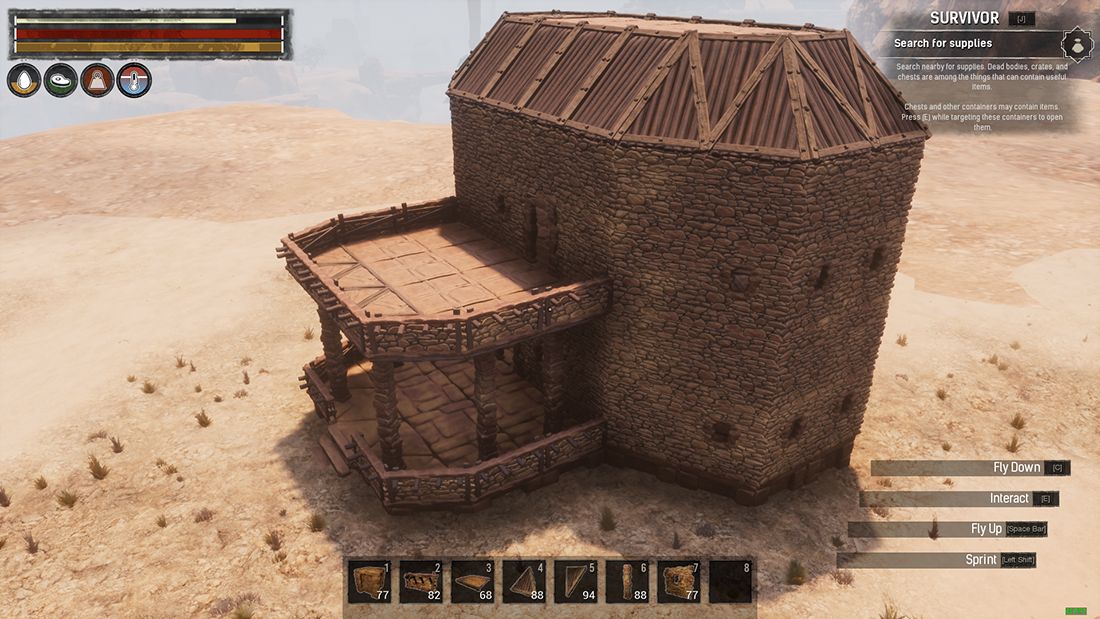
A mod that lets you tint and otherwise modify your buildings and decorations. Currently beta testing, but this will remain the mod's workshop ID once the testing is finished, so don't worry about keeping it if you love it!
Please hit us up in the Emberlight Discord Server with your feedback!
CHROMA 2
Feature Highlights:
- Modify any building set or decoration, provided the in-game model has materials with modifiable parameters. See ?Compatibility? below.
- With Chroma 2, you can adjust both color tints and scalar parameters on objects. Scalar parameters are properties such as Roughness, Metallic, Normal Strength, etc. This will allow you to customize your buildings and deco to a level of detail heretofore thought impossible. The future is now!
- Chroma now recognizes modifiable materials on your buildings and gathers the info it needs directly from them. As a result, Chroma 2 no longer requires a mod update in order to be compatible with modded building sets. More about this in ?Compatibility? below.
- Create and save preset Building Set Themes, Freeform Building Themes and Decoration Themes. You can quickly apply a theme to any in-game structure
- GUI Improvements:
- [list][*]Materials & Material Parameters should now be much more readable and intuitive to work with than they were in Classic Chroma.
- Only materials found on a building will populate in the Chroma 2 GUI as modifiable, making the entire experience less confusing.
- Quickly copy & paste colors and scalar values from one material to another.
- Move Building Set themes up or down in priority to handle materials that are redundant between different building sets.[/list][/list]
- [h2]Currently Implemented:[/h2]
- [list][*]Modifying structures directly with Freeform Themes, Building Set Themes & Decoration Themes
- Import & Export Chroma Strings to share with others
- Save & load themes to your PC
- Save Themes to Server
- Basic Theme Management (View, Rename, Delete, Remove Materials)[/list]
- [h2]Not yet implemented, but on the way:[/h2]
- [list][*]GUI Tooltips & confirmation messages for many actions (such as deleting themes, etc.)
- Extensive Mod Settings
- Extensive User Permissions & Tags[/list]
- [h2]How To Chroma:[/h2]
- Make sure you?re in admin mode. Activate the radial menu on any building or decoration, and get started! The new GUI is pretty straightforward, but documentation is also on the way!
- By default, only admins can use Chroma 2 features. However, a simple checkbox in the Manage/Settings menu enables you to allow normal players to use Chroma 2 on buildings and decorations that they own.
- [h2]Compatibility:[/h2]
- As mentioned above, Chroma 2 is compatible with modded building sets straight out of the box. However, there are still some substantial benefits to having some basic info about those building sets punched into Chroma's data tables. So if you bump into your favorite building kit modder, tell them to drop me a line so I can get that info from them.
- If you're using Emberlight currently, make sure to disable the classic Chroma feature before installing the Chroma 2 standalone mod.
- [h2]We Need Your Feedback[/h2]
- Please install Chroma 2 on your server or single-player/coop game and try to break it. In particular, we?re looking for testing with regards to:
- [list][*]General bugs (e.g. parts of buildings not tinting when they should)
- Large player settlements with tons of deco
- Crazy combinations of base game & modded building sets on the same structure, as well as saved to a Freeform theme.
- Replication (accurately displaying visuals for multiple players) in both dedicated server and coop environments
- Server performance impact
- Anything confusing about the GUI or material/parameter names
- Suggestions! Your only limit is your imagination![/list]
Highlights
From source dataFootprint
Rated a light load on a server.
Last update
Its author last shipped an update 19 mo ago.
Chroma 2 on Nxeon
From our catalogue- One-click install
- Not available. One-click install isn't available for this game's mods yet. Download it and upload it to your server in Files.
- Server load
- light
- Smallest plan we suggest
- Conan Exiles — 6 GB (6 GB RAM). This follows our own load rating above, not a benchmark.
- Latest build
- 2025-03-27, released 2025-03-27
Game versions by loader
| Loader | Game versions | Newest |
|---|---|---|
| Workshop |
From 1 recorded build of Chroma 2.
Run Chroma 2 on a Conan Exiles server
Deploy a server above, then upload the file in Files.
What kind of mod it is
From the catalogListed on Steam Workshop as “Workshop”
Building & decoration
Blocks, furniture, decorations and building tools.
Compatibility
- Game
- Conan Exiles
Verified at the source
- ✓Steam WorkshopOfficial listing, checked 2026-10-10Open ↗
- ✓AuthorEmberlight, as published on Steam Workshop
- ✓LicenseNot published by the sourceFree