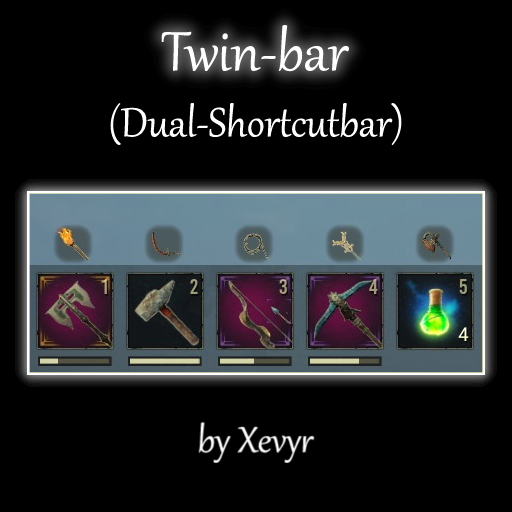
About Twin-Bar (Dual-Shortcutbar) v2.0.4 (by Xevyr)
From Steam WorkshopVery lightweight mod that effectively doubles shortcut bar capacity with quick per slot swapping and configurable hotkeys https://i.imgur.com/1z8wvbf.gif Features: Adds a secondary "twin" slot for…
Very lightweight mod that effectively doubles shortcut bar capacity with quick per slot swapping and configurable hotkeys

Features:
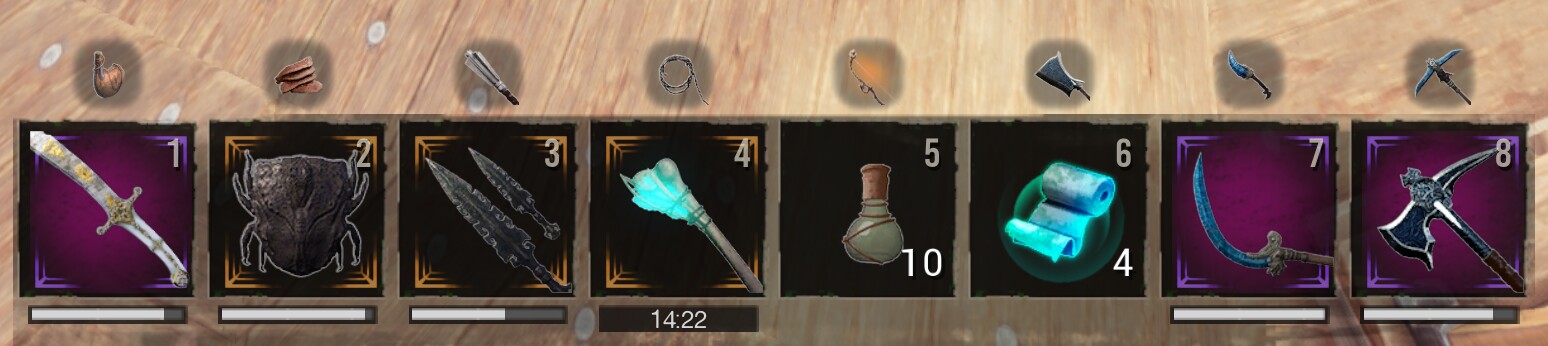
- Adds a secondary "twin" slot for each actionbar slot that can also hold an item, making your actionbar hold a total of 16 items instead of the original 8
- The player can independently and instantly swap back and forth between the two items in any given slot by pressing the corresponding hotkey
- The default hotkeys are shift+number. Eg. if you have a weapon in your first actionbar slot and a tool in the first "twin" slot, you can press shift + 1 to swap between the two and 1 to equip / use once swapped.
- Keys are rebindable in the settings menu opened via the console command dc twinbar
- Doubles number of slots on controller quick-select wheel as well for those who play with controllers, so they can also have 16 slots.
This mod will does include scaling the actionbar, because I have a very lightweight actionbar scaling mod that works perfectly fine with this, I recommend installing them together.
Workshop ID
2996647780
Compatibility:
Compatible with everything except similar actionbar mods obviously. Despite that, it's still compatible with Testerle's Building Shortcut bar though! Does not save to database and can be removed at any point - If removed, all items in "twin" slots will just get transferred to the regular inventory, they won't be lost. This mod does not edit basegame files in any way and does not need to be updated when the game gets an update Hotkeys can always conflict with other mods ofc. since there are only so many keys on the keyboard, but they are configurable in this mod Note on Keyboards: Certain international keyboard layouts (French for example) require shift to be pressed in order to type a number, as such it's not possible to trigger "Shift+1" on those as the shift key is already required for the number. Users have found that going into the keybind settings of the mod and changing the 1,2,3 etc. hotkeys to the corresponding special symbol that's the default action for those keys provides the same experience as the default settings on other layouts
Support and Donation:
Join discord for troubleshooting help, guides, news etc.Should you wish to support me with a one-time tip, click here Otherwise consider supporting me via Patreon

Some of my other mods:
- Simple Minimap (Helps you see where you're going.. it's a minimap that works with controllers too)
- The Purge Mod Experience the old-style purge in this custom remake. Fully customize attacking forces etc. for your server
- Armor and Weapon Stats in Bench (shows you the stats of things in the bench before crafting)
- The Damage Meter (measure yours and your followers damage done / taken and dps, can also track 3 additional players)
- Reliable Meteor Showers (tiny super-lightweight mod that makes meteors rain sooner if there are less than 5 nodes on the map, solving the issue of scarce star metal - also adds the smoke back to meteor nodes that was removed in Chapter 2)
- Inventory compactor (button that gets rid of empty slots in custom view inventory and benches)
- Follower Remote (Lightweight mod that lets you instantly change your followers engagement settings (Passive / Guard Me / Aggressive) via hotkeys or the thrall radial menu without having to be close to them, also has a feature to make them switch to truncheons or use healing potions / bandages in their inventory)
- All of the others...
Update policy
[list] [*] All my mods are made to be future-compatible with the latest version of the game and in the vast majority of the cases do NOT require updates when the game has an update. You can safely ignore any "outdated" warnings you might get from gportal or other services as those simply check the version number of the devkit used to create the mod (stored in a text file inside the mod) against that of the game, which is completely irrelevant in the case of mods that do not contain altered basegame files. [*]I will update my mods on my terms and my terms alone. If you don't like my update schedule, don't use the mods. [*] Mismatch errors are not the fault of mod creators. If you need help understanding this concept, visit the discord. [/list]
Highlights
From source dataFootprint
A 288 KB download, rated a light load on a server.
Last update
Its author last shipped an update 14 mo ago.
Twin-Bar (Dual-Shortcutbar) v2.0.4 (by Xevyr) on Nxeon
From our catalogue- One-click install
- Not available. One-click install isn't available for this game's mods yet. Download it and upload it to your server in Files.
- Server load
- light
- Smallest plan we suggest
- Conan Exiles — 6 GB (6 GB RAM). This follows our own load rating above, not a benchmark.
- Latest build
- 2025-09-03, released 2025-09-03, 288 KB
Game versions by loader
| Loader | Game versions | Newest |
|---|---|---|
| Workshop |
From 1 recorded build of Twin-Bar (Dual-Shortcutbar) v2.0.4 (by Xevyr).
Dependencies
Declared by the newest build that lists any. Required ones are installed with it on one-click installs.
Run Twin-Bar (Dual-Shortcutbar) v2.0.4 (by Xevyr) on a Conan Exiles server
Deploy a server above, then upload the file in Files.
What kind of mod it is
From the catalogQuality of life & UI
Small conveniences, tweaks and interface improvements players notice straight away.
Compatibility
- Game
- Conan Exiles
- File size
- 288 KB
Verified at the source
- ✓Steam WorkshopOfficial listing, checked 2026-10-10Open ↗
- ✓AuthorXevyr, as published on Steam Workshop
- ✓LicenseNot published by the sourceFree