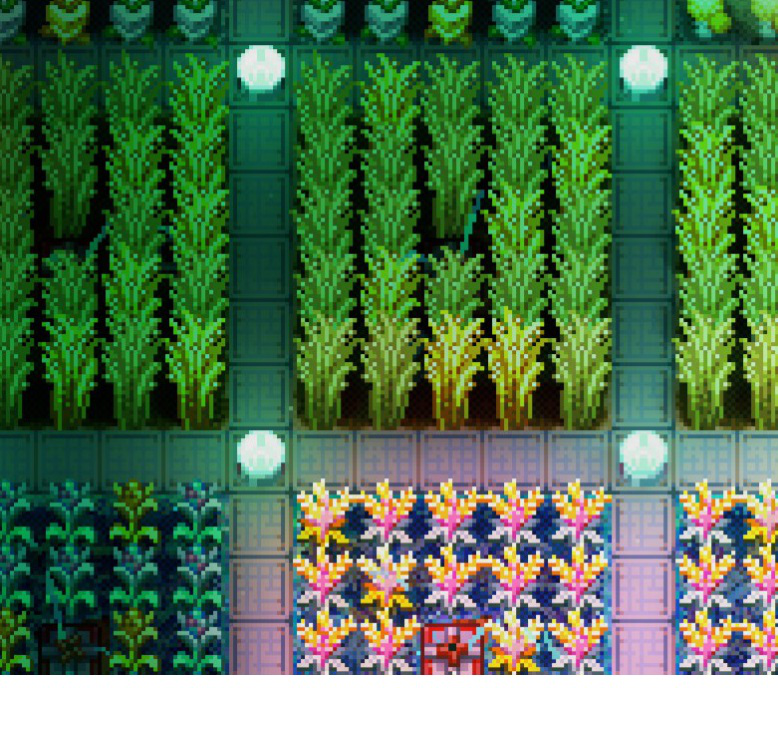
About PlacementPlus
From mod.ioUnlock full potential of your placement! With this mod you can place seeds, walls, ground and tiles in grids and lines! (Core Lib is needed)
Placement Plus
WARNING: Users of Xbox (gamepass), this mod will crash or not work. Do not install it. This issue is outside my control, and I cannot fix it. If you want to play with this mod, buy the game on Steam.
Please note that the mod now must be installed on ALL sides


Unlock full potential of your placement! With this mod you can place seeds, walls, ground and tiles in grids and lines!
Features:
Grid Placement
- Place most 1x1 objects — walls, floors, tiles, seeds — in squares or lines, 9x9 by default (configurable up to 15x15)
- Four brush shapes: horizontal line, vertical line, square, off (cycle with
C) - Hold
Altto replace existing tiles; toggle mode swaps BOTH layers of a cell (wall + the ground under it), and replacing works under placed objects and walls - Materials are consumed normally; digging and mining use the durability of the shovel/pickaxe in your inventory. With god mode on, placing and replacing are free — no items, no durability, no drops
- Workbenches, doors and similar are excluded by default so you don't place nine of them by accident — configurable
Remove mode — creative void brush
- In creative worlds the wall-block mode cycle (
V) gains a fourth mode: REMOVE - It voids every layer of the brushed area at once — ground-only and ground+wall cells alike — and the holes persist through save/load
- Free of cost. Perfect for carving skyblock-style maps. Not available outside creative worlds
Tool area work
- Shovel, hoe, roofing tool and watering can work at up to 9x9 regardless of tool tier (resize with
Ror +/-) - Shovel, hoe and roofing tool also follow the brush shape — dig a single row, mow a single column, and so on
- The preview matches the actual work area exactly
Roofing tool
- Toggle modes using
Vkey - DEFAULT: stock behavior (fills if the area is fully open, punches otherwise)
- CLOSE ROOF: only fills · OPEN ROOF: only punches
- All three respect brush size and shape
Paint brush
- Paint whole areas at once following brush size and shape, with a preview
- Cycle colors with
V
Sledgehammer
- Four sizes: 3x3 → 9x9, with +/- while holding it
- Two hit shapes (
Vkey): SQUARE — an NxN box around the impact, for demolition; ARC — the stock swing grown to size, a wide swath in front (e.g. 9x5) - A low-opacity preview shows where tiles will break; toggle and opacity are in the config menu and apply instantly
- In multiplayer the size and shape are server-wide values — admins only, changes are synced and announced to everyone
Controls
(rebindable in the game's control settings)
Numpad +/-— brush / tool / sledgehammer size (hold for auto-repeat)C— brush shapeV— tool modeCapsLock + V— cycle backwardsHold LeftAlt— replace existing tiles
Note: There might be issues, where they keybinds don't work. To fix these go to options menu and reset keybinds to defaults or check keybind assignments.
Settings
- Max Brush Size (default 9) — shared cap for brush and tools, adjustable 3–15; the "9x9" on this page is the default (tool caps apply after a restart; the sledgehammer is capped at 9x9 by the game itself)
- Allow Wall Variants (off) — let items with wall-mounted variants (torches, doors, lamps) into the brush; orientations may come out odd
- Ignore Builtin Exclude (off) — allow brush placement of workbenches, doors, minecarts and other excluded items
- Sledgehammer Preview (on) and Preview Opacity (0.15, applies instantly)
- Short Messages — keep mode change messages short
Multiplayer / Dedicated servers
- Install on both client and server
- Sledgehammer size/shape can only be changed by admins listed in Admins.json (no restriction in singleplayer)
Requirements
- CoreLib (required)
- General Mod Config Menu recommended for the in-game settings menu (the cfg file works without it)
- Disable Tool Resizer mod while using this mod
- Do not install fork Placement++ at the same time as this mod.
Known limitations
- Objects larger than 1x1 (beds etc.) cannot be brush-placed
- The sledgehammer's attack shape and tile shape come from one value — "arc attack + square tiles" is not possible; in ARC shape the size number is the swath's width (5 → 5x3, 7 → 7x5, 9 → 9x5)
- The preview can shift by one tile as you move within a tile — it always matches where the hit actually lands
- Bucket and watering can support square areas only (no brush shapes)
Credits
- New features and improvements from fork Placement++ — unholyzealot
- Tool scaling idea: LordOfCloud — Tool Resizer
- Sledgehammer range approach: ReishyouSose — Quality of Core Keeper
Feedback and Bug Report
Feel free to contact me via Discord (limoka8) for any feedback, bug-reports or suggestions.
CL_Data(Depend:3177992,3456857,3456859|Donate:https://boosty.to/kremnev8|ClientSide:true|ServerSide:false)
Highlights
From source dataGame versions
Built for Core Keeper 1.2.1.0.
Footprint
Rated a light load on a server.
Last update
Its author last shipped an update 29d ago.
PlacementPlus on Nxeon
From our catalogue- One-click install
- Supported on Nxeon Core Keeper servers. We download it from mod.io, place it, and restart the server.
- Server side
- Required on the server
- Server load
- light
- Smallest plan we suggest
- Core Keeper — 2 GB (2 GB RAM). This follows our own load rating above, not a benchmark.
- Latest build
- 2.2.1, released 2026-10-06
Recent builds
| Build | Released | Game versions | Loaders |
|---|---|---|---|
| 2.2.1 | 2026-10-06 | n/a | n/a |
| 1.2.0 | 2026-09-27 | n/a | n/a |
Run PlacementPlus on a Core Keeper server
Pick a server or deploy a new one above; it is installed in one click.
What kind of mod it is
From the catalogQuality of life & UI
Small conveniences, tweaks and interface improvements players notice straight away.
Runs on your server
From source side supportmod.io lists PlacementPlus as required on the server. Check its mod.io page to see whether players need it too.
Compatibility
- Game
- Core Keeper
- Runs on
- Serverrequired on the server
- Game versions
- 1.2.1.0
Verified at the source
- ✓mod.ioOfficial listing, checked 2026-11-04Open ↗
- ✓Authorlimoka8, as published on mod.io
- ✓LicenseNot published by the sourceFree