About A-6 Secure Containers
From Steam WorkshopDescription Hello! A-6 Secure Containers is a mod I had requested to be created for my community when I running it. I figured this mod should be available for all to use! It functions exactly like…
Description
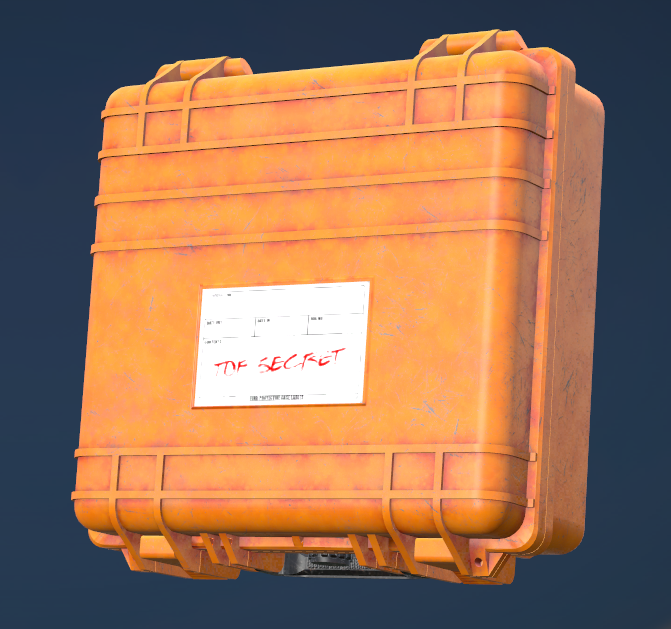
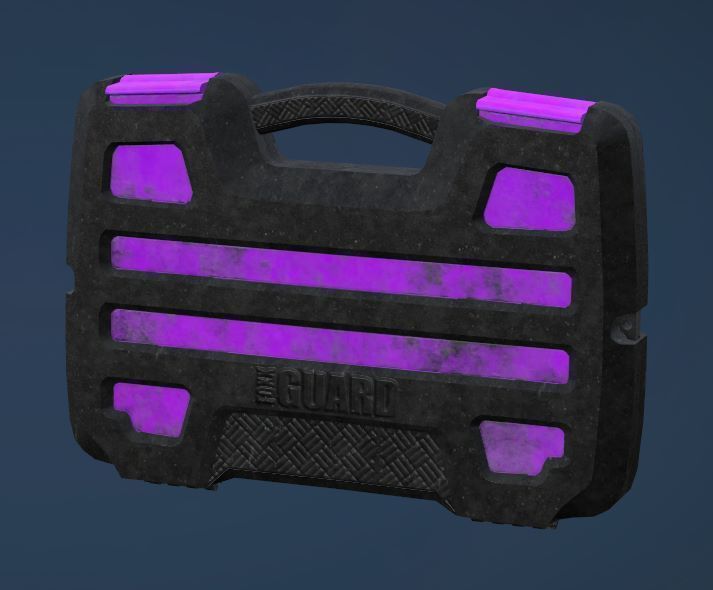
Hello! A-6 Secure Containers is a mod I had requested to be created for my community when I running it. I figured this mod should be available for all to use! It functions exactly like Tarkov's Secure Containers. The Secure Container attaches to your character, and whatever goes inside of it, stays with your character even through death. Secure Containers that are not attached to the secure container slot will not carry over death.
Setting up Starter Secure Containers
Locate the Types Folder in the mod files, in that folder will be “SecureContainer_types.xml”. Setup how you would like to spawn them if you want to spawn them like regular loot on the map. Setup the lifetime as you normally would. There is fail safe JSON lifetime setting that is used for when the player dies, but whenever a player detaches the container from their slot it will default back to the lifetime you have set in your types.
Next, open the "SecureContainersSettings.json" file located in your Server Profiles folder. This should automatically generate for you. "StarterSecureContainerType" is set to "A6_SecureContainer_Alpha" by default. If you wish to not use a Starter Secure Container, just leave the type empty. "SecureContainerLifetime" is used when a player dies, the Secure Container will be set to this lifetime while it is waiting to be returned to the player it's owned to. By Default, this is set to 604800 seconds ( 7 Days ). This only applies with player death, all other secure containers use the types lifetime if defined.
Setting up Blacklisting / Whitelisting
Open the "SecureContainersSettings.json" file located in your Server Profiles folder. This ItemList can be flipped between Blacklisting and Whitelisting with "ItemListMode", by default, ItemListMode will be set to "1". ItemList Modes are "1" for Blacklisting and "2" for Whitelisting.
Example of file below:
{
    "FileUpdateEnable": "1",
    "StarterSecureContainerType": "A6_SecureContainer_Alpha",
    "SecureContainerLifetime": 604800,
    "ItemListMode": 1,
    "ItemList": [
        "Clothing",
        "Weapon_Base"
    ]
}
By default Weapons & Clothing are blocked from being put in the Secure Containers. I advise you don't allow clothing or weapons to be put in, because if any mod uses ClearInventory or RemoveAllItems, clothing items and weapons inside the container will yeet. This a current limitation with scripting and conflicts with other mods to make this work properly, I have to search player inventory and then clear all clothes and then weapons, instead of clearing all Items. If you switch to Whitelisting mode, remove "Weapon_Base" and "Clothing" from the list, as whitelisting will only allow the items in "ItemList" to go into the container.
Dogtags Mod Compatibilty
Open the mod folder & inside is a CompatibilityMods Folder. In there is the pbo called "A6_SecureContainers_Dogtag_Compatibility". You will need to pack this mod in your server pack if you run Dogtags by Wardog. This is because of some functions in Dogtags are conflicting with this mod.
ClassNames
- A6_SecureContainer_Alpha ( 2x2 Inventory ) - A6_SecureContainer_Beta ( 3x2 Inventory ) - A6_SecureContainer_Epsilon ( 4x2 Inventory ) - A6_SecureContainer_Gamma ( 4x3 Inventory ) - A6_SecureContainer_Kappa ( 4x4 Inventory )
Join my Discord!
PERMISSION IS NOT GRANTED FOR THIS MOD TO BE INCLUDED IN A "SERVER PACK" or "MOD PACK".
Monetization while using this mod is approved.
Highlights
From source dataFootprint
A 38 MB download, rated a light load on a server.
Last update
Its author last shipped an update 15 mo ago.
A-6 Secure Containers on Nxeon
From our catalogue- One-click install
- Not available. One-click install isn't available for this game's mods yet. Download it and upload it to your server in Files.
- Server load
- light
- Smallest plan we suggest
- DayZ — 6 GB (6 GB RAM). This follows our own load rating above, not a benchmark.
- Latest build
- 2025-07-09, released 2025-07-09, 38 MB
Game versions by loader
| Loader | Game versions | Newest |
|---|---|---|
| Workshop |
From 1 recorded build of A-6 Secure Containers.
Run A-6 Secure Containers on a DayZ server
Deploy a server above, then upload the file in Files.
What kind of mod it is
From the catalogQuality of life & UI
Small conveniences, tweaks and interface improvements players notice straight away.
Compatibility
- Game
- DayZ
- File size
- 38 MB
Verified at the source
- ✓Steam WorkshopOfficial listing, checked 2026-10-10Open ↗
- ✓AuthorFutureSixx, as published on Steam Workshop
- ✓LicenseNot published by the sourceFree