About AreaAnnouncements
From Steam WorkshopArea Announcements UPDATED FOR DAYZ v1.30 - BADLANDS / NASDARA A small DayZ mod that shows cinematic location text when a player enters a named area on the map. When a player moves into a town, city,…
Area Announcements
UPDATED FOR DAYZ v1.30 - BADLANDS / NASDARA
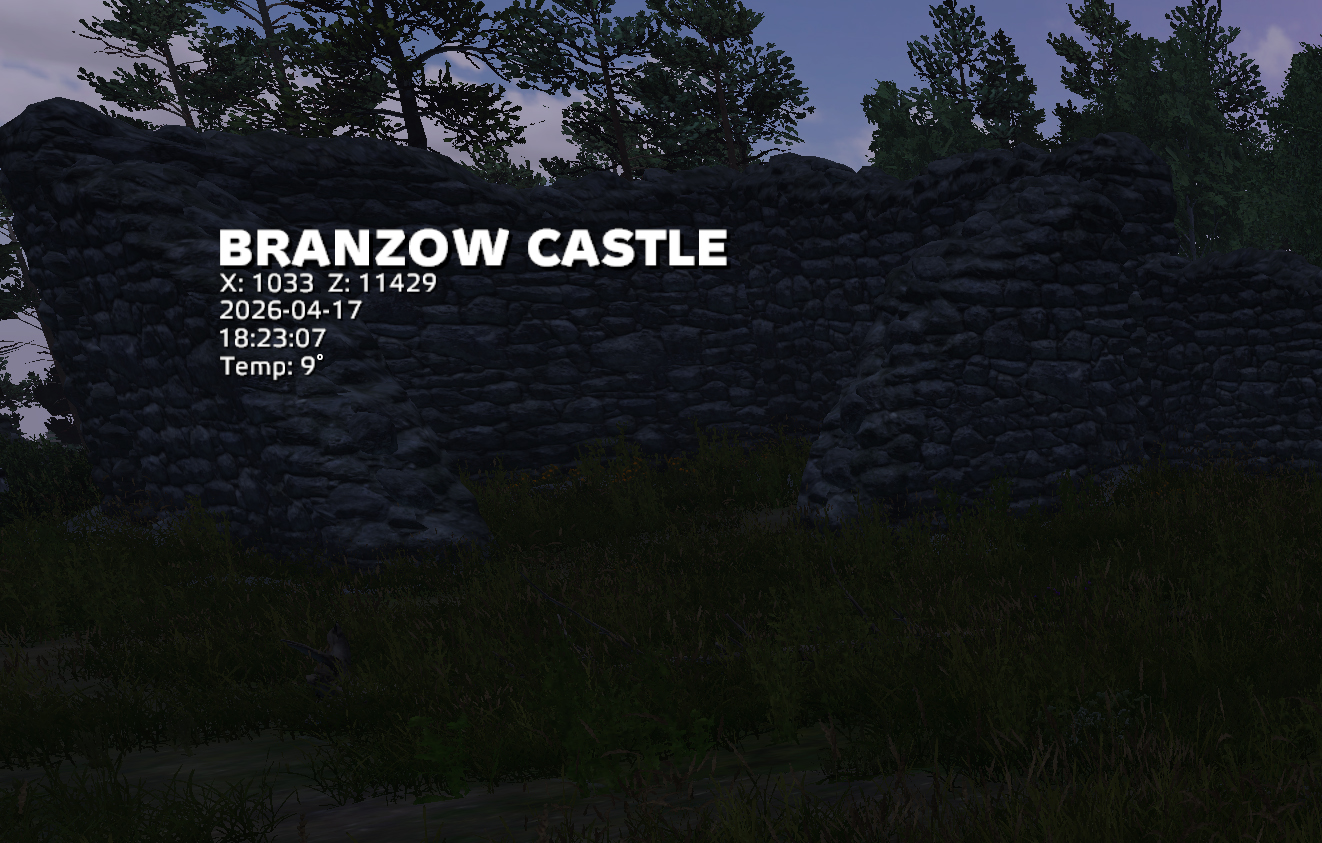
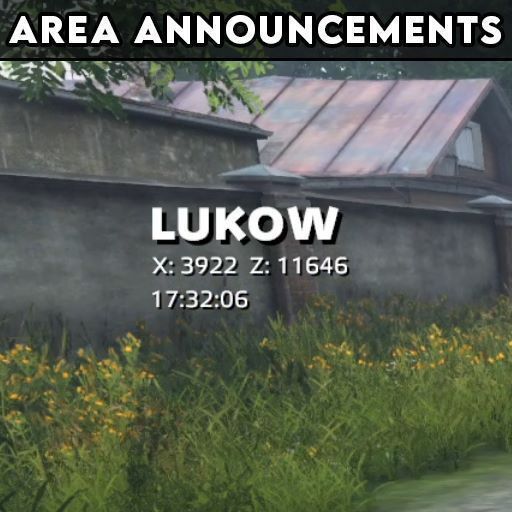
A small DayZ mod that shows cinematic location text when a player enters a named area on the map. When a player moves into a town, city, village, ruin, marine location, or other supported named area, the mod displays the area name on screen, with optional coordinates, in-game time and temperature underneath. Has 2 different types of displaying, and a lot of options in configuration file.
Updates:
v1.9 2026-10-16: UPDATED FOR DAYZ v1.30 - BADLANDS / NASDARA * Nasdara/Badlands has now been fully implemented!
Features
Shows the current named area when entering a location. Supports Chernarus, Livonia, Sakhal, Nasdara/Badlands, Namalsk, Deer Isle, Bitterroot, Banov and Pripyat Optional coordinates display Optional in-game clock display Optional seconds on the clock Uses in-game time, not the player’s real computer time Configurable screen position PositionX = -1.0 can be used for automatic horizontal centering Configurable font sizes (supported sizes: 12, 14, 16, 22, 28, 48, 58) Configurable left, center, or right text alignment Configurable line spacing Configurable text shadow Configurable text colors Configurable English/Russian-Cyrillic zone names switch (enable/disable) Separate shadow offsets for zone name, coordinates, and time Separate text settings for zone name, coordinates, and time Fade-in/fade-out display mode Typeout display mode Optional tick sound for each typed character in typeout mode Configurable custom areas Server-side settings file
IMPORTANT:
YOU DO *NOT* NEED TO ADD THE FOLLOWING MAPS TO THE CONFIG FILE YOURSELF: Chernarus Livonia Sakhal Nasdara/Badlands Namalsk Deer Isle Bitterroot Banov Pripyat THE ABOVE MAPS ARE ALREADY PRE-CONFIGURED IN THE CODE, WITH ALL THEIR AREAS! So, short story short, to make life easier for you -- if you are running any of the above mentioned maps, you only need to install the mod and run :D
Display Mode: Fade
The zone name fades in first. Then the coordinates and time fade in. The full announcement stays visible for the configured duration. Then everything fades out.
Display Mode: Typeout
The zone name types out one character at a time with or without sound (think The Matrix or tech-movies) Then coordinates type out. Then time types out. After that, the full announcement stays visible for the configured duration and fades out. A short optional tick sound can play for each typed character.
Configuration
The server creates the config here: profiles\AreaAnnouncements\settings.json
Custom Areas:
If you built a town or a military area or whatnot, you can have it announced when entering. Here is a tutorial video on how to set up the configration file: https://www.youtube.com/watch?v=7STdaOb0A6Q
Usage:
-mod=@AreaAnnouncements
Map Support:
Chernarus Livonia Sakhal Badlands/Nasdara Namalsk Deer Isle Bitterroot Banov Pripyat (If your map is not listed here, you can use the config file to define all areas that you want, on your map!)
Mod Support:
https://livonia.ironhorde.com/discord
Mod Repack / Server Pack:
You are allowed to repack this into any server modpack as much as you like, because I'm not an epic-teared kid about these things, like some ;D
Highlights
From source dataFootprint
Rated a light load on a server.
Last update
Its author last shipped an update 19d ago.
AreaAnnouncements on Nxeon
From our catalogue- One-click install
- Not available. One-click install isn't available for this game's mods yet. Download it and upload it to your server in Files.
- Server load
- light
- Smallest plan we suggest
- DayZ — 6 GB (6 GB RAM). This follows our own load rating above, not a benchmark.
- Latest build
- 2026-10-16, released 2026-10-16
Game versions by loader
| Loader | Game versions | Newest |
|---|---|---|
| Workshop |
From 2 recorded builds of AreaAnnouncements.
Recent builds
| Build | Released | Game versions | Loaders |
|---|---|---|---|
| 2026-10-16 | 2026-10-16 | n/a | Workshop |
| 2026-08-25 | 2026-08-25 | n/a | Workshop |
Dependencies
- Required: CF
Declared by the newest build that lists any. Required ones are installed with it on one-click installs.
Run AreaAnnouncements on a DayZ server
Deploy a server above, then upload the file in Files.
What kind of mod it is
From the catalogMaps & scenarios
Custom maps, arenas and scenarios to play on.
Compatibility
- Game
- DayZ
Verified at the source
- ✓Steam WorkshopOfficial listing, checked 2026-11-01Open ↗
- ✓AuthorDeafFeliciaPlaysDayZ, as published on Steam Workshop
- ✓LicenseNot published by the sourceFree