About Lad's Lighting Overhaul
From Steam WorkshopLad's Lighting Overhaul! Hello everyone! This mod is introducing some lighting changes that reflect for both day and night, as well as overcast. This aims to give a more cinematic feeling to the…
Lad's Lighting Overhaul!
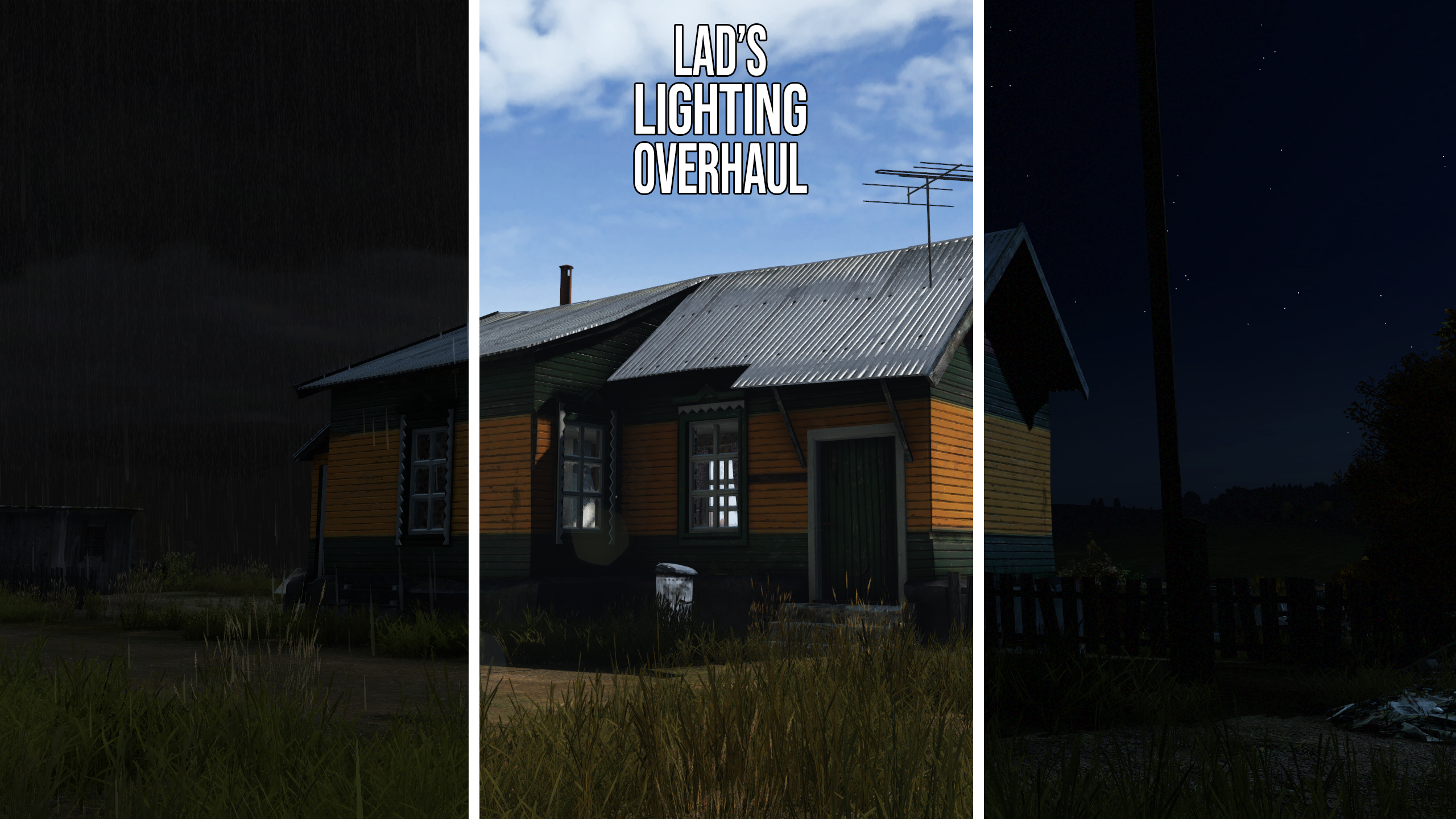
Hello everyone! This mod is introducing some lighting changes that reflect for both day and night, as well as overcast. This aims to give a more cinematic feeling to the game. This mod comes with 9 separate configs that you will have to configure on your server. These changes purely affect the brightness of the night for OVERCAST ONLY. 4 of these will add the film grain filter to help combat against Gamma. Clear nights will remain the same regardless of which config you go for.
This mod also reintroduces a long lost lighting setting that was present during the Beta build of DayZ. After many requests, I have decided to reimplement it. (With some minor changes to noise levels to make it playable).
The mod also makes changes to the HDR settings, making your eyes take longer to adjust as well as adjusting the lighting overall. Further to this, interiors and forests appear darker during the day when you are outside, but your eyes adjust as you enter them, making them brighter.
Experimental Version can be found here: https://steamcommunity.com/sharedfiles/filedetails/?id=3012019528
I await your feedback and I am looking forward to hearing from you all!
Compatibility Issues
If you use Deer Isle, there will be a conflict with the Personal Light. I recommend you switch off the personal light for the best result. Night Vision will be affected by Namalsk, and will be darker.
Lad's Modding Workshop Discord
You can join my Modding Workshop discord to help report issues, give feedback and talk about my projects: https://discord.com/invite/jm49NcTPgh
Please let me know if you run into more compatibility issues.
Plans for future updates
Toggle-able Vignette Effect Interchangable Glow.emat effects (Choice of colour, saturation etc)
Instructions for use
Please change your lightingconfig line in both your serverDZ file and cfggameplay.json. Simply change it to the corresponding numbers:
2222 = Darker Overcast Nights.
3333 = Brighter Overcast Nights.
4444 = Darker Overcast Nights w/ film grain.
5555 = Brighter Overcast Nights w/ film grain.
-Livonia Configs below
6666 = Livonia Darker Overcast Nights.
7777 = Livonia Brighter Overcast Nights.
8888 = Livonia Darker Overcast Nights w/ film grain.
9999 = Livonia Brighter Overcast Nights w/ film grain.
1010 = DayZ 0.63 Lighting
Usage & Terms
This item is NOT authorized (strictly forbidden) for any of these conditions: - posting on Steam, except under the Steam account Lad. - hosting on any download server other than Lad's current workshop download. - hosting on any launcher for distribution other than Lad's current workshop download. - to be packaged in any form other than Lad's current workshop download. - to create derivative works.
PERMISSION IS NOT GRANTED FOR THIS MOD TO BE INCLUDED IN A "SERVER PACK" or "MOD PACK".
Use a Collection if you want to include this mod on your server for your users.
Monetization while using this mod is approved.
Support
If you like this mod and want to support this or future mods you can do so below. Thanks. PS it does not get you sweaty feet pics. That is the platinum tier

Highlights
From source dataFootprint
A 252 KB download, rated a light load on a server.
Last update
Its author last shipped an update 24 mo ago.
Lad's Lighting Overhaul on Nxeon
From our catalogue- One-click install
- Not available. One-click install isn't available for this game's mods yet. Download it and upload it to your server in Files.
- Server load
- light
- Smallest plan we suggest
- DayZ — 6 GB (6 GB RAM). This follows our own load rating above, not a benchmark.
- Latest build
- 2024-11-05, released 2024-11-05, 252 KB
Game versions by loader
| Loader | Game versions | Newest |
|---|---|---|
| Workshop |
From 1 recorded build of Lad's Lighting Overhaul.
Run Lad's Lighting Overhaul on a DayZ server
Deploy a server above, then upload the file in Files.
What kind of mod it is
From the catalogGameplay & overhauls
New mechanics, content and overhauls that change how the game plays.
Compatibility
- Game
- DayZ
- File size
- 252 KB
Verified at the source
- ✓Steam WorkshopOfficial listing, checked 2026-10-10Open ↗
- ✓AuthorLad, as published on Steam Workshop
- ✓LicenseNot published by the sourceFree