About More Flags Mod
From Steam WorkshopMore Flags Mod This mod was made with the intent of including more variety when it comes to flags for base building into DayZ.…
More Flags Mod
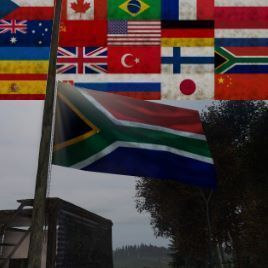
This mod was made with the intent of including more variety when it comes to flags for base building into DayZ.
This Mod Includes The Following Flags
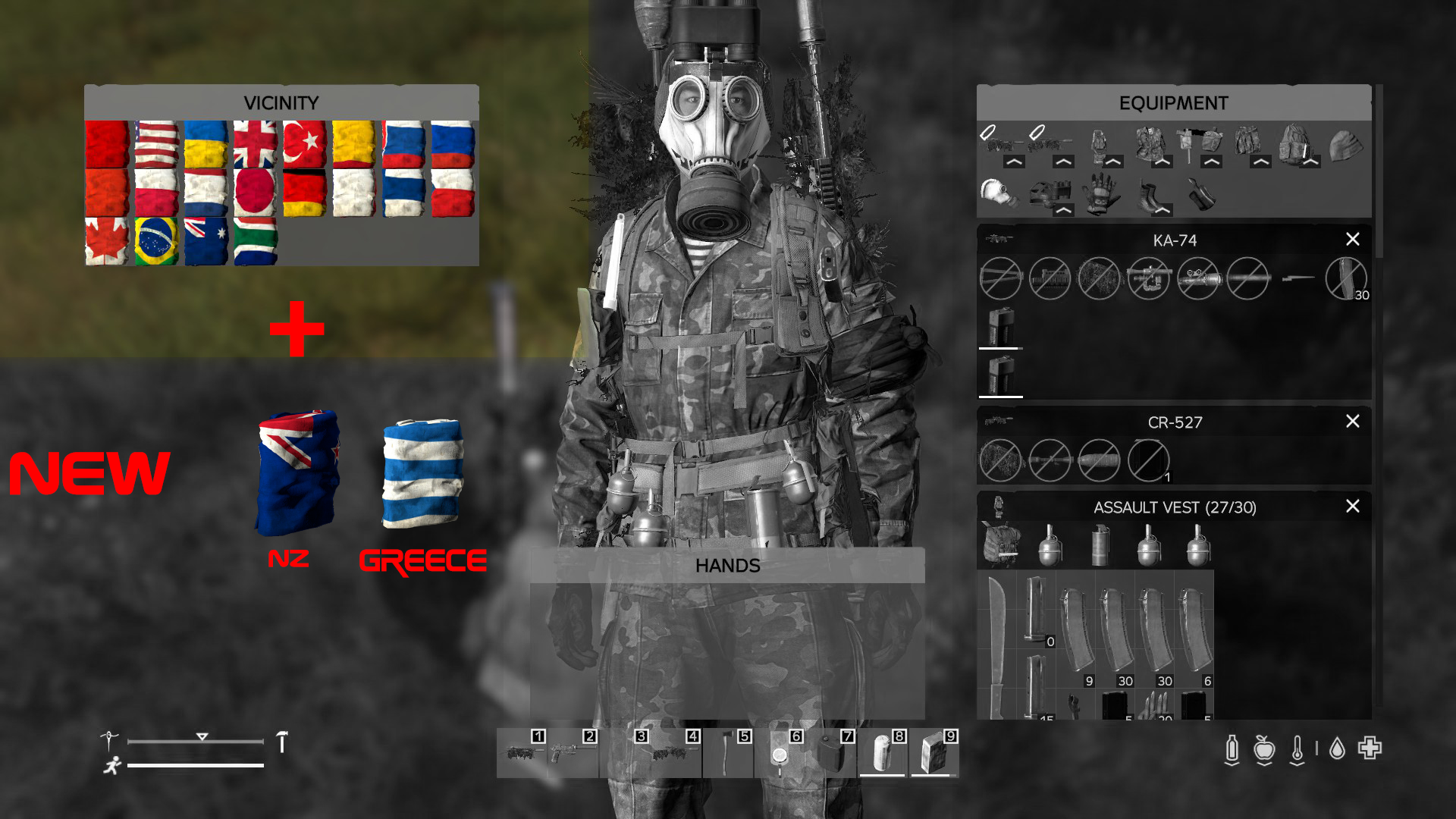
PLEASE NOTE MORE FLAGS WILL BE ADDED South African Flag Australian Flag Brazilian Flag Canadian Flag Czech Republic Flag Finnish Flag French Flag German Flag Japanese Flag The Netherlands Flag Polish Flag Chinese Flag Russian Flag Slovakian Flag Turkish Flag Union Jack Flag (UK Flag) Ukrainian Flag USA Flag USSR Flag
--NEW-- New Zealand Flag Greek Flag
Flag Requests
I will try to stay up-to-date on flag requests and adding them to this mod pack But I can not guarantee I will be quick in implementing them.
Installation
Client/Non-Server Owners - Simply click the Green "Subscribe" button, to download and install the mod automatically to your DayZ folder. (No manual work needed) ------- Server Owners - 1) Subscribe to the mod using the green button below. 2) Have your server folder open and ready. 3) Once downloaded, open a NEW file explorer window and locate the following folder "*\steamapps\common\DayZ\!Workshop" within your steam library folder. 4) Copy the "@More Flags Mod" Folder, and then PASTE this folder it into your MAIN Server Folder/Directory (As stated in point 2) 5) Open the new folder pasted into your server folder (@More Flags Mod), open the folder "Keys", and copy the file loctated inside to your clipboard. 6) Go back to your main server folder/Directory, open the folder called "Keys", and paste the key file (that you just copied) into this folder. 7) Go back to main server folder 8) Locate your .bat file to launch the server (or other methods) and be sure to list the mod here. *Example of step 8*: "-mod=@More Flags Mod;";
If you require assistance in the mod instillation, I highly recommend searching up your problem online, but you are also welcome to ask me if your search yields no results
How To Make Items Spawn
types.xml Inside the mod folder "@More Flags Mod" is a file called "types.xml", open this file with Notepad++, and copy all of its contents. Locate the types.xml file in your server folder, and scroll to the bottom of the file, and insert the copied code into the SECOND last line. (Picture showing which line to paste into: Second Last Line Picture) (The Screenshot is from another mod of mine, but the concept stays the same)
Trader Mod
THE CODES ARE FOUND IN THE MOD FOLDER
Future Plans For The Mod
I will be adding new flags, especially those that are left in the comments below and flags that players of the community want implemented in this mod pack
My Media
Disclaimer
I do not give permission for this mod to be repacked, repurposed or added into server packs.
Copyright © 2021 armablign
Highlights
From source dataFootprint
A 5 MB download, rated a light load on a server.
Last update
Its author last shipped an update 6 yr ago.
More Flags Mod on Nxeon
From our catalogue- One-click install
- Not available. One-click install isn't available for this game's mods yet. Download it and upload it to your server in Files.
- Server load
- light
- Smallest plan we suggest
- DayZ — 6 GB (6 GB RAM). This follows our own load rating above, not a benchmark.
- Latest build
- 2021-02-24, released 2021-02-24, 5 MB
Game versions by loader
| Loader | Game versions | Newest |
|---|---|---|
| Workshop |
From 1 recorded build of More Flags Mod.
Run More Flags Mod on a DayZ server
Deploy a server above, then upload the file in Files.
What kind of mod it is
From the catalogQuality of life & UI
Small conveniences, tweaks and interface improvements players notice straight away.
Compatibility
- Game
- DayZ
- File size
- 5 MB
Verified at the source
- ✓Steam WorkshopOfficial listing, checked 2026-10-10Open ↗
- ✓Authorarmablign, as published on Steam Workshop
- ✓LicenseNot published by the sourceFree