About Psyerns Radio Show
From Steam WorkshopPsyern's Radioshow An immersive radio mod for DayZ Originally developed for the Deadman's Echo community server, Psyern's Radioshow brings functional radio stations to DayZ. Listen to music on your…
Psyern's Radioshow
An immersive radio mod for DayZ
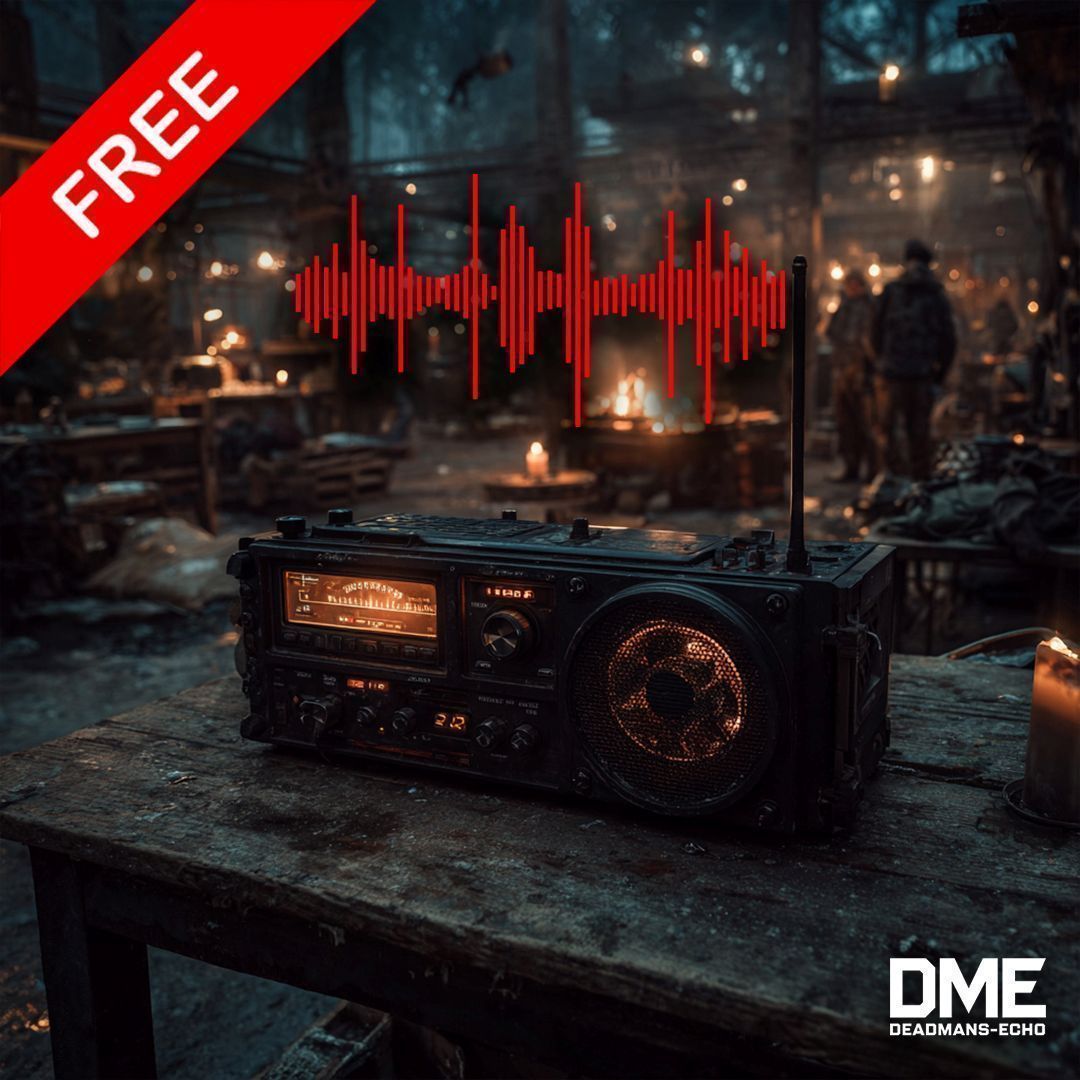
Originally developed for the Deadman's Echo community server, Psyern's Radioshow brings functional radio stations to DayZ. Listen to music on your personal radio, in vehicles, or on stationary base radios – with 7 unique radio channels and over 140 tracks!
[hr][/hr]
Features
────────────────────────────────────────
https://deadmans-echo.de/dme-radio/
All songs to download
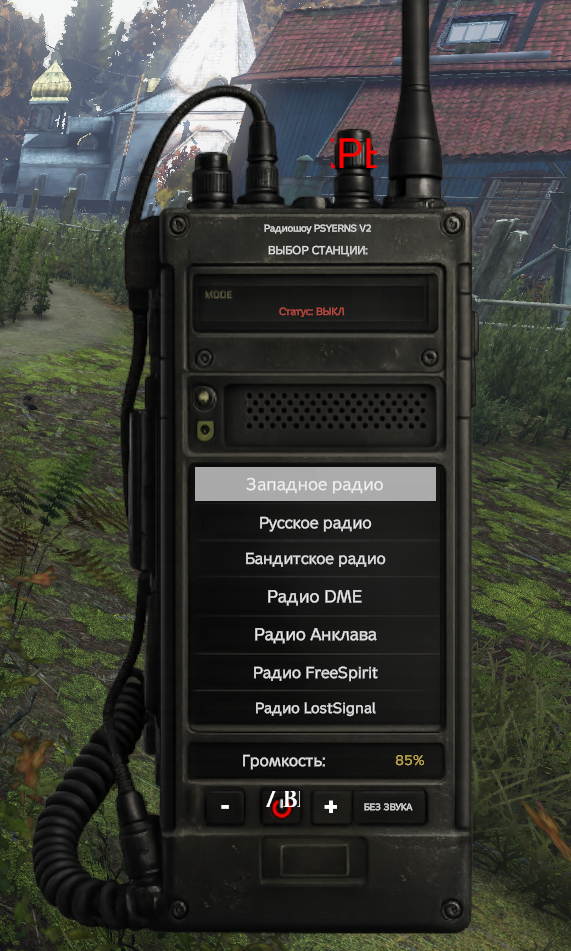
🎵 7 Radio Channels Choose from 7 unique radio stations, each with its own music style: • West Radio – 29 Tracks + 10 DJ Clips • East Radio – 32 Tracks + 8 DJ Clips • Bandits Radio – 25 Tracks • DME Radio – 16 Tracks • Enklave Radio – 12 Tracks • FreeSpirit Radio – 23 Tracks • LostSignal Radio – 3 Tracks
Total: 140 Tracks + 18 DJ Clips
Support for Own Music now (12. March 2026)
[hr][/hr]
https://psyern.github.io/PsyernsRadioShowV2/
📻 Three Radio Types
- Personal Radio – Use the vanilla hand radio with custom stations
- Vehicle Radio – ALL vehicles have a built-in radio system
- Base Radio – Stationary radios for your base or camp
[hr][/hr]
🎙️ DJ/Speaker System West Radio and East Radio feature a realistic DJ system: • After 2-3 songs, a moderator clip plays • 18 unique DJ clips for authentic radio feeling • Creates an immersive radio atmosphere
[hr][/hr]
🎛️ Full Control
- Channel Selection – Click to switch between 7 stations
- Volume Control – Adjust in 10% steps (0% - 100%)
- Mute Button – Quick mute/unmute
- Per-Radio Settings – Each radio remembers its channel and volume
[hr][/hr]
🔧 Server Configuration Fully configurable via JSON file: • Enable/Disable Personal Radio • Enable/Disable Vehicle Radio • Enable/Disable Base Radio • Global Volume Control
[hr][/hr]
How To Use
────────────────────────────────────────
Personal Radio (Hand Radio) 1. Take a PersonalRadio in your hands 2. Use the action "Turn On Radio" 3. Press . (Period key) → Channel menu opens 4. Click on your desired station 5. ESC to close menu
Vehicle Radio 1. Enter any vehicle 2. Press . (Period key) → Vehicle radio menu opens 3. Click "ON / OFF" to toggle radio 4. Select your station (auto-turns on) 5. Use +/- for volume, MUTE to mute
Base Radio (Stationary Radio) 1. Place a stationary radio 2. Look at the radio and press . (Period key) 3. Radio must be within 3 meters 4. Same controls as vehicle radio
Keybinding The radio menu key can be changed in game options: • Search for "Radio: Sender Menu" • Default: . (Period key)
[hr][/hr]
Installation
────────────────────────────────────────
[olist] [*]Subscribe to this mod [*]Add @PsyernsRadioshow to your server mod list [*]Start the server – config file is automatically created [*]Edit profiles/DeadmansEcho/dme_radioshow.json if needed [*]Restart server to apply changes [/olist]
[hr][/hr]
Server Configuration
────────────────────────────────────────
Config file location:
profiles/DeadmansEcho/dme_radioshow.json[/code]

Example configuration:
[code]{
    "DisablePersonalRadio": false,
    "DisableCarRadio": false,
    "DisableBaseRadio": false,
    "GlobalSoundVolume": 0.8
}
[table] [tr] [th]Option[/th] [th]Description[/th] [th]Default[/th] [/tr] [tr] [td]DisablePersonalRadio[/td] [td]Disable hand radio[/td] [td]false[/td] [/tr] [tr] [td]DisableCarRadio[/td] [td]Disable vehicle radio[/td] [td]false[/td] [/tr] [tr] [td]DisableBaseRadio[/td] [td]Disable stationary radio[/td] [td]false[/td] [/tr] [tr] [td]GlobalSoundVolume[/td] [td]Global volume (0.0 - 1.0)[/td] [td]0.8[/td] [/tr] [/table]
[hr][/hr]
Requirements
────────────────────────────────────────
• DayZ DABS Framework and Community Framework
[hr][/hr]
Languages
────────────────────────────────────────
The mod supports 14 languages: English, German, Czech, Russian, Polish, Hungarian, Italian, Spanish, French, Chinese, Japanese, Portuguese, ChineseSimpl, Korean
[hr][/hr]
[hr][/hr]
My Other Mods
────────────────────────────────────────
Support
────────────────────────────────────────
Though I have had help from many friends / contributors, most of the planning, engineering, programming, and execution has been solely of my own doing.
If you would like to support this project, and all other related projects, please consider donating on Ko-Fi. Any support is always much appreciated as these projects do take a considerable amount of time ❤️
 ☕ https://ko-fi.com/deadmansecho
[hr][/hr]
Help & Feedback
────────────────────────────────────────
🌐 https://www.deadmans-echo.de 💬 https://discord.gg/XNNaFyemh7
[hr][/hr]
(c) Psyern & DeadmansEcho 2026
This item is not authorized for posting on Steam, except under the Steam account Psyern or with explicit permission from the same.
All included sounds are licensed to Psyern.
Highlights
From source dataFootprint
Rated a light load on a server.
Last update
Its author last shipped an update 3 mo ago.
Psyerns Radio Show on Nxeon
From our catalogue- One-click install
- Not available. One-click install isn't available for this game's mods yet. Download it and upload it to your server in Files.
- Server load
- light
- Smallest plan we suggest
- DayZ — 6 GB (6 GB RAM). This follows our own load rating above, not a benchmark.
- Latest build
- 2026-07-21, released 2026-07-21
Game versions by loader
| Loader | Game versions | Newest |
|---|---|---|
| Workshop |
From 1 recorded build of Psyerns Radio Show.
Dependencies
- Required: CF
- Required: Dabs Framework
Declared by the newest build that lists any. Required ones are installed with it on one-click installs.
Run Psyerns Radio Show on a DayZ server
Deploy a server above, then upload the file in Files.
What kind of mod it is
From the catalogChat & community
Chat, voice, Discord, clans and other community features.
Compatibility
- Game
- DayZ
Verified at the source
- ✓Steam WorkshopOfficial listing, checked 2026-10-10Open ↗
- ✓Author|D4Cy|®Psyern®, as published on Steam Workshop
- ✓LicenseNot published by the sourceFree