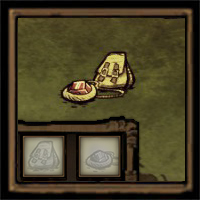

About A Big Bag · 64 + 32
From Steam Workshop1.7.1: Classic UI returns — choose your preferred variant Classic Big Bag returns with a simple 8×8 panel and F1 dragging. The newer panel is now a separate Big Bag - New UI, with naming, sorting,…
1.7.1: Classic UI returns — choose your preferred variant
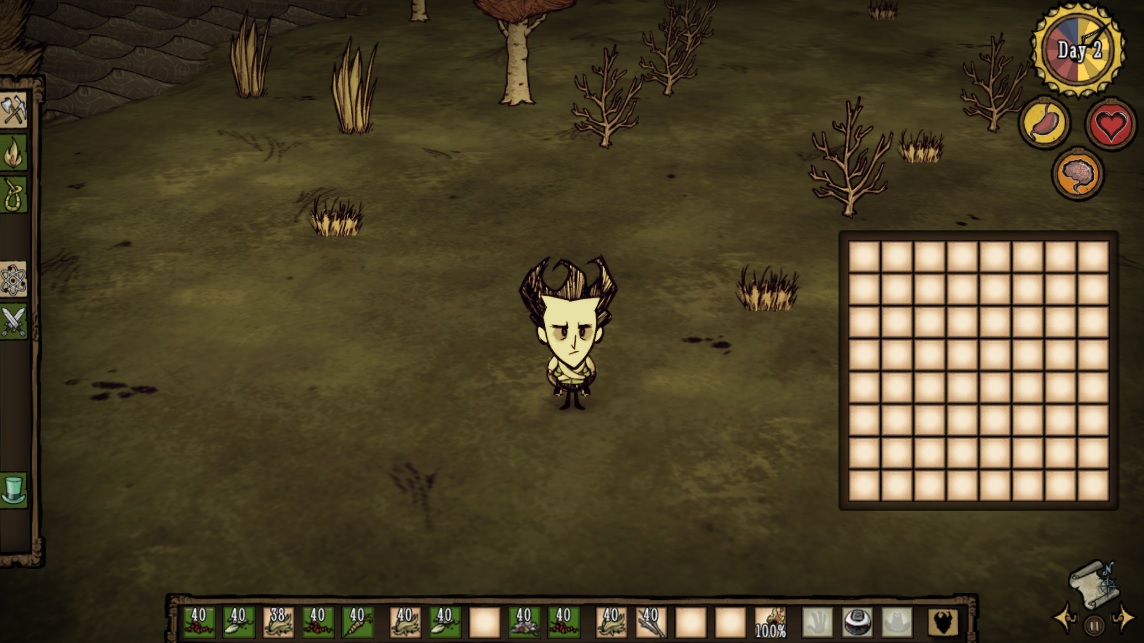
- Classic Big Bag returns with a simple 8×8 panel and F1 dragging. The newer panel is now a separate Big Bag - New UI, with naming, sorting, collapse controls and colour-coded appearance. Both hold 64 slots and can be exchanged one-for-one through crafting.
- Expedition Bag refreshed with a grey-white design and compact 4×8 layout, divided into six coloured storage sections.
- Improved integrated layouts and controller slot navigation for all three bags to reduce screen obstruction.
- More convenient panel controls: New UI Big Bag and Expedition Bag open expanded and stay open while cooking. Manual collapse leaves only Expand visible.
Updating preserves existing bags, contents and names. No recrafting is needed. For an optional crafting exchange, unequip first; emptying the bag is recommended. The source bag is consumed, contents drop onto the ground, and names and colours do not carry over.
The text and images below still illustrate version 1.7.0. For current bag variants, appearance and layouts, refer to this update and the in-game version.
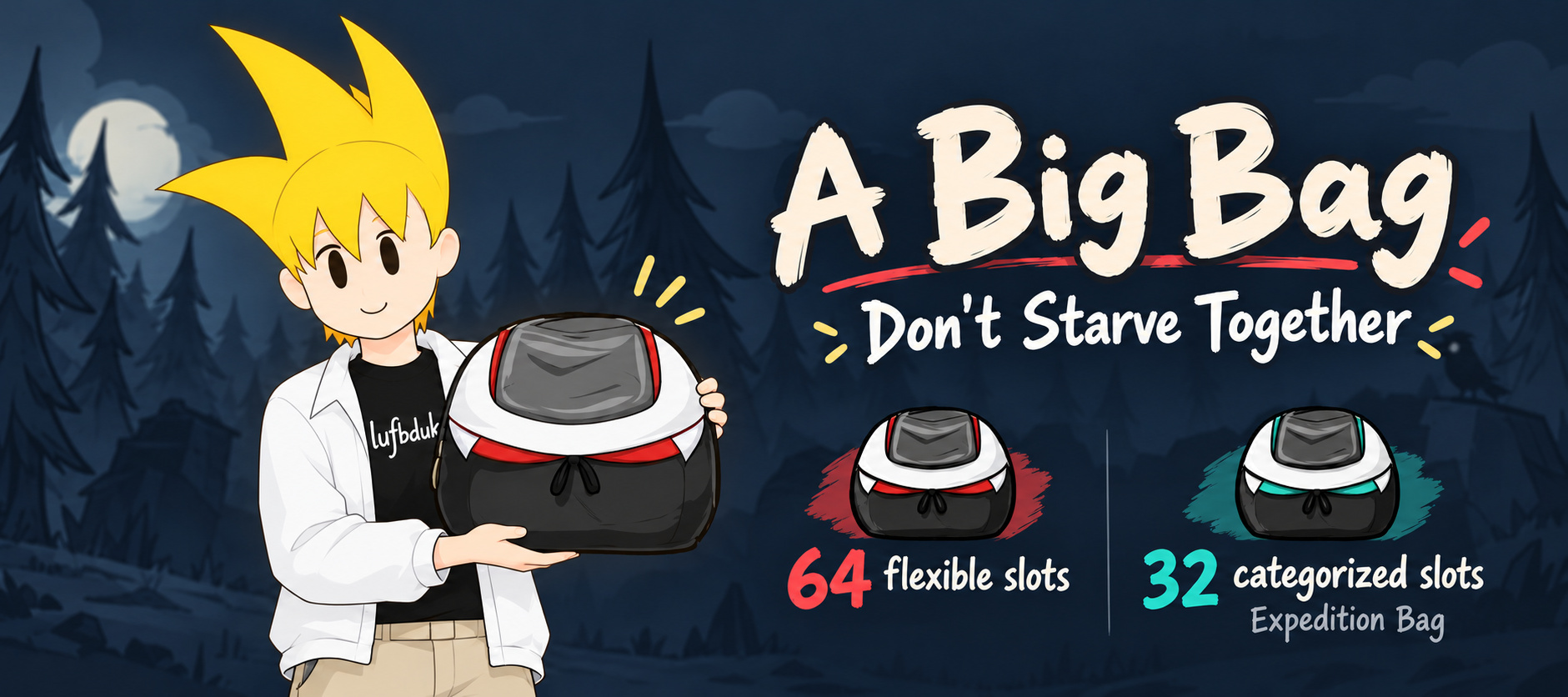
64-slot Big Bag + a new 32-slot Expedition Bag
Bring more supplies. Keep your travel gear organized.
Adds two standalone backpacks to Don't Starve Together: a 64-slot Big Bag for flexible storage and a 32-slot Expedition Bag with categorized pockets. Both have individual names and a movable, collapsible panel. Big Bag also offers optional duplication, preservation and crafting supplies.
Big Bag · 64 flexible slots
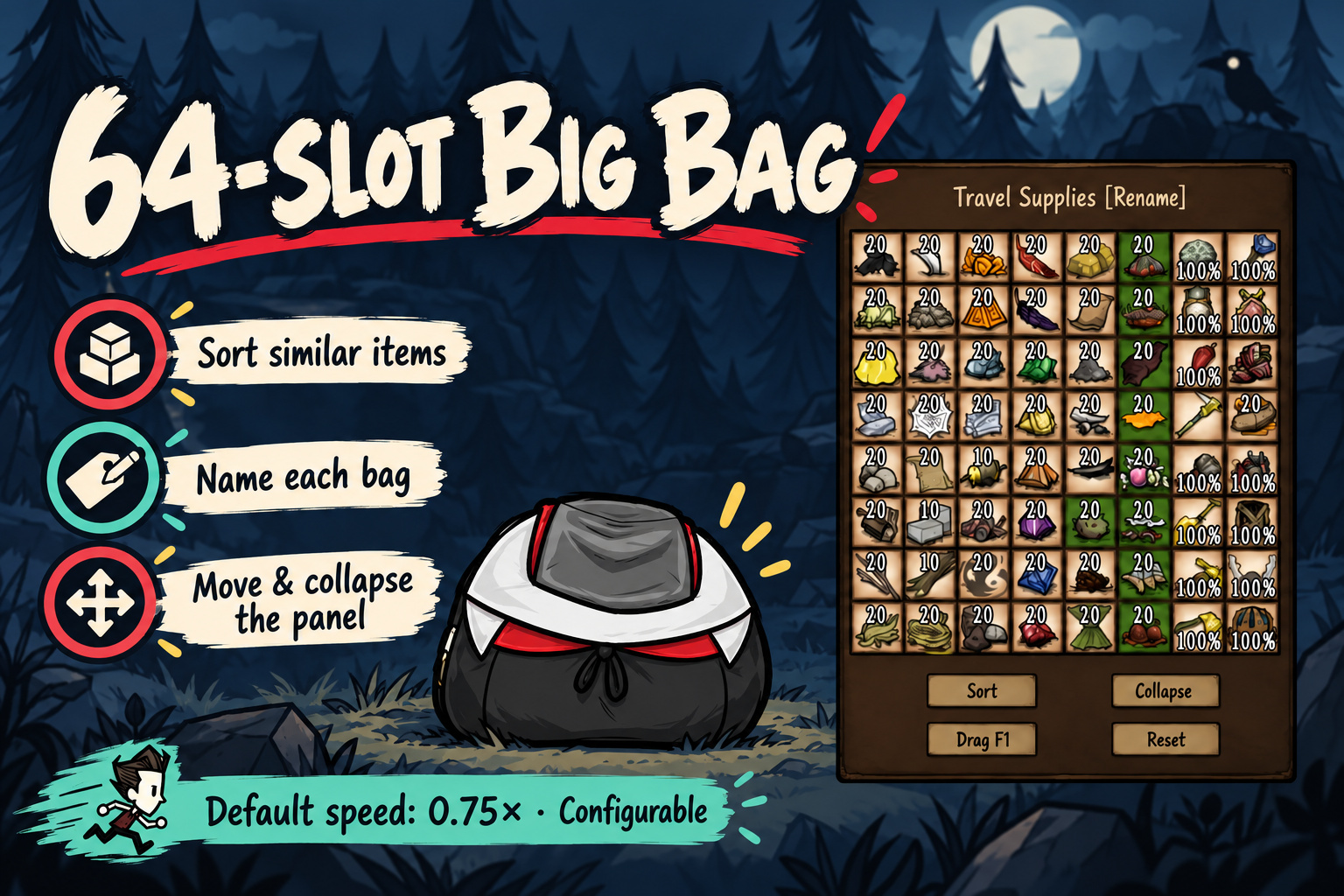
- 64 storage slots. Carry multiple bags; Big Bags cannot be nested inside one another.
- Sort groups similar items without merging stacks or changing durability or skins.
- Equipped movement speed defaults to 0.75× and is configurable.
- Retains the original bigbag prefab and 64-slot storage structure for existing saves.
Expedition Bag · 32 categorized slots
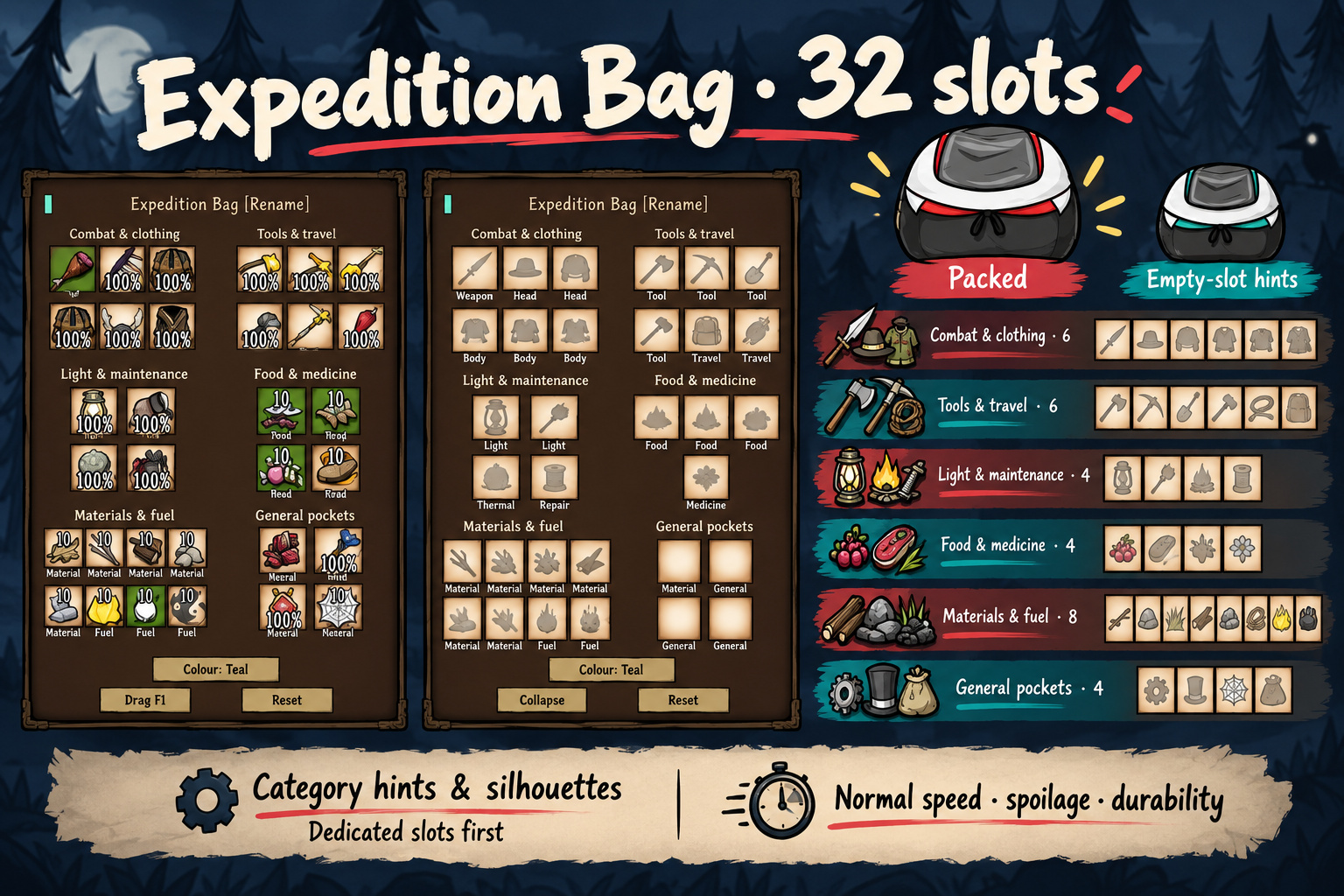
- Combat & clothing · 6: 2 weapons, 3 headwear, 1 bodywear.
- Tools & travel · 6: 4 tools, 2 travel items such as canes or umbrellas.
- Light & maintenance · 4: 2 lights, 1 thermal stone, 1 repair supply.
- Food & medicine · 4: 3 food, 1 medicine.
- Materials & fuel · 8: 6 interchangeable crafting-material slots, 2 fuel slots.
- General pockets · 4: extra supplies and loot.
Empty slots show category labels, silhouettes and hover hints. Automatic insertion prefers dedicated slots. Five panel colour markers help you tell your Expedition Bags apart.
Expedition Bag has normal movement speed, spoilage and durability. It does not inherit Big Bag's special options. Pockets provide storage, without automatic equipping, healing, repair or refuelling. Backpacks cannot be nested inside it.
Name your bags. Move the panel out of the way.
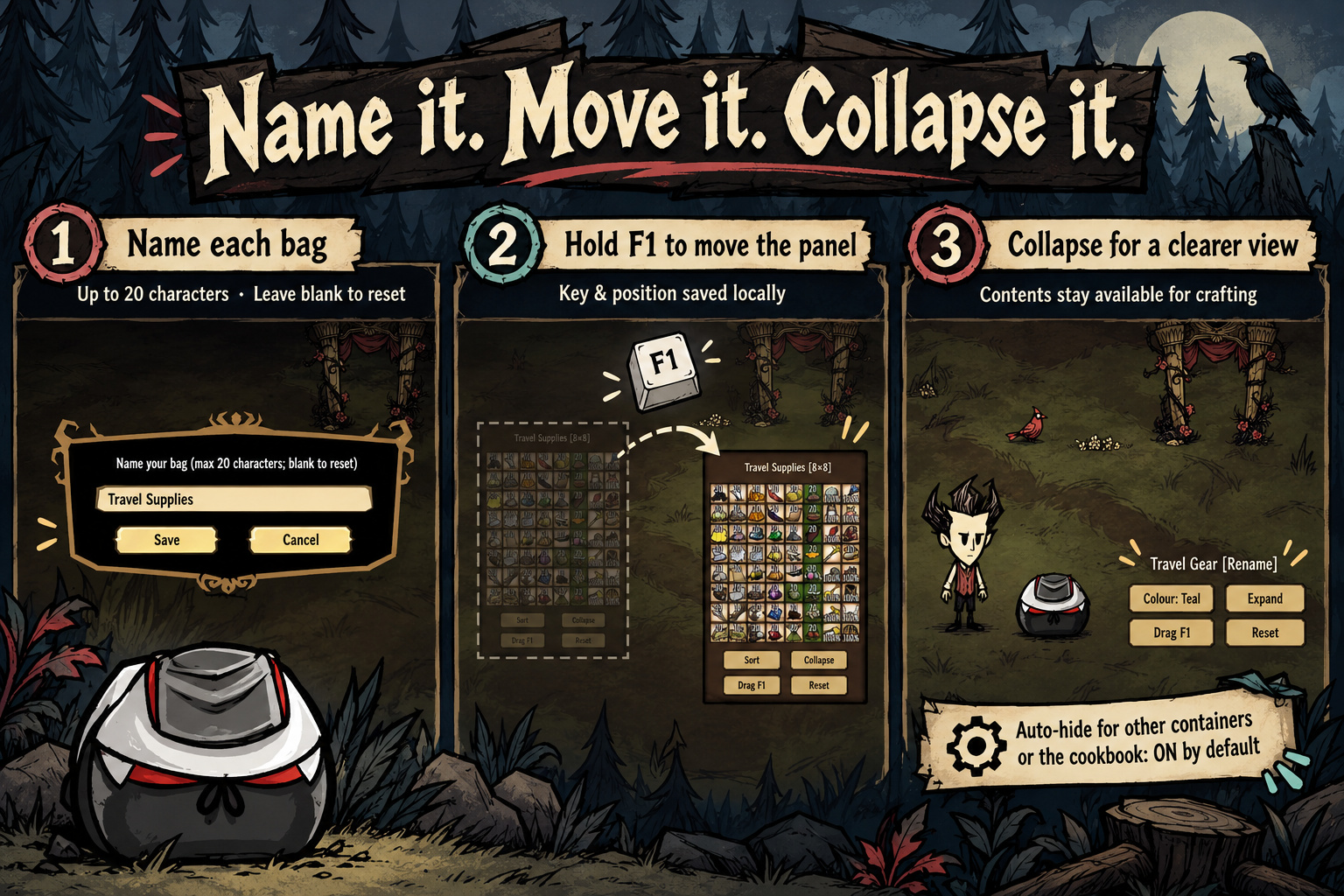
- Individual names: click the naming control at the top of the mouse sidebar. Up to 20 characters; names sync and save with each bag. Save an empty name to restore the default.
- Move: point at the sidebar, hold F1 and move the mouse. The panel button cycles F1–F9/Off. Position and key preferences save locally.
- Collapse / expand: hide the panel for more screen space while keeping its contents available for crafting. Auto-hide while another container or cookbook is open is enabled by default; the panel returns afterwards.
- Reset: click Reset, or run d_resetbigbagui() in the local console.
Naming and Expedition Bag colour controls are currently on the mouse sidebar. Integrated inventory/controller layouts use a 16×4 grid for Big Bag and six sections for Expedition Bag.
Optional Big Bag features
These host/server settings apply only to the 64-slot Big Bag.
- Duplicate to Full Stack · OFF by default: creates extra items up to a valid stack limit. This duplicates items; it does not sort or merge existing stacks. Turning it off does not remove generated items.
- Preserve & Refresh · OFF by default: restores freshness and stops natural spoilage inside the bag. Already-spoiled items do not turn back into food.
- Repair Durability · toggle ON by default; requires Preserve & Refresh: restores tool uses, armour and fuel. Turn it off separately to keep preservation alone.
- Crafting Supplies · OFF by default: while Big Bag is equipped, generates missing ordinary ingredients before using the normal crafting process. Supports remote clients. Technology, character, skill and health/sanity requirements still apply.
- Light · OFF by default: emits a faint light while equipped; switches off when unequipped or dropped.
Crafting & setup
Enable this server mod in your world's settings. All clients must have it installed. Find the bags under Containers, Clothing or Mods, or search for Big Bag / Expedition Bag.
Default recipes — Science Two (Alchemy Engine):
- Big Bag: 10 Gold Nuggets + 10 Pig Skins.
- Expedition Bag: 4 Pig Skins + 8 Silk + 4 Rope.
Highlights
From source dataFootprint
Rated a light load on a server.
Last update
Its author last shipped an update 11d ago.
A Big Bag · 64 + 32 on Nxeon
From our catalogue- One-click install
- Supported on Nxeon Don't Starve Together servers. We download it from Steam Workshop, place it, and restart the server.
- Server load
- light
- Smallest plan we suggest
- Don't Starve Together — 2 GB (2 GB RAM). This follows our own load rating above, not a benchmark.
- Latest build
- 2026-10-24, released 2026-10-24
Game versions by loader
| Loader | Game versions | Newest |
|---|---|---|
| Workshop |
From 3 recorded builds of A Big Bag · 64 + 32.
Recent builds
| Build | Released | Game versions | Loaders |
|---|---|---|---|
| 2026-10-24 | 2026-10-24 | n/a | Workshop |
| 2026-10-22 | 2026-10-22 | n/a | Workshop |
| 2019-04-18 | 2019-04-18 | n/a | Workshop |
Run A Big Bag · 64 + 32 on a Don't Starve Together server
Pick a server or deploy a new one above; it is installed in one click.
What kind of mod it is
From the catalogQuality of life & UI
Small conveniences, tweaks and interface improvements players notice straight away.
Compatibility
- Game
- Don't Starve Together
Verified at the source
- ✓Steam WorkshopOfficial listing, checked 2026-11-01Open ↗
- ✓AuthorRoo mCar, as published on Steam Workshop
- ✓LicenseNot published by the sourceFree