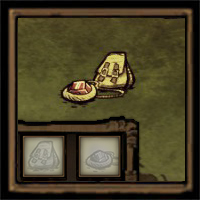
About Archery Mod [DST Version] [Interim Fix][OUTDATA]
From Steam WorkshopAn Interim Fix Version of [url=https://steamcommunity.com/sharedfiles/filedetails/?id=488009136] Archery Mod Thanks to [url=https://steamcommunity.com/sharedfiles/filedetails/?id=488009136] keldziu…
An Interim Fix Version of Archery Mod [DST Version] [OUTDATA] Thanks to keldziu for the repair.
To creators: that is one hell of impressive mod - well done everyone involved :) For people who got "bow_clear_fn" error I found a very temporary solution, until the update comes at least: In mod directory, open file modmain.lua in notepad/notepad++ at line 145 (Under MOD SKIN UTILS). You should find this code fragment: GLOBAL.ARCHERYSKINS = { bow = { { skin = "z_bow_skin_leaf", displayname = "Leaf Bow" }, { skin = "z_bow_skin_spike", displayname = "Spiky Bow" }, { skin = "z_bow_skin_jungle", displayname = "Jungle Bow" }, } } change it to: GLOBAL.ARCHERYSKINS = { bow = { } } and save file, start the game In short - remove the lines that are partially responsible for additional bow skins. It seems that there was some change in the way skins work. Game stopped crashing on load when I made this change. I did not have much time to dwell more upon the code, so there is a better way for sure - better to leave this to proffesionals such as creators of this mod :) This method was only briefly tested, and weapon skins won't work for sure, but all basic features should be ok. Let me know if it works for anybody, Cheers
https://steamcommunity.com/workshop/filedetails/discussion/488009136/535152511368531662/?ctp=16 #239
I didn't change anything else. This mod will exist until someone really fixes it, or the author contacts me and needs me to delete it.
Highlights
From source dataFootprint
Rated a light load on a server.
Last update
Its author last shipped an update 7 yr ago.
Archery Mod [DST Version] [Interim Fix][OUTDATA] on Nxeon
From our catalogue- One-click install
- Supported on Nxeon Don't Starve Together servers. We download it from Steam Workshop, place it, and restart the server.
- Server load
- light
- Smallest plan we suggest
- Don't Starve Together — 2 GB (2 GB RAM). This follows our own load rating above, not a benchmark.
- Latest build
- 2020-04-10, released 2020-04-10
Game versions by loader
| Loader | Game versions | Newest |
|---|---|---|
| Workshop |
From 1 recorded build of Archery Mod [DST Version] [Interim Fix][OUTDATA].
Run Archery Mod [DST Version] [Interim Fix][OUTDATA] on a Don't Starve Together server
Pick a server or deploy a new one above; it is installed in one click.
What kind of mod it is
From the catalogQuality of life & UI
Small conveniences, tweaks and interface improvements players notice straight away.
Compatibility
- Game
- Don't Starve Together
Verified at the source
- ✓Steam WorkshopOfficial listing, checked 2026-11-01Open ↗
- ✓AuthorXie_Long_Wu, as published on Steam Workshop
- ✓LicenseNot published by the sourceFree