







About Base Projection V2
From Steam WorkshopPlan your base layout ahead of time with pixel-perfection. Press F2 to start base projection. Click on a tile to set the center of the base, then click "Open List" to select a layout. Structures you…
Plan your base layout ahead of time with pixel-perfection.
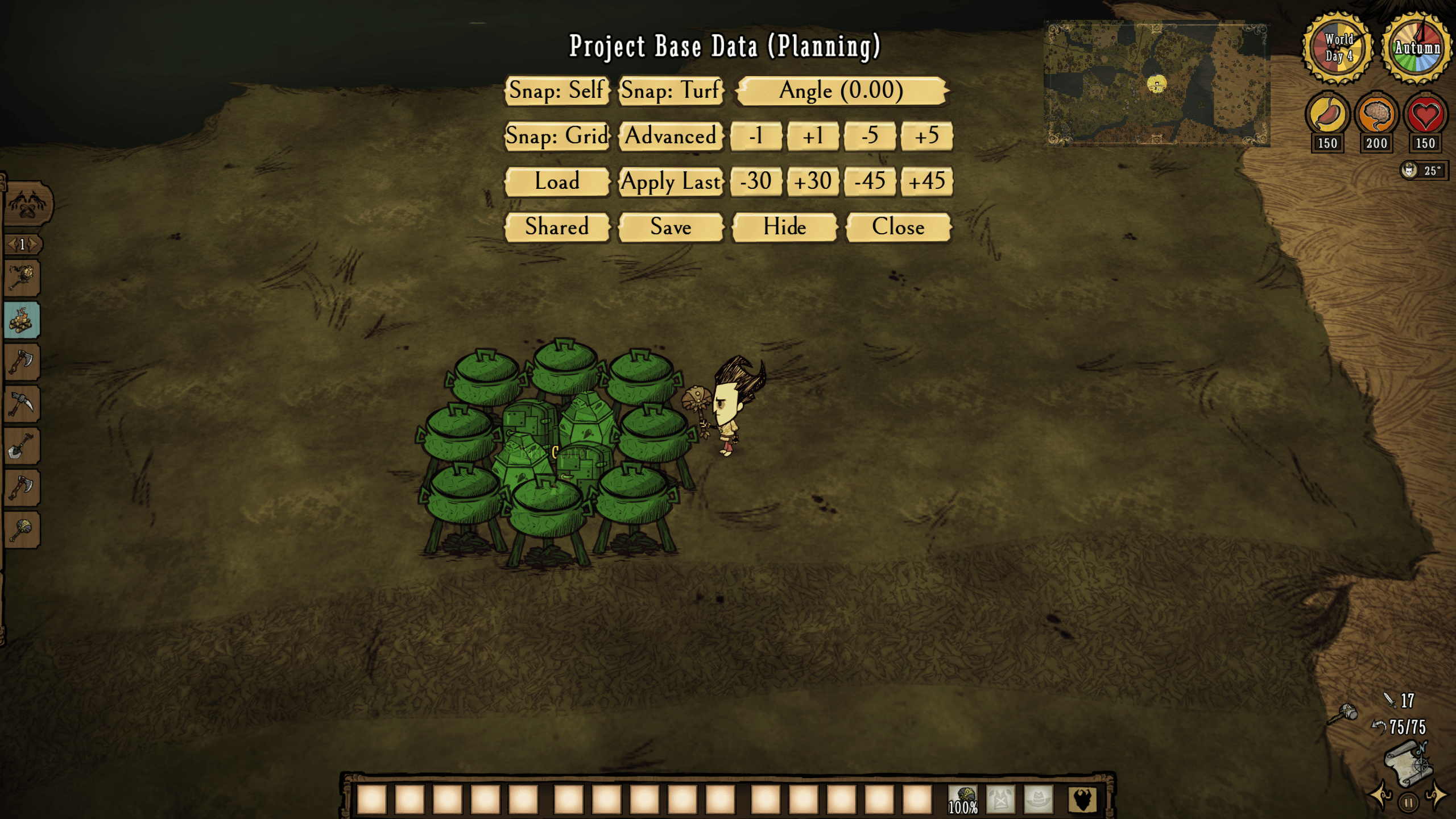
- Press F2 to start base projection. Click on a tile to set the center of the base, then click "Open List" to select a layout. Structures you build will snap to that layout.
- You can easily return to your last layout by pressing "Apply Last".
- Shift + Alt + click on a projection to announce what you are working on to everybody in the Bulletin tab.
- Shift + Ctrl + Alt + click on a projection to whisper what you are working on to nearby players in the Bulletin tab.
- Shift + double click when placing an object to automatically start placing all of them.
- Press F4 while projecting to enter planning mode, where you can project any structure regardless of whether you can craft it or not.
- Right click on a projection in planning mode to remove it.
- Press F1 to save already-placed layouts.
Changes from the original:
- English and Chinese translations improved; Korean translations added
- Various strings updated for clarity
- Simplified UI
- Controls easier to use
- Multiple bugs fixed
- Significantly more config customizability
- Config section now has descriptions for each feature
- All new preset layouts
Tips:
- You can place any structure on any projection; e.g., a fridge on a salt box projection or vice versa.
- The center of the Advanced Base 1 preset should be on the vertical edge between 2 tiles.
- The center of the Advanced Base 2 preset should be in the direct center of a tile.
- If exporting a base of your own, the file can be located in C:\Program Files (x86)\Steam\steamapps\common\Don't Starve Together\data\unsafedata
- [list]
- It's not actually "unsafe" like the folder name suggests, that's just the only folder Klei allows writing files to.
[*] If importing a base, place the .json file in the folder C:\Program Files (x86)\Steam\steamapps\common\Don't Starve Together\data [/list]
Credits:
- NoMu (for the original mod and the simple base 1 layout inspiration)
- Baimo (for the kitchen layout)
- Xingxuan Kanyunqi (for the simple base 2 layout inspiration)
- txz4321 (for the advanced base 1 layout inspiration)
- Dare (for the advanced base 2 layout inspiration)
- Shaokun (for the resource farm layout inspiration)
Highlights
From source dataFootprint
Rated a light load on a server.
Last update
Its author last shipped an update 4 mo ago.
Base Projection V2 on Nxeon
From our catalogue- One-click install
- Supported on Nxeon Don't Starve Together servers. We download it from Steam Workshop, place it, and restart the server.
- Server load
- light
- Smallest plan we suggest
- Don't Starve Together — 2 GB (2 GB RAM). This follows our own load rating above, not a benchmark.
- Latest build
- 2026-07-07, released 2026-07-07
Game versions by loader
| Loader | Game versions | Newest |
|---|---|---|
| Workshop |
From 1 recorded build of Base Projection V2.
Run Base Projection V2 on a Don't Starve Together server
Pick a server or deploy a new one above; it is installed in one click.
What kind of mod it is
From the catalogListed on Steam Workshop as “Workshop”
World generation
Changes or adds to how new terrain, biomes and structures are created.
Compatibility
- Game
- Don't Starve Together
Verified at the source
- ✓Steam WorkshopOfficial listing, checked 2026-11-01Open ↗
- ✓AuthorCheetos, as published on Steam Workshop
- ✓LicenseNot published by the sourceFree














