







About Extended Indicators WIP
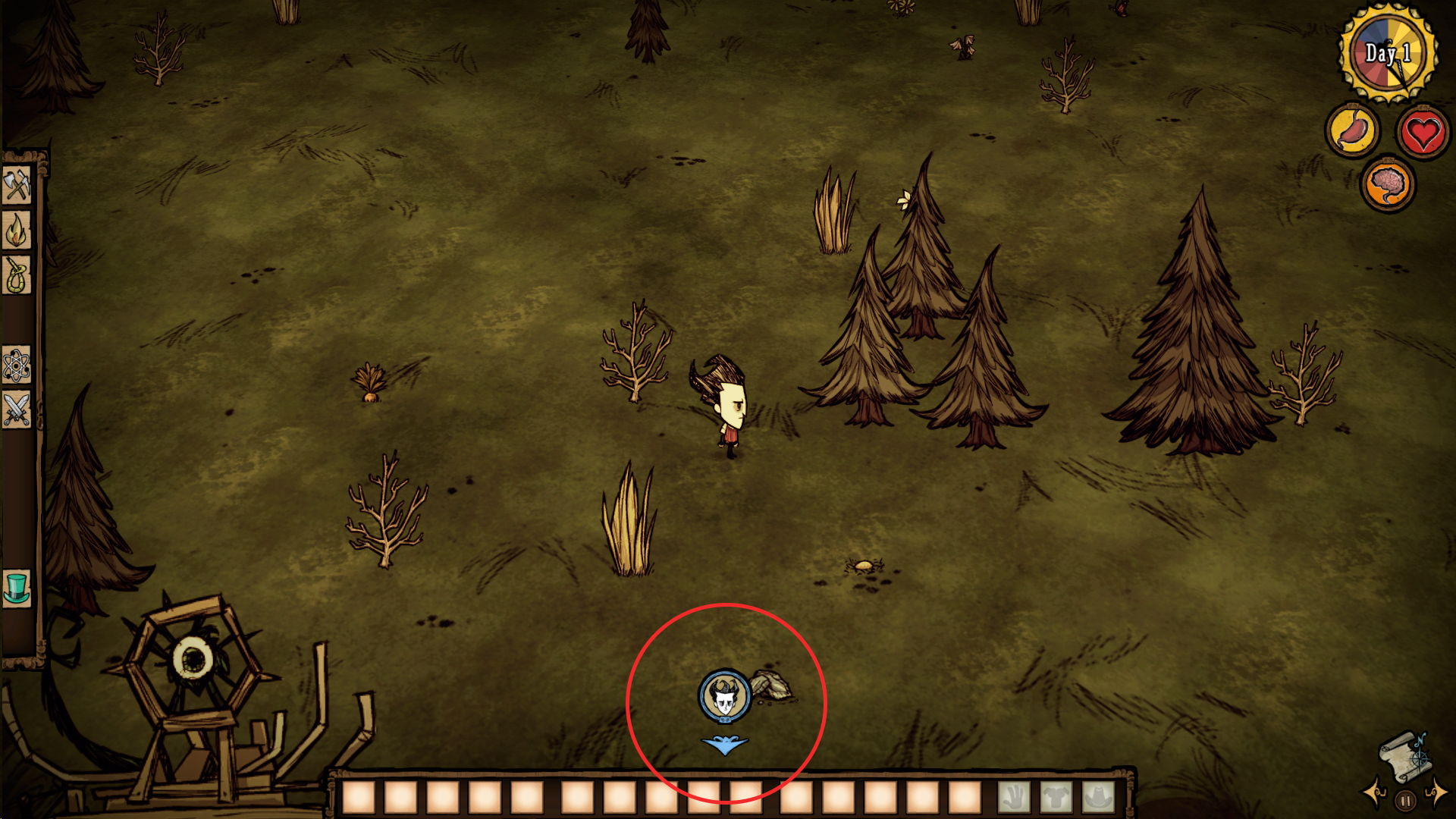
From Steam WorkshopThe Extended Indicators mod will show a player icon on your HUD at all times no matter how far away the other players are. This will point to their direction showing you where they are in the world.…
The Extended Indicators mod will show a player icon on your HUD at all times no matter how far away the other players are. This will point to their direction showing you where they are in the world.
Includes a config option that lets you enable / disable the indicators, adjust their size or change the max range of it.
**CURRENTLY ONLY WORKS FOR THE HOST OF THE SERVER**
I'm still developing this mod and am looking into ways to make it work properly for both the host and client computers.
For more infomation please see the following link. http://forums.kleientertainment.com/topic/47466-help-with-server-client-communication-and-client-network-view If you think you can help solve this problem or have any additional input into the matter please also visit this link. Thanks
If you have any feedback with suggestions or if you find any bugs please tell me so i can try to address them.
To Do List:
1. Add configurable distance before the indicator disappears. 2. show player icons on the map. 3. Make it work properly on both the host and client computers. 4. Make a optional configuration that will use a craftable item to enable the indicators, sort of like a player scanner so at first you won't easily be able to find people. (possibly upgradable increasing the scanner range.) 5. Option to only make the indicators show if a button is held down. 6. There seems to be a small bug where the indicators don't show up for new players who join the server until they go on screen with you at least one time. Probably not too hard to fix. 7. Show player distances under the icons, possible to have a config option to only display this if you hover over the icon.
CHANGE LOG
V1.1 - 22/12/14 Adding Config options: Enable / disable the indicators. Adjust the indicator size. Adjust the indicator range.
V1.0 - 20/12/14 Base mod released
Highlights
From source dataFootprint
Rated a light load on a server.
Last update
Its author last shipped an update 12 yr ago.
Extended Indicators WIP on Nxeon
From our catalogue- One-click install
- Supported on Nxeon Don't Starve Together servers. We download it from Steam Workshop, place it, and restart the server.
- Server load
- light
- Smallest plan we suggest
- Don't Starve Together — 2 GB (2 GB RAM). This follows our own load rating above, not a benchmark.
- Latest build
- 2014-12-22, released 2014-12-22
Game versions by loader
| Loader | Game versions | Newest |
|---|---|---|
| Workshop |
From 1 recorded build of Extended Indicators WIP.
Run Extended Indicators WIP on a Don't Starve Together server
Pick a server or deploy a new one above; it is installed in one click.
What kind of mod it is
From the catalogQuality of life & UI
Small conveniences, tweaks and interface improvements players notice straight away.
Compatibility
- Game
- Don't Starve Together
Verified at the source
- ✓Steam WorkshopOfficial listing, checked 2026-11-01Open ↗
- ✓AuthorWill, as published on Steam Workshop
- ✓LicenseNot published by the sourceFree














