







About Extra Controller Features
From Steam WorkshopMod Info If you tried to play the game with a controller, you might've noticed a few things that might make it hard to play with. For example: You can only attack mobs you're facing You can only do…
Mod Info
If you tried to play the game with a controller, you might've noticed a few things that might make it hard to play with. For example:
- You can only attack mobs you're facing
- You can only do actions on the nearest entity (meaning you need to move to every single sapling to harvest a farm of them)
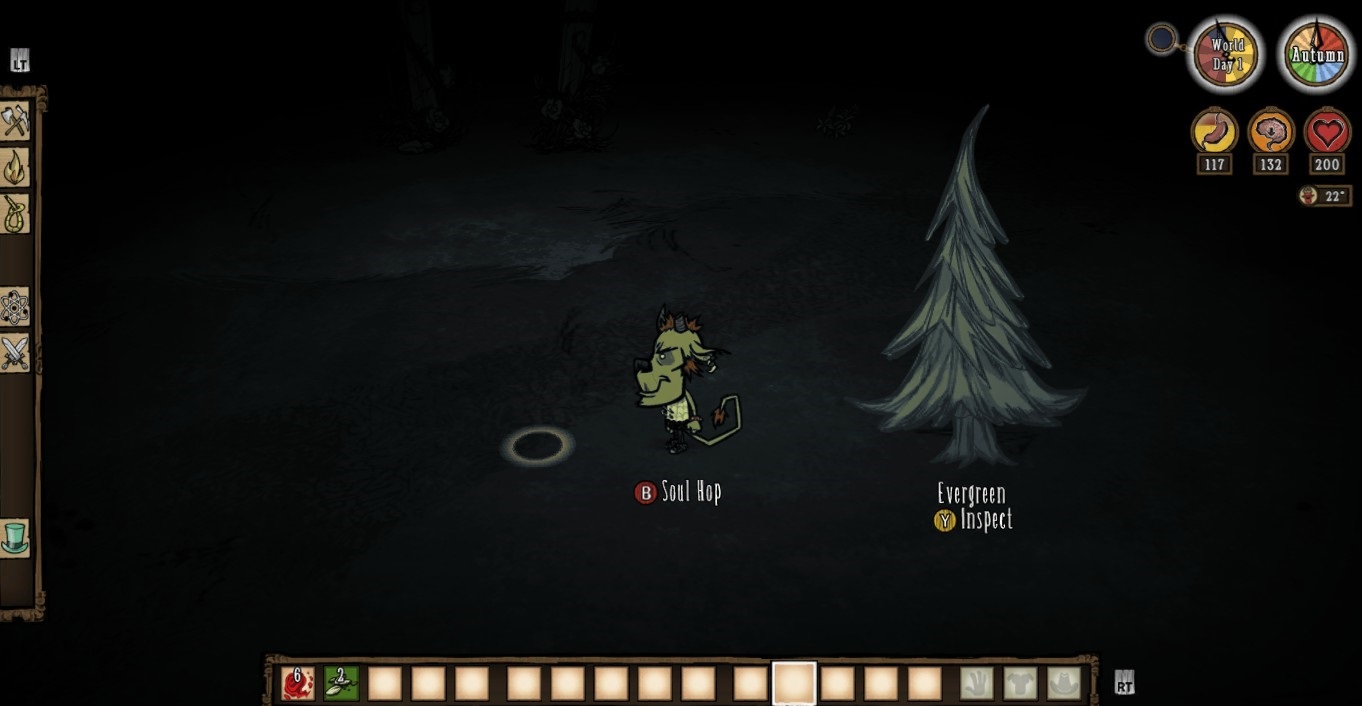
- You can only telepoof / soul hop a set distance away from where you're standing
- There is no way to zoom in / out
- There is no way to walk with the map open
- Iceboxes and Crockpots can't both be accessed at the same time
- Structures and deployable items can only be placed in front of where you're facing
What does this mod do then, you ask? It fixes all of the above! ...or at least to some extent. To be specific:
- You can attack nearby mobs regardless of which direction you're facing
- Entities without an available action (such as picked plants) will not be selected unless there is nothing more important nearby
- You can use the Right Stick to change where you want to place a structure or plantable item
- New controls for doing things not normally supported by a controller
New Controls
Since the game uses almost every button in a standard controller already, this mod's controls rely mainly on the Left Stick Button (shown as  ingame). All new controls for now are a combination of this button and another button.
- Menu Misc 3 + Rotate Camera (+
 ): Zoom
- Menu Misc 3 + Alt Action (+
 ): Walk To - lets you walk to a point in front of you in case you want to check your map while moving
- Menu Misc 3 + Open Crafting/Open Inventory (+
 ): Adjust distance of Walk To or Soul Hop
- Menu Misc 3 while inventory is open (): Switch focus to open containers. It will alternate between iceboxes (or chests) and crockpots if they're open at the same time, letting you move items between them more easily.
- Menu Scroll Up while inventory is open (
 ): Instantly transfer items between your inventory and a container. Cooking ingredients will go into a crockpot if one is open.
- Pause while a crockpot and the inventory are open (START): Cook. Works exactly like the "Cook" button that exists in the crockpot HUD when using mouse & keyboard
Configuation Options
It's always nice to be able to customize a mod based on personal preferences!
- Misc Control: Change whether you want the mod's misc button controls bound to Menu Misc 3 or Menu Misc 4. Might be useful if other mods also use Menu Misc 3
- Enable Placer Mod: Choose whether you want to use the mod's custom building method. Changing this to "No" will revert building to the game's default building method.
- Enable Item Hotkeys: Choose whether to enable item hotkeys or not. Disabled by default. Item hotkeys let you quickly access specific items by binding them to the d-pad. To start, open your inventory, hold Right Stick + Right Bumper and press a direction on the D-Pad while selecting the item you want to bind. To select that item afterwards, you can hold the Right Stick and press the corresponding D-Pad direction. Your inventory does not need to be open for this part.
- I will be adding more features to this mod as I see necessary. I hope you enjoy playing DST with a controller with this on your side!
Highlights
From source dataFootprint
Rated a light load on a server.
Last update
Its author last shipped an update 6 yr ago.
Extra Controller Features on Nxeon
From our catalogue- One-click install
- Supported on Nxeon Don't Starve Together servers. We download it from Steam Workshop, place it, and restart the server.
- Server load
- light
- Smallest plan we suggest
- Don't Starve Together — 2 GB (2 GB RAM). This follows our own load rating above, not a benchmark.
- Latest build
- 2020-12-26, released 2020-12-26
Game versions by loader
| Loader | Game versions | Newest |
|---|---|---|
| Workshop |
From 1 recorded build of Extra Controller Features.
Run Extra Controller Features on a Don't Starve Together server
Pick a server or deploy a new one above; it is installed in one click.
What kind of mod it is
From the catalogCreatures & NPCs
Adds or changes creatures, NPCs and how they behave.
Compatibility
- Game
- Don't Starve Together
Verified at the source
- ✓Steam WorkshopOfficial listing, checked 2026-11-01Open ↗
- ✓AuthorElectroely, as published on Steam Workshop
- ✓LicenseNot published by the sourceFree














