






About Forge Damage Meter
From Steam WorkshopDisplays total damage, dps over the whole match, current dps (in parentheses), and damage done to last 2 targets for youself only (format Mob ID - Mob Name: Damage Done). Saves the damage (overkill +…
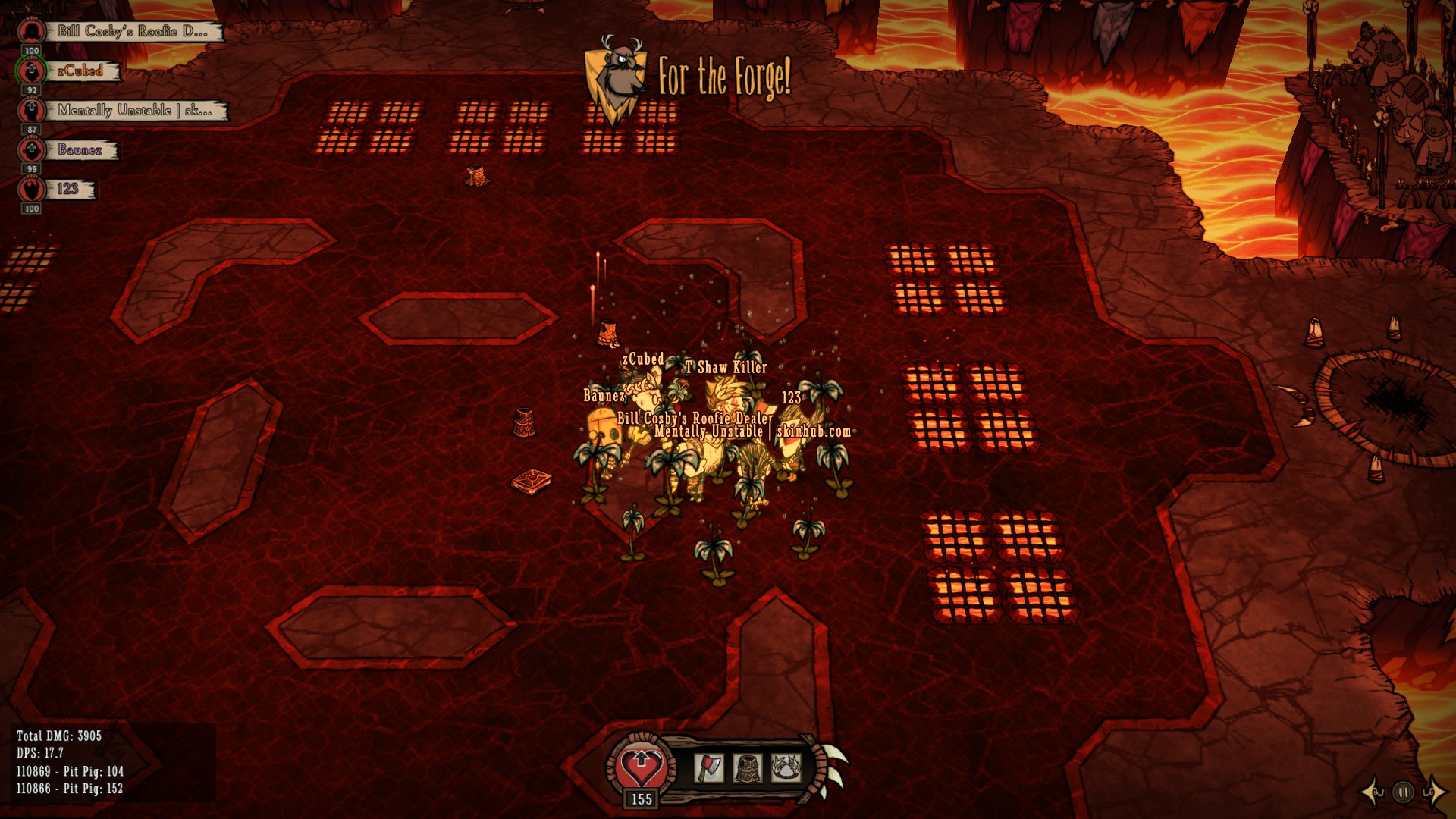
Displays total damage, dps over the whole match, current dps (in parentheses), and damage done to last 2 targets for youself only (format Mob ID - Mob Name: Damage Done). Saves the damage (overkill + total) done and spawn position for each mob from latest match to a file in the mod directory. The mob ids are not universal and only belong to you.
Support for the Forge 2018, the Forged Forge mod, and the ReForged mod.
Configuration Options:
- Toggle Damage Meter Key - Key to press to toggle the damage meter display (Default Key: X)
- Preset Location - Preset location for damage display (Default: Bottom-left)
- Up/Down Nudge - Up/down adjustments to the preset (Default: 0)
- Left/Right Nudge - Left/right adjustments to the preset (Default: 0)
- DPS Display Update - Frequency of the DPS Meter's display updates (Default: 2 fps)
- DPS Reset Time - How long (seconds) without doing any damage to reset the current dps (Default: 15 seconds)
- Show Reset Button - Shows a reset current DPS button in the top right of the meter (Default: Yes)
- Number of Decimals - Number of decimals to show for the DPS meter (Default: 1)
- Background Transparency - Transparency of the black background (Default: 50%)
- Hide Map Controls - Hides the map controls in the bottom right (Default: No)
Highlights
From source dataFootprint
Rated a light load on a server.
Last update
Its author last shipped an update 6 yr ago.
Forge Damage Meter on Nxeon
From our catalogue- One-click install
- Supported on Nxeon Don't Starve Together servers. We download it from Steam Workshop, place it, and restart the server.
- Server load
- light
- Smallest plan we suggest
- Don't Starve Together — 2 GB (2 GB RAM). This follows our own load rating above, not a benchmark.
- Latest build
- 2020-12-12, released 2020-12-12
Game versions by loader
| Loader | Game versions | Newest |
|---|---|---|
| Workshop |
From 1 recorded build of Forge Damage Meter.
Run Forge Damage Meter on a Don't Starve Together server
Pick a server or deploy a new one above; it is installed in one click.
What kind of mod it is
From the catalogCreatures & NPCs
Adds or changes creatures, NPCs and how they behave.
Compatibility
- Game
- Don't Starve Together
Verified at the source
- ✓Steam WorkshopOfficial listing, checked 2026-11-01Open ↗
- ✓AuthorT Shaw Killer, as published on Steam Workshop
- ✓LicenseNot published by the sourceFree














