Source-checkedQuality of life & UI

😶‍🌫️几何布局 服务端 Geometric Placement Server

by SYXDlsj大爷 · for Don't Starve Together

[url=https://steamcommunity.com/sharedfiles/filedetails/?id=351325790] 同步更新:8 月 2 日 - v:3.2.0 原作者:Geometric Placement (客户端)…

73KDownloads
3 yr agoLast updated
Steam WorkshopSource

About 😶‍🌫️几何布局 服务端 Geometric Placement Server

From Steam Workshop

[url=https://steamcommunity.com/sharedfiles/filedetails/?id=351325790] 同步更新:8 月 2 日 - v:3.2.0 原作者:Geometric Placement (客户端)…

[th]同步更新:8 月 2 日 - v:3.2.0[/th] [th]原作者:Geometric Placement (客户端)[/th]

~~独乐乐不如众乐乐~~

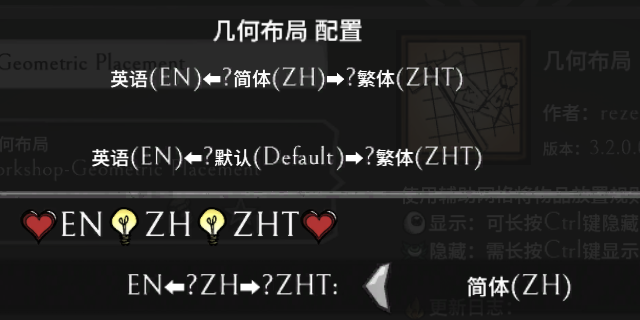
娱乐至上本地化完善: 模组名称、描述、配置语言自适应、游戏内选项切换、

让没订阅的路人或朋友也能摆放得整整齐齐多棒!对吧哈?!

03更新:

  • 同步原作者更新、[*]重构翻译、[*]重新调整预设、

02更新:

  • 优先修正:
  • 那些启用客户端的路人进来将优先服务器提供翻译显示!(不影响其路人自己设定好的颜色)
  • 默认预设:
  • 网格默认:细6、中3、大3、
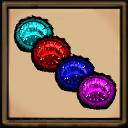
  • 颜色:无阻碍绿、有阻碍红、分界线蓝、
  • (服务器默认预设适用于大多数人设定,不需要自己重新调了,多方便?!)
  • (客户端可在游戏内快捷键B键修改自己想要的方案、)
  • 译文纠正。。。

[th]首次 v:3.1.3_01根据此作者:[/th] 几何布局 服务端版 - Geometric Placement[All Clients] [th][/th]

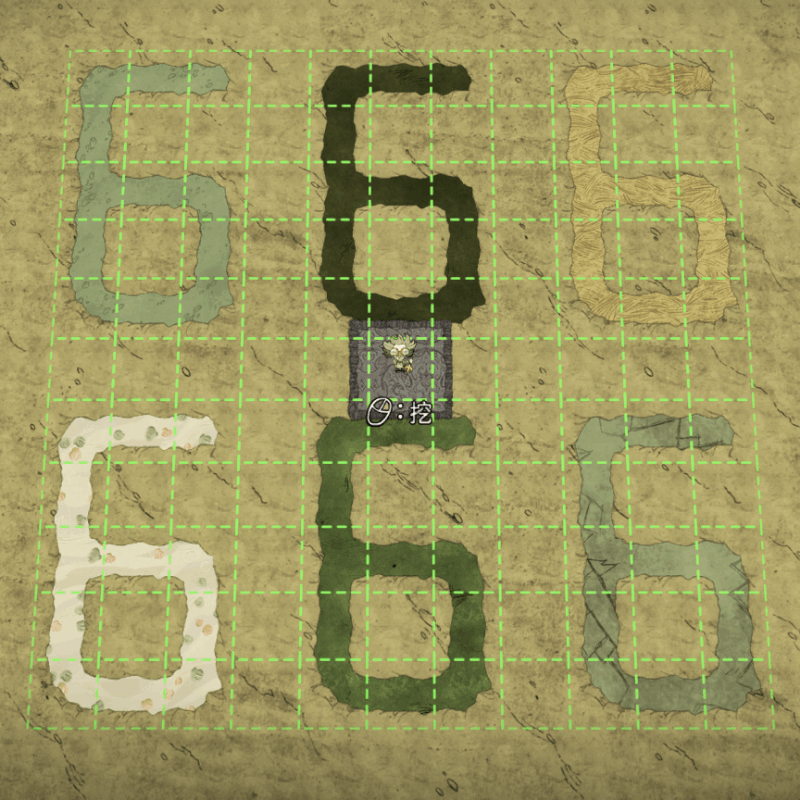
[h1]03重新调整预设方面: “预设颜色延用02” 光标物品 --> 编号(新改动)

细8,根据四块区域中心点来设定、(新改动)[/h1]

中6,根据一块区域边角作为起始、(新改动)

大3,根据雪球机放置地皮中心起始范围,方便判断、

引用原E文:

[h1]与游戏的所有版本兼容: 原版、巨人国、海难、饥荒联机版——在单人饥荒创意工坊中分别列出 您还可以在Klei论坛上找到此模组。[/h1]

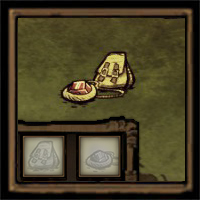
在放置物品时将其捕捉到网格,并在其周围显示构建网格(除非按住CTRL键)。

感谢zkm2erjfdb和Levorto编写原版的单人游戏模组(Architectural Geometry和Assisted Geometry)。 这个模组是那些模组的替代品;如果您同时启用其中一个模组,可能会出现不可预测的奇葩问题。

[table][tr] [th][h1]YLZSyyds666666[/h1][/th] [th][/th] [/tr][tr] [th][h1]配置选项[/h1][/th] [th][h1]在模组界面上,选中此模组后,您可以通过"配置"按钮更改许多设置。[/h1][/th] [/tr][tr] [th][h1]CTRL 显示切换:[/h1][/th] [th]显示:可长按Ctrl键隐藏网格 隐藏:需长按Ctrl键显示网格[/th] [/tr][tr] [th][h1]选项菜单[/h1][/th] [th]快捷键打开模组选项的按键,当设置为“无”时,手柄键位也将无效。使用手柄时,打开记分牌,然后使用“菜单杂项3”(左摇杆点击)。[/th] [/tr][tr] [th][h1]切换形状[/h1][/th] [th]快捷键切换到最近使用的几何形状的按键(例如,在方形和X-六边形之间切换)无手柄绑定[/th] [/tr][tr] [th][h1]对齐网格[/h1][/th] [th]快捷键将网格对齐到悬停对象或点上的按键\n无手柄绑定[/th] [/tr][tr] [th][h1]内置菜单[/h1][/th] [th]如果启用:按键可打开菜单 如果禁用:它只会切换模组的启用和禁用状态[/th] [/tr][tr] [th][h1]网格辅助[/h1][/th] [th]显示:显示网格辅助 隐藏:显示构建网格[/th] [/tr][tr] [th][h1]默认形状[/h1][/th] [th]正方形(默认)是标准网格,与游戏的X-Z坐标系统对齐。六边形几何形状允许您做最紧凑的布局。[/th] [/tr][tr] [th][h1]刷新速度[/h1][/th] [th]调整刷新网格的响应率、实时或设置过高可能会导致卡顿[/th] [/tr][tr] [th][h1]光标物品[/h1][/th] [th]隐藏:放置物品时隐藏所有,隐藏物体以便不遮挡网格 编号:隐藏物体,但继续显示数量。 显示:像平常一样显示物体。[/th] [/tr][tr] [th][h1]智能间距[/h1][/th] [th]启用:放置物品时,网格间距会根据放置的物品自适应;最近的空闲网格点应该总是最近可能的距离。 禁用:保持所有物品相同间距。[/th] [/tr][tr] [th][h1]精细网格半径[/h1][/th] [th]当放置可以紧密堆叠的物品时,网格在每个方向上应该有多少个点。默认为10[/th] [/tr][tr] [th][h1]中等网格半径[/h1][/th] [th]放置墙壁时网格在每个方向上应该有多少个点。默认为6[/th] [/tr][tr] [th][h1]大型网格半径[/h1][/th] [th]放置地皮时网格在每个方向上应该有多少个方块。默认为2[/th] [/tr][tr] [th][h1]网格颜色[/h1][/th] [th]红/绿:红色表示"有阻碍",绿色表示"无阻碍" 红/蓝:与红/绿相同,但使用蓝色表示"无阻碍" 黑/白:黑色表示"有阻碍",白色表示"无阻碍"。在夜间更容易识别。 带轮廓线(默认):类似于黑/白,但使用黑色带白色轮廓和白色带黑色轮廓,以提供最佳的可见性。[/th] [/tr][tr] [th][h1]紧凑放置[/h1][/th] [th]启用允许将箱子放置得比正常更近,就像使用"Architectural Geometry"和"Assisted Geometry"模组一样。实际上,游戏通常不允许将它们放得那么近,但差异很小。这在联机版中效果不稳定。 禁用则使用真实间距放置箱子。[/th] [/tr][tr] [th][h1]手柄偏移[/h1][/th] [th]启用:使用手柄放置物品时,物品会放在角色脚下。 禁用(默认):使物品放置在玩家[/th] [/tr][/table]

Highlights

From source data

Footprint

Rated a light load on a server.

Last update

Its author last shipped an update 3 yr ago.

😶‍🌫️几何布局 服务端 Geometric Placement Server on Nxeon

From our catalogue
One-click install
Supported on Nxeon Don't Starve Together servers. We download it from Steam Workshop, place it, and restart the server.
Server load
light
Smallest plan we suggest
Don't Starve Together — 2 GB (2 GB RAM). This follows our own load rating above, not a benchmark.
Latest build
2023-08-03, released 2023-08-03

Game versions by loader

LoaderGame versionsNewest
Workshop

From 1 recorded build of 😶‍🌫️几何布局 服务端 Geometric Placement Server.

Run 😶‍🌫️几何布局 服务端 Geometric Placement Server on a Don't Starve Together server

Pick a server or deploy a new one above; it is installed in one click.

What kind of mod it is

From the catalog
Listed on Steam Workshop as “QoL”

Quality of life & UI

Small conveniences, tweaks and interface improvements players notice straight away.

Compatibility

Game
Don't Starve Together

Verified at the source

  • ✓Steam WorkshopOfficial listing, checked 2026-11-01Open ↗
  • ✓AuthorSYXDlsj大爷, as published on Steam Workshop
  • ✓LicenseNot published by the sourceFree

😶‍🌫️几何布局 服务端 Geometric Placement Server, answered

Generated from the mod’s own source data.

Is it free?

Yes. 😶‍🌫️几何布局 服务端 Geometric Placement Server is free to download from Steam Workshop.

How do I add it to my Nxeon server?

Use “Add to a server” on this page, or open NxLabs from your dashboard. We install it, restart your server and switch it on.

NxLabs

Run 😶‍🌫️几何布局 服务端 Geometric Placement Server on a Don't Starve Together server.

Deploy in about a minute from $4.99 a month, then add 😶‍🌫️几何布局 服务端 Geometric Placement Server in one click.