
About Global Positions - Sinicized Settings
From Steam WorkshopOriginal address: https://steamcommunity.com/sharedfiles/filedetails/?id=378160973&searchtext=Global+Positions Original Description: Features Show other players on the map (and hover over them to see…
Original address: https://steamcommunity.com/sharedfiles/filedetails/?id=378160973&searchtext=Global+Positions
Original Description: Features Show other players on the map (and hover over them to see who they are). Show player indicators (the bubble things on the side of the screen) when they're far away. Light signal fires that show up as indicators and on the map. Ping the map by alt+clicking, creating markers that show other players points of interest. Note that muting a player hides their pings. Controller users can ping by clicking in the right stick. Opt-out of sharing your location with a button on the scoreboard. Share your map discovery with other players automatically
Wilderness Mode By default, if you play in Wilderness Mode, it will ignore most of the config options. If you want to override that, set the Wilderness Mode Override to Enabled. Otherwise, it will hide player positions, but always show campfires.
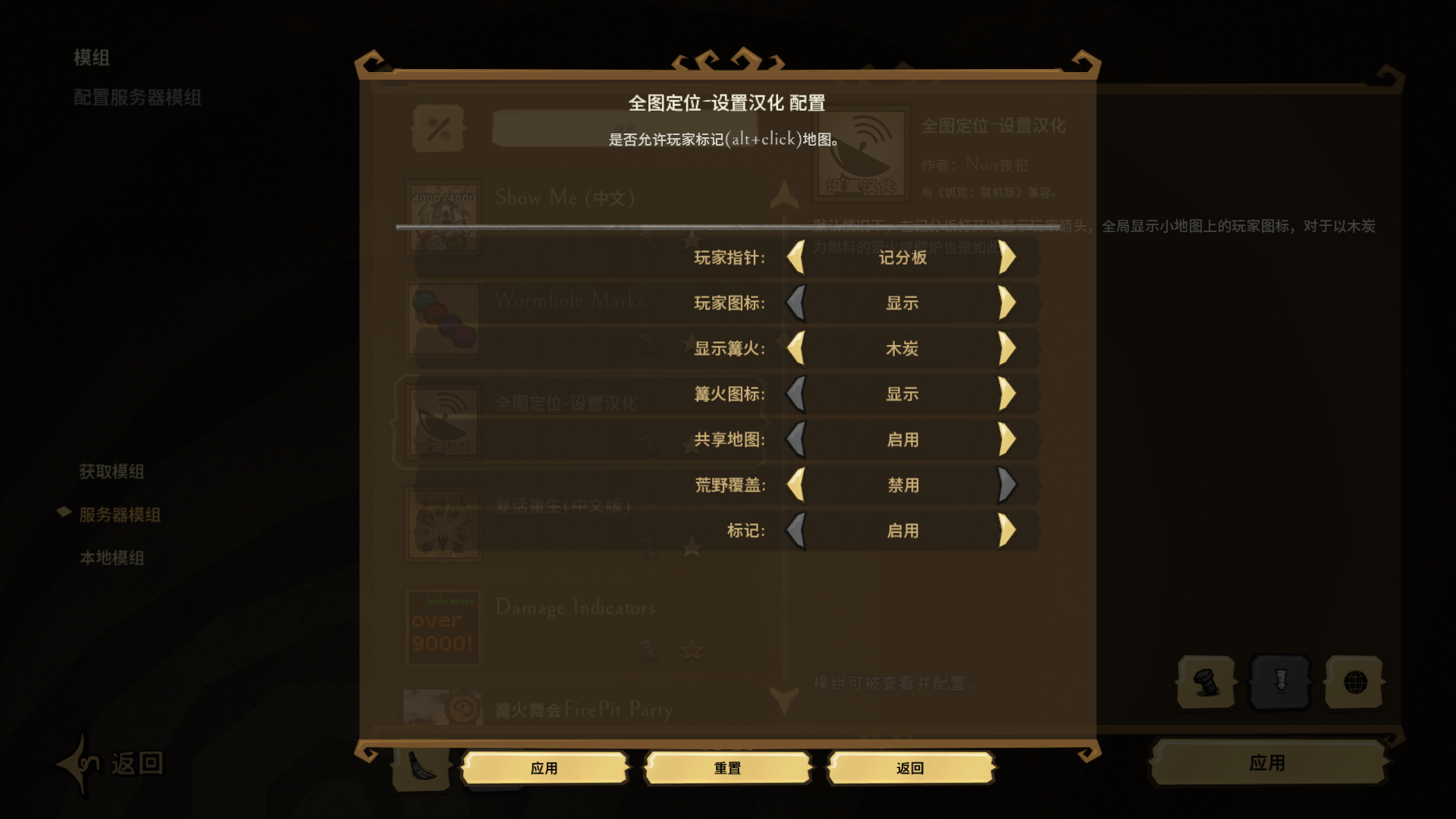
Configuration Options On the mods screen, with this mod selected, you can change a lot of the settings with the "Configure" button.
Highlights
From source dataFootprint
Rated a light load on a server.
Last update
Its author last shipped an update 22 mo ago.
Global Positions - Sinicized Settings on Nxeon
From our catalogue- One-click install
- Supported on Nxeon Don't Starve Together servers. We download it from Steam Workshop, place it, and restart the server.
- Server load
- light
- Smallest plan we suggest
- Don't Starve Together — 2 GB (2 GB RAM). This follows our own load rating above, not a benchmark.
- Latest build
- 2025-01-25, released 2025-01-25
Game versions by loader
| Loader | Game versions | Newest |
|---|---|---|
| Workshop |
From 1 recorded build of Global Positions - Sinicized Settings.
Run Global Positions - Sinicized Settings on a Don't Starve Together server
Pick a server or deploy a new one above; it is installed in one click.
What kind of mod it is
From the catalogQuality of life & UI
Small conveniences, tweaks and interface improvements players notice straight away.
Compatibility
- Game
- Don't Starve Together
Verified at the source
- ✓Steam WorkshopOfficial listing, checked 2026-11-01Open ↗
- ✓Author夜桜旅人, as published on Steam Workshop
- ✓LicenseNot published by the sourceFree