
About Insight (Show Me+)
From Steam WorkshopThank you for 1 million subscribers! I never expected this many users. Thank you for your support! Background Information Inspired by Show Me. Because I like to know everything about everything. Show…
Thank you for 1 million subscribers!
I never expected this many users. Thank you for your support!
Background Information
Inspired by Show Me. Because I like to know everything about everything. Show me was nice, but it was inaccurate/weird for some things and just didn't have what I was looking for. This was coded from scratch, and I originally made it for DS. I ported it over!
Details
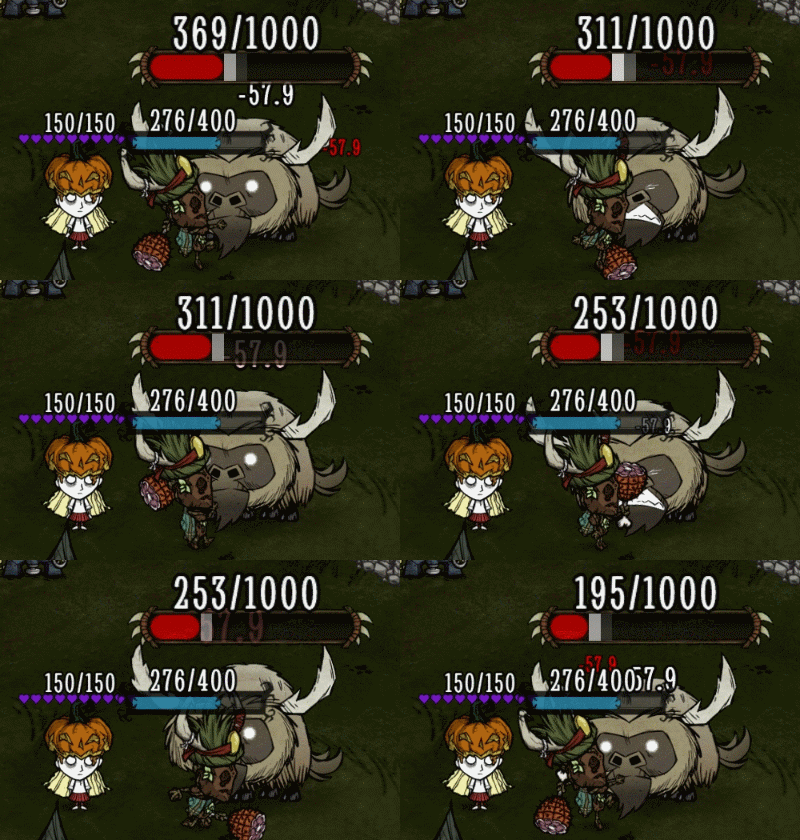
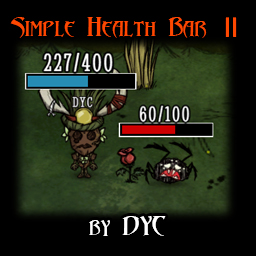
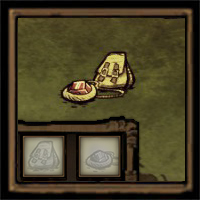
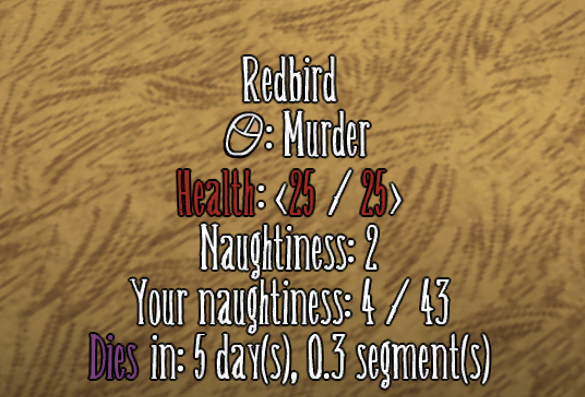
Whereas some mods provide information only on inspection, this provides a tooltip with various information on mouse over. Information is cached for items in your active area (Klei has this set to about 2 screens length) and seeks to find a balance between efficiency and convenience.
Server/Client Configuration
Clients and servers share most of the options, with some being exclusive to the client. By default, undefined options are chosen which means the client can choose what they want. Otherwise, the server has authority.
Server Configuration: Main Menu -> Host Game -> Mods -> Server Mods -> Insight -> Configure Mod Client Configuration: Main Menu -> Mods -> Server Mods -> Insight -> Configure Mod
A lot of this stuff is controlled in the mod configuration. In general, if it has to do with HOW the information is displayed, it's a client setting. If it has to do with the information itself, it's a server setting.
Features
- Controller Support
- Farm Information
- Text coloring
- Icon Mode
- Attack ranges
- Health
- Damage
- Fuel
- Food Value
- Durability
- Chest/Item/Bundle Highlighting
- Item/Cookbook Lookups
- Naughtiness
- Combined Status Integration (for Naughtiness and corrected moon cycles)
- Follower Info
- Most things, really.
FAQ
Is this a server mod? Can you make a client mod version of this?
This is a server mod. A client-side version of this mod would have almost none of the information this mod displays. The server contains almost everything. That's why this is a server mod.
How do I turn <thing> off?
Pretty much everything can be configured to turn on, off, or adjust the level of detail. If you can't find a configuration option from the main menu, you can double check the in-game configuration menu (Insight Menu -> Config Button).
There's too much information! I'm overwhelmed!
I've gotten feedback that the amount of information Insight provides can be overwhelming, or that it's too much effort to adjust all the configs. Insight now comes with some presets to adjust configurations in bulk:
- New Player - Recommended for new players, configured for a tiny amount of information to allow them the "authentic vanilla" experience.
- Simple - Recommended for players who liked Show Me's limited amount of information.
- Decent - More or less the default configuration layout with a few tweaks.
- Advanced - Recommended for players who like having a lot of information available.
You can access these presets by going to the in-game Insight Menu -> Configure Mod -> Presets. Detected first-time users will be prompted to select a preset when first playing with Insight.
Feedback
Feel free to suggest features or provide feedback, good or bad. This mod is still being developed, so it's possible for issues to occur. If you do encounter one, please check the bug reporting discussion post here. You can also enable the automatic crash reporter, which will try to report your crashes for you. Also, check out this link from Klei for advice on finding logs & submitting bugs.
Thank you's
A big thank you to Zarklord for helping me figure some stuff out. A big thank you to rezecib for helping me implement naughtiness for Combined Status and providing feedback on Insight's support for altered moon cycles. A big thank you to licet_insanire for beta testing. A big thank you to Maxwell, Cloudy Young, and 虚の刃#28 for doing the translations to Chinese. A big thank you to Senorita Buss for doing the translations to Portuguese. A big thank you to Diegowo for doing the translations to Spanish. A big thank you to Лёха Секс for doing the translations to Russian. A big thank you to Seraf for doing the translations to Korean.
Source Code
You can find the source code here.
Do not copy this mod.
Copyright 2020-Current penguin0616. This item is not authorized for posting on Steam, except under the Steam account named penguin0616.
Highlights
From source dataFootprint
Rated a light load on a server.
Last update
Its author last shipped an update 1d ago.
Insight (Show Me+) on Nxeon
From our catalogue- One-click install
- Supported on Nxeon Don't Starve Together servers. We download it from Steam Workshop, place it, and restart the server.
- Server load
- light
- Smallest plan we suggest
- Don't Starve Together — 2 GB (2 GB RAM). This follows our own load rating above, not a benchmark.
- Latest build
- 2026-11-03, released 2026-11-03
Game versions by loader
| Loader | Game versions | Newest |
|---|---|---|
| Workshop |
From 2 recorded builds of Insight (Show Me+).
Recent builds
| Build | Released | Game versions | Loaders |
|---|---|---|---|
| 2026-11-03 | 2026-11-03 | n/a | Workshop |
| 2026-09-14 | 2026-09-14 | n/a | Workshop |
Run Insight (Show Me+) on a Don't Starve Together server
Pick a server or deploy a new one above; it is installed in one click.
What kind of mod it is
From the catalogQuality of life & UI
Small conveniences, tweaks and interface improvements players notice straight away.
Compatibility
- Game
- Don't Starve Together
Verified at the source
- ✓Steam WorkshopOfficial listing, checked 2026-11-03Open ↗
- ✓Authorpenguin0616, as published on Steam Workshop
- ✓LicenseNot published by the sourceFree