About Modify Ownership
From Steam WorkshopModify Ownership mod builds on top of the [url=http://steamcommunity.com/sharedfiles/filedetails/?id=404161345]Ownership mod , allows owners of buildings add and remove other players as owners after…
Modify Ownership mod builds on top of the Ownership mod, allows owners of buildings add and remove other players as owners after the building is built.
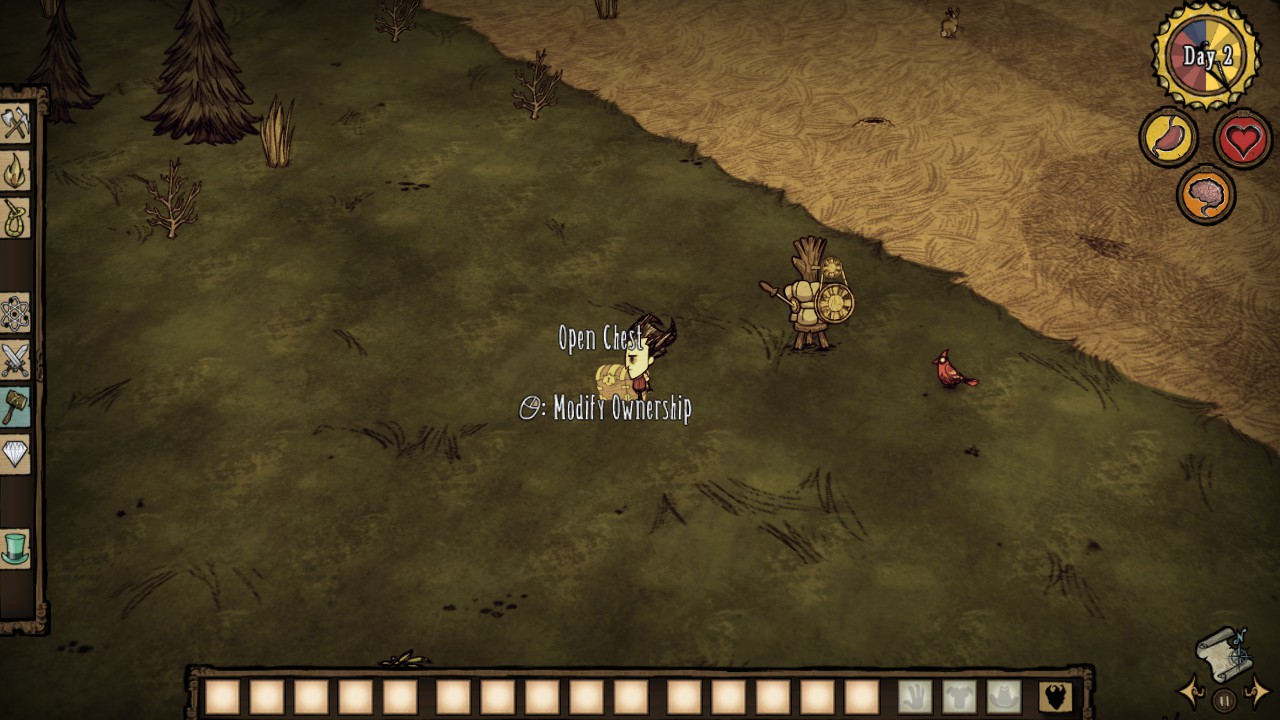
To modify ownerships of a building, press O then right click on it. A window will appear with the list of current owners. If they are currently online (you've met them recently or are in your cache) their name will show up, otherwise their userid is shown. To remove another owner, click on a Del button next to their name/id. You can't remove yourself, unless you are the only owner, in which case the building will become public. To add another owner, select them from dropdown or type (part of) their name into textbox or type their userid into textbox and click appropriate Add button. Case sensitive checkbox affects how name entered into textbox is treated. Enabled Auto filter (via checkbox) causes dropdown to contain only names that match entered name (and disables Autocompletion).
Admins and moderators (as defined by Moderator Commands mod, custom permission modifyowner) can modify owners of all non-public buildings.
Player cache collects all known players (their userids and names; client-side) that are your co-owners, so they are later recognized and can be added as owners even if they are no longer online or in your encounters history list. It is saved in the file save/mod_config_data/moddata_workshop-599501490_playercache (under Documents/Klei/DoNotStarveTogether in Windows by default). If the file has not been created yet (you haven't actually tried to modify any owners), there will be a message in the log: "[ModifyOwnership|PlayerCache] Error loading file {filename} (file not found)". It is harmless, as long as it says "file not found".
Configuration options (server)
Allow adding owners (default: yes) - enables adding new owners Add online people only (defaulf: no) - you can add only people who are currently online; if disabled you can add anyone, people whom you recently met (i.e. are in your encounters history list) can be addressed by name Allow removing owners (default: yes) - enables removing owners Remove the last owner (default: yes) - enables removing the last owner and making the building public Maximum number of owners (default: 10) - set maximum number of owners who can be added for a building, doesn't automatically remove current owners over the limit Number of owners warning (default: 8) - shows a warning dialog screen when trying to add a new owner while current number of owners is greater or equal than this Moderators (default: no) - enables Moderator Commands mod interaction Default modify mode (default: no) - if enabled enables players' modify mode upon joining the world (i.e. as if they once pressed the hotkey) Hotkey (server) (default: O) - Toggles the modify mode, applies to all clients who don't specify their local hotkey Log level (default: more) - Amount of debug messages in the log; the default will be changed to normal in the future if there are no bugs found
Configuration options (client)
(setting this will apply only to you, even if you are the client)
Window position (default: left) - position of the window on the screen Hotkey (client) (default: use server's value) - Toggles the modify mode
Known issues / Notes
You can't modify ownership of Basic / Improved Farm with a crop on it. Wait till it's ready for harvest and harvest it. If two players have the same name, they can't be added by name, only by userid. While building a structure, passing the cursor over the ownership window cancels the build but the tooltip remains - see http://forums.kleientertainment.com/topic/62038-graphics-placer-tooltip-remains-displayed-after-hud-loses-focus/. Pressing ESC closes the window (same as pressing the Close button); it will not show the usual pause dialog screen. Pressing TAB autocompletes text in the textbox based on the list of people in the dropdown. If the building is destroyed while the window is open, interacting with it will close the window and issue spurious message about it being already closed. Player cache only collects new players, there is currently no automatic removal of players from it. You can clear the entire cache by removing the file or by entering "MOPC:Reset();MOPC:Save()" into the debug console. There is hard coded limit on how many tags an entity can have. Since tags are currently the way owners are detected, it limits the maximum number of owners of a building. If you have other mods that add their own tags to buildings, it will lower the maximum even lower. There is a test that checks the number of tags when trying to add new owner, so adding that new owner won't exhaust usable tags (+there is 5 tags buffer). If other mods add their tags after all owners are added and it exceeds hard limit it could cause network synchonization issues leading to crash. If the Number of owners warning option is set very low (e.g. 1), it could be irritating having to confirm every addition of an owner. Includes a test for string.split function override in an incompatible way by any mod. Doesn't error out, just prints the message.
To do
Fix spurious message noted above - keep an eye on http://forums.kleientertainment.com/topic/62264-client-crash-crash-after-setting-invalid-entity-to-net-entity/. UI improvements - make window size proportional to screen size - add window border - dropdown visuals
Highlights
From source dataFootprint
Rated a light load on a server.
Last update
Its author last shipped an update 11 yr ago.
Modify Ownership on Nxeon
From our catalogue- One-click install
- Supported on Nxeon Don't Starve Together servers. We download it from Steam Workshop, place it, and restart the server.
- Server load
- light
- Smallest plan we suggest
- Don't Starve Together — 2 GB (2 GB RAM). This follows our own load rating above, not a benchmark.
- Latest build
- 2016-04-17, released 2016-04-17
Game versions by loader
| Loader | Game versions | Newest |
|---|---|---|
| Workshop |
From 1 recorded build of Modify Ownership.
Dependencies
- Required: Ownership
Declared by the newest build that lists any. Required ones are installed with it on one-click installs.
Run Modify Ownership on a Don't Starve Together server
Pick a server or deploy a new one above; it is installed in one click.
What kind of mod it is
From the catalogQuality of life & UI
Small conveniences, tweaks and interface improvements players notice straight away.
Compatibility
- Game
- Don't Starve Together
Verified at the source
- ✓Steam WorkshopOfficial listing, checked 2026-11-01Open ↗
- ✓AuthorMuche, as published on Steam Workshop
- ✓LicenseNot published by the sourceFree