About Nine Equipment Slots
From Steam WorkshopFreely choose between 3, 4, 5, 6, 7, 8, or 9 equipment slots. By enabling additional expanded slots, you can have up to 63 equipment slots, with all supported modded equipment effects working at the…
Freely choose between 3, 4, 5, 6, 7, 8, or 9 equipment slots. By enabling additional expanded slots, you can have up to 63 equipment slots, with all supported modded equipment effects working at the same time. Adds Right-Hand, Clothing, Armor, Amulet, Hat, and Crown slots.
If Nine Equipment Slots helps you, please consider leaving a 👍. It helps more players find the mod in the Workshop.
Right-Hand Slot
Can equip anything usable in the left hand, and right-hand tools are compatible with ActionQueue.
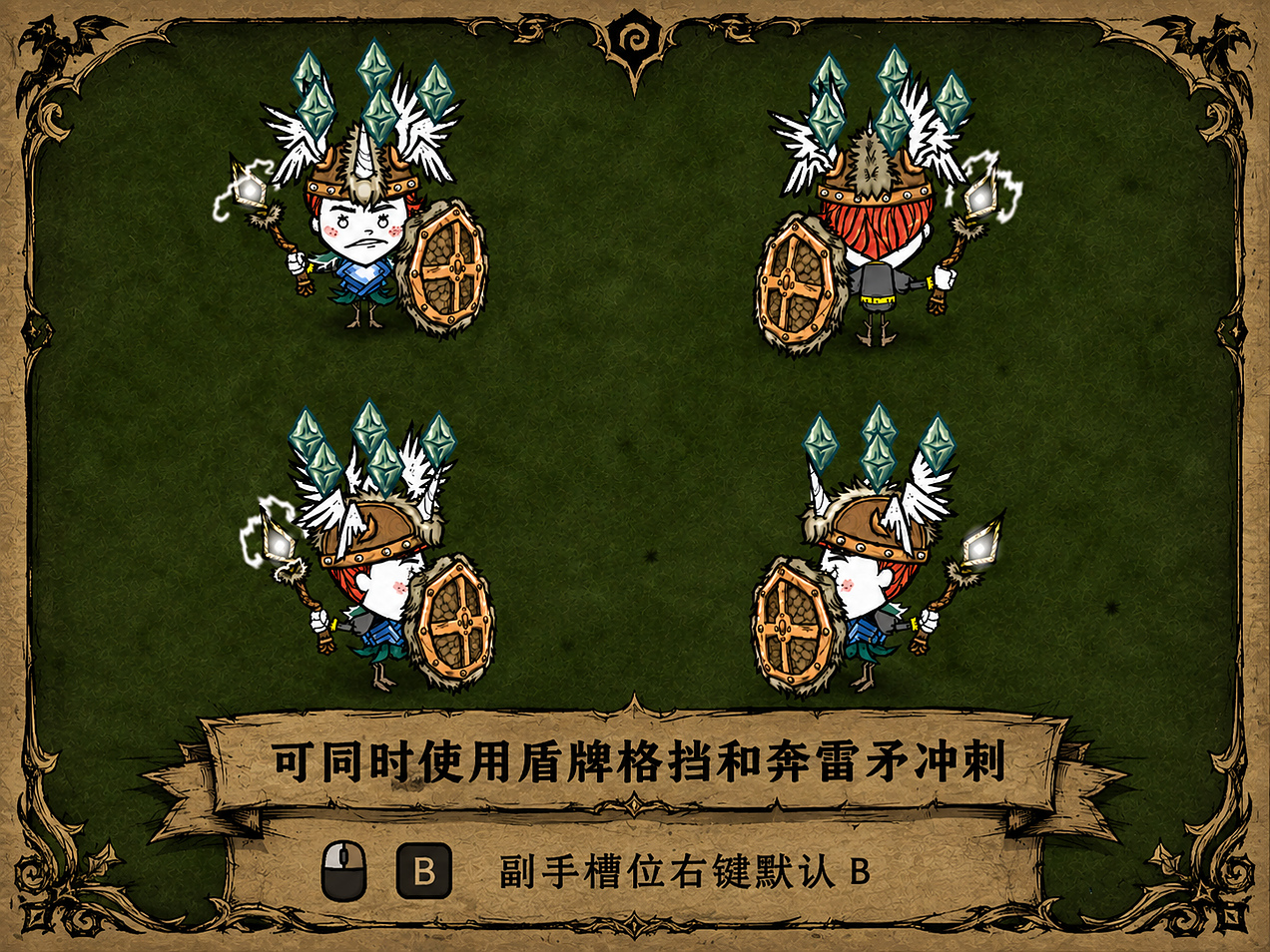
The right-hand slot supports all normal left-hand actions, including mining, digging, chopping, and more, without conflicts. Normal right-click actions prioritize the left-hand item. If the left hand has no available right-click function, the right-hand item is used automatically. If both hands have right-click functions, normal right-click uses the left hand, while the Right-Hand Action key uses the right hand. The default Right-Hand Action key is B and can be changed in the configuration menu.
Three Attack Modes
Vanilla Single-Hand: Always attacks with the left-hand weapon. Alternating Hands: First attack uses the left hand, second uses the right, then alternates continuously. Dual-Hand Strike: A single attack separately applies the damage of both left- and right-hand weapons. The default attack-mode switch key is V and can be changed in the configuration menu.
Expanded Equipment Slots
Note: Modded equipment must be placed in expanded equipment slots for its effects to work correctly. Do not disable an expanded slot while equipment is still inside it. Drop the equipment on the ground first.
Helmet, Hat, Armor, Clothing, and Amulet categories can each gain additional equipment slots. Right-click the corresponding equipment area to expand or collapse it. The configuration menu allows 1–10 expanded slots, with 3 enabled by default. Equipment placed inside works normally.
When selecting 20 slots, each category displays 20 slots, for 100 displayed slots in total. DST supports at most 63 real equipment slots, so slots beyond that limit are display-only. Multiple items of the same type can work at the same time, such as multiple amulets, armor pieces, or hats. Brightshade, Void, and similar set equipment placed in expanded slots still counts toward set bonuses.
Modded equipment is automatically supported where possible. If an item cannot be identified, it keeps its original slot instead of being forcibly classified and causing crashes. Each added equipment category can be disabled independently. When disabled, equipped items are safely moved into the backpack, inventory, or dropped on the ground. Disabling all added categories restores the vanilla 3-slot equipment system.
Possible Medal Mod Issue
In the Medal Mod configuration, please do not enable the edge-aligned display option. It may prevent medals with equipment slots from opening. This is an issue with the Medal Mod itself and is unrelated to Nine Equipment Slots.
Important
DST allows a maximum of 64 equipment slots. If another mod also adds equipment slots, reduce the number of expanded slots accordingly. Do not enable this mod together with other multi-equipment-slot mods. No save-corruption issues. Compatible with server utility mods such as Insight and Show Me. All released versions are stable and safe to use.
Character Invisibility Issue
If you disable Nine Equipment Slots, please restart the game. Restarting reloads the animation resources. Because this mod adds right-hand animations, disabling it removes those animation resources. If the game still tries to reference them, the character model may become invisible. Restarting the game reloads the animation resources and fixes the issue. This is caused by DST's animation lookup system and cannot be changed by the mod.
If you encounter a problem, it is very likely unrelated to this mod. Please join the group and submit the crash log. Animation overlap and occasional UI disappearance are known limitations inherited from the base game. They cannot be completely fixed, but do not affect equipment functionality.
Bug Reports | Mod Compatibility | Suggestions — QQ Group: 1106357973
Your suggestions are a major help in improving this mod. Thank you to every player who uses this Mod.
If you encounter any problems, bugs, or have new suggestions, feel free to leave a comment or join the group. I will reply as soon as possible. I will try to read every piece of feedback and continue fixing problems and improving features.
This Mod is not a one-time project. It continues to improve through player feedback. If this Mod improves your gameplay experience, please consider leaving a free Like. Your support and feedback are the biggest motivation for me to continue maintaining and updating this Mod!
Thank you to everyone who spends time testing, reporting issues, and supporting the Mod. Have fun!
This Mod supports Chinese, English, and Russian, and automatically switches based on the client's language.
Other useful Mods by the author:
The Most Comprehensive R-Key Sorting Mod
Works like Minecraft-style R-key sorting. Instantly organizes your inventory and equipment slots without causing item-order problems when sorting again.
Includes 90 additional features:
Highlights
From source dataFootprint
Rated a light load on a server.
Last update
Its author last shipped an update 13d ago.
Nine Equipment Slots on Nxeon
From our catalogue- One-click install
- Supported on Nxeon Don't Starve Together servers. We download it from Steam Workshop, place it, and restart the server.
- Server load
- light
- Smallest plan we suggest
- Don't Starve Together — 2 GB (2 GB RAM). This follows our own load rating above, not a benchmark.
- Latest build
- 2026-10-21, released 2026-10-21
Game versions by loader
| Loader | Game versions | Newest |
|---|---|---|
| Workshop |
From 5 recorded builds of Nine Equipment Slots.
Recent builds
| Build | Released | Game versions | Loaders |
|---|---|---|---|
| 2026-10-21 | 2026-10-21 | n/a | Workshop |
| 2026-10-16 | 2026-10-16 | n/a | Workshop |
| 2026-10-11 | 2026-10-11 | n/a | Workshop |
| 2026-10-10 | 2026-10-10 | n/a | Workshop |
| 2026-10-02 | 2026-10-02 | n/a | Workshop |
Run Nine Equipment Slots on a Don't Starve Together server
Pick a server or deploy a new one above; it is installed in one click.
What kind of mod it is
From the catalogQuality of life & UI
Small conveniences, tweaks and interface improvements players notice straight away.
Compatibility
- Game
- Don't Starve Together
Verified at the source
- ✓Steam WorkshopOfficial listing, checked 2026-11-01Open ↗
- ✓AuthorRemilia Scarlet, as published on Steam Workshop
- ✓LicenseNot published by the sourceFree