






About Observer Camera
From Steam WorkshopA pure English version have been uploaded here: https://steamcommunity.com/sharedfiles/filedetails/?id=1596632143 Besides all the functions from Aerial View mod, this mod add a new feature: As long…
A pure English version have been uploaded here: https://steamcommunity.com/sharedfiles/filedetails/?id=1596632143
Besides all the functions from Aerial View mod, this mod add a new feature:
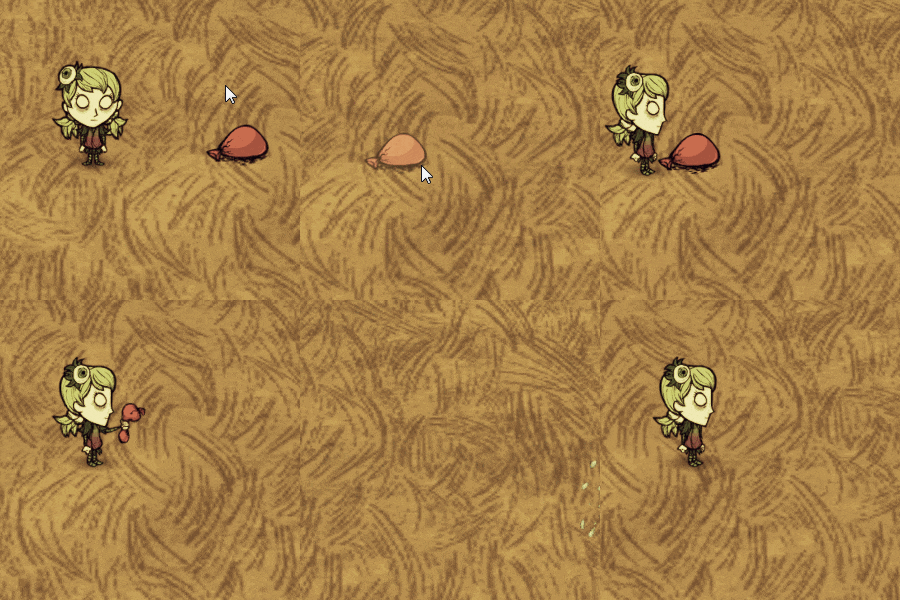
As long as you hover the mouse over any entity or any position you want to observe and press the preset shortcut key, the camera will focus on that entity or position.
The observed entity could be other player, a monster, or even a tree.
Think about that when you hide in the berry bush and watch your friend solo a boss, and you want to get closer but are afraid of being attacked, all you need to do is to switch the focus of the camera to your friend, or even to the boss, isn't it funnnnnny?
[Version 1.3.4] - Update:
Fixed the bug of message overlap.
[Version 1.3.3] - Update:
More optional keys have been added and can also be disabled.
[Version 1.3.2] - Instructions:
1. Press F9 to switch among default, aerial and vertical view mode; 2. Press F10 to hide/show game HUD; 3. Press F11 to hide/show your character; 4. Press O to focus the camera on the entity under mouse; 5. Press P to focus the camera on the position under mouse; 6. Press R to switch the focus of the camera between your character and recent selected entity/position; 7. Press ↑, ↓, ← and → to modify the FOV of the camera. (From 20 to 120, default value is 35.)
Part of the key-bindings could be configured in mod configuration.
Thanks for Aerial View mod and its author, you can find Aerial View mod here: https://steamcommunity.com/sharedfiles/filedetails/?id=694531911
Highlights
From source dataFootprint
Rated a light load on a server.
Last update
Its author last shipped an update 4 yr ago.
Observer Camera on Nxeon
From our catalogue- One-click install
- Supported on Nxeon Don't Starve Together servers. We download it from Steam Workshop, place it, and restart the server.
- Server load
- light
- Smallest plan we suggest
- Don't Starve Together — 2 GB (2 GB RAM). This follows our own load rating above, not a benchmark.
- Latest build
- 2022-11-21, released 2022-11-21
Game versions by loader
| Loader | Game versions | Newest |
|---|---|---|
| Workshop |
From 1 recorded build of Observer Camera.
Run Observer Camera on a Don't Starve Together server
Pick a server or deploy a new one above; it is installed in one click.
What kind of mod it is
From the catalogWorkshop
Its source category doesn’t say more about what it does, so NxLabs lists it under Other.
Compatibility
- Game
- Don't Starve Together
Verified at the source
- ✓Steam WorkshopOfficial listing, checked 2026-11-01Open ↗
- ✓AuthorSuper Jump, as published on Steam Workshop
- ✓LicenseNot published by the sourceFree














