







About Save Equipment Slots
From Steam WorkshopNo more updates planned This mod will no longer receive updates. Only when a critical bug arises I will attempt to fix it. ----------- Saves the inventory slots of equipment items and makes sure they…
No more updates planned
This mod will no longer receive updates. Only when a critical bug arises I will attempt to fix it.
-----------
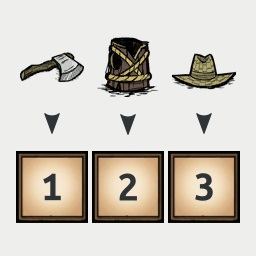
Saves the inventory slots of equipment items and makes sure they always return to their saved slot. If a saved slot is occupied items will be rearranged automatically to make space.
Don't Starve
This mod originally released for Don't Starve and all its expansions, and has since been updated to also support DST. You can find the Don't Starve version here.
Clear Slots with Controller
To clear a saved slot with a controller press LB + RB at the same time in the inventory management screen when highlighting the slot.
Changelog
See the Change Notes.
The DST version starts at v1.2.0. Versions prior to that were Don't Starve only.
Master Simulation & Client Mode
This mod runs in one of 2 fundamentally different modes depending on the scenario:
- Master Simulation - This is when you host the game rather than connect to some other host. In this scenario your game has full control over the inventory, and this mod will run pretty much like it did in the original Don't Starve version.
- Client Mode - Whenever you connect to some other host this mod will run in "Client Mode". This also happens when you are the host but have Caves enabled, as this spawns another server on your machine and your game connects to it. In this mode, you have far less control over the inventory, as all components including the inventory are managed on the host server. Much of the logic had to be implemented in a different way, but this has been done and the modes should behave mostly the same. Below is a list of the limitations in Client Mode.
Client Mode limitations
Below are some things that work differently in Client Mode as we do not have full control like when we run the Master Simulation.
- Saved slots will not be restored when loading a saved game and have to be reassigned.
- [list]
- Note: As of v1.8.2 we will save all current items to their current slots when your character is spawned which should mostly fix this issue. It means sometimes when reloading a game or traveling to caves and back items may be saved to the wrong slot but many times it will be correct. This behavior can be turned off in options.
[*] Animations of picked up items will target their original slot as we operate after an item was put in a slot rather than before like in Master Simulation. [*] Some delay due to communicating with server, no different than normal play. [/list]
Known Issues
- None
If you run into anything please let me know :)
Configuration
- Apply To Items: allows you to save slots of more than just equipment.
- [list]
- Equipment (default)
- Equipment + Food
- Equipment + Healing (e.g. Healing Salve, Spider Gland)
- Equipment + Food + Healing
- All Items (every item in the game)
[*] Show Slot Icons: When enabled (default), renders icons of assigned items above their inventory slots. [*] Slot Icon Opacity: Sets the opacity of the slot icons. Default is 75%. [*] Slot Icon Scale: Sets the scale of the slot icons. Default is 75%. [*] Slot Icon Vertical Offset: Increases the vertical offset between the slot icons and their inventory slot. Only added for users of mods that add additional rows of inventory slots (e.g. "60 inventory slots"). Otherwise you probably want to leave it at Default (= right above their inventory slot). [*] Disable Save Slots Toggle: Key combination that will toggle saving slots on/off. When off, picking up items or moving them will not assign/change their slots. This is useful when you only want to save item slots in some scenarios, or only want to save a few specific items and not everything.
- - none - (default)
- Control + A through Control + Z
Please note the hotkey you configure could be in use by the game or another mod as well. Make sure to pick an available one. [*] Save Slots Initial State: The initial state of the save slots behavior (default: On). Only used when a toggle key is configured. If you prefer to by default not save any items, you can set this to Off so you have explicitly turn it On first when you want to use it. [*] Disable Slot Icon Click: Controls when to disable the slot icon click action which would clear an item's saved slot:
- Never (default): You can always click on a slot icon to clear the item's slot
- If Save Slots: Off: When Save Slots is toggled off the slot icon click will be disabled.
[*] Allow Equip For Space: When enabled (default), this mod is allowed to equip an item to make space for another item. In practice this would only occur when multiple items share a single slot and the slot is blocked. In other cases a blocking item is simply moved to some other slot. [*] Reserve Saved Slots: Controls whether or not slots that have an assigned item will be reserved for their saved items only. This means other items will not be placed there unless done manually by the player:
- Never (default): Saved slots will never be reserved for their items. This means other items can occupy a saved slot, but will be moved out of the way when a saved item can go there.
- If Free Slots: Saved slots will only be reserved for their items while there are other free slots available in inventory or backpack.
- Always: Saved slots will always be reserved for their items. It means saved slots are considered "full" whenever other items are picked up, so will either be empty or contain one of their saved items.
Highlights
From source dataFootprint
Rated a light load on a server.
Last update
Its author last shipped an update 5 yr ago.
Save Equipment Slots on Nxeon
From our catalogue- One-click install
- Supported on Nxeon Don't Starve Together servers. We download it from Steam Workshop, place it, and restart the server.
- Server load
- light
- Smallest plan we suggest
- Don't Starve Together — 2 GB (2 GB RAM). This follows our own load rating above, not a benchmark.
- Latest build
- 2022-02-17, released 2022-02-17
Game versions by loader
| Loader | Game versions | Newest |
|---|---|---|
| Workshop |
From 1 recorded build of Save Equipment Slots.
Run Save Equipment Slots on a Don't Starve Together server
Pick a server or deploy a new one above; it is installed in one click.
What kind of mod it is
From the catalogWeapons, items & crafting
New weapons, gear, items and the recipes to make them.
Compatibility
- Game
- Don't Starve Together
Verified at the source
- ✓Steam WorkshopOfficial listing, checked 2026-11-01Open ↗
- ✓Authordani, as published on Steam Workshop
- ✓LicenseNot published by the sourceFree














