About Simple Health Bar (Reforged)
From Steam WorkshopSimple Health Bar (Reforged) Introduction A modern DST rebuild and maintained version of the classic mod “Simple Health Bar DST.” While preserving the original art style and core features, this…
Simple Health Bar (Reforged)
Introduction
A modern DST rebuild and maintained version of the classic mod “Simple Health Bar DST.”
While preserving the original art style and core features, this version rewrites multiplayer synchronization, health bar rendering, and the settings interface, with improved compatibility, stability, and usability for current versions of DST.
This mod must be installed on the server and by all clients.
Main Features
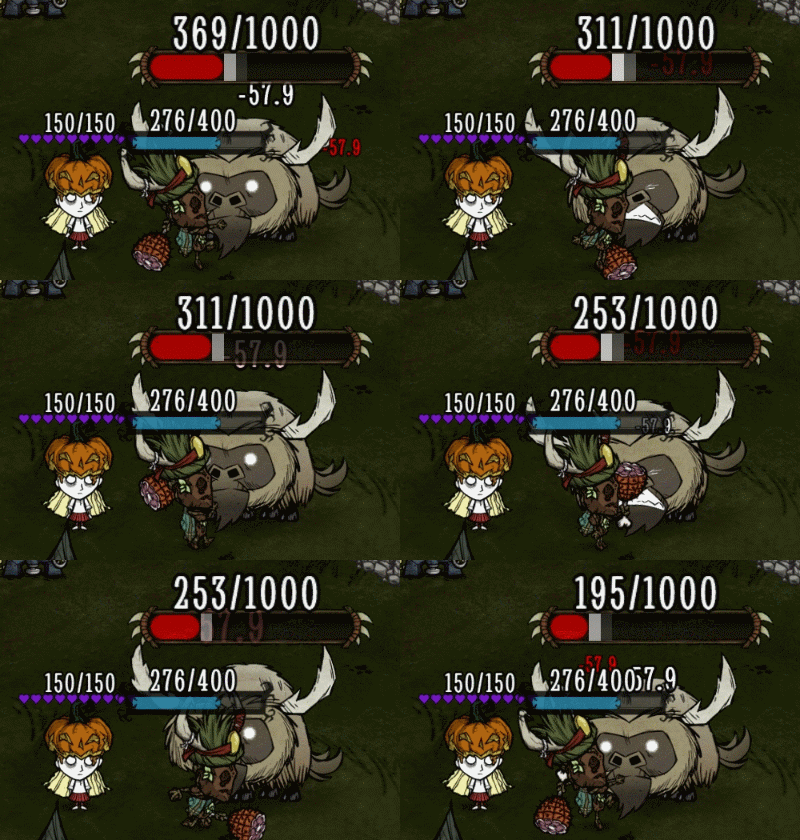
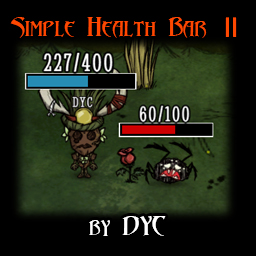
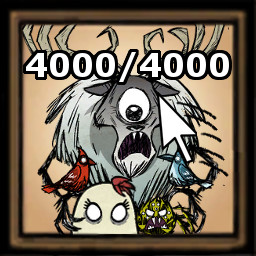
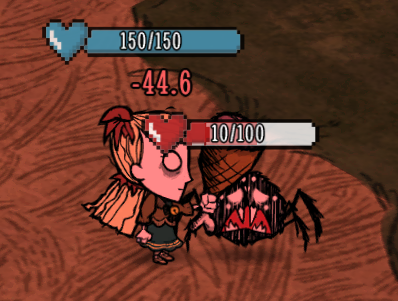
- Displays health bars for players, creatures, bosses, walls, and other entities with health
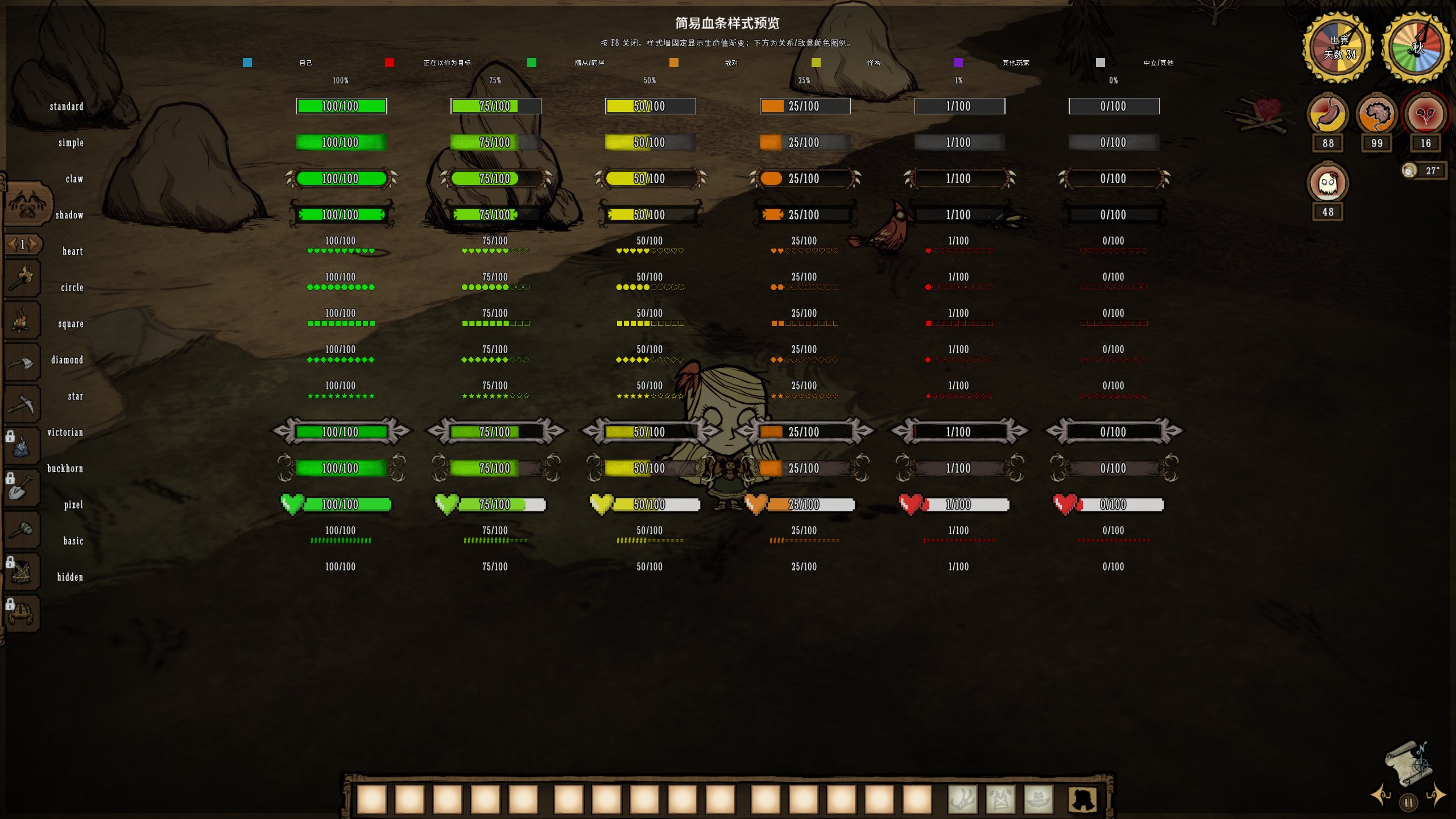
- Includes 14 health bar styles, health-based gradients, relationship/hostility colors, and fixed colors
- Provides four settings categories: General, World, Player, and Boss
- World, Player, and Boss can independently configure style, color, opacity, position, height, length, thickness, and exact health values
- Supports Overhead, Overhead with inline values, and Bottom positions
- Bar length ranges from 6 to 24, fixed thickness from 10 to 45, with up to 30 downward offset and 50 upward offset
- Supports exact health values, floating damage/healing numbers, damage trails, and intro animations
- Includes a draggable heart widget, settings menu, and fullscreen style preview
- Supports Chinese and English and can automatically follow each player’s DST interface language
- Allows the server to restrict exact health values, damage numbers, wall health bars, display distance, and the number of visible bars
How to Use
- Press H by default to open or close the settings menu
- Click the floating heart widget to open the settings menu
- Drag the heart widget to change its position
- Drag the title area at the top of the menu to move the menu
- Press F8 by default to open or close the style preview
- Client display settings take effect immediately and are saved locally
Category Settings
The H menu contains four tabs: General, World, Player, and Boss.
General settings provide the base configuration for all entities. World, Player, and Boss follow General by default, but can independently override style, color, opacity, position, height, length, thickness, exact health values, and value text size.
Category priority is:
Boss > Player > World[/code]

Setting a category’s style to Off only hides its health bar and exact health values. Eligible floating damage and healing numbers remain controlled separately.


[h2]Preview Hotkey[/h2]
[list]
[*]The default preview hotkey is [b]F8[/b]
[*]The preview hotkey can be changed or disabled in the H menu
[*]Changes take effect immediately and are saved on the local client
[*]Select [b]None[/b] to disable the preview hotkey
[*]The fullscreen style preview uses the General length and thickness; category-specific sizes must be viewed on actual entities
[/list]

The following path in the main-menu mod configuration:

[code]Main Menu → Mods → Server Mods → Simple Health Bar (Reforged) → Configure Mod → Preview Hotkey
is only used to set the initial value. Once the player changes the hotkey in the H menu, the locally saved setting takes priority.
Language Settings
The H menu provides three language modes:
- Auto: Follows the current player’s DST interface language
- 中文: Always uses Chinese
- English: Always uses English
In Auto mode, Simplified Chinese, Traditional Chinese, and Rail Chinese clients use Chinese. All other client languages use English.
The “Fallback language” option in the server mod configuration is only used when the client language cannot be detected. It does not override the player’s local selection in the H menu.
Notes
- This mod only supports Don't Starve Together
- The server and all joining clients must have this mod installed
- Some client options may be locked by server policy
- World, Player, and Boss settings follow General by default
- Very large health bars or text may occupy significant screen space on small entities, near screen edges, or during large battles
- Health bar placement may be affected by entity models, camera distance, resolution, and other HUD mods
- Language settings saved by older versions will be preserved; select Auto in the H menu to follow the DST interface language
- Due to limited free time, responses and fixes may take some time. Thank you for your understanding
Resetting Client Settings
To completely reset this mod’s local settings, exit the game first and open:
%USERPROFILE%\Documents\Klei\DoNotStarveTogether\<numeric account directory>\client_save\[/code]

Delete the following file:

[code]simplehealthbar_reforged_client_config_v2
If the old configuration file is still present, it may also be deleted:
simplehealthbar_reforged_client_config[/code]

Restart the game and the mod will restore its default settings.

Do not delete the entire [code]client_save
Bug Reports
When reporting an issue, please provide:
- The current mod version
- Client, Master, and Caves logs
- The affected entity or situation
- The category, style, position, length, thickness, and height settings being used
- Relevant screenshots and reproduction steps
- Whether any camera, view-distance, interface, or HUD mods are also enabled
Copyright Notice
This mod is a non-commercial rebuild and maintained version of “Simple Health Bar DST.”
Original mod: Simple Health Bar DST
Original author: DYC
Reforged version author: 无处安放的记忆
Highlights
From source dataFootprint
Rated a light load on a server.
Last update
Its author last shipped an update 13d ago.
Simple Health Bar (Reforged) on Nxeon
From our catalogue- One-click install
- Supported on Nxeon Don't Starve Together servers. We download it from Steam Workshop, place it, and restart the server.
- Server load
- light
- Smallest plan we suggest
- Don't Starve Together — 2 GB (2 GB RAM). This follows our own load rating above, not a benchmark.
- Latest build
- 2026-10-22, released 2026-10-22
Game versions by loader
| Loader | Game versions | Newest |
|---|---|---|
| Workshop |
From 4 recorded builds of Simple Health Bar (Reforged).
Recent builds
| Build | Released | Game versions | Loaders |
|---|---|---|---|
| 2026-10-22 | 2026-10-22 | n/a | Workshop |
| 2026-10-17 | 2026-10-17 | n/a | Workshop |
| 2026-10-13 | 2026-10-13 | n/a | Workshop |
| 2026-09-13 | 2026-09-13 | n/a | Workshop |
Run Simple Health Bar (Reforged) on a Don't Starve Together server
Pick a server or deploy a new one above; it is installed in one click.
What kind of mod it is
From the catalogQuality of life & UI
Small conveniences, tweaks and interface improvements players notice straight away.
Compatibility
- Game
- Don't Starve Together
Verified at the source
- ✓Steam WorkshopOfficial listing, checked 2026-11-01Open ↗
- ✓Author无处安放的记忆, as published on Steam Workshop
- ✓LicenseNot published by the sourceFree