






About TeleArchitect
From Steam WorkshopHit a star-shaped button at the bottom right corner of the map screen to allow network edits! No more accidental changes or soul hops! -- The mod aims to help create teleportational networks that…
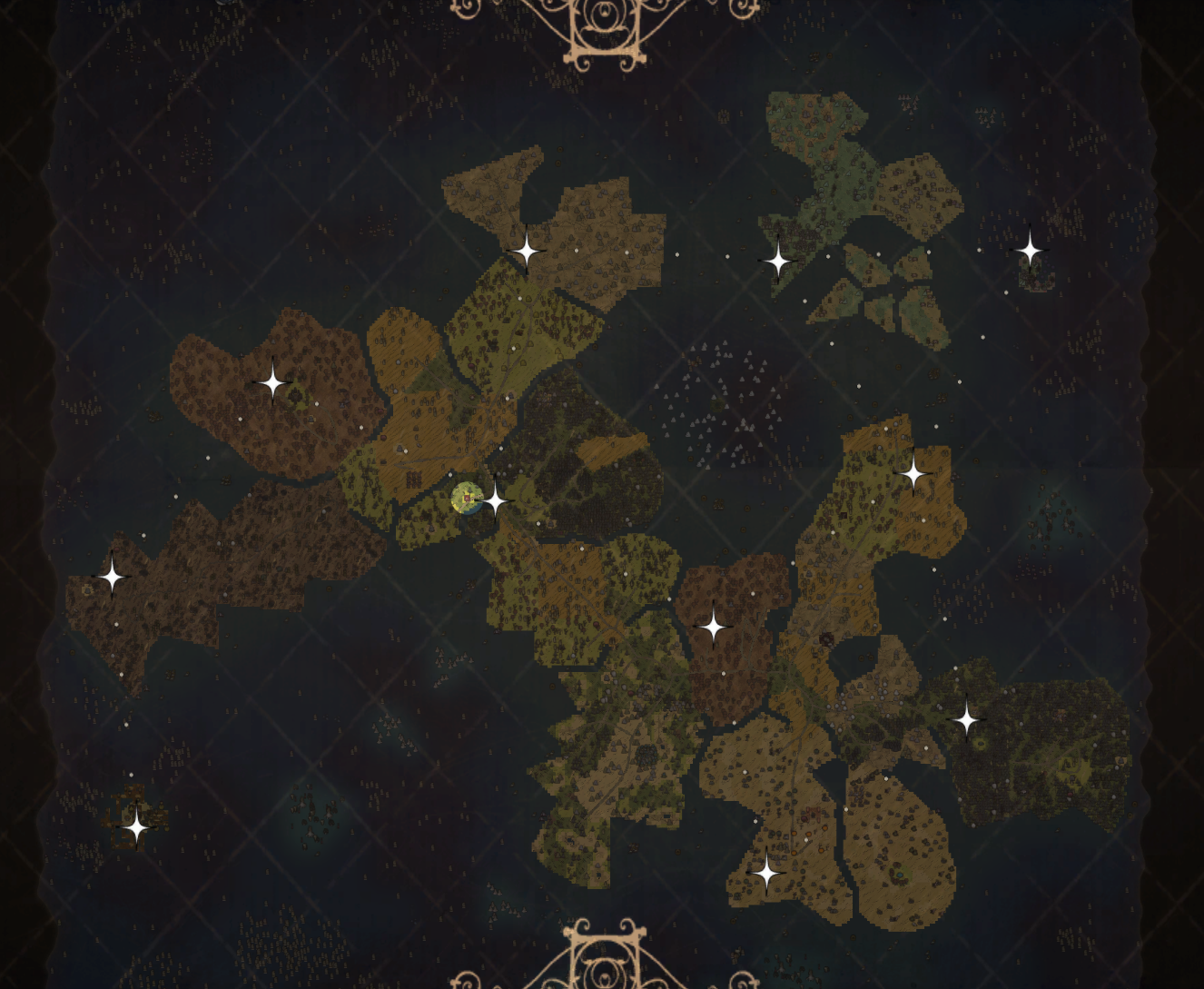
Hit a star-shaped button at the bottom right corner of the map screen to allow network edits! No more accidental changes or soul hops! -- The mod aims to help create teleportational networks that allow lightning-fast navigation throughout the world.
How to use
Starting out
Open your map and hit the blue star-shaped button at the bottom right corner of your screen. That way you will enter Editing Mode, which is necessary for making any changes to your teleporational network! Regular map actions are disabled in Editing Mode, so they won't get in the way. 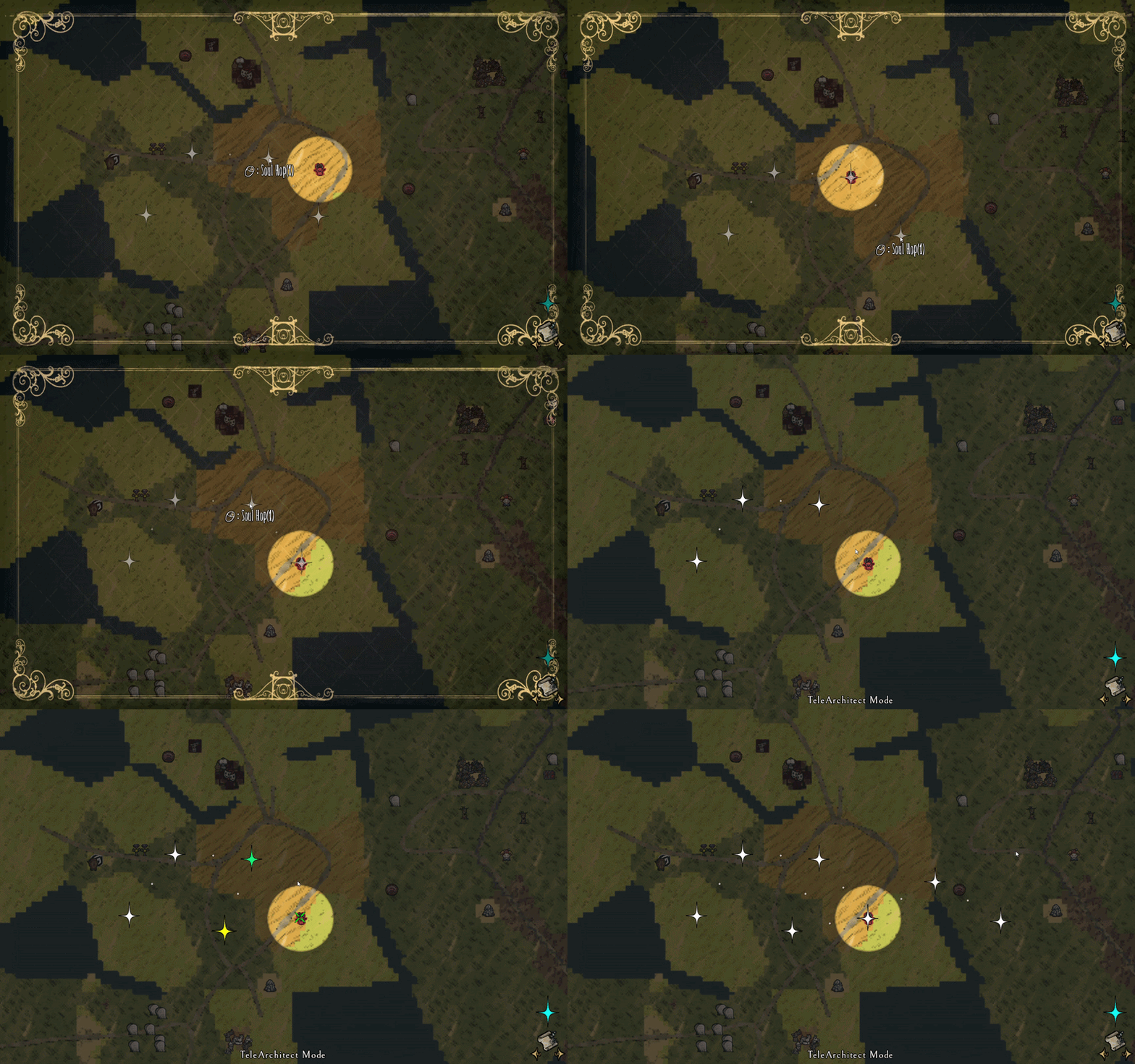
The mod deeply relies on a hotkey referred as Main Key. It is configurable and set to Ctrl by default.
Creating your network
Enter Editing Mode and place your first marker with Main Key + LMB. Markers are clickable and can be selected with LMB or removed with RMB. Newly placed markers are selected automatically. While a marker is selected (has yellow color), you can place additional markers around that one with LMB. 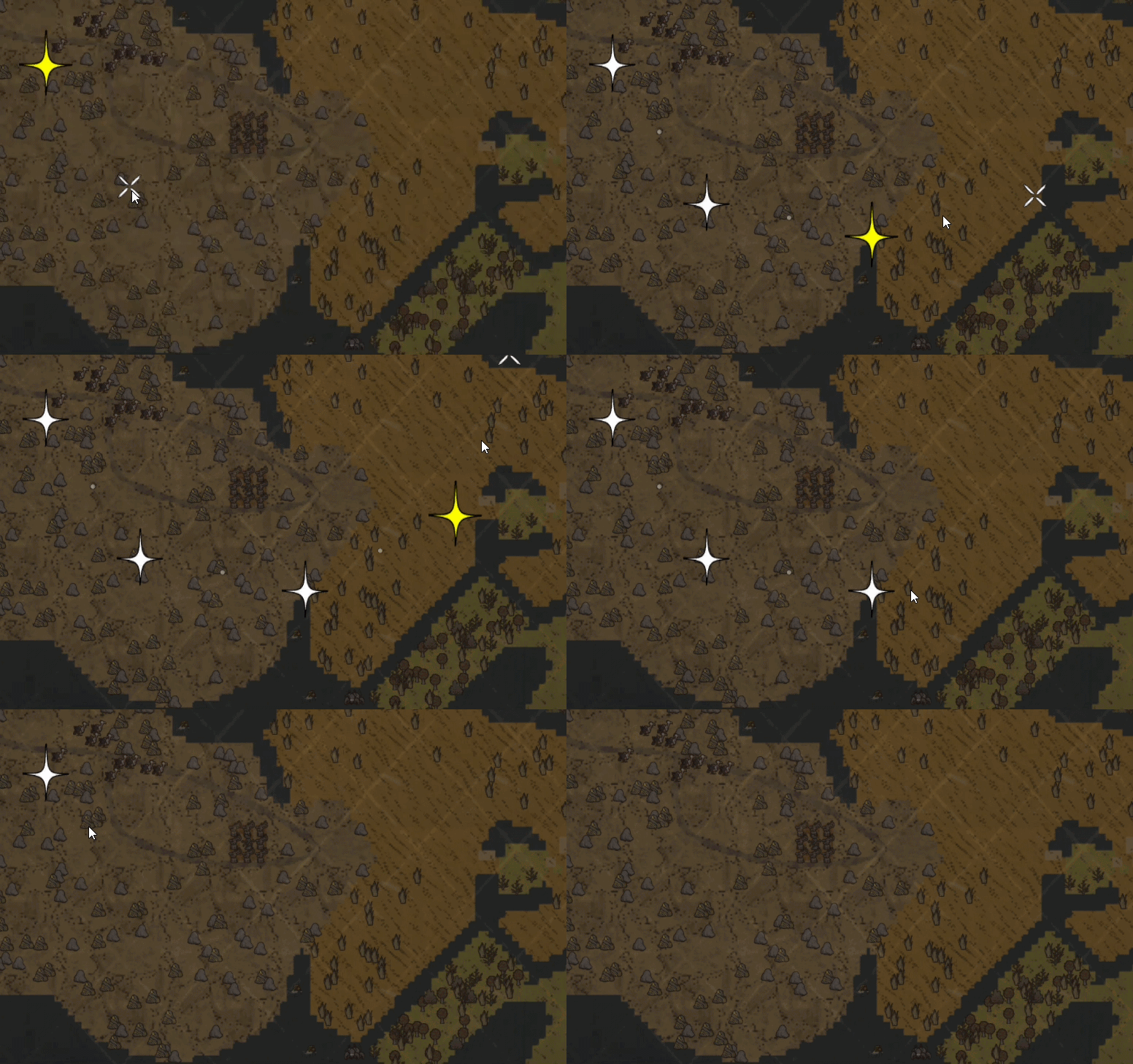
You can kickstart your network by placing two or three markers at important places, and then connect them all at once. Just like this: 
 -- For better precision, markers can also be placed with Main Key + LMB over a placed Telelocator/Telepad. However, that action will fail if the new marker happens to be too close to an existing one.
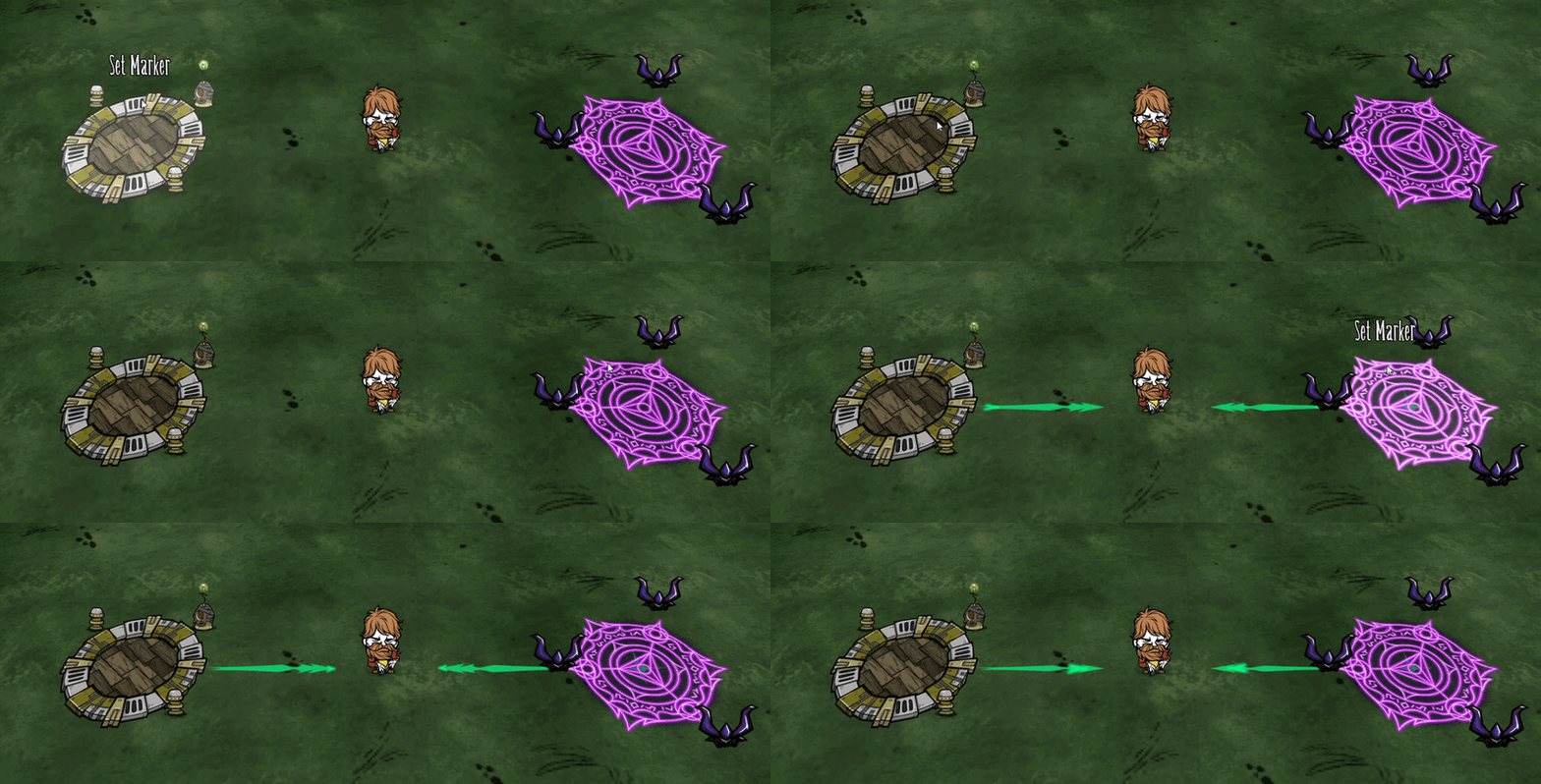
Marker snapping
Once 2 markers are placed, the mod will measure the distance between them and force that exact distance onto every new marker. If you attempt to put a marker too close to an existing one, the mod will snap it to an optimal location automatically. No careful aiming required, let the mod do the job for you. 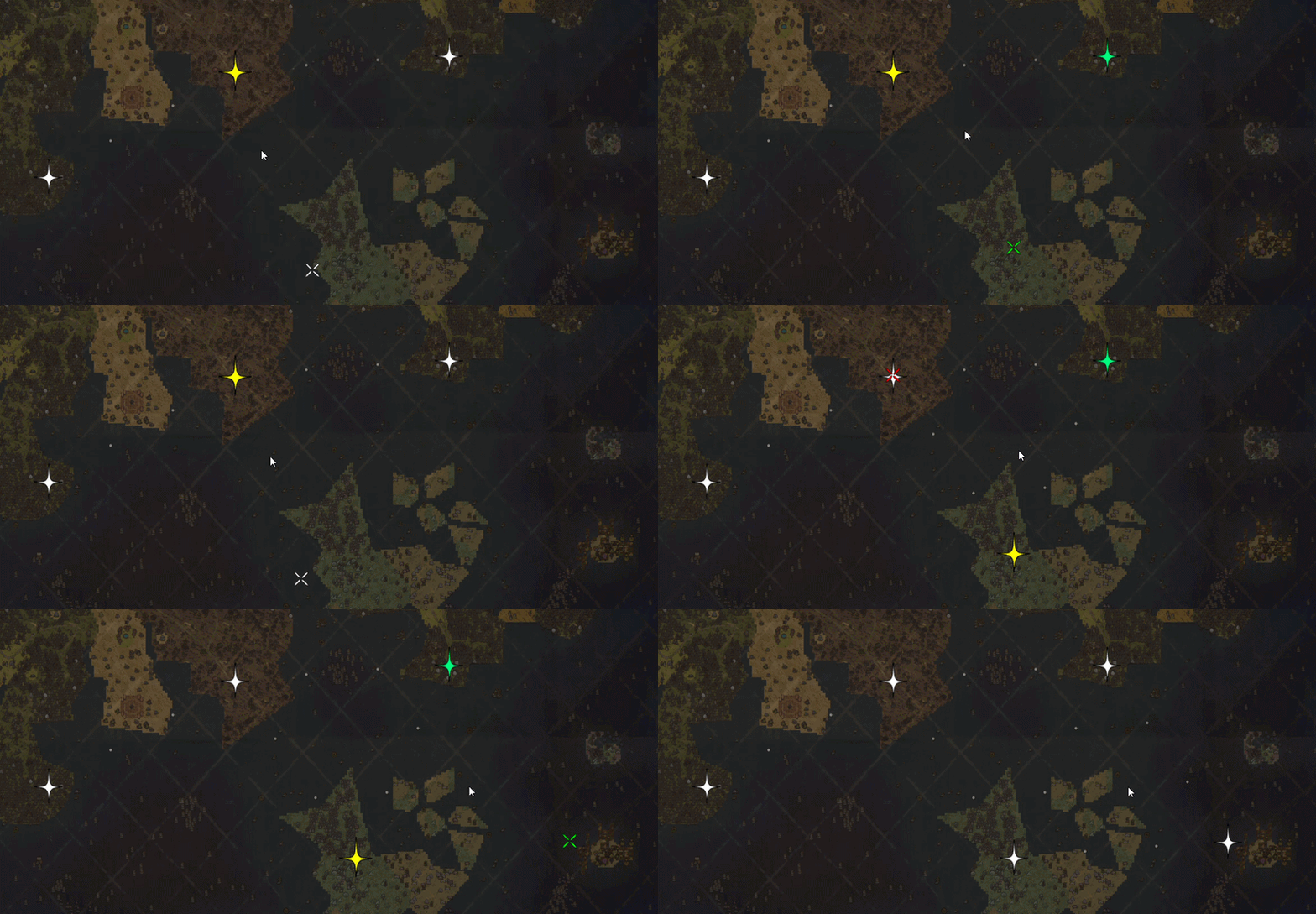
Finishing up
The markers are projected onto the world as indicators that look like teal stars with arrows pointing out. You can place a Telelocator right on top of an indicator by selecting it in the crafting menu and holding the Main Key. The placer will snap to the closest star within 5 tile radius. You can place Telepads in the same fashion - take one into the cursor and hold the Main key. 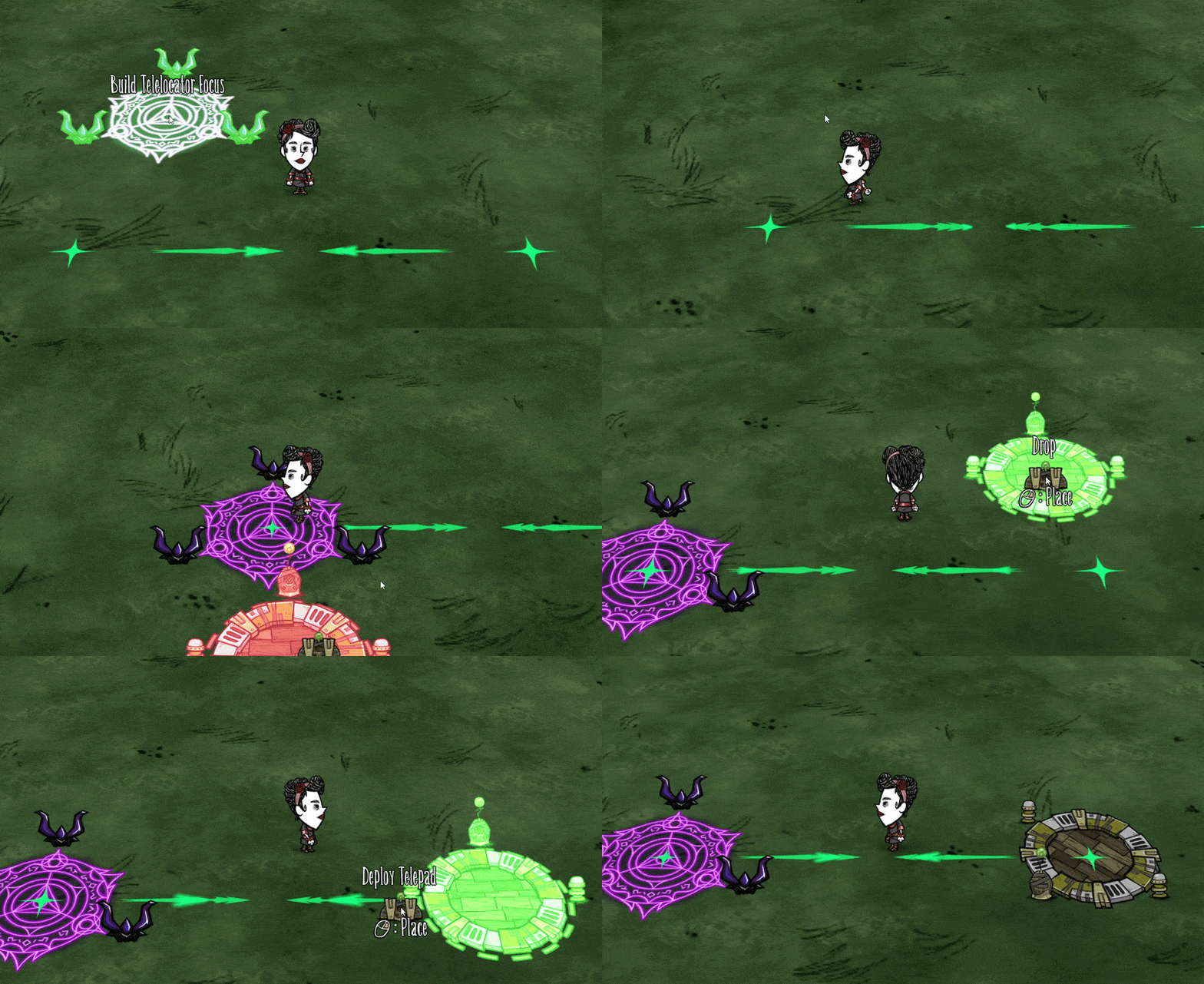
Note: if you have both Don't Starve Alone on, you'll need to disable Geometric Placement (by holding Ctrl) until the pad is placed, otherwise it will be snapped according to the grid.
Now you just need to deploy a Telepad/Telelocator at each marker, power them up and enjoy your network! The arrows will show you available directions for teleportation. The layouts are automatically saved per world.
Additional features
Net splitter
Pressing a number key will divide the enitre net into a corresponding number of parts (pressing 0 will do 10 parts). 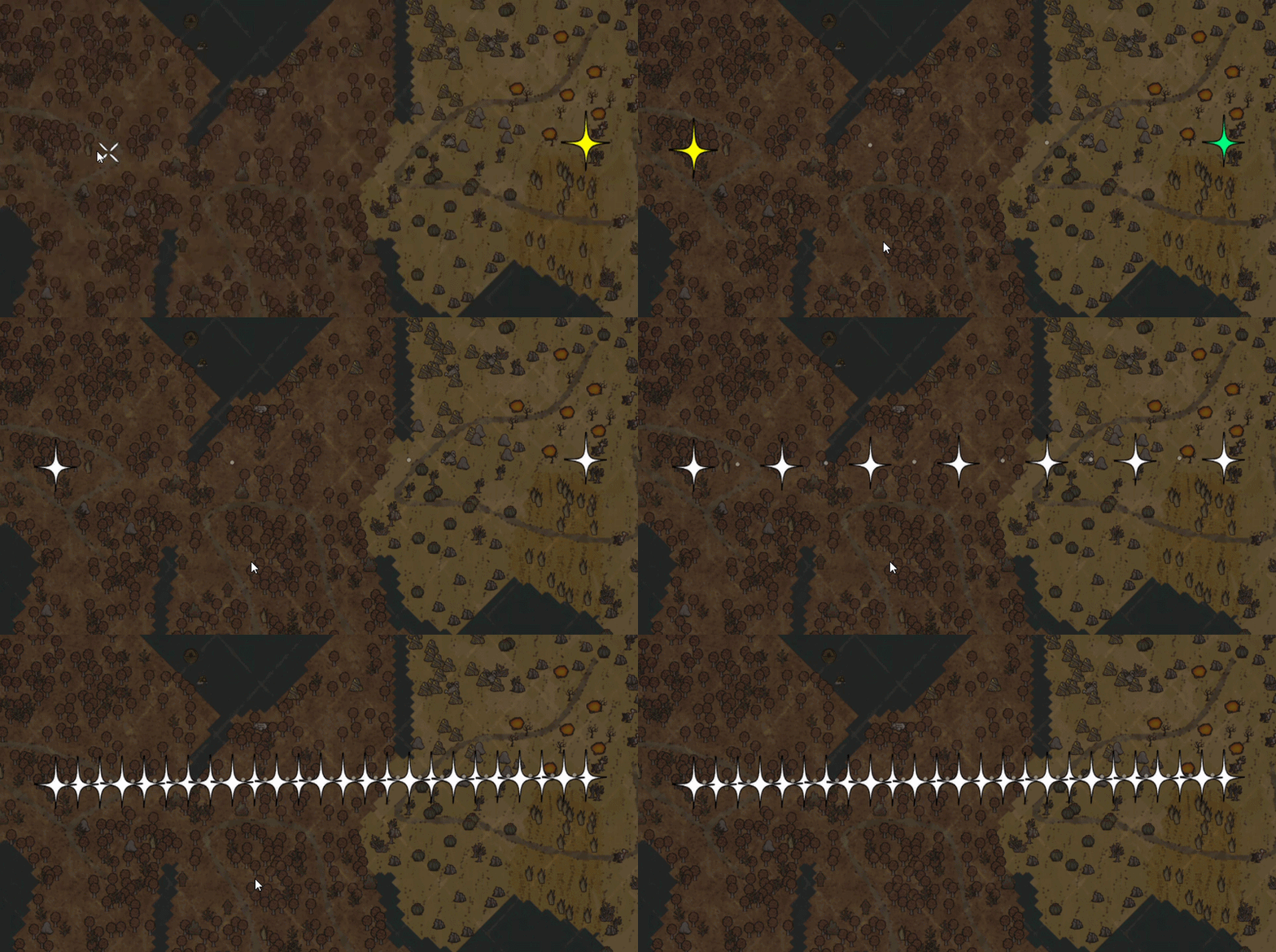
Undo/Redo
Any unwanted accident can be undone with Ctrl+Z. And if you change your mind, the canceled changes can be brought back with Ctrl+Y. The mod will only remember 20 last changes made to your layout. 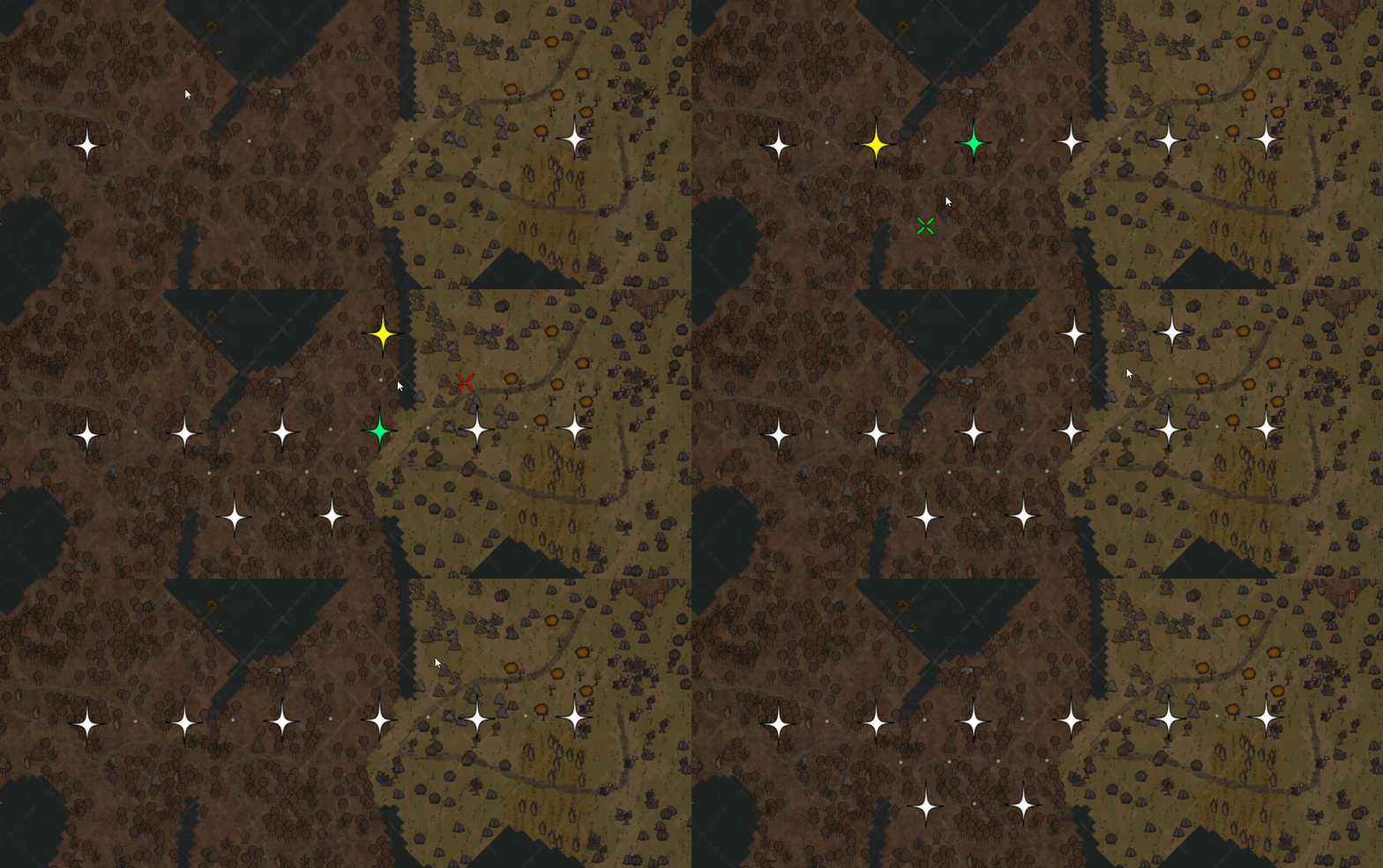
Item & Pad Highlighting
For your convenience, whenever you have the Portasol equipped, the mod will hlghlight all the items inside teleport range, the nearby telepad (to be sure whether you are within its range or not), and the arrow that matches the direction you will teleport to. The feaure also works with the Telestaff, and can be disabled in the configs. The highlight colors are fully configurable too - with [url https://steamcommunity.com/sharedfiles/filedetails/?id=3317960157]Configs Extended[/url].
Discard Forced Distance
You can remove all links and delete the forced distance between markers by pressing Main Key + Delete. Proceed at your own risk!
-- Suggestions are welcome. Let me know if you encounter any issues. Enjoy! 
Highlights
From source dataFootprint
Rated a light load on a server.
Last update
Its author last shipped an update 8d ago.
TeleArchitect on Nxeon
From our catalogue- One-click install
- Supported on Nxeon Don't Starve Together servers. We download it from Steam Workshop, place it, and restart the server.
- Server load
- light
- Smallest plan we suggest
- Don't Starve Together — 2 GB (2 GB RAM). This follows our own load rating above, not a benchmark.
- Latest build
- 2026-10-26, released 2026-10-26
Game versions by loader
| Loader | Game versions | Newest |
|---|---|---|
| Workshop |
From 5 recorded builds of TeleArchitect.
Recent builds
| Build | Released | Game versions | Loaders |
|---|---|---|---|
| 2026-10-26 | 2026-10-26 | n/a | Workshop |
| 2026-10-20 | 2026-10-20 | n/a | Workshop |
| 2026-10-19 | 2026-10-19 | n/a | Workshop |
| 2026-10-12 | 2026-10-12 | n/a | Workshop |
| 2026-09-12 | 2026-09-12 | n/a | Workshop |
Run TeleArchitect on a Don't Starve Together server
Pick a server or deploy a new one above; it is installed in one click.
What kind of mod it is
From the catalogMaps & scenarios
Custom maps, arenas and scenarios to play on.
Compatibility
- Game
- Don't Starve Together
Verified at the source
- ✓Steam WorkshopOfficial listing, checked 2026-11-01Open ↗
- ✓Authorremi, as published on Steam Workshop
- ✓LicenseNot published by the sourceFree














