






About Teletransport Planner
From Steam WorkshopAllows for planning out Teletransport Station locations. Also highlights items about to get teleported by the Portasol and the destination direction. If you place Teletransport Stations at the same…
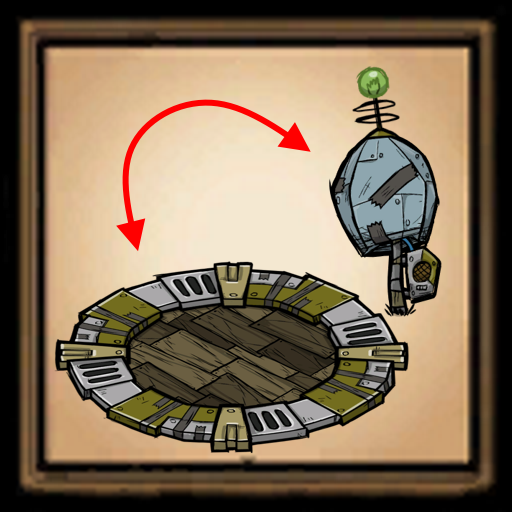
Allows for planning out Teletransport Station locations. Also highlights items about to get teleported by the Portasol and the destination direction.
If you place Teletransport Stations at the same distance away from each other, you can choose which one to teleport to when you stand on one of them by standing at different ends of the station.
Start by visiting all of your existing stations to mark them on the map.
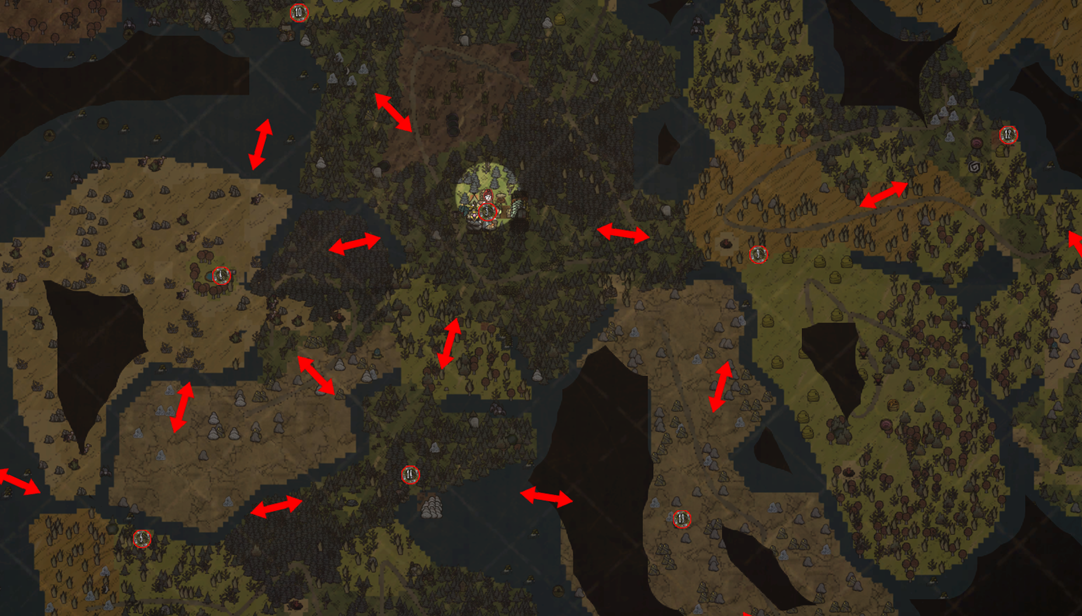
Press SHIFT on the map to show the Teletransport Station planner. Hold SHIFT to make modifications to your station plans. Use SHIFT + LMB to mark new station locations on the map. SHIFT + LMB existing markers to enable/disable them. SHIFT + RMB existing markers to remove them.
Markers with a blue outline are planned Teletransport Stations. Planned stations will show a circle in the real world to indicate where the station needs to be placed. Markers with a red outline are real stations.
When there are two stationson the map, arrows will be shown indicating which directions the Portasol can take you if you stand on that station.
To add new stations at a correct distance, place the marker directly on the white line that shows up when you hover near a station. After adding a station to the map, make sure other connections in the map still go both ways.
When a planned station is marked on the map, an indicator will show up in the world where the station marker was placed on the map. Placing a station at the center of this marker and powering it will complete the connection and update the map accordingly.
Additional QoL features also allow you to see which items are about to get teleported when you use the Telebrella / Portasol as well as which Telipad / Teletransport Station you're headed to.
Highlights
From source dataFootprint
Rated a light load on a server.
Last update
Its author last shipped an update 5d ago.
Teletransport Planner on Nxeon
From our catalogue- One-click install
- Supported on Nxeon Don't Starve Together servers. We download it from Steam Workshop, place it, and restart the server.
- Server load
- light
- Smallest plan we suggest
- Don't Starve Together — 2 GB (2 GB RAM). This follows our own load rating above, not a benchmark.
- Latest build
- 2026-10-31, released 2026-10-31
Game versions by loader
| Loader | Game versions | Newest |
|---|---|---|
| Workshop |
From 3 recorded builds of Teletransport Planner.
Recent builds
| Build | Released | Game versions | Loaders |
|---|---|---|---|
| 2026-10-31 | 2026-10-31 | n/a | Workshop |
| 2026-10-26 | 2026-10-26 | n/a | Workshop |
| 2024-08-24 | 2024-08-24 | n/a | Workshop |
Run Teletransport Planner on a Don't Starve Together server
Pick a server or deploy a new one above; it is installed in one click.
What kind of mod it is
From the catalogWeapons, items & crafting
New weapons, gear, items and the recipes to make them.
Compatibility
- Game
- Don't Starve Together
Verified at the source
- ✓Steam WorkshopOfficial listing, checked 2026-11-02Open ↗
- ✓AuthorElectroely, as published on Steam Workshop
- ✓LicenseNot published by the sourceFree














