
About Hephaestus Spaceport
From Steam WorkshopBA Class 10, Unlock Level 20 Built for XCaliber's May Challenge. Primary roles: Large Hangar, Forge, Multiply landing areas, Storage, Solar, Special CV docking support, Repair, Crafting, Defense,…
BA Class 10, Unlock Level 20
Built for XCaliber's May Challenge.
Primary roles: Large Hangar, Forge, Multiply landing areas, Storage, Solar, Special CV docking support, Repair, Crafting, Defense, Farm, Alpha 9.x 7500 CPU
Update 6/17/19 - Switched base to alpha 10. I fixed many decal, block, and texture alignment issues and added a T2 Shield (located above the farm)
Update 5/19/19 - Fixed ammo req. LCD to list the correct ammo for the base.
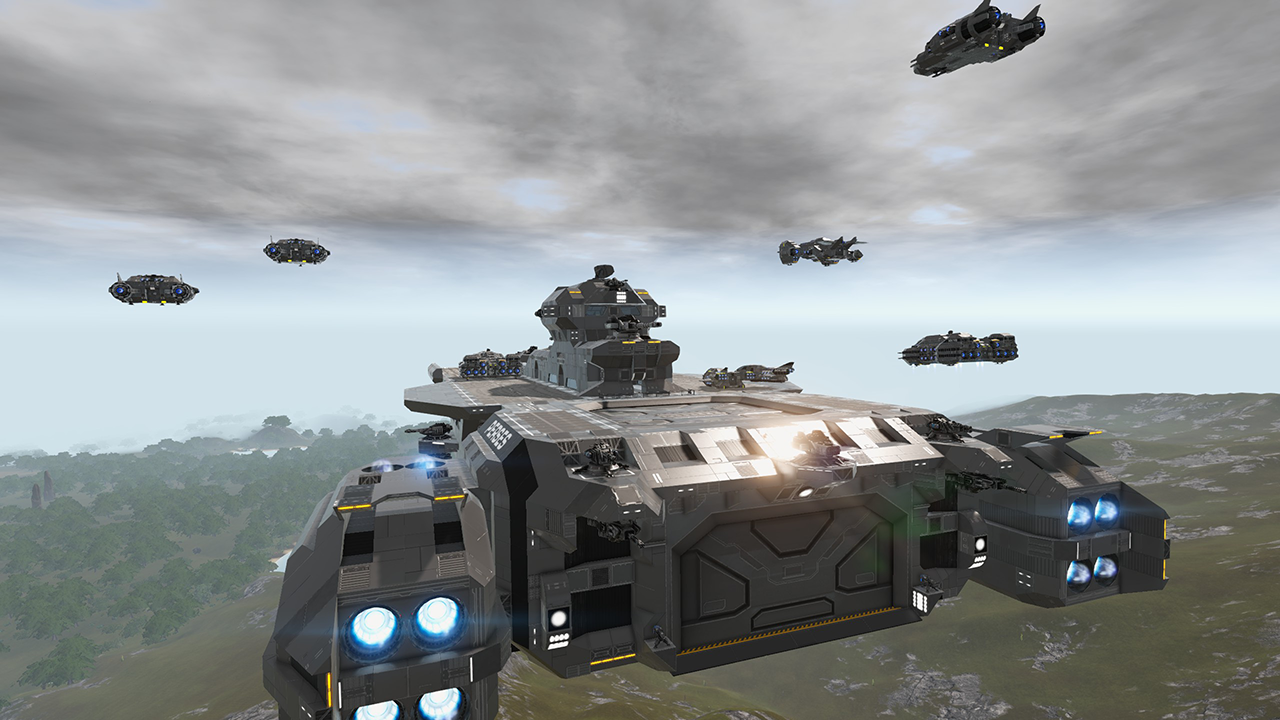
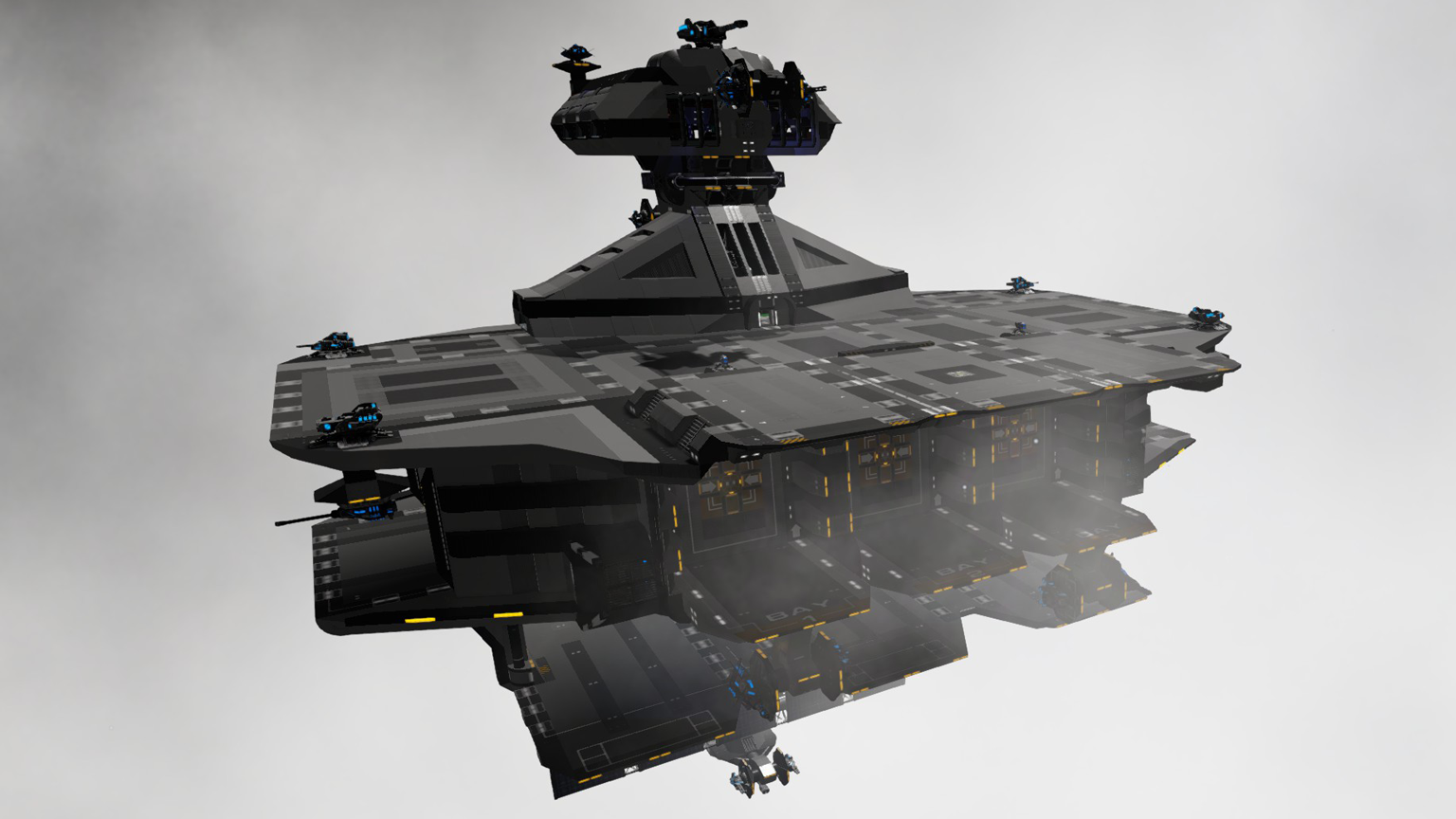
The Hephaestus Space port is a large solar powered processing center/coop player base. It has a load of features to cover but the main concept is a space forge. (Hephaestus - Greek God of Forging). A very special feature is it has 3 custom made docking ports for a specific storage CV designed to work with them (See Transit-L2, link below). The hull is built with combat armor and it has a lot of defense. This base features multiple SV landing areas, a CV air lock, special extension port, a large hangar, farm, guest rooms, lounge, and much more.
Crafting and coop In the production area (Hangar) it comes with 4 forges, 4 constructors, 4 de-constructors, 2x320K storage, med bay, 3 specialized CV loader ports, armor rack, repair station, 2 fridges, and 1 food processor. This area is where you get your work and processing done as well as docking of SV's. Also on a different floor it features a 54 grow plot farm as well as several more fridges and two more cooking stations. As in coop, the hangar is design to support the needs or 2-4 players. To save on power, most areas around the station have switches to turn off equipment when not in use. It also features 15 large solar panels on a arm on the bottom of the base. When placing this base you should aim directly at the sun for maximum solar output.
Offensive and Defense
The spaceport comes with nearly maxed turrets allowed in game rules and 8 sentry guns. In the hangar a sign will tell you ammo requirements for full operation. Features Summary:
Other rooms and areas
Beside the functional areas of the hangar and farm, it also has many other rooms. You will find 4 crew rooms, a lounge with swimming pool (sorry, waiting on water for pool :), and some engineering rooms mostly on the lower decks. It has a reserve room above the farm not accessible without EVA(Jet pack) which houses a backup generator. Also it has a CV airlock out the back as well as a expansion air lock designed for future modules. You can also take second elevator to the bottom of the base where there is the lower defense platform.
Specialized Transit-L2 docking
The 3 CV docking ports in the hangar are design to hold up to 3 storage CV's each with 640K storage (2x320K). When operating a Transit-L2, you should be in first person, line your cross hair to the mark on the wall in loading bay (1-3) and fly directly at it until you touch the wall and then move down until ship is docked. Note, unlike docking a SV.HV to base or CV, you will not hear the docking sound. If you are not perfectly lined up it does not matter much. Once docked, turn off the thruster/RCS switch and move up the elevator to the top of the ship and walk out to the bay door to enter the hangar. Once in the hangar go to the specific bay and hit the switch to open the bay doors revealing the storage controls (With WiFi you really don't need to do this). This system is air tight and will not lose o2. You can get the Transit-L2 here: https://steamcommunity.com/sharedfiles/filedetails/?id=1745041507
Features Summary
1. Player unlock level 20, Under 7500 CPU. 2. Large hangar and multiple landing areas 3. 2X 320K storage, expandable to 8X320K with 3 Transit-L2 CV's in loading bays. 4. 15 Large solar panels, two capacitors, multiple WiFi up links to cover the large area this spaceport takes. 5. compartmentalized o2, med bay 6. 3 Specialized CV loading bays 7. Sensor based lights and doors 8. 4 Constructors, 4 Forges, 4 deconstructors, CV/SV Repair bay (outside on main landing area) 9. 54 grow plot farm with grow light control switches. 10. 4 crew room areas (all different), large lounge with swimming pool, multiple other areas to visit. 11. CV Repair (T2) extension on main landing area with console. 12. Offline Protection, ATM, Specialized Medical equipment 13. Sensor based lights and some doors 14. Compartmentalized O2. This is also true between the farm and hangar (roof opening) although appearing it is not. 15. Added T2 Shield (located above farm) - Part of a alpha 10 update.
Note: I believe I am missing some of the features in this write up at the time. All I can say is have fun exploring and if you do use the L2 ports the station will have 8x320K storage available and be 7500 CPU compliant. Also, although this base has some fluff with crew rooms and a lounge, function was not forgotten and laid out in the hangar area with the farm just above it. These are the places that have all survival needs short of ATM (Lounge) and with quick access and not much walking.
Note 2: One last thing I noticed is the 3 docking ports are rigged with sensors to light up the target area for the Transit-L2. What I have noticed now is being in the cockpit of a CV, the sensors do not trigger and the lights do not turn on when approaching. I don't believe there is anything I can to do fix that. They work on foot or in a SV, but not a CV. If anyone knows of a solution please let me know. I didn't want to keep them on all the time and waste power.
Please see my workshop or "Military Survival Series" collection for my other creations. Link at top of this post. Thanks!
Modded versions by other authors:
Hephaestus Spaceport 7C by Dorimanx. Thanks Dorimanx! https://steamcommunity.com/sharedfiles/filedetails/?id=1798891006
Highlights
From source dataFootprint
Rated a light load on a server.
Last update
Its author last shipped an update 7 yr ago.
Hephaestus Spaceport on Nxeon
From our catalogue- One-click install
- Supported on Nxeon Empyrion: Galactic Survival servers. We download it from Steam Workshop, place it, and restart the server.
- Server load
- light
- Smallest plan we suggest
- Empyrion — 8 GB (8 GB RAM). This follows our own load rating above, not a benchmark.
- Latest build
- 2019-06-19, released 2019-06-19
Game versions by loader
| Loader | Game versions | Newest |
|---|---|---|
| Workshop |
From 1 recorded build of Hephaestus Spaceport.
Run Hephaestus Spaceport on a Empyrion: Galactic Survival server
Pick a server or deploy a new one above; it is installed in one click.
What kind of mod it is
From the catalogWeapons, items & crafting
New weapons, gear, items and the recipes to make them.
Compatibility
- Game
- Empyrion: Galactic Survival
Verified at the source
- ✓Steam WorkshopOfficial listing, checked 2026-11-01Open ↗
- ✓Authorjrandall, as published on Steam Workshop
- ✓LicenseNot published by the sourceFree