
About [LF] A-Wing Interceptor
From Steam WorkshopGet going early with the RZ1a A-wing! The A-wing spawns in at level 7 for Reforged Eden and Vanilla, and features a number of devices, and internal compartment space which can be utilized to stretch…
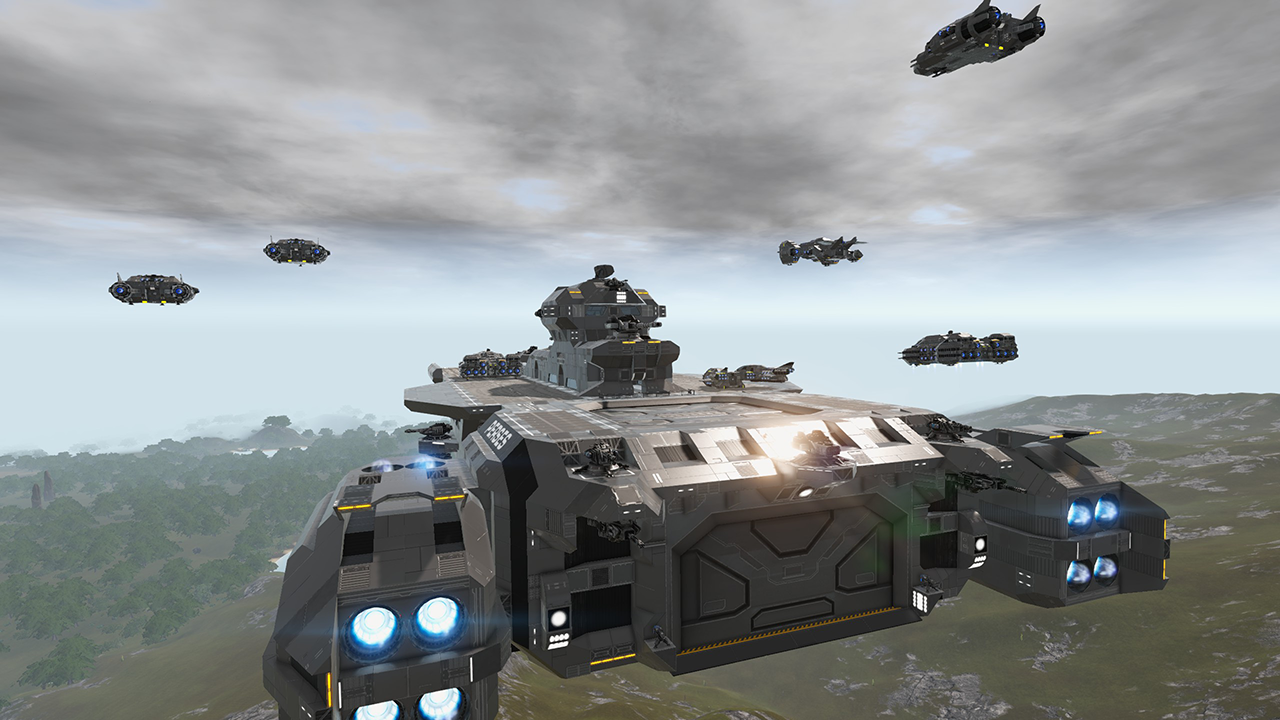
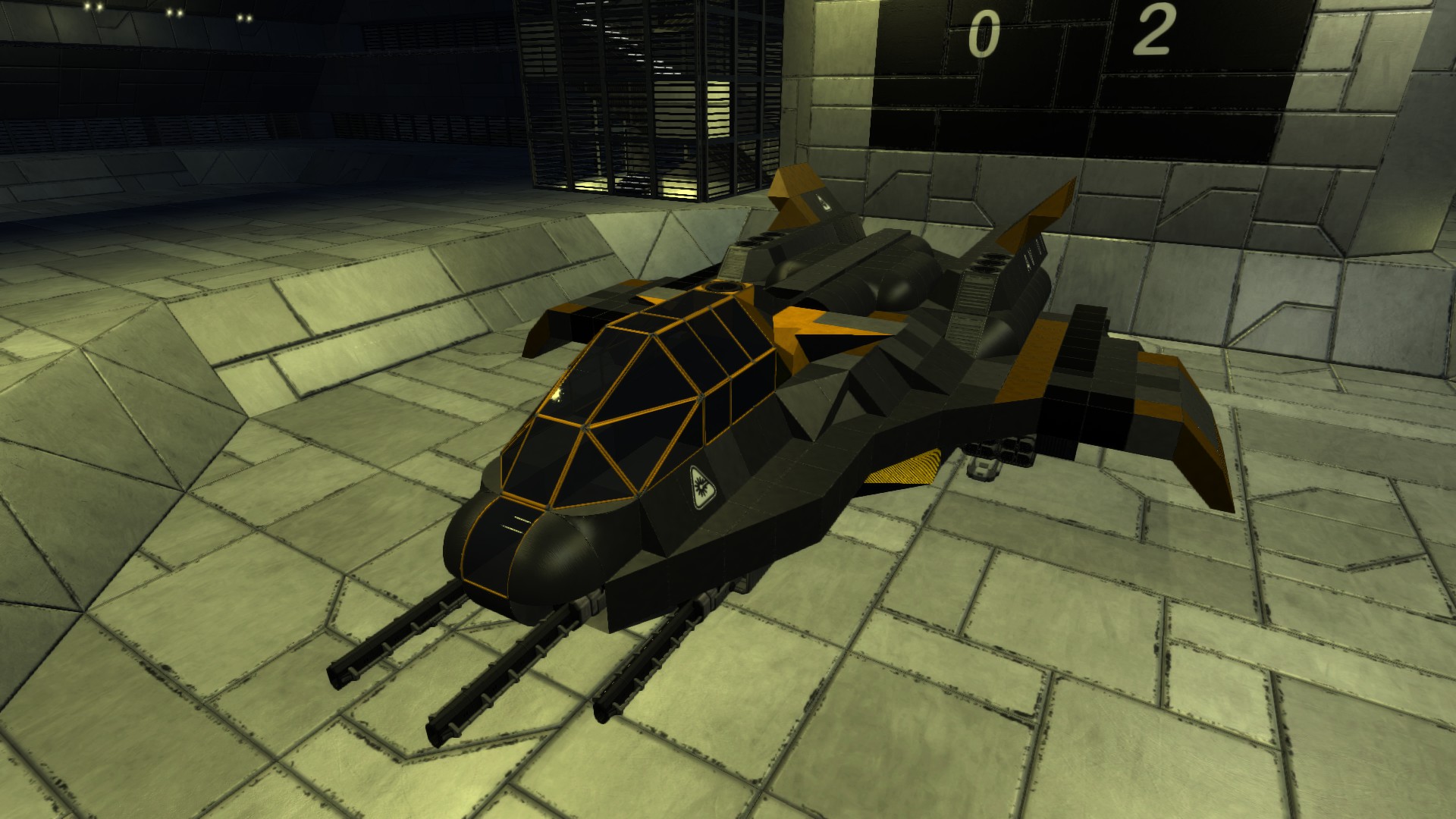
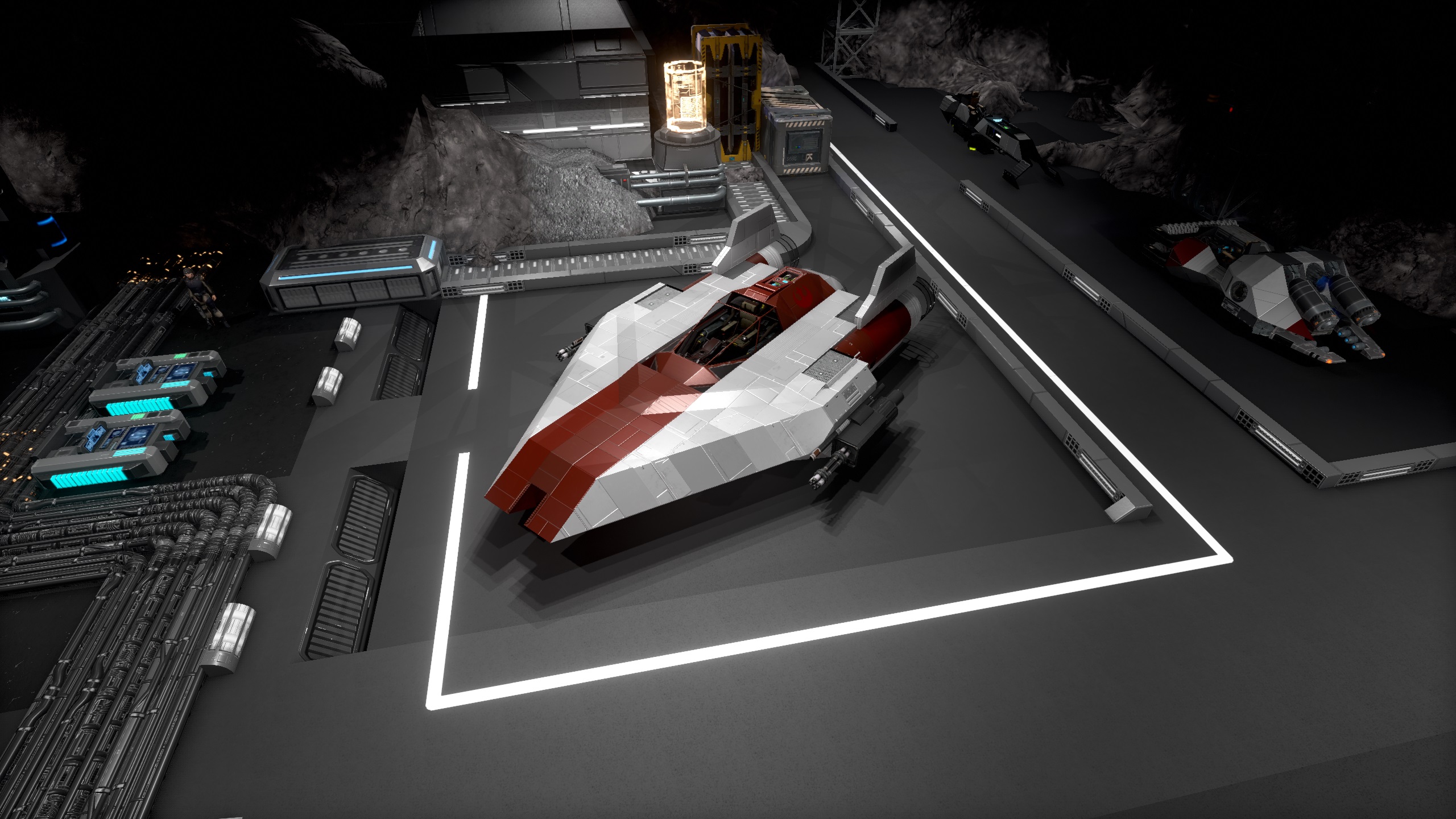
Get going early with the RZ1a A-wing! The A-wing spawns in at level 7 for Reforged Eden and Vanilla, and features a number of devices, and internal compartment space which can be utilized to stretch a playthrough to mid game and beyond.
In addition to internal compartment space for expansion, the A-wing can see thrusters upgraded, or additional ones placed, and space for additional weaponry is provisioned.
The Kuat Systems Engineering RZ1a A-wing
The RZ1a A-wing is the prototype to what would become the RZ1 line of A-wings. The RZ1a is a short range light interceptor, designed to work out of CV's and its compact form can see it dock inside a number of smaller CV hangars.
If you like the build, please consider giving it a thumbs up
To see this and other builds come to life, check me out at https://www.twitch.tv/lyfeforse
To learn how to upgrade the A-wing, and track future content, follow me at https://www.youtube.com/watch?v=xAmVj26llHE
Hello kindred Empyrion spirits!
[i]Let me start with a request; please respect blueprint authors. Often it takes months to finesse a build, and to have it ripped and reuploaded without permission or even so much as credit, can be discouraging, often pushing such authors away from the community.
I personally don't mind critical feedback, and constructive criticism, as it will serve me to better my builds. However, If you enjoy my content, and there is much more to come, respect my (and others) authorship of these massive timesinks. Thank You.[/i]
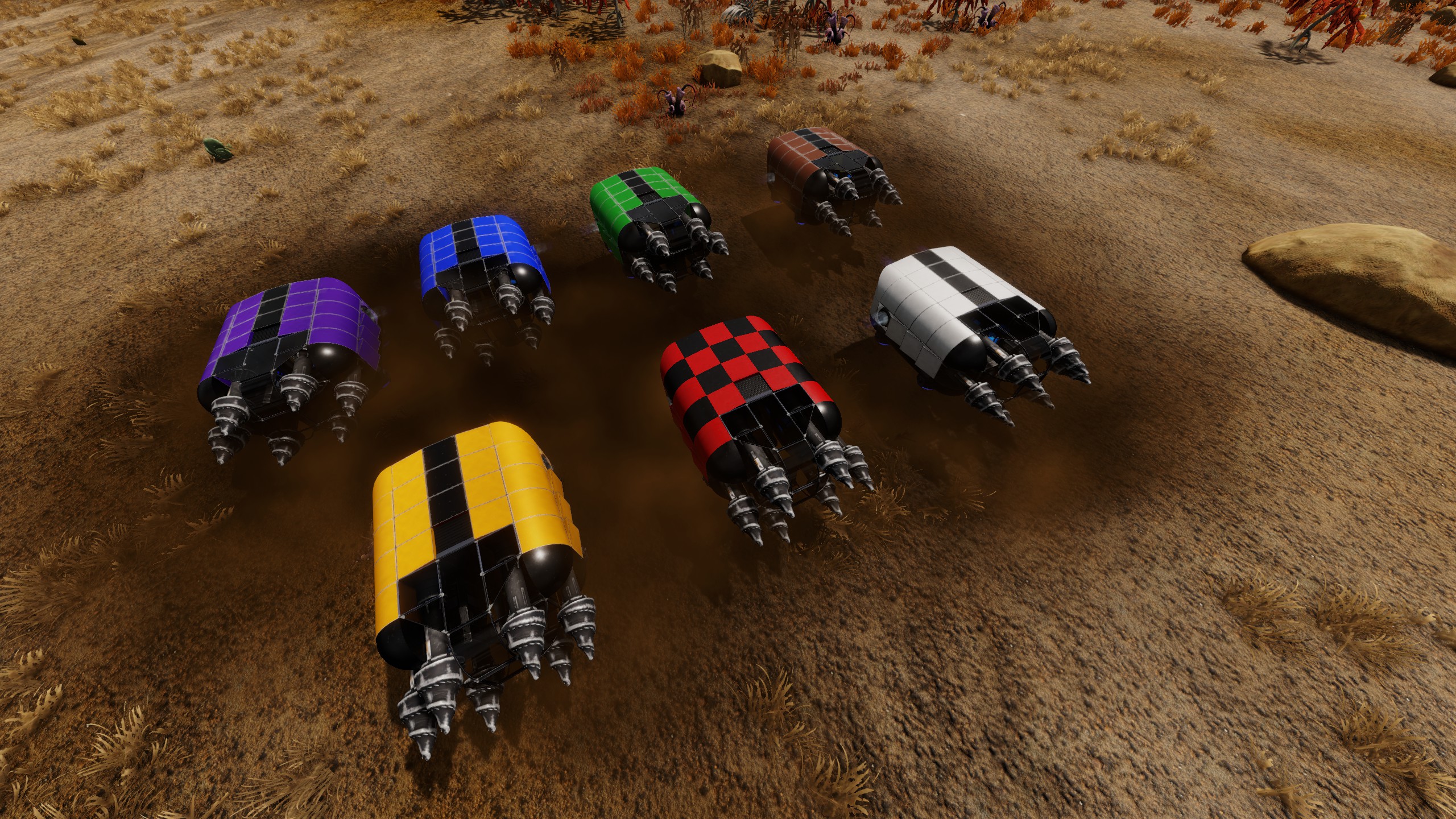
HOW TO CHANGE THE COLOR SCHEME
1. First copy the desired color code found either here, or inside the Condor's compartment with control C. 2. While looking at the ship with color/texture tool out, right click to open texture palette, then click configure. 3. Your green selection box should be over the top left color. If not, left click it to select. 4. Now while holding down shift, left click the bottom right color box, then in the left UI box, hit paste. 5. Once done, your new palette should apply, but to lock it in you have to hit OK under the color palette box.
Color code for default red textures:
|0#0#0#0#0|1#0#255#220#166|2#0#71#55#72|3#0#255#255#255|4#0#141#109#33|5#0#33#50#16|6#0#44#61#89|7#0#187#135#90|0#1#220#220#220|1#1#132#132#132|2#1#63#48#64|3#1#220#0#150|4#1#130#100#31|5#1#28#42#13|6#1#39#54#79|7#1#66#42#29|0#2#146#146#146|1#2#220#170#3|2#2#69#27#17|3#2#47#47#47|4#2#0#15#100|5#2#74#19#6|6#2#28#149#36|7#2#69#27#17|0#3#110#110#110|1#3#124#124#124|2#3#74#19#6|3#3#73#73#73|4#3#58#24#59|5#3#65#65#65|6#3#0#40#0|7#3#10#10#10
Color code for Blue:
|0#0#0#0#0|1#0#255#220#166|2#0#71#55#72|3#0#255#255#255|4#0#141#109#33|5#0#33#50#16|6#0#44#61#89|7#0#187#135#90|0#1#220#220#220|1#1#132#132#132|2#1#63#48#64|3#1#220#0#150|4#1#130#100#31|5#1#28#42#13|6#1#39#54#79|7#1#66#42#29|0#2#146#146#146|1#2#220#170#3|2#2#69#27#17|3#2#47#47#47|4#2#0#15#100|5#2#39#54#79|6#2#28#149#36|7#2#44#61#89|0#3#110#110#110|1#3#124#124#124|2#3#74#19#6|3#3#73#73#73|4#3#58#24#59|5#3#65#65#65|6#3#0#40#0|7#3#10#10#10
Color code for Green:
|0#0#0#0#0|1#0#255#220#166|2#0#71#55#72|3#0#255#255#255|4#0#141#109#33|5#0#33#50#16|6#0#44#61#89|7#0#187#135#90|0#1#220#220#220|1#1#132#132#132|2#1#63#48#64|3#1#220#0#150|4#1#130#100#31|5#1#28#42#13|6#1#39#54#79|7#1#66#42#29|0#2#146#146#146|1#2#220#170#3|2#2#69#27#17|3#2#47#47#47|4#2#0#15#100|5#2#28#42#13|6#2#28#149#36|7#2#33#50#16|0#3#110#110#110|1#3#124#124#124|2#3#74#19#6|3#3#73#73#73|4#3#58#24#59|5#3#65#65#65|6#3#0#40#0|7#3#10#10#10
Color code for Gold:
|0#0#0#0#0|1#0#255#220#166|2#0#71#55#72|3#0#255#255#255|4#0#141#109#33|5#0#33#50#16|6#0#44#61#89|7#0#187#135#90|0#1#220#220#220|1#1#132#132#132|2#1#63#48#64|3#1#220#0#150|4#1#130#100#31|5#1#28#42#13|6#1#39#54#79|7#1#66#42#29|0#2#146#146#146|1#2#220#170#3|2#2#69#27#17|3#2#47#47#47|4#2#0#15#100|5#2#130#100#31|6#2#28#149#36|7#2#141#109#33|0#3#110#110#110|1#3#124#124#124|2#3#74#19#6|3#3#73#73#73|4#3#58#24#59|5#3#65#65#65|6#3#0#40#0|7#3#10#10#10
Color code for Purple:
|0#0#0#0#0|1#0#255#220#166|2#0#71#55#72|3#0#255#255#255|4#0#141#109#33|5#0#33#50#16|6#0#44#61#89|7#0#187#135#90|0#1#220#220#220|1#1#132#132#132|2#1#63#48#64|3#1#220#0#150|4#1#130#100#31|5#1#28#42#13|6#1#39#54#79|7#1#66#42#29|0#2#146#146#146|1#2#220#170#3|2#2#69#27#17|3#2#47#47#47|4#2#0#15#100|5#2#63#48#64|6#2#28#149#36|7#2#71#55#72|0#3#110#110#110|1#3#124#124#124|2#3#74#19#6|3#3#73#73#73|4#3#58#24#59|5#3#65#65#65|6#3#0#40#0|7#3#10#10#10
Armament
The A-wing comes stock with 2 miniguns, and can mount up to 2 additional weapons.
survivability
The A-wing has a body encasement of steel, with some sections at the front of the ship having 2 layers. The build fulfills a light interceptor roll, so for pilots seeking more robust platform, other ships might need to be sought out for dedicated end game.
A good measure of chain reaction mitigation has been done, though some areas might become weakspots if some thrusters aren't properly installed.
Thrusters
Placement for additional thrusters extensively detailed in the tutorial video
Features and Devices
Comes with Wifi, detector, fridge, and oxygen dispenser
Storage
A-wing comes stock with a modest 1.75k Harvest, and 2.25k ammo,
The cargo can be extended by connecting to marked boxes, though with internal space being crucial, discerning pilots will have to decide on the intended function of the build with limited space for devices.
The "H" and "A" marked in the corners of the back internal compartment denote where a connection conflict will occur, so players can decide to remove one or the other to expand out.
Lore and History
Highlights
From source dataFootprint
Rated a light load on a server.
Last update
Its author last shipped an update 3 yr ago.
[LF] A-Wing Interceptor on Nxeon
From our catalogue- One-click install
- Supported on Nxeon Empyrion: Galactic Survival servers. We download it from Steam Workshop, place it, and restart the server.
- Server load
- light
- Smallest plan we suggest
- Empyrion — 8 GB (8 GB RAM). This follows our own load rating above, not a benchmark.
- Latest build
- 2023-07-27, released 2023-07-27
Game versions by loader
| Loader | Game versions | Newest |
|---|---|---|
| Workshop |
From 1 recorded build of [LF] A-Wing Interceptor.
Run [LF] A-Wing Interceptor on a Empyrion: Galactic Survival server
Pick a server or deploy a new one above; it is installed in one click.
What kind of mod it is
From the catalogGameplay & overhauls
New mechanics, content and overhauls that change how the game plays.
Compatibility
- Game
- Empyrion: Galactic Survival
Verified at the source
- ✓Steam WorkshopOfficial listing, checked 2026-11-01Open ↗
- ✓AuthorLyfeForse, as published on Steam Workshop
- ✓LicenseNot published by the sourceFree