







About Auto Resource Redux
From Factorio Mod PortalAutomatic resource distribution between machines - for RTS like/combat focused gameplay
Auto Resource Redux
A Factorio mod that automates most logistics so you can focus on combat. This makes the gameplay similar to a RTS game.
Features
Shared Storage
Each force (team) gets a storage that's unique to each surface (game map/planet). The items in the storage are shown in a table at the top of the screen: 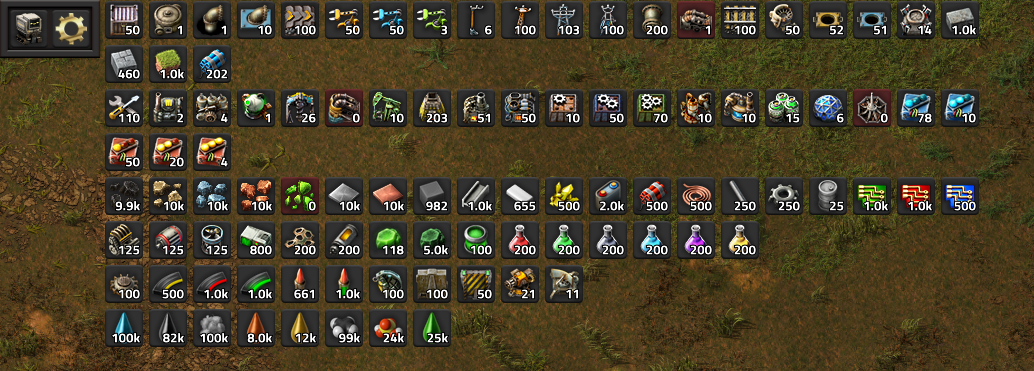
The UI can be hidden/shown by right-clicking the gear icon in the upper left.
An item can be removed from storage by clicking its corresponding button:
- Click to take 1 item, Right-Click to take 5
- Shift-Left Click to take a stack, Shift-Right Click for half a stack
- Ctrl-Left Click to take all, Ctrl-Right click for half of the total
To store an item, simply move it to the logistics trash in the inventory screen.
Middle-Click an item to open the limit settings: 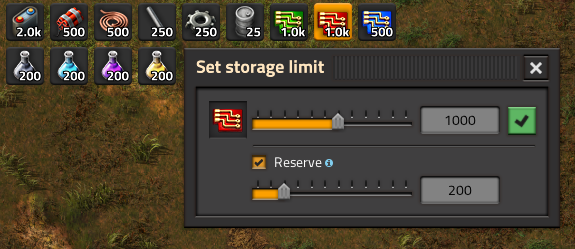 A limit can be set to prevent producing too much of an item. A reservation can be set to always keep some resources in storage.
Most items can be stored, aside from ones that extra info - like blueprints or spidertron remotes (storing these would strip them of their contents, as the items are removed from the game world when they are stored). Items with equipment grids like armours and vehicles will have their equipment removed and stored along-side them, however.
Multiplayer Compatible
Storages are separated by forces, allowing you to play co-op or PvP. When joining a new force, the gear icon in the top left must be clicked to activate the mod for your force.
Automated assemblers
- Items and fluids needed by assemblers are automatically managed. Simply set a recipe and the machine will receive items automatically.
- You can prevent overproduction of an item by setting a limit for it, or by setting a condition on the machine.
Conditional insertion
A UI has been added to every entity that this mod manages: 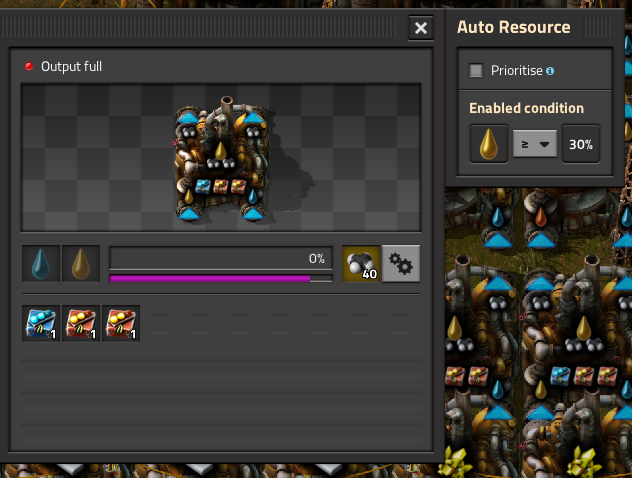
- Prioritise: Allows a machine to use reserved resources (this will set a reservation on the items if necessary). Boilers and vehicles automatically have this set which ensures that your power production always gets fuel.
- Enabled condition: if set, items will only be inserted when the condition is met.
These settings will be stored in blueprints and can also be copied/pasted. Additionally, you can copy and paste the settings by Shift-Middle-Clicking over an entity: 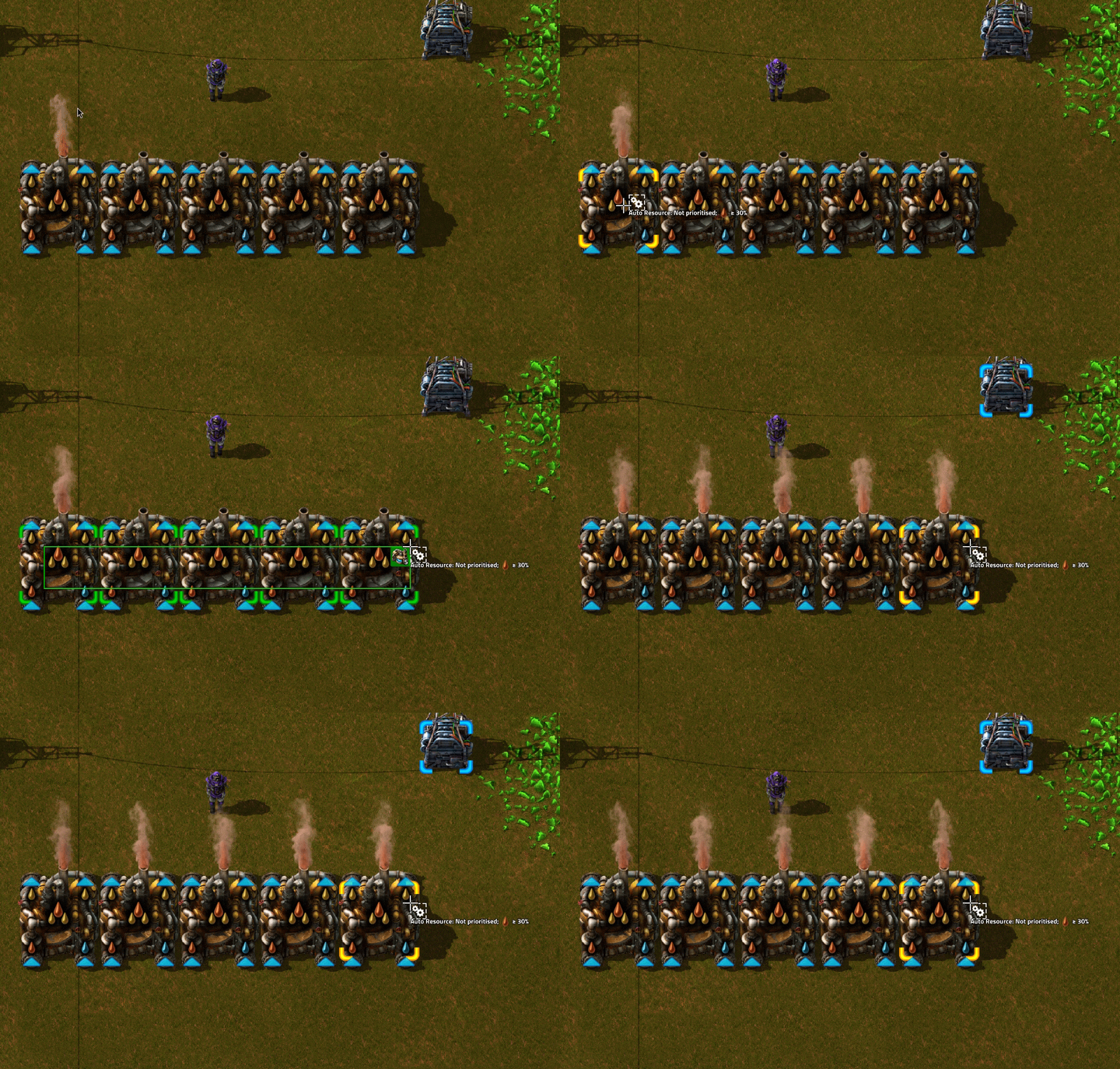
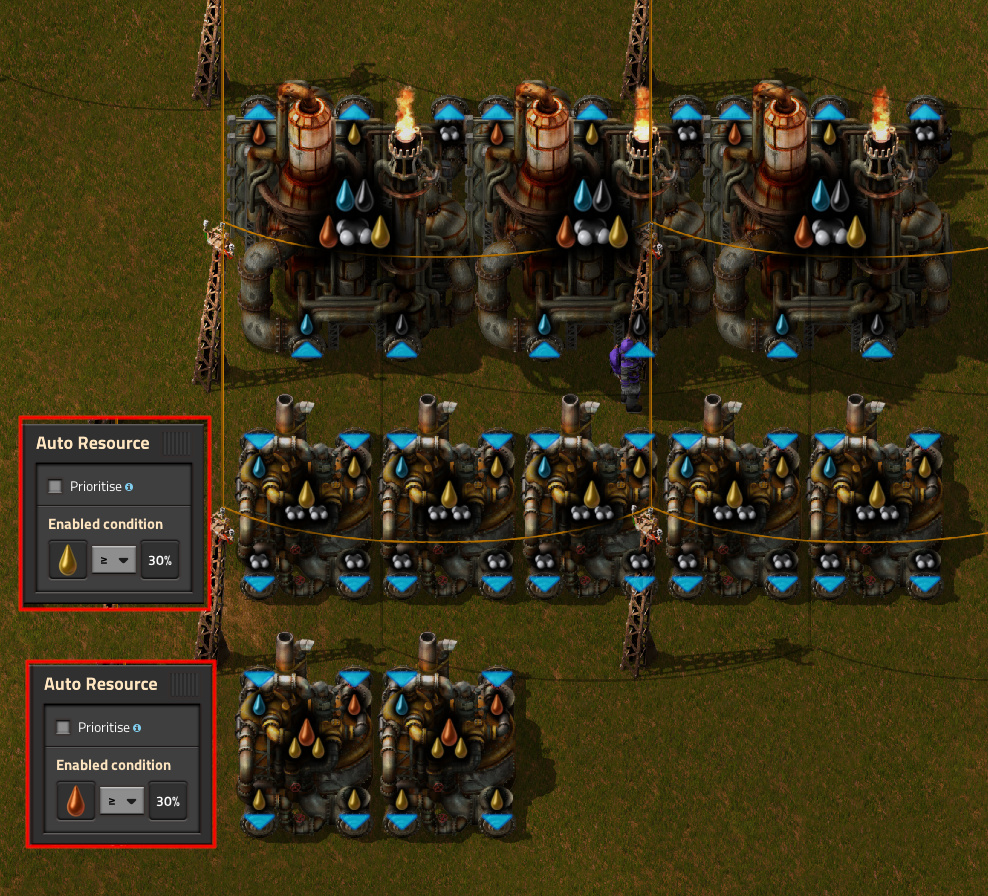
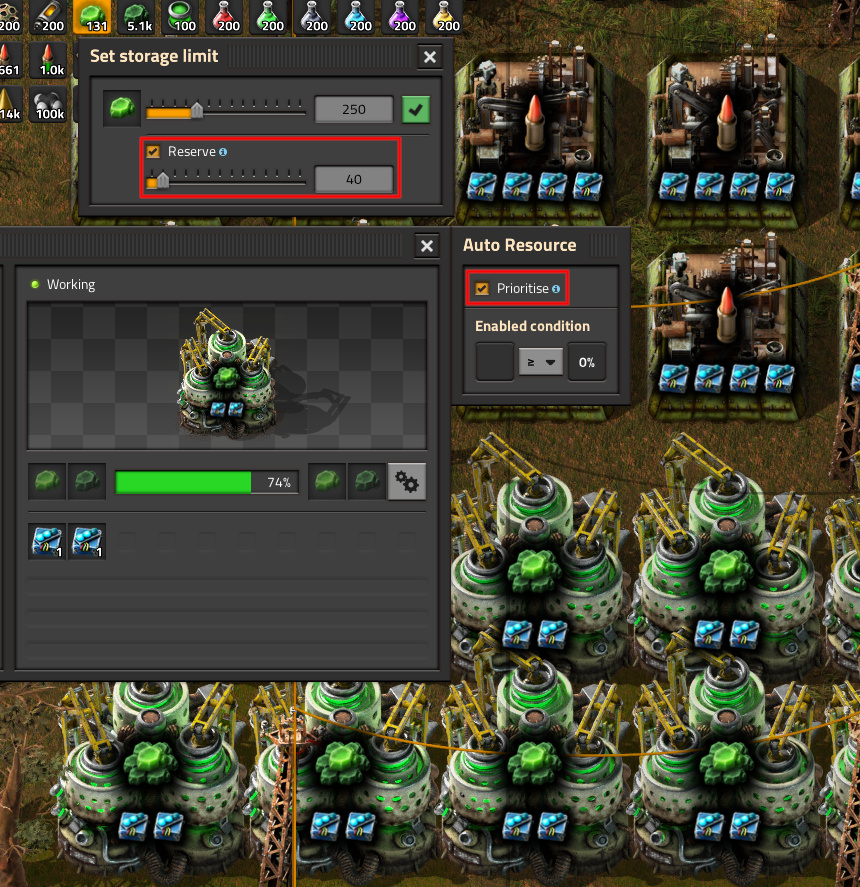
Using these options it is possible to manage complex production chains, like cracking or Kovarex enrichment:
- Vanilla cracking: the machines should only operate when there is a surplus of the inputs:
- Kovarex enrichment: reserve 40+ U-235 so that the enrichment machines always have access to enough to be able to run:
In games with multiple surfaces (eg space exploration), you can select which storage to use for the condition. This can be used to easily control your delivery cannons: 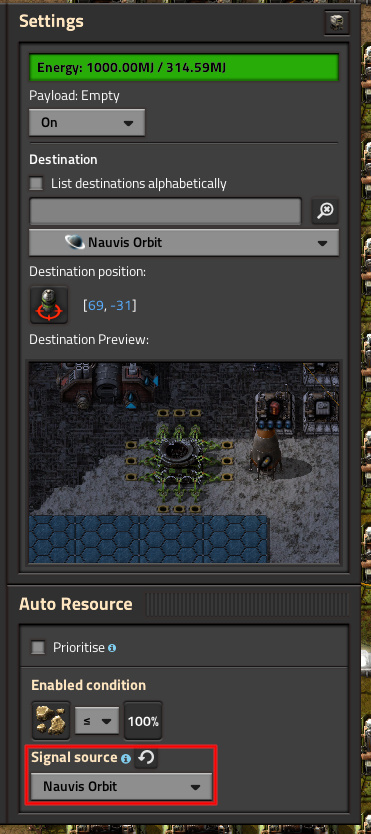
Circuits
Using the Auto Resource Combinator, you can read the contents of your storage. This can be used for more complex logic than the built-in conditions: 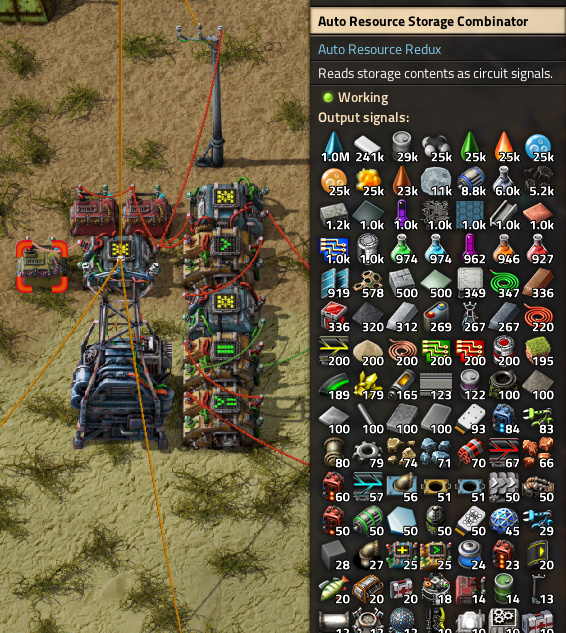
Note that due to API performance limitations the combinators don't update every tick, and you should avoid building lots of them (above 100 might cause slowdowns, depending on your hardware).
Furnaces
Furnace recipes can be set in the panel that opens next to the standard furnace UI: 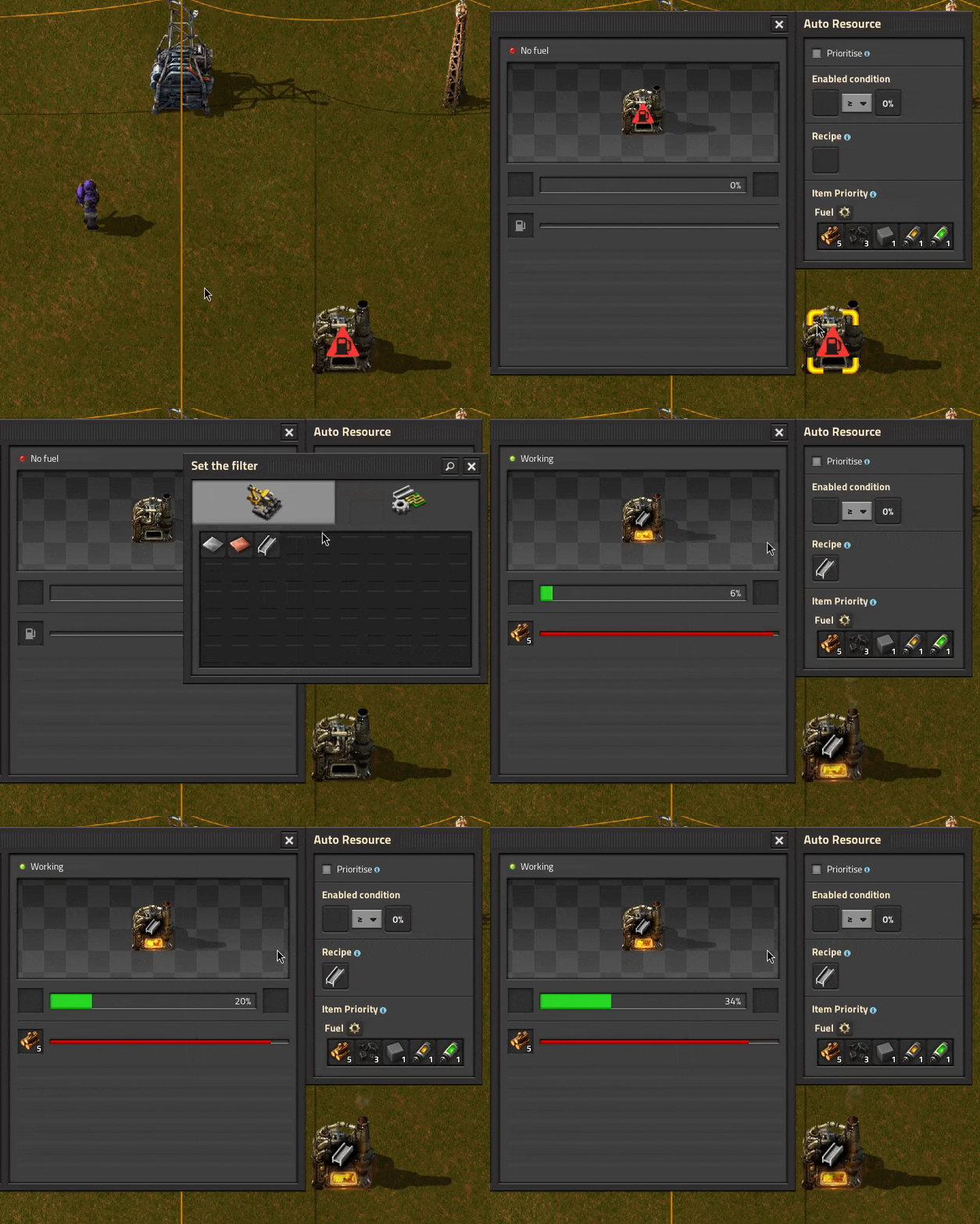
Recipes can also be copied/pasted like with assemblers (also blueprinted): 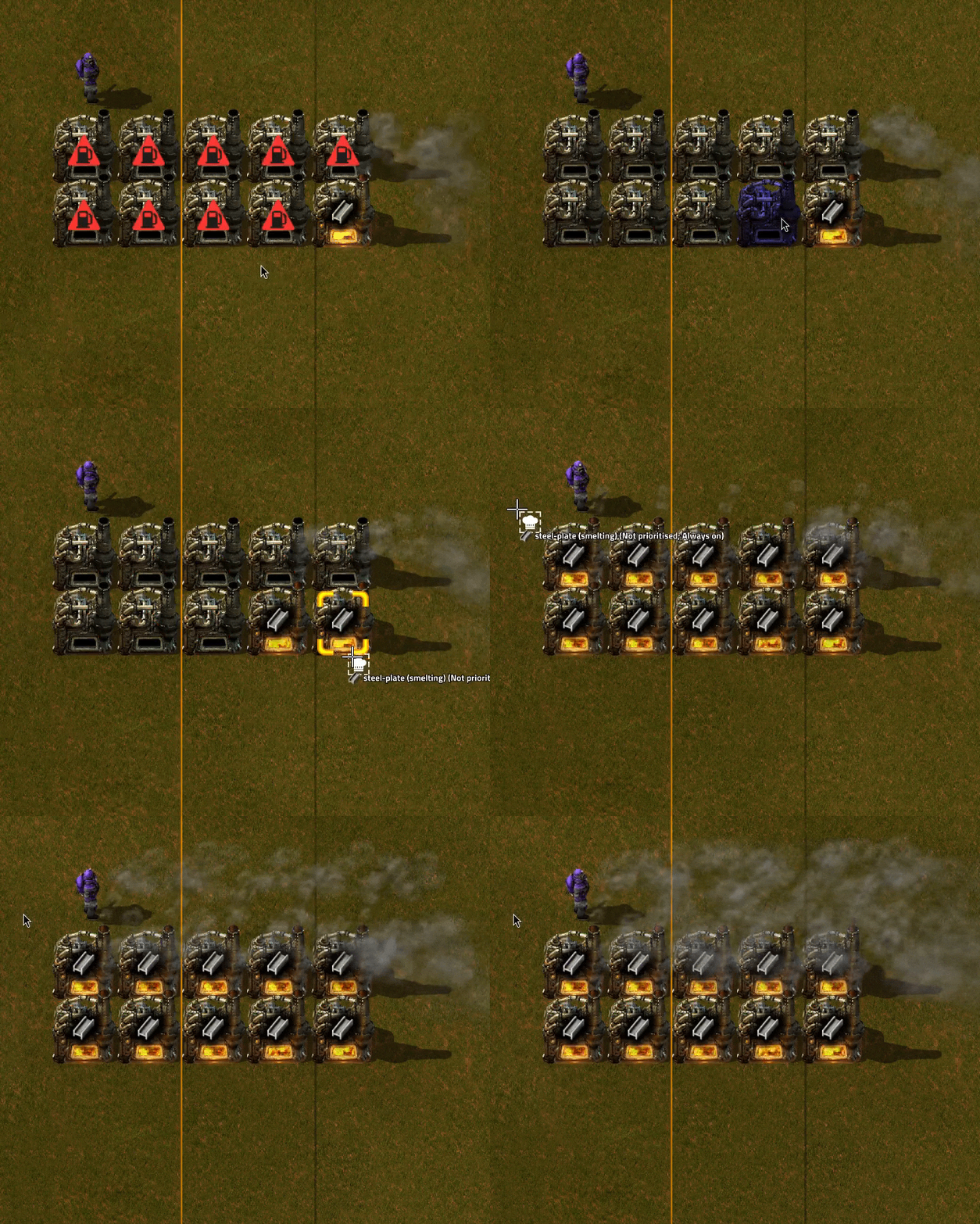
Fuel/ammo selection
The Item Priority section of the Auto Resource UI allows you to select which fuel/ammo item gets inserted first: 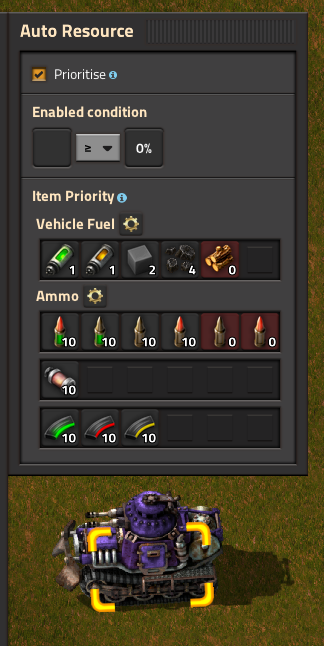
Items are used from left to right, and clicking on an item allows the insertion quantity to be configured. Read the in-game tooltips to learn how to rearrange the items.
A UI containing all configurable items can also be accessed by clicking the gear icon: 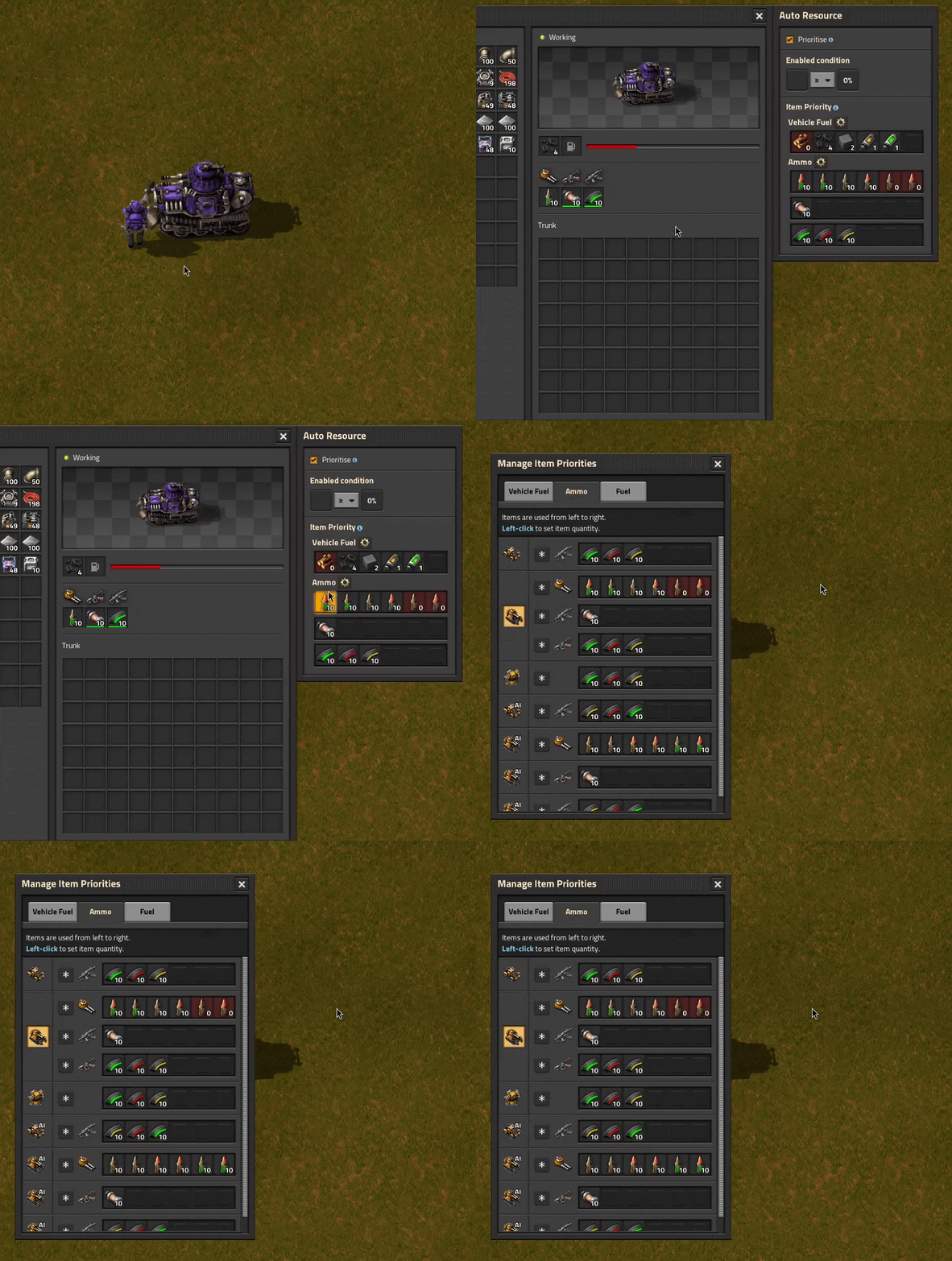
It can also be accessed via the gear icon at the top-left of the screen.
Collection of mined resources
Resources mined by a mining drill are placed into a hidden chest that is created when the mining drill is built - the mod collects items from this hidden chest: 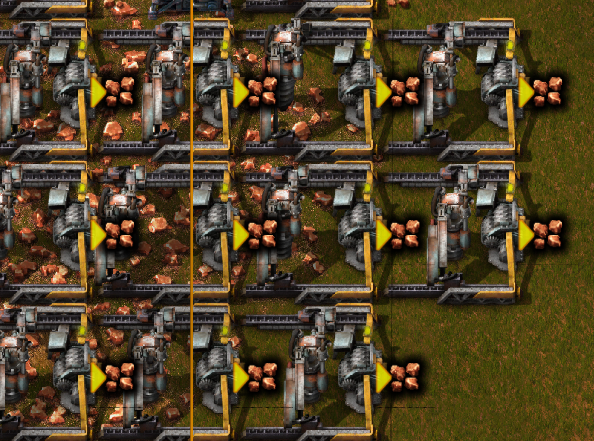
Miners mining fluids (like pumpjacks) have an internal fluid storage, so nothing extra is needed for those.
Highlights
From source dataGame versions
Built for Factorio 1.1.
Footprint
Rated a light load on a server.
License
Published under MIT.
Auto Resource Redux on Nxeon
From our catalogue- One-click install
- Supported on Nxeon Factorio servers. We download it from Factorio Mod Portal, place it, and restart the server.
- Server side
- Required on the server
- Server load
- light
- Smallest plan we suggest
- Factorio — 2 GB (2 GB RAM). This follows our own load rating above, not a benchmark.
- Latest build
- 0.0.9, released 2024-04-28
Recent builds
| Build | Released | Game versions | Loaders |
|---|---|---|---|
| 0.0.9 | 2024-04-28 | 1.1 | n/a |
| 0.0.8 | 2024-03-15 | 1.1 | n/a |
| 0.0.7 | 2024-03-13 | 1.1 | n/a |
| 0.0.6 | 2024-03-12 | 1.1 | n/a |
| 0.0.5 | 2024-03-11 | 1.1 | n/a |
| 0.0.4 | 2024-03-09 | 1.1 | n/a |
Dependencies
- Required: Factorio Library
- Optional: Space Exploration
- Optional: Schall Recipe Scaling
Declared by the newest build that lists any. Required ones are installed with it on one-click installs.
Run Auto Resource Redux on a Factorio server
Pick a server or deploy a new one above; it is installed in one click.
What kind of mod it is
From the catalogQuality of life & UI
Small conveniences, tweaks and interface improvements players notice straight away.
Runs on your server
From source side supportFactorio Mod Portal lists Auto Resource Redux as required on the server. Check its Factorio Mod Portal page to see whether players need it too.
Compatibility
- Game
- Factorio
- Runs on
- Serverrequired on the server
- Game versions
- 1.1
Verified at the source
- ✓Factorio Mod PortalOfficial listing, checked 2026-10-09Open ↗
- ✓AuthorSamarara, as published on Factorio Mod Portal
- ✓LicenseMITFree












