






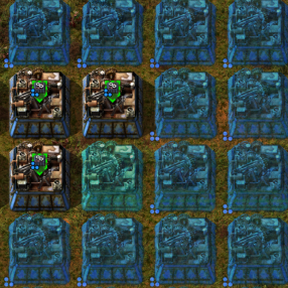
About Auto Best Quality
From Factorio Mod PortalAutomatic quality upgrades through your construction network — always substituting the best available, always stepping up as supply improves.
Auto Best Quality
Your legendary assemblers are blueprinted and ready to be build, but you only have uncommon ones in stock. Your rare turrets were destroyed and your stockpile is depleted, so a normal replacement is better than nothing. Your production line needs rare productivity modules across 50 machines, but only 20 rare modules are available. Auto Best Quality (ABQ) fills what it can with available quality items and works toward your requested quality as better items become available.
ABQ handles quality substitutions for blueprint ghosts and upgrade orders through your construction networks and space platform hubs.
How it works
Set your intended quality in a blueprint or upgrade planner as usual. If the requested quality is unavailable, ABQ can use an allowed quality substitute from the relevant logistics network or space platform hub. It then retries pending work as supplies change, stepping entities and modules toward the requested quality: normal → uncommon → rare → epic → legendary.
ABQ works with both entities and modules, on regular surfaces and space platforms.
How to use it
- Place blueprints as ghosts or over existing machines.
- Use an upgrade planner for entity quality upgrades and module slot rules.
- Use remote view when a construction network covers the machine.
ABQ works with construction requests and the networks that service them. Module requests made with blueprints or the upgrade planner are also detected by periodic proxy scans. Detection and retry timing can be adjusted in the runtime settings.
Limitations and notes
- Substitutions and step-ups are asynchronous. ABQ processes ghosts in batches
and retries pending work periodically. Default fast and slow retry intervals are 3 and 30 seconds, respectively; new module proxy requests are scanned every 10 seconds by default. Large maps or configured batch sizes can affect how soon pending work is processed.
- Blueprint editor display: Factorio's blueprint editor may not consistently
show module requests in its preview. ABQ checks and repairs the blueprint entity data during blueprint setup, but the editor's visual display may still be incomplete.
- Substitutions follow the configured lower- and higher-quality limits. By
default, ABQ can substitute up to five quality levels below the target and does not use higher-quality items as substitutes.
Requirements
Requires Factorio 2.1 and the Quality mod (included with the Space Age expansion).
Settings
Runtime settings are available under Settings → Mod settings → Runtime and can be changed in-game. Enable Logging is a startup setting and requires a mod reload.
| Setting | Default | Description | | --- | ---: | --- | | Max quality levels below target | 5 | Maximum quality levels below the requested quality that ABQ may use as a substitute. | | Max quality levels above target | 0 | Maximum quality levels above the target that ABQ may use as a substitute. Zero disables higher-quality substitutes. | | Ghosts per tick (initial) | 20 | Maximum ghosts processed per tick when a blueprint is first placed. | | Ghosts per tick (retry) | 15 | Maximum pending ghosts processed per tick during retry rounds. | | Fast retry interval | 180 ticks (3 seconds) | Delay between retries after a round makes progress. | | Slow retry interval | 1,800 ticks (30 seconds) | Delay between retries when pending items are unavailable. | | Proxy scan interval | 600 ticks (10 seconds) | Delay between module-request proxy scan rounds when no other work is pending. | | Proxy scan chunks per tick | 1 | Map chunks scanned per tick for player-set module requests. Higher values scan faster and use more UPS. | | Enable Logging | Off | Writes detailed debugging information to factorio-current.log. Startup setting; requires a mod reload. |
Credits
NOiZE — mod design, Factorio modding, testing, and game knowledge.
Multiple AI assistants — development support across architecture, Lua implementation, and iterative debugging.
Support
If you enjoy this mod, consider supporting me on Ko-fi!

FAQ
Highlights
From source dataFootprint
Rated a light load on a server.
License
Published under MIT.
Last update
Its author last shipped an update 3d ago.
Auto Best Quality on Nxeon
From our catalogue- One-click install
- Supported on Nxeon Factorio servers. We download it from Factorio Mod Portal, place it, and restart the server.
- Server side
- Required on the server
- Server load
- light
- Smallest plan we suggest
- Factorio — 2 GB (2 GB RAM). This follows our own load rating above, not a benchmark.
- Latest build
- 1.0.8, released 2026-11-01
Recent builds
| Build | Released | Game versions | Loaders |
|---|---|---|---|
| 1.0.8 | 2026-11-01 | 2.1 | n/a |
| 1.0.7 | 2026-11-01 | 2.1 | n/a |
| 1.0.6 | 2026-10-26 | 2.1 | n/a |
| 1.0.5 | 2026-10-06 | 2.1 | n/a |
| 1.0.4 | 2026-10-04 | 2.1 | n/a |
| 1.0.3 | 2026-08-15 | 2.1 | n/a |
Dependencies
- Required: quality (factorio_portal, not in our catalogue)
Declared by the newest build that lists any. Required ones are installed with it on one-click installs.
Run Auto Best Quality on a Factorio server
Pick a server or deploy a new one above; it is installed in one click.
What kind of mod it is
From the catalogQuality of life & UI
Small conveniences, tweaks and interface improvements players notice straight away.
Runs on your server
From source side supportFactorio Mod Portal lists Auto Best Quality as required on the server. Check its Factorio Mod Portal page to see whether players need it too.
Compatibility
- Game
- Factorio
- Runs on
- Serverrequired on the server
Verified at the source
- ✓Factorio Mod PortalOfficial listing, checked 2026-11-02Open ↗
- ✓AuthorNOiZE, as published on Factorio Mod Portal
- ✓LicenseMITFree












