






About Desk Accessories - Trainstop CSV export/import
From Factorio Mod PortalBulk import and export of train stops using CSV text files to allow easier bulk editing.
Easily export and import train stop names and colors using CSV text files to allow easier bulk editing.
Now has a "export to file" button to send the exported data to a file called "train_stops.csv" in the "script-output" folder.
On Windows this is usually at: C:\Users\%USERNAME%\AppData\Roaming\Factorio\script-output\train_stops.csv
FAQ
How do I use this?
To export
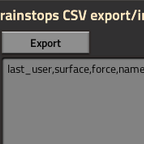
Click the Export button. A listing of all the trainstops will appear in the export textbox.
To export to a file
Click the Export to File button and a train_stops.csv file will be created in the script-output folder.
To edit the list
Easy : Paste into Libre Calc or similar. Less easy : Paste into a text editor like Notepad++ or vim or emacs.
To rename a train stop, change the "new name" to whatever you want. To re-color a train stop, change the "new color" to whatever you want. Colors are R,G,B. 0 to 255 separated by commas.
To import
Copy the text from your editor (Libre Calc or Notepad++) and paste into the import text box. Click Import. If the mod did something it will let you know with game text messages.
How do I import a CSV file?
Use a text editor to copy the CSV text to the clipboard then go into Factorio and paste into the text box under the Import button then press Import. If the file is properly formed then it will work.
Where is the train_stops.csv file?
On Windows this is usually at: C:\Users\%USERNAME%\AppData\Roaming\Factorio\script-output\train_stops.csv
Why can't I just directly import from CSV?
Factorio has no ability for mods to read from the filesystem.
Is there a way around this?
Yes. Via RCON. But that is not enabled for single-player. [Perhaps you could convince Wube?] (https://forums.factorio.com/viewtopic.php?f=6&t=31962)
Have you implemented RCON support then?
Not yet. Add a comment into the discussion tab of this mod to register support.
Highlights
From source dataFootprint
Rated a light load on a server.
License
Published under GPL-3.0.
Last update
Its author last shipped an update 5 yr ago.
Desk Accessories - Trainstop CSV export/import on Nxeon
From our catalogue- One-click install
- Supported on Nxeon Factorio servers. We download it from Factorio Mod Portal, place it, and restart the server.
- Server side
- Required on the server
- Server load
- light
- Smallest plan we suggest
- Factorio — 2 GB (2 GB RAM). This follows our own load rating above, not a benchmark.
- Latest build
- 1.1.3, released 2022-02-01
Recent builds
| Build | Released | Game versions | Loaders |
|---|---|---|---|
| 1.1.3 | 2022-02-01 | 1.1 | n/a |
| 0.18.3 | 2020-02-02 | 0.18 | n/a |
| 0.0.3 | 2019-06-02 | 0.17 | n/a |
| 0.0.2 | 2019-06-01 | 0.17 | n/a |
| 0.0.1 | 2019-05-01 | 0.17 | n/a |
Run Desk Accessories - Trainstop CSV export/import on a Factorio server
Pick a server or deploy a new one above; it is installed in one click.
What kind of mod it is
From the catalogVehicles & ships
Cars, boats, aircraft, ships and other things to drive or fly.
Runs on your server
From source side supportFactorio Mod Portal lists Desk Accessories - Trainstop CSV export/import as required on the server. Check its Factorio Mod Portal page to see whether players need it too.
Compatibility
- Game
- Factorio
- Runs on
- Serverrequired on the server
Verified at the source
- ✓Factorio Mod PortalOfficial listing, checked 2026-10-09Open ↗
- ✓Authoradamius, as published on Factorio Mod Portal
- ✓LicenseGPL-3.0Free












