







About Fiber Optics
From Factorio Mod PortalConnects to the optical fibers in power lines to transfer red and green signals across power networks.
All Factorio power networks have optical fibers embedded which can be used to transfer red and green signals anywhere a power network is connected.
Fiber networks can transfer signals over very long distances. Each power network has a number of fiber strands and each strand can carry up to 16 different "fiber colors". Each color allows the transmission of a set of red and green signals.
This mod provides a new entity: The Fiber Optics Connector (FOC)
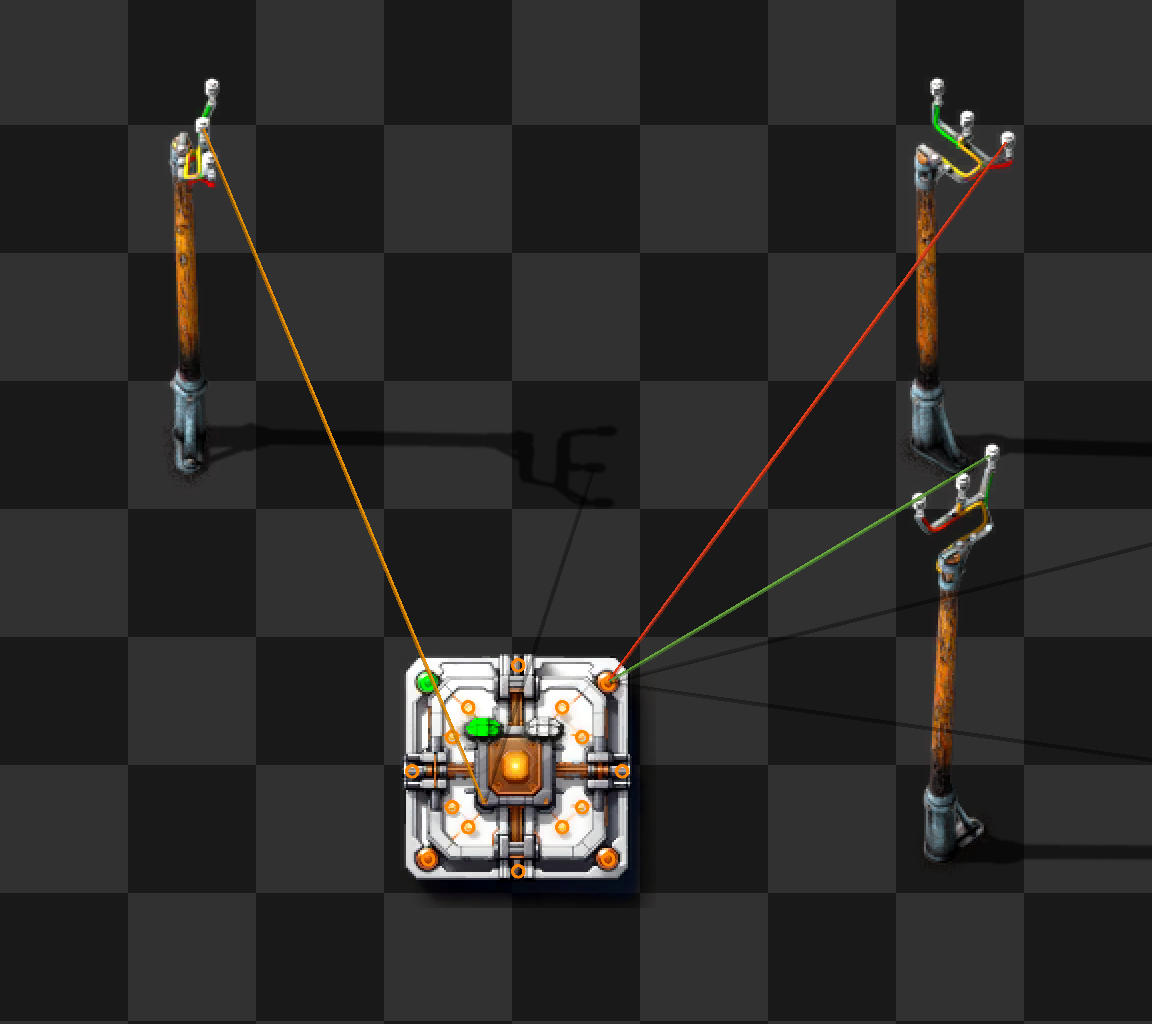
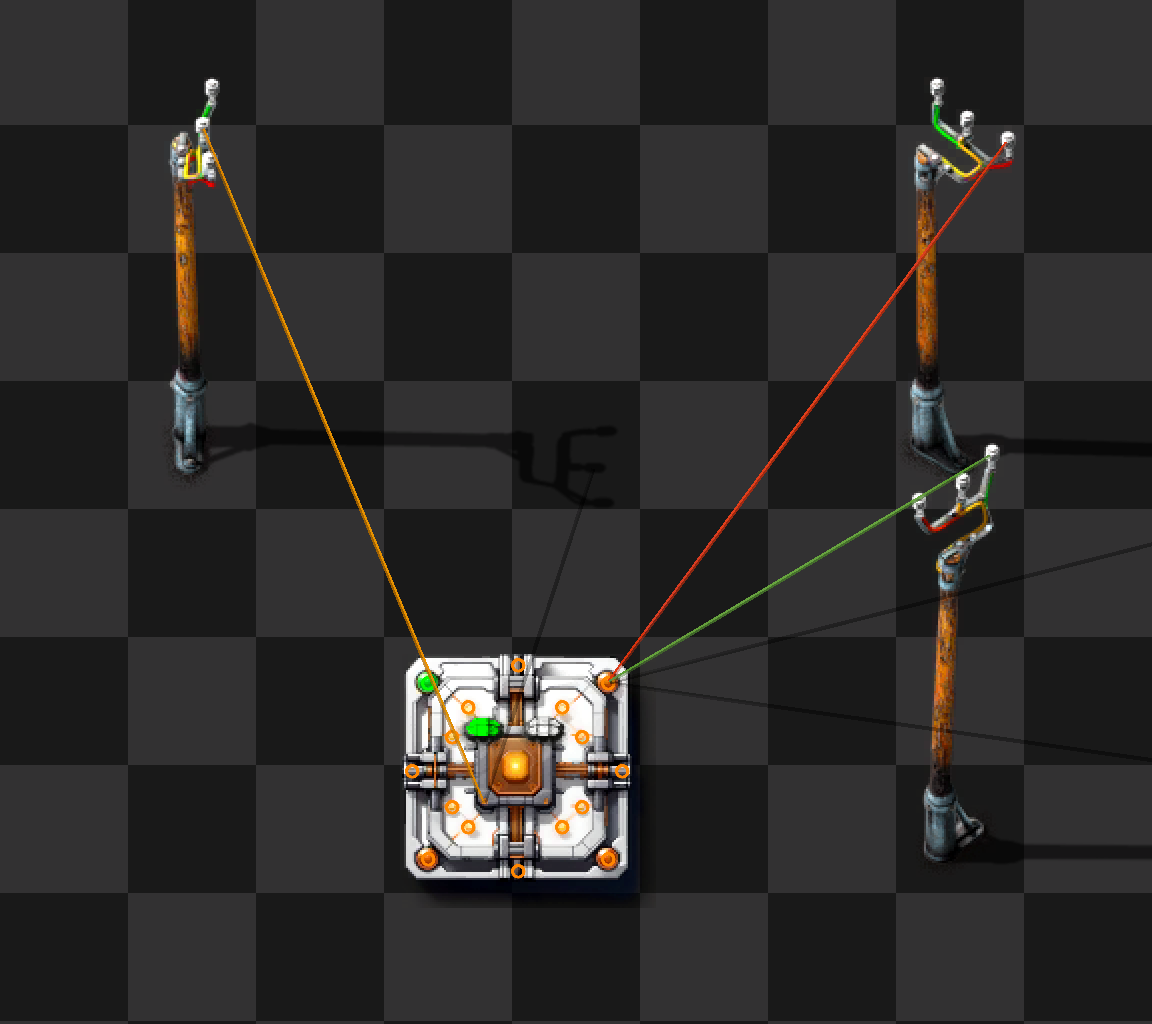
A Fiber Optics connector provides two sets of access points:
- up to 16 IO Pins for circuit signals. Each Pin fully supports bidirectional red and green signals
- two power pins to connect to power networks
When a connector is powered up (it needs to be placed in a power coverage area) and connected to one or two power networks using copper cables, one or both indicator lights will light up (either red or green). This signals that the connector has established a link to the fiber optic cables and, if green, is ready to send and receive signals from other FOCs on the same power network.
Connecting to the same power network twice will only give one light. Connecting to two networks and then merging them will drop one of the lights.
It can take up to five seconds for the lights to turn on (or turn off when disconnected).
The power network does not need to be the same network that provides power to the Fiber Optics connector. It may even be preferential to provide power from the global power network but transfer signals across a smaller, isolated network:
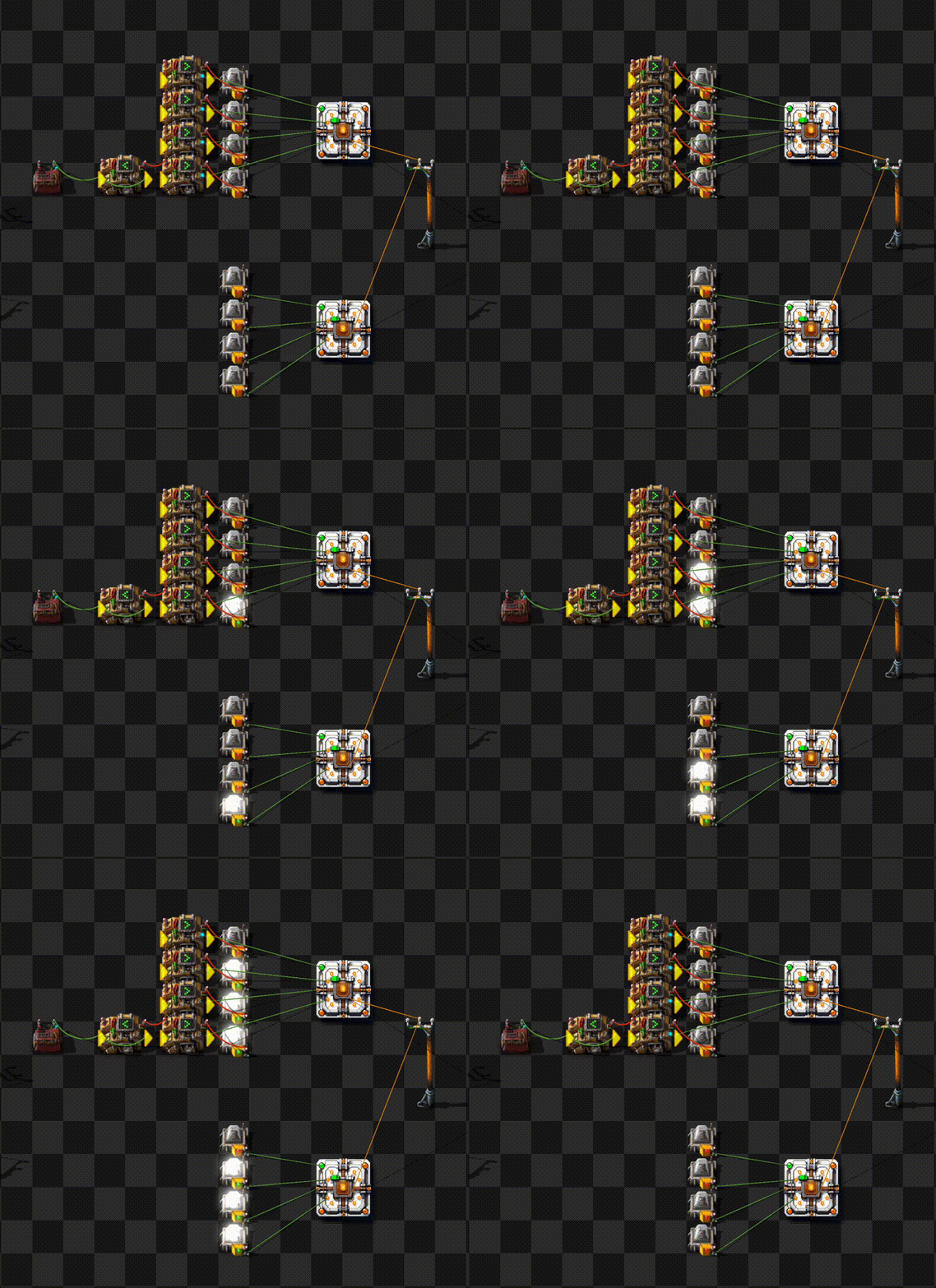
When connecting to multiple networks, the Fiber Optics Connector acts as a bidirectional bridge. Signals from one network will cross over to the other and vice versa.
Multiple fiber optics connectors form a bus across a power network. Each pin is fully connected to the same pin on all other FOCs. The current generation of FOCs can transfer up to 16 red and 16 green signals simultaneously across up to two power networks.
Fiber network properties
- Each power network (which is identified by its network number) connects all Fiber Optics connectors that use the same fiber bidirectional for red and green signals.
- A power network is per-surface and multiple networks can exist (networks that do not share a copper connection).
- Each power network has multiple fibers that are completely independent. By default, a Fiber Optics connector connects to the "default" strand that exists in every power network.
- Each fiber has separate colors for each I/O pin of the Fiber Optics connectors. Currently, all Fiber Optics connectors have 16 pins which are hard-coded to Fiber color 1-16.
- Each Fiber Optics connector can connect to one or two power networks. For technical reasons, it must connect to the same fiber strand on both networks.
When a connector is hooked up to a power network, it runs a negotiation protocol and when it successfully completes, it turns one of the status LEDs on. There are two status LEDs for up to two network connections.
Each LED signals that there is a connection to the fiber network. The color of the LED reflects the transceiver status (see below). Only when the LED is green, data is flowing.
GUI
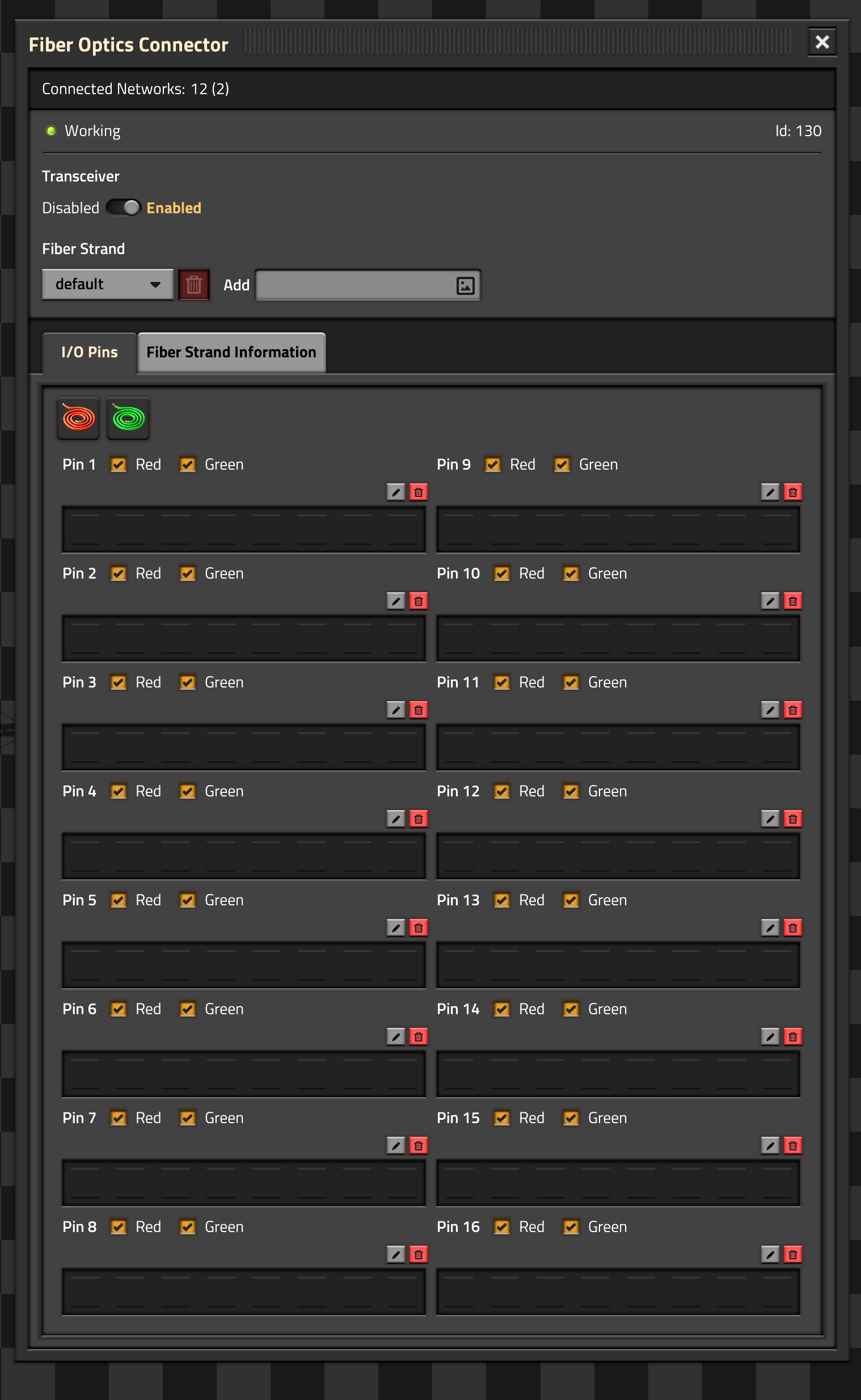
The Fiber Optics connector GUI opens when clicking on any of the I/O Pins. It contains a header and two panels:
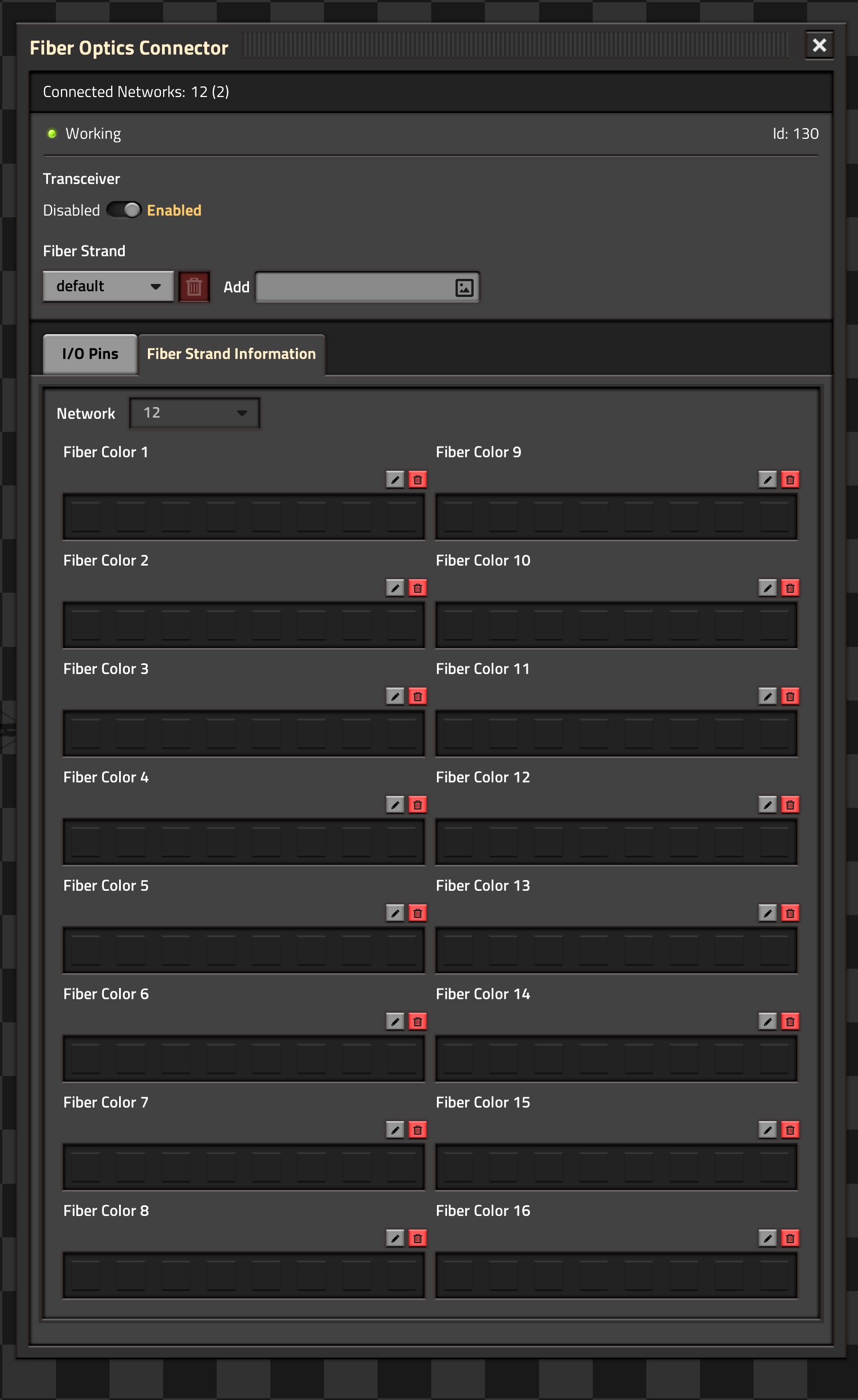
Status Header
The Connected Networks line displays the power networks that a Fiber Optics connector is connected to and how many connectors were detected on the network.

Transceiver controls whether the Fiber Optics connector exchanges data with the network. If the transceiver is turned off, the LEDs will turn red, if it is enabled, they are green.
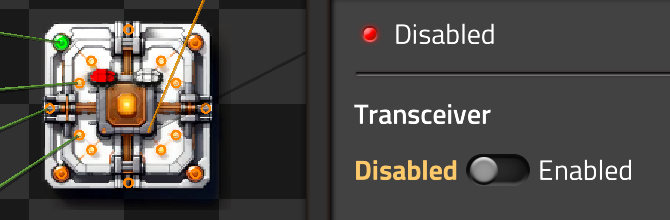
The Fiber Strand menu controls which fiber strand is connected to the Fiber Optics connector. By default, the default strand is used. New strands can be named through the Add textbox and selected in the Drop-down:
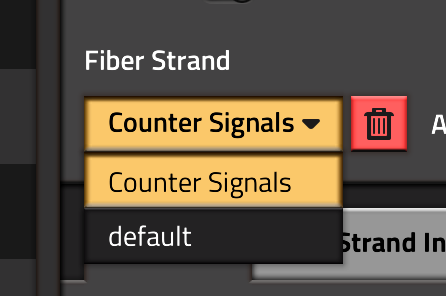
Fiber strands can be deleted (except the default strand). Any connector that was connected to a deleted strand will be reconnected to the default strand.
I/O Pin Panel
This panel displays the state of all I/O Pins on the Fiber Optics connector. For each Pin, the signals currently present on the Pin are displayed. This will work even if the connector is in low power or no power mode or if the transceiver is disabled. In this case, only the signals on the Pins are shown. If the connector is powered and the transceiver is enabled, it will also show the signals on the network.
Each pin can select whether red, green or both signals are connected to the fiber network. The wire symbols on top can toggle all red or all green wires.
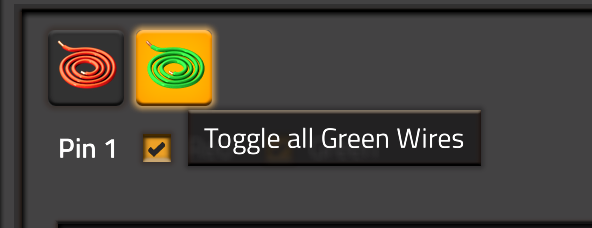
For each pin, a description can be added (see below).
Fiber Strand Panel
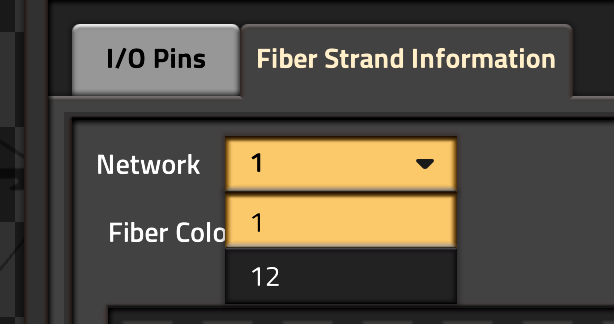
The network selector drop-box is only available if two networks are connected to the Fiber Optics connector. Such a connector acts as a bidirectional bridge and will carry all signals from one network to the other.
Highlights
From source dataGame versions
Built for Factorio 2.1.
Footprint
Rated a light load on a server.
License
Published under MIT.
Fiber Optics on Nxeon
From our catalogue- One-click install
- Supported on Nxeon Factorio servers. We download it from Factorio Mod Portal, place it, and restart the server.
- Server side
- Required on the server
- Server load
- light
- Smallest plan we suggest
- Factorio — 2 GB (2 GB RAM). This follows our own load rating above, not a benchmark.
- Latest build
- 3.0.2, released 2026-10-21
Recent builds
| Build | Released | Game versions | Loaders |
|---|---|---|---|
| 3.0.2 | 2026-10-21 | 2.1 | n/a |
| 3.0.1 | 2026-08-20 | 2.1 | n/a |
| 3.0.0 | 2026-08-19 | 2.1 | n/a |
| 2.1.2 | 2026-07-04 | 2.1 | n/a |
| 2.1.1 | 2026-07-04 | 2.0 | n/a |
| 2.1.0 | 2026-06-29 | 2.0 | n/a |
Dependencies
- Optional: Picker Dollies
- Optional: Even Pickier Dollies
Declared by the newest build that lists any. Required ones are installed with it on one-click installs.
Run Fiber Optics on a Factorio server
Pick a server or deploy a new one above; it is installed in one click.
What kind of mod it is
From the catalogTechnology & automation
Machines, power, logistics and automation.
Runs on your server
From source side supportFactorio Mod Portal lists Fiber Optics as required on the server. Check its Factorio Mod Portal page to see whether players need it too.
Compatibility
- Game
- Factorio
- Runs on
- Serverrequired on the server
- Game versions
- 2.1
Verified at the source
- ✓Factorio Mod PortalOfficial listing, checked 2026-10-22Open ↗
- ✓Authorhgschmie, as published on Factorio Mod Portal
- ✓LicenseMITFree












