






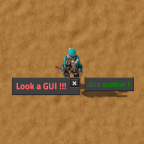
About Muppet GUIs
From Factorio Mod PortalUsed by streaming integrations to put text in the game
A mod that can show and remove messages on the screen via GUIs as required. Designed for use with streaming integrations.
While many mods will include GUI alerts for their events, when activating effects via RCON/Stream Integration it is often nice to have some notification text made prominent to viewers of the stream. This mod aims to provide some functions to help with this by allowing GUIs to be created and removed adhoc as desired.
Add Simple Message ===============
A remote call/command to put a message in-game within a GUI to players. Supports options around auto closing or close X button, white or black listing named players from the message, as well as the look and feel of the message. Also includes a timer option to count up/down.
Options
The mandatory option categories are listed below.
| Option Group | Option Name | Mandatory | Value Type | Details | | --- | --- | --- | --- | --- | | audience | logic | mandatory | string | The logic to be applied with the players option to define which connected players see the message. Valid values only, not and all. | | audience | players | special | string[] | An array of players to have the logic applied to. If the logic option is only or not then the players list is mandatory. If the logic option is all then the players list will be ignored and can be either not provided or be nil. | | message | position | mandatory | string | Position on the screen. Valid values top, left, center, aboveCenter, belowCenter. See Notes for details. | | message | fontSize | mandatory | string | The size of the text. Valid values: small, medium, large, huge, massive, gigantic. | | message | fontStyle | mandatory | string | The style of the text. Valid values: regular, semibold, bold. | | message | fontColor | optional | string | The color of the text. See notes for valid list of color options. If not provided or nil the default of white is used. | | message | simpleText | mandatory | string | The text to be shown in the message. To include a timer using its Option Group options see the notes section. | | message | maxWidth | optional | uint | Max width of the message box in pixels. Suggested minimum value is 200 and a large width of 1000. Text will wrap on to multiple lines automatically within the set width. Don't provide the option or set to nil if no max width is desired. Default is no max width and this works fine with shorter messages. | | message | background | optional | string | The background type of the GUI. Either main, contentInnerLight, transparent, brightRed, brightGreen, brightOrange. Defaults to main. | close | timeout | special | uint | Either timeout or xbutton must be specified. If Timeout is provided and greater than 0 the message will auto close after this number of seconds. | | close | xbutton | special | boolean | Either timeout or xbutton must be specified. If XButton is enabled (true) then a close X button will be shown on the top right of the GUI message. | | close | xbuttonColor | optional | string | The color of the close button if its enabled. Either white or black. Defaults to white. |
The optional option categories are listed below. You can either include the Option Group's options or not, based on your usage.
| Option Group | Option Name | Mandatory | Value Type | Details | | --- | --- | --- | --- | --- | | timer | startingValue | mandatory | int | The number of seconds to start the timer at (positive or negative whole number). | | timer | countDirection | optional | string | The direction to count in, either down or up. Defaults to down. | | timer | displayFormat | optional | string | The time unit to format the number as, either second or minute. A value of minute will also show the seconds. Defaults to second. |
They are defined to the command/remote call as an object of Option Group fields. With each option group field being an object of it's fields.
- Format:
table<string, table<string, any> > - Partial example:
{ audience = {logic="all"} }
Returns
None of the returned values have to be captured in to a variable, unless you actively want to use them.
Values are only returned to Remote Interface calls and not to Factorio Command.
| Returned order number | Details | | --- | --- | | First | The Id of the message created. This can be used when calling to remove a message later on if desired. This is for advanced usage scenarios when you want to remove a GUI prior to it being manually closed or reaching its timeout. |
Notes
positionoptions are all relative and will be added to the end of any GUIs in that position on the screen.topis along the top of the screen, left to right.leftis along the left edge of the screen, top to bottom.centeris in the very center middle of the screen (horizontally and vertically), multiple GUIs expand horizontally.aboveCenteris about 1/3 down from the top middle of the screen, multiple GUIs expand horizontally.belowCenteris about 1/3 up from the bottom middle of the screen, multiple GUIs expand horizontally. If other mods add GUIs to the center of the screen then these will stack horizontally to this mod's 3 center position message GUIs.fontSizeoption names correspond to specific font sizes available:small= 12,medium= 16,large= 18,huge= 36,massive= 60,gigantic= 100.fontColoroptions can be found either in the mod files atutility\lists\colors.luaor at the websitehttps://www.rapidtables.com/web/color/html-color-codes.html. The option defaults to the value ofwhite.
Highlights
From source dataFootprint
Rated a light load on a server.
Last update
Its author last shipped an update 4 yr ago.
Muppet GUIs on Nxeon
From our catalogue- One-click install
- Supported on Nxeon Factorio servers. We download it from Factorio Mod Portal, place it, and restart the server.
- Server side
- Required on the server
- Server load
- light
- Smallest plan we suggest
- Factorio — 2 GB (2 GB RAM). This follows our own load rating above, not a benchmark.
- Latest build
- 20.0.6, released 2022-11-05
Recent builds
| Build | Released | Game versions | Loaders |
|---|---|---|---|
| 20.0.6 | 2022-11-05 | 1.1 | n/a |
| 20.0.5 | 2022-10-27 | 1.1 | n/a |
| 20.0.4 | 2022-10-23 | 1.1 | n/a |
| 20.0.3 | 2020-12-02 | 1.1 | n/a |
| 18.0.2 | 2020-02-25 | 0.18 | n/a |
| 18.0.1 | 2020-01-26 | 0.18 | n/a |
Run Muppet GUIs on a Factorio server
Pick a server or deploy a new one above; it is installed in one click.
What kind of mod it is
From the catalogGameplay & overhauls
New mechanics, content and overhauls that change how the game plays.
Runs on your server
From source side supportFactorio Mod Portal lists Muppet GUIs as required on the server. Check its Factorio Mod Portal page to see whether players need it too.
Compatibility
- Game
- Factorio
- Runs on
- Serverrequired on the server
Verified at the source
- ✓Factorio Mod PortalOfficial listing, checked 2026-10-09Open ↗
- ✓Authormuppet9010, as published on Factorio Mod Portal
- ✓LicenseNot published by the sourceFree












