






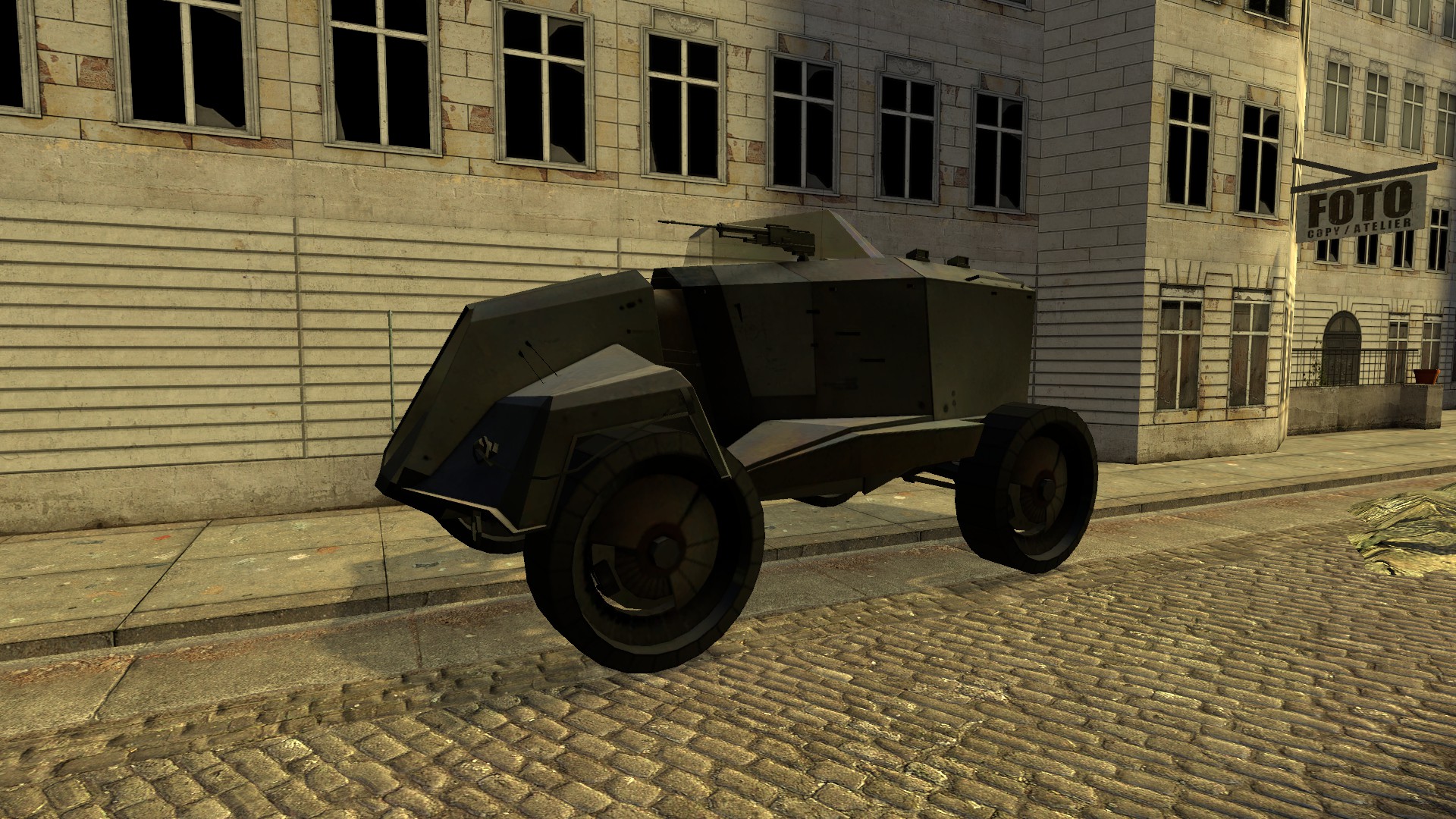
About Combine APC
From Steam WorkshopBack from the dead: Maybe compatible again! After the 2020 update broke part of its functionality, it seems like some recent update restored it. If you have issues with your view/controls, please…
Back from the dead: Maybe compatible again!
After the 2020 update broke part of its functionality, it seems like some recent update restored it.
If you have issues with your view/controls, please read the FAQ! Who could forget the famous APCs from Half-Life 2? Being loud, shooting rockets, powering forcefields and on the whole just being a huge annoyance to the one free man.
So why not turn it around for once? This is quite an extensive SENT, so let's start with the
Features
- Supports up to ten players: One driving, one gunning and eight passengers
- Drivers can lock and unlock the passenger bay (called "hatch"), start and stop the engine (and with it the handbrakes), toggle the siren and switch between a high gear and a low gear
- Gunners have access to a bullet firing turret similar to an emplacement gun and laser guided missiles as well as an advanced zoom
- Switching seats between gunner and driver is easily doable, allowing one player to operate the APC alone (although a bit uncomfortable)
- Easy to spawn by just pressing its icon in the "Vehicles" / "Half-Life 2" tab - or just search for "Combine APC".
- Script hooks allow server admins and scripters to define who is allowed to do what with the APC – without touching the APC code itself.
- For those that need to remotely blow up their APC, there's zapc_sd. Look at any APC, fire the bind/execute the command in the console, watch the self destruction do its work.
- A softer approach might be zapc_sa, which is an uncanon and rather "unserious" feature, allowing you to enable some kind of car alarm on an APC. Usage is similar to zapc_sd: Point and shoot. You can turn the alarm off by toggling the siren inside the APC.
- For those who want ultimately unserious features, there's +zapc_repair: As you fire golden beams of healing glory towards the APC, it gets repaired. What might happen if you fire that beam for too long?
Because of all those features, it might be a bit difficult to get the grasp of the controls, so here's the list. If you have enabled hints, you will also receive them the first time upon entering the driver/gunner seat (just as in sandbox).
Driver:
- Right mouse button (+attack2): Toggles between the "high gear" and the "low gear". In the first, you're faster, but might have some issues getting up hills. In the second, you are way slower – but more powerful, allowing you to climb quite steep ramps.
- "R" (+reload): Toggles the siren. In case the alarm was toggled on an APC, this will turn it off.
- Alt (+walk, called "Walk (Move slowly)" in the options): Unlock/lock the hatch. People can only get in and out if the hatch has been opened. If the hatch is closed, passengers inside won't see much outside – this might lag a little, but it's still better than not seeing anything at all.
- Shift (+speed): Switches to the gunner seat (if empty)
- Ctrl (+duck): Toggles between first and third person.
Gunner:
- Right mouse button (+attack2): Fire a rocket. Rockets will always try to hit the position your turret is currently aiming at – you can guide them using the turret.
- "R" (+reload): Reload the turret.
- Shift (+speed): Switches to the driver seat (if empty).
- Ctrl (+duck): Toggles between an "accurate" and "less accurate" firing mode. The accurate mode can lag on certain servers but the crosshair is always accurately in the middle of the screen. In the less accurate mode, the crosshair will show you where the bullets and the rockets will hit, which might cause it to move away from the middle of the screen.
Scripting Hook
The APC adds a new hook called 'ZAPC_CheckAccess' on the server. It will always pass at least three parameters: The player to be checked, the action he wants to perform and the APC he wants to perform it on. By returning "false", you can deny the action. So far, the following actions (and their parameters) have been defined:
- "personal": Called to check if a player is allowed to enter a driver/gunner seat. This will also be called once a player is already inside – in case the check fails, the player will be kicked out.
- "destruct": If a player is allowed to execute zapc_sd on said APC
- "alarm": If a player is allowed to execute zapc_sa on said APC
- "repair": If a player is allowed to execute +zapc_repair on said APC
- "tool": If a player is allowed to use this tool on the APC. Passed as additional parameters are the trace and the toolmode (similar to ENT:CanTool). Note that duplicating is always forbidden – in addition, this relies on ENT:CanTool. If the gamemode does not support this (sandbox does), this hook won't be called and has no effect!
As example: If you want to disallow anyone to destruct, alarm, repair and tool an APC, use the following snippet:
hook.Add('ZAPC_CheckAccess', "DenyEverything", function(ply, mode, apc) if mode ~= 'personal' then return false end end)[/code]

Every APC passed is the prop_vehicle_zapc SENT. To access the driver/gunner, use apc.Driver/apc.Gunner, the passenger pods (normal prop_vehicle_prisoner_pod) are in a table called "Passengers". If you've got any question about customizing the APC, feel free to ask (or check the source).

(The screenshots suck, I'm aware.)

I really hope that if I put it in here, in big and bold, the questioning ends once and for all. I'm not going to answere these questions anymore beginning in Septembre 2013.

[h1][b]I can't spawn it![/b][/h1]Highlights
From source dataFootprint
Rated a light load on a server.
Last update
Its author last shipped an update 3 yr ago.
Combine APC on Nxeon
From our catalogue- One-click install
- Supported on Nxeon Garry's Mod servers. We download it from Steam Workshop, place it, and restart the server.
- Server load
- light
- Smallest plan we suggest
- Garry's Mod — 2 GB (2 GB RAM). This follows our own load rating above, not a benchmark.
- Latest build
- 2023-08-24, released 2023-08-24
Game versions by loader
| Loader | Game versions | Newest |
|---|---|---|
| Workshop |
From 1 recorded build of Combine APC.
Run Combine APC on a Garry's Mod server
Pick a server or deploy a new one above; it is installed in one click.
What kind of mod it is
From the catalogWorkshop
Its source category doesn’t say more about what it does, so NxLabs lists it under Other.
Compatibility
- Game
- Garry's Mod
Verified at the source
- ✓Steam WorkshopOfficial listing, checked 2026-10-10Open ↗
- ✓AuthorZaubermuffin, as published on Steam Workshop
- ✓LicenseNot published by the sourceFree














