







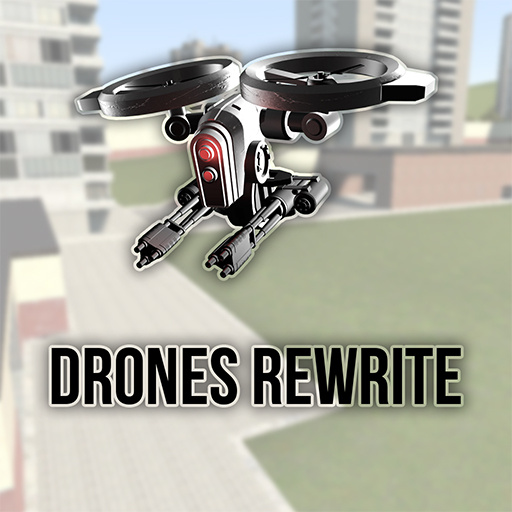
About Drones Rewrite
From Steam WorkshopMeet Drones Rewrite! It is the last, the biggest and the best part of Drones which contains a lot of new drones, options, weapons and etc. You dont need any previous Drones addons for this to work.…
Meet Drones Rewrite! It is the last, the biggest and the best part of Drones which contains a lot of new drones, options, weapons and etc.
You dont need any previous Drones addons for this to work.
F.A.Q.:
PLEASE READ INGAME HELP FIRST! Most of the questions can be answered there
Q: How to add AI to a drone?
A: Go to Entities tab and find there drone upgrades, spawn any and touch the drone with it
Q: How can i go to a Thirdperson mode?
A: "I" Key
Q: How can i use more weapons that installed on my drone?
A: To change weapons on the drone you currently controlling you need to scroll your mouse wheel to select a weapon and then press LMB to apply that weapon
Q: How do i make it so the drones don't attack eachother/My friends?
A: Add your drones to friend settings in Options->Drones Settings->AI->Show Friends Setting. By default all the drones you spawned are considered as enemy
Q: How to use winch/refueller/pick up things with Cargo Drone?
A: You need to hover RIGHT ABOVE your prop/entity/drone you want to pick up. I suggest using Thirdperson mode ('I' key). Also, you can't pick up or refuel a drone from a mile distance
Q: How can i give ammo to drones?
A: Go to Entities->Drones Rewrite Ammo and spawn ammo that you needed. After that place your ammo box on top of your drone
Q: I can't use drones, my screen goes black when i try to control them. What can i do?
A: You should check your addons, especially if you have >20 of them. There are plenty of confilcting ones that can break the render of drone screen.
Q: I cant fly far away from myself. What can i do?
A: Use "Controller" or "Control station", you can find them in Drones Rewrite Tools Also you can just add module Signal booster or check "No signal" option in Q->Options->Drones Rewrite->Server
Q: How to undeploy Ball Turret?
A: You can't undeploy it, because it is one use drone.
Q: How to refuel drone?
A: Go to Q->Entities->Drones Rewrite Tools and spawn an entity called "Gas Station" Grab pump and put it on the drone. After drone's refueling move drone away Also you can refuel other drones with GPRO Assistant Drone
Q: How to change keyboard settings?
A: Go to Q->Options->Drones Rewrite->Keys
Q: How can i make drones fight rebels/cleiners etc...
A: Currently that is not possible. We will add this feature in the next updates
Q: When I am trying to get drone's controls it says "[Drones] You can't drive this drone!"
A: It means that drone is destroyed or you're not the owner of that drone or drone has AI installed Repair the drone or hack it if you're not owner or remove all AI modules
Q: Meloons?
A: SWIIIBORG!!!!

Why Drones Rewrite is better than Drones 1 and Drones 2 both? In Drones Rewrite there are
- Customization
- Nice key binding system
- Console with 40+ commands
- Various controller options
- AI
- Walker drones, submarines, big ship drone, spiders, nukes, etc
- Help window
- A gift box
Controlling
There are 4 ways to control drones:
- You press use key (E) while looking at drone and
- standing afront of it
- You spawn Controller
- (Q->Entities->Drones Rewrite Tools->Controller)
- and press use key (E) on this and after
- the menu has been approached you type
- drone's ID and press Control *****
- You spawn Console and use it's commands
- For example:
- > printlist
- -- Found drones --
- ARTL213
- G211
- > select G211
- Selected G211
- > control -sel
- You take Remote Controller weapon
- (Q->Weapons->Drones Rewrite Tools
- ->Remote Controller) and press right mouse button
- until you find any drone. Also you can look at
- the drone you want to control and press right
- mouse button, remote controller will take
- it's controls, but there is a limit of distance
- that is 8000 units that allows you to get controls
- just by looking at the drone.
- Also you can control drone's keys by clicking
- Reload key (Default: R)
Hacking
When you type hack DRONE in console it will give you a lot of symbols and words which length is depending on hacking difficulty. You need to choose one of these words, just type it carefully. You have 4 attempts, if you fail you'll need to wait some time to try again. If you chose incorrect word console will say you how much letters are right. For example: word BREED, password TRIED. There will be 3 correct letters: R, E and D. Remember that DIERT will give you 0 correct letters although it has every letter from TRIED. All letters must be on their places.
For more info you can google "Fallout hacking guide" or something like that, our hacking system is ALMOST the same. Credit for it goes to Bethesda Softworks and Obsidian Entertainment.
Known bugs
- When in multiplayer you fly on drone far from yourself almost all sounds disappear. This is because of Source and we probably cant fix that.
- When you are controlling drone from an isolated place like admin room all effects and other stuff can disappear. That is also because of Source.
- AI is kinda stupid.
- Radar marks disappear occasionally
- Drones' HUD is not visible in multiplayer sometimes
Credits
Code, models, textures: ProfessorBear, Mr. Mind, EgrOnWire Effects: Darken217, ProfessorBear, Mr. Mind Balance: Mr. Mind Testers: DoomSpy
Special thanks goes to Darken217 (developer of Darken217's Sci-Fi Weapons) for his beautiful particle effects.
Servers with Drones Rewrite
Highlights
From source dataFootprint
A 321 MB download, rated a light load on a server.
Last update
Its author last shipped an update 3 yr ago.
Drones Rewrite on Nxeon
From our catalogue- One-click install
- Supported on Nxeon Garry's Mod servers. We download it from Steam Workshop, place it, and restart the server.
- Server load
- light
- Smallest plan we suggest
- Garry's Mod — 2 GB (2 GB RAM). This follows our own load rating above, not a benchmark.
- Latest build
- 2024-01-21, released 2024-01-21, 321 MB
Game versions by loader
| Loader | Game versions | Newest |
|---|---|---|
| Workshop |
From 1 recorded build of Drones Rewrite.
Run Drones Rewrite on a Garry's Mod server
Pick a server or deploy a new one above; it is installed in one click.
What kind of mod it is
From the catalogVehicles & ships
Cars, boats, aircraft, ships and other things to drive or fly.
Compatibility
- Game
- Garry's Mod
- File size
- 321 MB
Verified at the source
- ✓Steam WorkshopOfficial listing, checked 2026-10-10Open ↗
- ✓Authorcalafex, as published on Steam Workshop
- ✓LicenseNot published by the sourceFree














