






About Dynamic Boss Health Bars
From Steam WorkshopDynamic Health Boss Bars Turn any NPC into a boss with a fully decorated boss health bars Features Tool Gun integration : set the boss name, Health, Max Health and bar color per NPC Ornate boss bar :…
Dynamic Health Boss Bars
Turn any NPC into a boss with a fully decorated boss health bars
Features
- Tool Gun integration: set the boss name, Health, Max Health and bar color per NPC
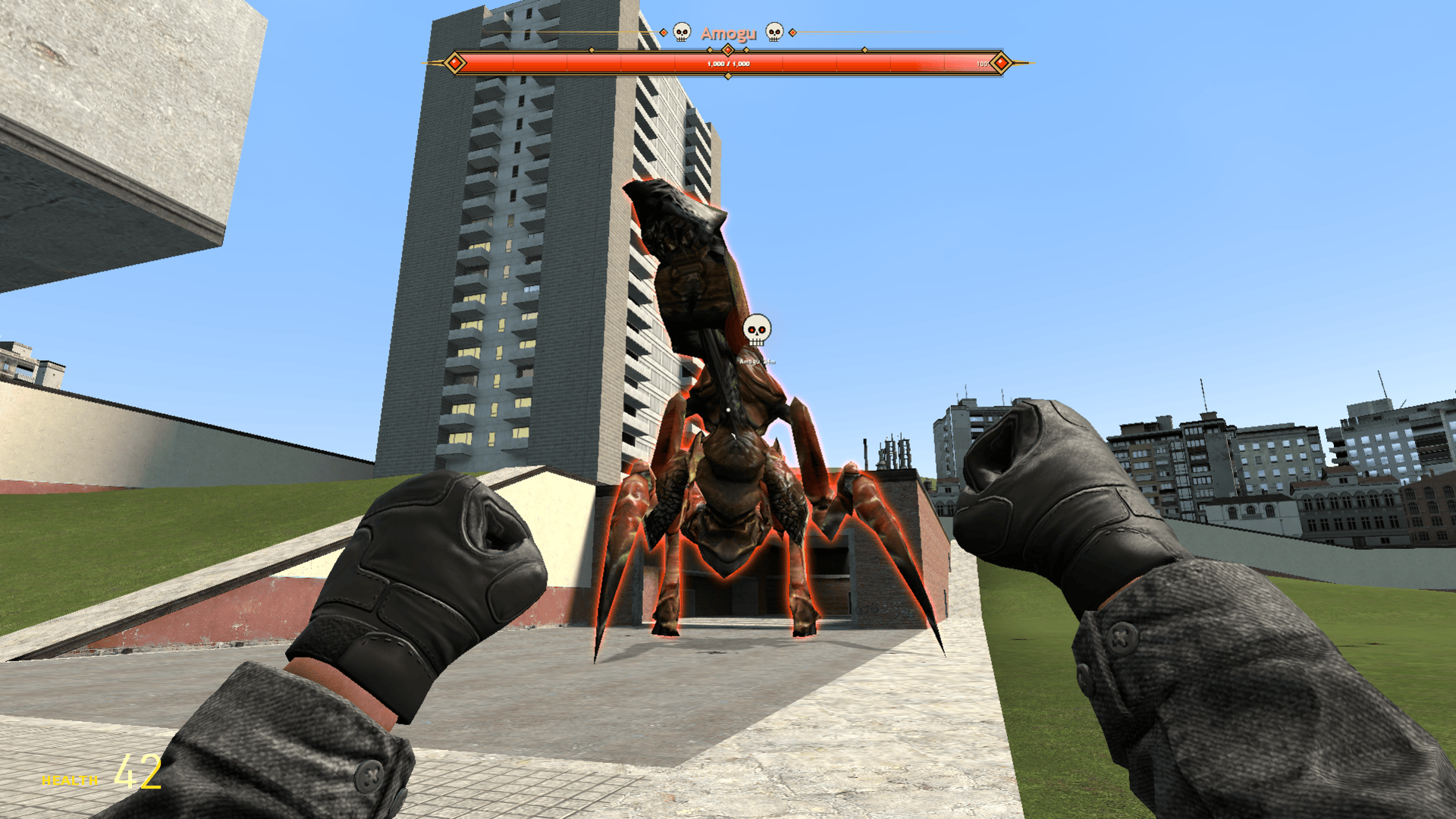
- Ornate boss bar: gold frame with gems and blades, name flourishes, glossy animated fill, 10% segment notches, HP numbers and percentage
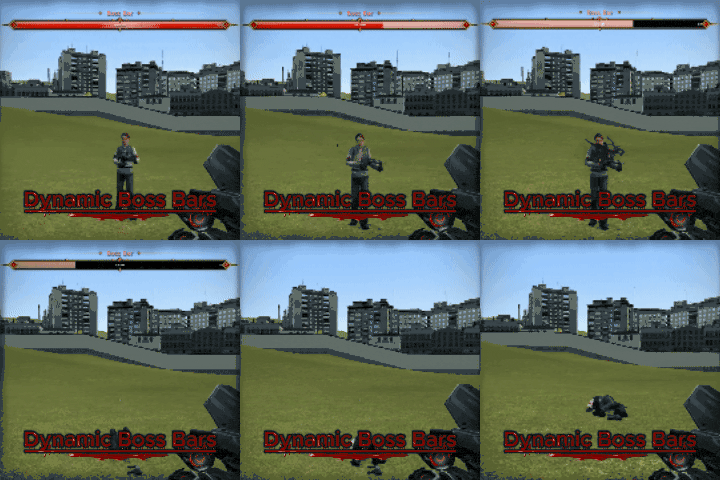
- Hit shake: the bar shakes and flashes every time the boss takes damage, scaled to how hard the hit was
- Ghost health: a lighter ghost segment follows the damage, then gradually drains away
- Death fade-out: a smooth fade-out animation plays when the boss dies
- Up to 4 boss bars at once: they stack neatly at the top and slide into place as bosses come and go
- Adapts to your HUD: bars scale with your screen resolution, with adjustable size and position
- Overhead mode: move ALL boss bars from the HUD to above the NPCs' heads (per-player option)
- Chat message: optionally announce "[Boss] Name has been defeated by Player!" when a boss dies
- Fun mode: a skull icon above the boss and a glowing outline you can see through walls, with an on-screen marker that shows the boss's name and distance
How to use
[olist] [*] Open the Q menu and go to Tools > Boss Bars > Boss Bar [*] Set the name, Health, Max Health and color, and tick any options you want (Chat message, Overhead mode, Fun mode) [*] Left click an NPC to make it a boss [*] Right click a boss to remove its bar [*] Reload removes all boss bars [/olist]
Client settings
Found in Q menu > Utilities > Boss Bars > Client Settings:
- Show or hide boss bars
- Overhead mode on/off
- Show or hide the fun-mode skull and glow
- Bar size and top offset
Console commands
bossbar_enable 1/0
bossbar_overhead 1/0
bossbar_fun_visible 1/0
bossbar_scale 0.5 - 1.5
bossbar_yoffset 0 - 300
bossbar_clear (admin only, removes all boss bars)

have fun and report any bugs in commentsHighlights
From source dataFootprint
Rated a light load on a server.
Last update
Its author last shipped an update 3d ago.
Dynamic Boss Health Bars on Nxeon
From our catalogue- One-click install
- Supported on Nxeon Garry's Mod servers. We download it from Steam Workshop, place it, and restart the server.
- Server load
- light
- Smallest plan we suggest
- Garry's Mod — 2 GB (2 GB RAM). This follows our own load rating above, not a benchmark.
- Latest build
- 2026-10-13, released 2026-10-13
Game versions by loader
| Loader | Game versions | Newest |
|---|---|---|
| Workshop |
From 1 recorded build of Dynamic Boss Health Bars.
Run Dynamic Boss Health Bars on a Garry's Mod server
Pick a server or deploy a new one above; it is installed in one click.
What kind of mod it is
From the catalogCreatures & NPCs
Adds or changes creatures, NPCs and how they behave.
Compatibility
- Game
- Garry's Mod
Verified at the source
- ✓Steam WorkshopOfficial listing, checked 2026-10-13Open ↗
- ✓AuthorДоходяга, as published on Steam Workshop
- ✓LicenseNot published by the sourceFree














